How to Know if Someone Blocked You on Instagram (2026)
How to know if someone blocked you on Instagram: search, URL, DM and group chat checks, telling a block from a deactivated or private account, and what no app can show.
 Andrea Marino10 min read
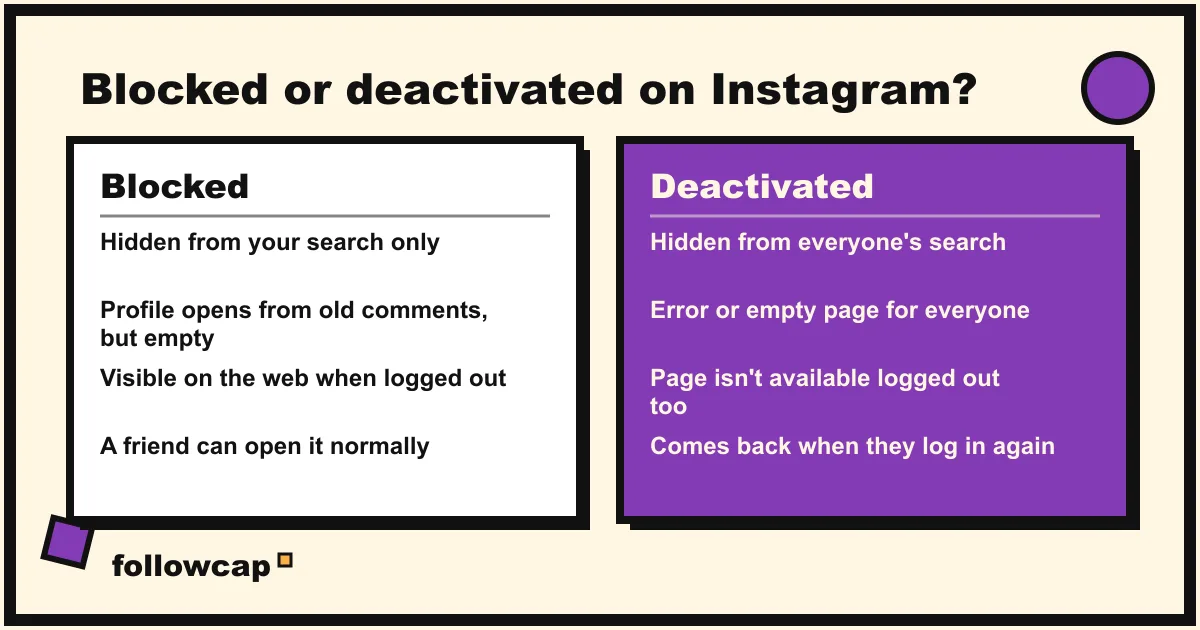
Instagram never tells you that someone blocked you, and there is no list of who did. You find out by elimination: their profile vanishes from search and from old comments, their page loads when you are logged out but not when you are logged in, and your messages to them stop going through. Those signs together mean a block.
Quick answer: search their exact username in the app; if nothing comes up, open instagram.com/username in a browser while logged in, then again in a private window while logged out. Hidden for you, visible when logged out: you are blocked. Hidden in both: the account is deactivated, deleted or renamed. “This account is private” means private, not blocked. No app can check this for you.
What actually happens when someone blocks you on Instagram
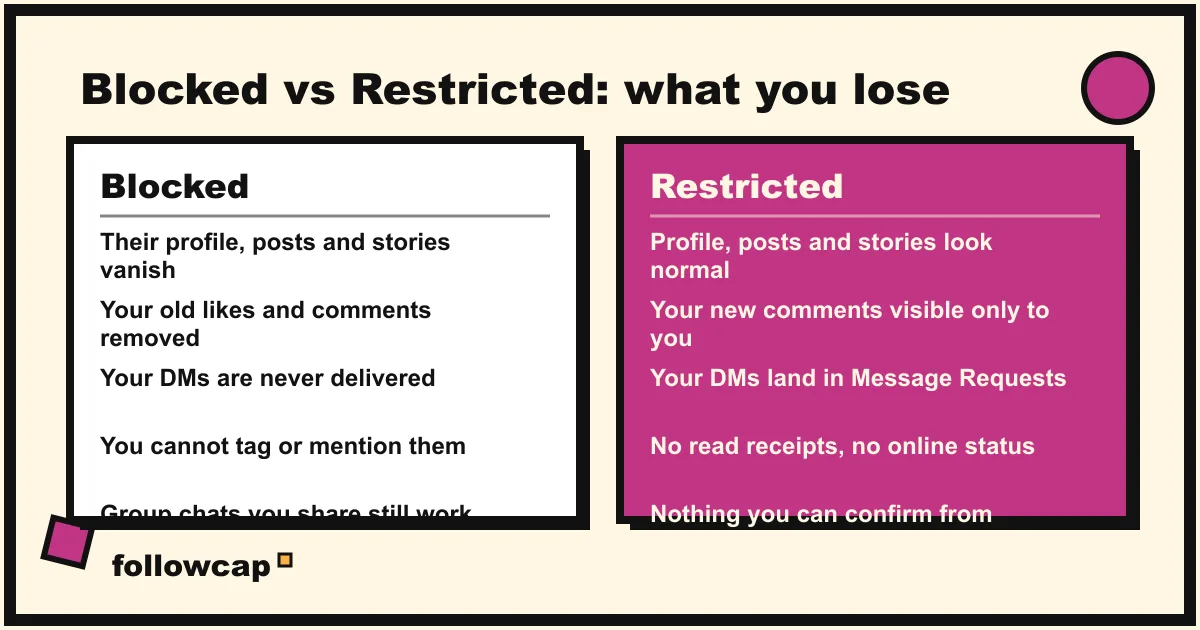
Instagram’s help page “What happens when you block someone on Instagram”, checked in late 2026, is short and specific. From the blocker’s side:
- “People aren’t notified when you block them.”
- Their likes and comments are removed from the blocker’s photos and videos, and “unblocking someone won’t restore their previous likes and comments.”
- The blocked person “won’t be able to mention your username or tag you.”
- The old message thread stays in the blocker’s inbox, “but you won’t be able to message them.” Anything the blocked person sends after the block is not received, “and they won’t be delivered later if you unblock them.”
- In a shared group chat, the blocker is asked whether to stay or leave. If they stay, “you and the blocked person will be able to see each other’s messages in the group.”
- When blocking from the app, the blocker can choose to block “their profile and other existing profiles they may have or profiles they may create.”
Flip that around and you have what you lose when someone blocks you: their profile, posts, stories and Reels disappear from your account; your old likes and comments on their posts are gone; you cannot tag or mention them; your DMs do not arrive; and a new account is likely to be caught by the “profiles they may create” option. The one thing that survives is a group chat you are both in. A block hides the two of you from each other; Instagram adds that a blocked person “can still see your likes and comments on posts that were shared by public profiles or profiles they follow.”
How to know if someone blocked you: the six checks
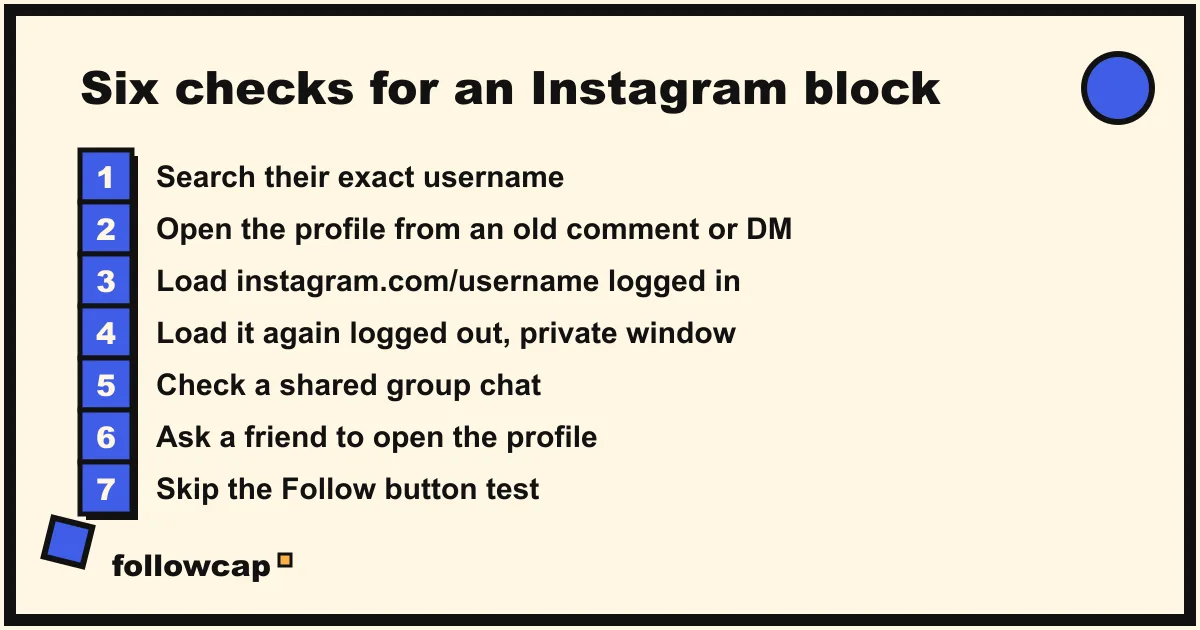
Run them in order. Each has an innocent explanation on its own; two or three together do not.
1. Search their exact username
Tap Search at the bottom of the app and type the handle, not the display name. A block hides the profile from your search completely. If the account appears with a bio and a post count, it is not blocking you. If nothing appears, carry on; a typo, a username change or a deactivated account give the same empty result.
2. Open the profile from an old comment, tag or message
Find a comment they left on a post you can both see, a post you were both tagged in, or your old DM thread, and tap their name. Blocked, the profile typically opens but is stripped: no bio, no post grid, a “No posts yet” style message, often a “User not found” line, follower and following numbers hidden or unresponsive. Instagram does not document the exact wording and it changes between versions, so look at the shape of the page: a profile that exists but shows you nothing is the block signature.
3. Try the direct URL, logged in, then logged out
In a browser, go to instagram.com/theirusername while logged in to your account. If you see “Sorry, this page isn’t available”, open a private or incognito window (so you are logged out) and load the same address. This is the single most useful test:
- Hidden logged in, visible logged out: you are blocked.
- Hidden in both: the account is deactivated, deleted, renamed, or the username is wrong. Nobody can see it.
- Visible in both: not blocked. Your app had a glitch or the account was briefly deactivated.
If Instagram puts a login wall on the logged-out view, step 6 does the same job.
4. Look at your DM thread
Instagram says the thread stays in the inbox for both sides, so its presence proves nothing. What changes: the avatar may go blank, tapping the name at the top may error, and a message you send never gets a reply, because it is never delivered. A silent DM is not evidence; a dead profile link at the top of the thread is.
5. Check a shared group chat
In a shared group chat their messages still appear and their name still shows in the member list, because Instagram keeps group messages visible to both sides. Tap their name from the group: if the profile will not open from there either, that is a block. A person visible in a group but nowhere else is the clearest case of all.
6. Ask a friend, or check from a second account you already have
Ask someone who follows the account to search it. If they can open it and you cannot, it is a block; if they cannot either, the account is gone or private. A second account you already have does the same job. Do not create a new one for this: Instagram’s block option extends to “profiles they may create”, and looking at someone who blocked you from a fresh account is exactly what it exists to stop.
One check to skip: tapping Follow on a stripped profile. Blocked, nothing happens. Not blocked, you have just followed them and they get the notification.
Blocked, deactivated, deleted, private or restricted: how to tell
The same empty profile can mean five different things.
| Blocked | Deactivated | Deleted or renamed | Private | Restricted | |
|---|---|---|---|---|---|
| Search result | Nothing | Nothing | Nothing (or the new name) | Appears normally | Appears normally |
| Profile from an old comment | Opens but empty | Error, or empty for everyone | Error, or empty for everyone | Opens, “This account is private” | Opens normally |
| Logged-out web view | Visible | “Page isn’t available” | “Page isn’t available” | Visible, posts hidden | Visible |
| A friend’s view | Normal | Same as yours | Same as yours | Same as yours | Normal |
| Your old comments on their posts | Removed | Hidden with the account | Gone with the account | Still there | Still there |
| DMs | Not delivered | Not delivered until they return | Not delivered | Delivered | Delivered, but land in their Message Requests |
| Their comments on your posts | Removed | Hidden until they return | Gone | Still there | Still there |
| Can it reverse itself? | Only if they unblock | Yes, when they log back in | Deleted: no. Renamed: it is still there under the new handle | Yes, if they accept your follow request | Yes, if they unrestrict you |
On deactivation, Instagram’s help page says “your photos, comments and likes will be hidden until you reactivate it by logging back in”, and a profile “can only be deactivated once a week.” A profile that disappears for a few days and comes back was deactivated, not blocking and unblocking you.
Restrict is the opposite problem: you will not notice it. Instagram’s help page on restricting says the restricted person “won’t be able to see when you’re online or if you’ve read their messages”, their new comments “will only be visible to that person”, and their messages move to Message Requests. Everything else looks normal. If you can see the profile, posts and stories but your comments get no reaction and your DMs sit unread, that is more consistent with restrict than block, and you cannot confirm it from outside; the same is true of being muted, as explained in how to mute someone on Instagram.
What you cannot see, and what no app can show you
There is no “blocked by” list anywhere in Instagram. The only list is the one you control: Profile → ☰ Menu → under Who can see your content, tap Blocked, which shows the accounts you have blocked, not the ones that blocked you. Instagram sends no notification and exposes block status through no official tool.
That means every “block checker”, “who blocked me” or “profile checker” app is doing one of two things: guessing from the same public signals you can check yourself in five minutes, or asking for your Instagram login so it can read your account. The second kind is the bad trade: you hand a stranger your password to answer a question Instagram does not answer, you put your account on the wrong side of Instagram’s terms, and you still get a guess. The same logic applies to every tracker that promises hidden activity, from who someone recently followed to who viewed your profile. If an app claims to know, it is making it up.
Nor is a drop in your own follower count evidence that someone blocked you. Instagram removes inactive accounts in batches, people unfollow quietly, and one block changes your count by one. If you want to know who left, the manual methods in how to see who unfollowed you on Instagram are the only honest ones.
What to do if someone blocked you
Nothing on Instagram. A block is a boundary, and the app is built to hold it: new accounts can be blocked in advance, DMs are not delivered, tags do not work. Getting around it with a new profile or a friend’s account is what Instagram’s safety tools exist to stop. If the relationship matters, the only route is a conversation outside the app, and only if the other person is open to it. If it is a creator or brand you followed for work, let it go. Followcap is our weekly email of posts from public creator and business accounts, and it is not a way around a block, so we would say the same to our own users: if someone has blocked you, respect it.
What to do if the checks disagree
- Search finds nothing but the profile opens from a comment with posts and a bio. Not a block. Search sometimes misses exact handles, or the username changed. Check the handle in the URL.
- “Page isn’t available” logged in and logged out, but a friend can see it. You are blocked and Instagram has put a login wall on the logged-out view. The friend’s result counts.
- Empty yesterday, normal today. Deactivation or a glitch. Instagram allows one deactivation a week.
- Only one check points to a block. Wait a day and run them again. A block shows up in all of them.
FAQ
Does Instagram notify you when someone blocks you?
No. Instagram’s help page states that “people aren’t notified when you block them.” There is no push notification, no email, no in-app message and no list of accounts that have blocked you. You can only infer it from the profile disappearing for your account alone.
What does it look like when someone blocks you on Instagram?
Their profile no longer appears in your search. If you reach it through an old comment, tag or DM thread, the page opens but shows no posts, no bio and a message along the lines of “No posts yet” or “User not found”. On the web, instagram.com/username shows “Sorry, this page isn’t available” while you are logged in, but loads normally when you are logged out.
Does “User not found” mean I am blocked?
Not on its own. “User not found” and “page isn’t available” appear for blocked, deactivated, deleted and renamed accounts alike. The difference is who else can see the profile: if it is visible when you are logged out, or to a friend, you are blocked; if it is gone for everyone, the account is deactivated, deleted or has a new username.
Is there an app that tells you who blocked you on Instagram?
No. Instagram does not expose block status through any official tool, so an app can only guess from public signals or ask for your login and read your account. Neither gives you a reliable answer, and the second puts your account at risk and against Instagram’s terms.
Related reading
- How to See Someone’s Activity on Instagram (What Is Public in 2026)
- Instagram Close Friends: How It Works and Who Can Tell (2026)
- Instagram Notifications Not Working? 12 Fixes (iPhone and Android)
The bottom line
To know if someone blocked you on Instagram, search their exact username, open their profile through an old comment or your DM thread, and load instagram.com/username both logged in and logged out. Hidden for your account and visible for everyone else is a block; hidden for everyone is deactivated, deleted or renamed; “This account is private” is neither. Instagram sends no notification, keeps no “blocked by” list, and no app can see what the platform does not expose. If the answer is yes, accept it, and that goes for keeping up with any account, including through a weekly digest like Followcap, which we make and which only covers public accounts you are welcome to follow.