How to Keep Track of Competitors on Social Media Without a Big Budget
How to keep track of competitors on social media and the web with free sources: a three-tier list, a monthly sheet, what to log per channel, a 30-minute weekly routine.
 Andrea Marino10 min read
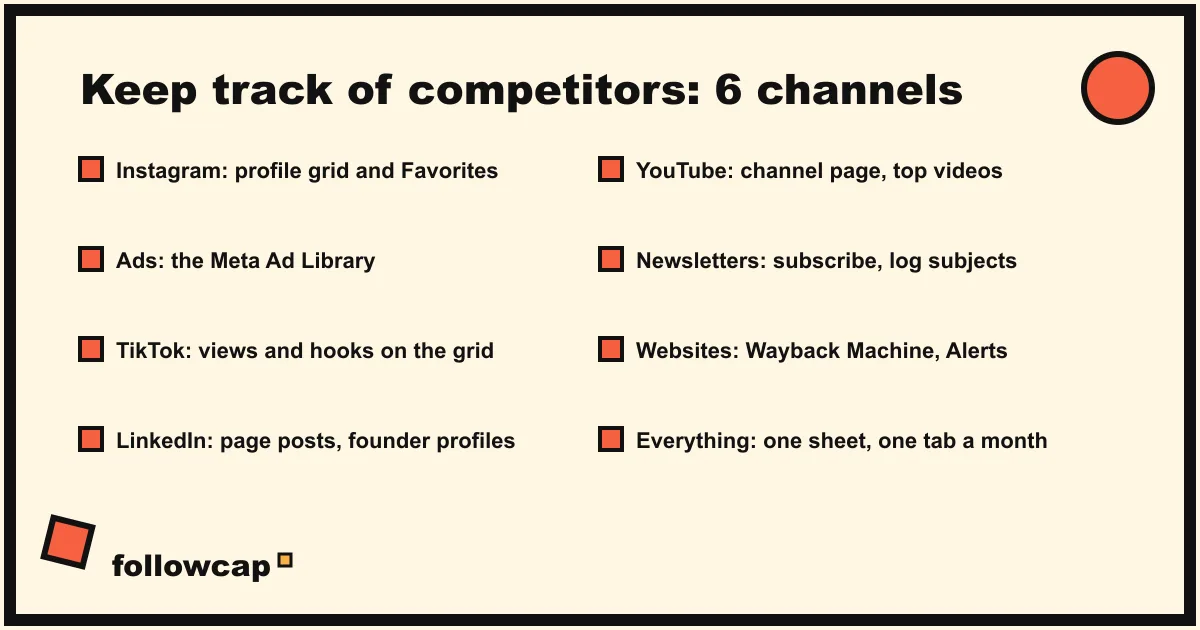
How to keep track of competitors without a budget comes down to three decisions: a short list, one sheet, and a fixed day. Instagram, TikTok, LinkedIn, YouTube, newsletters and websites each have a free source anyone can read, and a 30-minute weekly routine covers five to eight competitors. Paid tools come later, once the sheet proves the habit.
Quick answer: 1) list 5 to 8 competitors in three tiers (direct, indirect, aspirational); 2) build a sheet with one tab per month and one row per competitor; 3) log only what is public: posts, formats, likes, comments, followers, ads, newsletter subjects, site changes; 4) use free sources: the profiles, Meta’s Ad Library, Google Alerts, the Wayback Machine, their newsletters; 5) spend 30 minutes a week, write one line of insight per competitor, pick one test.
Start with a competitor list, not a tool
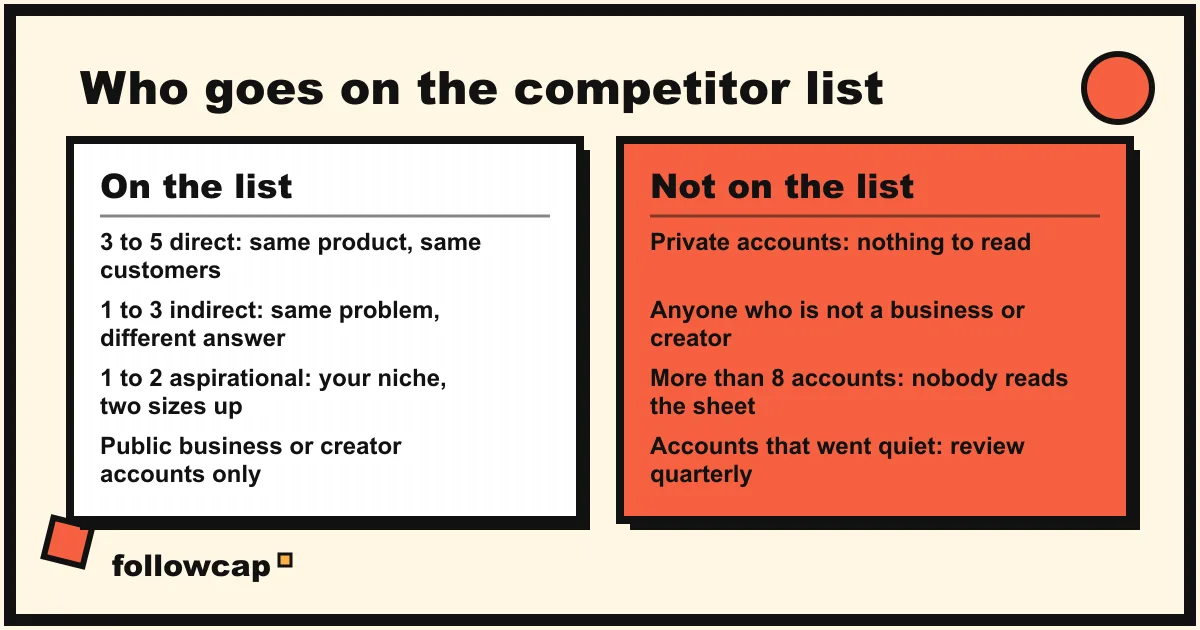
Most guides open with software. That is backwards: a tool pointed at the wrong accounts produces a tidy report about nothing. The list needs three tiers.
Direct competitors sell what you sell to the people you sell to. A boutique gym watches the three gyms within a mile and the two online coaching programmes its members mention. Three to five; past that, nobody reads the sheet.
Indirect competitors solve the same problem differently: for the gym, a running club, a yoga studio, a fitness app. They are where your customers go when they leave, and their ideas have not yet been copied by your direct rivals. One to three.
Aspirational accounts are two sizes above you in the same niche. They show which formats and hooks work at scale, usually a year before smaller accounts adopt them. One to two.
Write the list once, with each handle, the website and the newsletter sign-up page, and review it quarterly. For choosing accounts on one platform in depth, see Instagram competitor analysis.
Build the monthly sheet
One spreadsheet, one tab per month, one row per competitor, the same columns every month so you can read across tabs: one snapshot tells you where a competitor is, a series where they are going.
| Column | What goes in it | Where it comes from |
|---|---|---|
| Followers, per channel | The count on the first of the month | Each public profile |
| Posts this month, per channel | Count and format split (Reels, carousels, images, long video) | Profile grid or channel page |
| Best post, with link | Most liked or commented, one line on why | The profile |
| Offers and pricing | Anything new in bio, link page, site or ads | Bio, website, Ad Library |
| Ads running | How many, the one message they pay to push | Meta Ad Library |
| Newsletter | Sends and subject lines | Your inbox |
| Website changes | New pages, pricing, positioning | Wayback Machine, Google Alerts |
| One line of insight | What this tells you | You |
A column you never fill is a column to delete. The social media competitor analysis template is a ready-made version of this sheet.
What to watch on each channel, with a free source for each
Each channel exposes a different slice of a competitor’s thinking, and each has a free way to read it that any visitor can use.
Instagram: posts, formats, likes, comments, followers
The public profile gives you the grid, each post’s date, caption and format, like counts unless the owner has hidden them, comments, and the follower number. Add direct competitors to Favorites: Instagram’s announcement says you can add up to 50 accounts and that people are not notified when they are added or removed, so their latest posts arrive in one feed. Log posts published, format split, best post and follower change; how to monitor competitors on social media has the weekly version.
Instagram and Facebook ads: the Meta Ad Library
What a competitor pays to promote is the clearest statement of what they think works. Meta’s help page says the Ad Library contains all active ads shown across Meta technologies, that anyone can view and search it, and that it includes active branded content with a paid partnership label. Set a country and an ad category, then search a keyword or an advertiser; an ad appears within 24 hours of its first impression, ads delivered in the EU stay visible for a year, political ads for seven. You see the creative, the start date and the platforms, not spend or results for ordinary commercial ads. Once a month, search each direct competitor and note how many ads are live and what the headline promises; the filters are in how to see competitors’ ads on Instagram.
TikTok: formats and hooks
TikTok profiles can be opened on the web, and the grid shows a view count on each video. Log the posting rhythm, the three most viewed videos of the month, and the first three seconds of each: the hook is what matters.
LinkedIn: hires, positioning, launches
Company page posts are public, and the people behind the company often say more than the page. Watch the page for launches and positioning, and the founders’ profiles for direction: new job titles tell you what they are investing in before any announcement. Monthly is enough.
YouTube: long-form topics
A channel page lists every video with its view count and upload date. Log the month’s topics and the two most viewed; a long video that performs is a reliable source of three or four short-form ideas.
Newsletters: the offer, stated plainly
Subscribe with a work address you read. Email is where competitors state offer, price and urgency without a caption’s compression. Log sends and subject lines; a change in cadence usually precedes a launch.
Websites: pricing, pages and positioning
Two free tools do this job. The Wayback Machine keeps dated copies of public pages: type the URL, choose Browse History, and compare the pricing page from six months ago with today’s. The Internet Archive notes a 3 to 10 hour lag before a capture appears and that not every page is archived, so save the pricing page yourself once a month with Save Page Now. Google Alerts covers the rest of the web: enter the competitor’s name, open Show options to set frequency, sources, language and region, then Create Alert. It rarely catches social posts, which is why the channels above are read by hand.
The weekly 30-minute routine
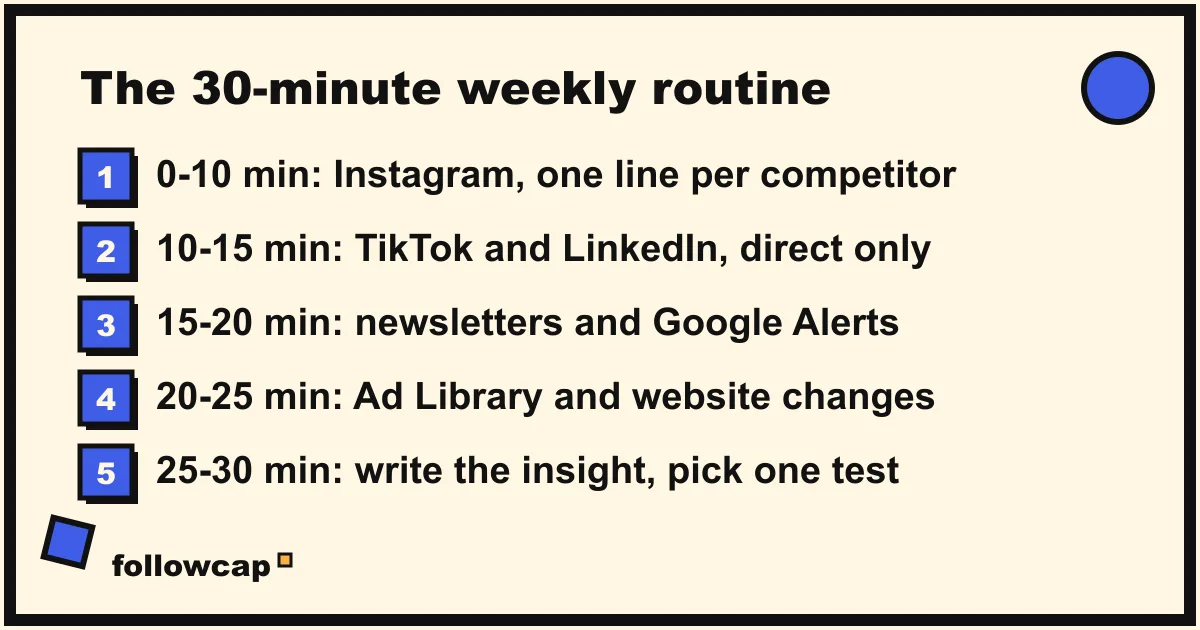
Monthly columns, weekly glances. Fill the sheet on the first working day of the month; otherwise one fixed 30-minute slot keeps you current without turning into a habit of checking.
- Minutes 0 to 10: Instagram. Open Favorites or each profile. Note anything that got clearly more likes or comments than usual, any new format, any new offer in the bio. One line per direct competitor.
- Minutes 10 to 15: other social channels. TikTok and LinkedIn for direct competitors only; aspirational accounts get the monthly pass.
- Minutes 15 to 20: inbox. Newsletters and Google Alerts from the week. Subject lines into the sheet, anything that reads like a launch flagged.
- Minutes 20 to 25: ads and site. Search the names that matter most in the Ad Library. If an ad is new, screenshot it for your own file; do not repost it.
- Minutes 25 to 30: write. One sentence per competitor, then one thing you will test this week. If three weeks pass with no test, change the list.
Two rules make the half hour hold. Read, do not engage: likes and comments tell them you are watching, and viewing Stories puts your name in their viewer list. Write the insight, not the number: “posted 9 times, 3 Reels” is data; “switched to daily Reels with a question first, comments roughly doubled” is something you can act on.
When a paid tool pays for itself
Our estimate: watching and studying one account by hand takes about 15 minutes a week, about four Reels to watch and note plus the grid, bio and comments. Five accounts fit the routine above. Ten cost about 2 hours 30 a week, and that is where people stop, because it is the first thing dropped in a busy week. Pay when the hours cost more than the subscription, or a client expects a report you cannot assemble by hand.
Which kind of tool depends on what broke:
- Mentions of your brand or your competitors across the web and social. A listening tool: Brand24, Mention, Talkwalker and the enterprise suites. Free social media monitoring tools separates what is genuinely free here from what is a trial.
- Your own accounts plus a few competitors’ public numbers in one dashboard. The analytics suites: Metricool (five competitor profiles on its free plan), Socialinsider, Rival IQ, Minter.io, priced by profiles and history.
- A weekly read of what competitors and reference accounts published, without a dashboard. Followcap is our product, so read this as the maker’s description. You type the usernames of public Instagram creator or business accounts, with no Instagram login or password, and every Sunday you get one email: a 30-second summary of the week, the three posts not to miss, then each account’s best three posts (most liked and commented first) with a short recap, the day and the link, and a note on what you can apply this week; if an account posted more than three times, the email says how many more there were. Three accounts are free, no card, no time limit. Premium (€9 a month, 10 accounts) opens the email with the week in numbers and adds an archive page that keeps every post of every week; Business Pro (€29 a month, 50 accounts, 3 team users) adds a monitoring dashboard with alerts, CSV export and a monthly PDF report. The limits: weekly, not real time; public creator and business accounts only, and only their public posts, likes, comments and follower counts, so no reach, saves, views, Stories, mentions, hashtags, ads or audience data; Instagram only; paid after a 7-day trial, with a 30-day money-back.
Whatever you buy, keep the sheet: 18 months of competitor history in a spreadsheet is yours.
What no method can show you
For any account you do not manage, nobody outside Meta can see reach, impressions, saves, shares, Story viewers, audience demographics or messages, and no tool, free or paid, gets them; anything presented as such is estimated or invented. A private account shows nothing to anyone it has not approved. Instagram’s page on why accounts get restricted for data scraping says its Terms of Use do not allow collecting information in unauthorised ways, and lists giving your username and password to a third-party app among the behaviours that get an account restricted. Apps that promise a competitor’s “hidden analytics” fail twice: the data cannot exist, and the method risks your own account.
FAQ
How do you keep track of competitors on social media?
Choose 5 to 8 accounts in three tiers, build a sheet with one tab per month and one row per competitor, and log the public numbers: followers, posts and formats, best post, offers, ads and newsletter subjects. Read it for 30 minutes a week, write one line of insight per competitor, test one thing.
What is the best free tool to track competitors?
There is no single one, because each channel has its own: the public profile and Favorites for Instagram, the Meta Ad Library for ads, Google Alerts for web mentions, the Wayback Machine for website history, their newsletter for offers, and a spreadsheet to hold it all.
How often should you check on competitors?
Weekly for a glance at direct competitors, monthly for the full sheet, quarterly to revise the list. Daily checking produces anxiety and no better decisions, because the signals that matter take weeks to read.
Can competitors tell that I am tracking them?
They can see that you follow them, any like or comment you leave, and your name in their Story viewer list. Profile visits, Favorites, Ad Library searches, Wayback lookups, Google Alerts and newsletter subscriptions send them nothing.
Is it legal to keep track of competitors?
Reading public profiles, ads, websites and emails they chose to send you is ordinary market research and allowed everywhere. The lines not to cross are Instagram’s terms (automated collection, fake accounts, apps that take your password) and the law (accessing private accounts or systems without permission).
Related reading
- Instagram Monitoring: What It Is and How to Do It in 20 Minutes a Week
- Social Listening vs Social Monitoring: The Difference, With Examples
- Social Media Competitive Intelligence: A Practical Guide for Small Teams
The bottom line
How to keep track of competitors without a big budget: 5 to 8 accounts in three tiers, a sheet with one tab a month, and the free source for each channel, read for 30 minutes on a fixed day and turned into one test a week. Pay when the list passes ten accounts or a client needs a report: a listening tool for mentions, an analytics suite for dashboards, or a weekly recap of public Instagram accounts such as Followcap, which we make and which sees nothing beyond their public posts and numbers.