Social Media Competitive Intelligence: A Practical Guide for Small Teams
Social media competitive intelligence for small teams: the eight signals to watch, the public sources, a weekly brief format, tools by budget, and the ethical limits.
 Andrea Marino10 min read
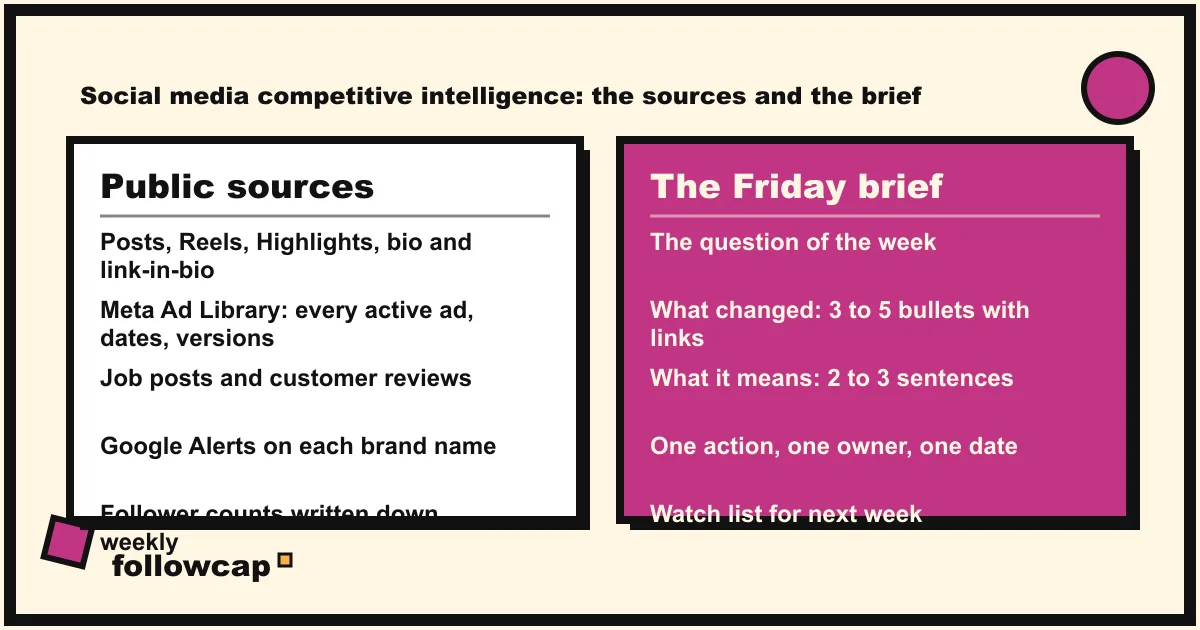
Social media competitive intelligence is the habit of reading what competitors publish in public, logging the signals that matter (launches, price moves, campaigns, format shifts, hires, partnerships), and turning them into a short brief your team or client can act on. A small team can run it in about an hour a week with public posts, the Meta Ad Library, Google Alerts and a sheet.
Quick answer: list 5 to 10 public competitor and reference accounts. Each week, check their new posts, Highlights, bio and link-in-bio page, their ads in the Meta Ad Library, their job posts and reviews. Log each signal with a date, a link and one line. On Friday, write a one-page brief: what changed, what it means, what we do next. Public data only; no fake accounts, scrapers or password-based apps.
What competitive intelligence means on social media
Competitive intelligence (CI) is older than social media: collecting public information about competitors and turning it into decisions. Social media changed the supply: a launch is now a Reel on Tuesday, a pinned post with a price, a Story with a discount code, a job ad that shows where the budget goes next quarter.
Three words get mixed up here. Social monitoring is watching what specific accounts publish. Social listening is tracking what everyone says about a topic, brand or hashtag, which needs a listening tool; social listening vs social monitoring draws that line. Competitive intelligence sits above both: it reads those signals against a question such as “are they moving upmarket?” and ends in a recommendation: “two of our three rivals launched a subscription tier this quarter, we should decide on ours before Q1”.
The eight signals worth logging
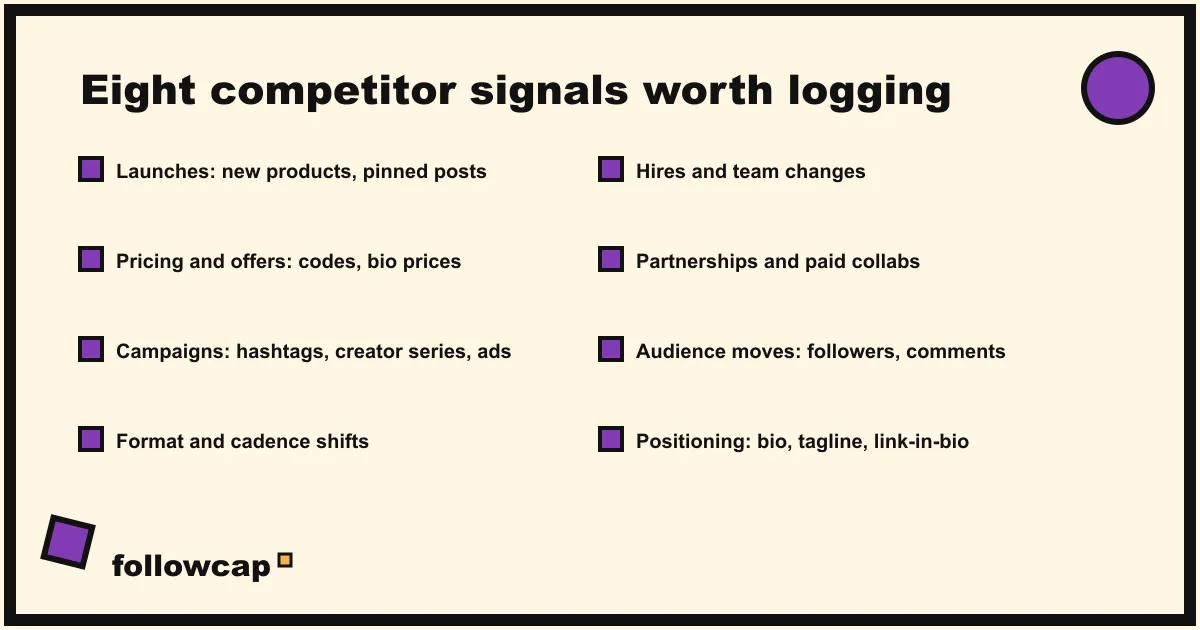
Not every competitor post is intelligence. These eight kinds are:
- Launches. New products, features or services, usually a carousel or Reel pinned to the grid.
- Pricing and offers. Discount codes in captions and Stories, “from €X” lines in bios, bundles, free trials.
- Campaigns. A new hashtag, a new visual language, a creator series, a burst of five posts in a week. Check the Meta Ad Library to see whether it is paid too.
- Format and cadence shifts. From images to Reels, from daily to three times a week, from polished to talking-head. Competitor content analysis covers how to read these.
- Hires and team changes. A new face in a Reel, a “we’re hiring” post, a job ad for a role that did not exist.
- Partnerships and creators. Paid partnership labels, collab posts, sponsorships; the Ad Library indexes branded content too.
- Audience moves. Follower count changes week to week, a jump in comments, a new language in the captions, a new regional account.
- Positioning changes. A rewritten bio, a new tagline, a new highlight set, a different link-in-bio page.
Each signal is one row: date, account, type, link, one line of what you saw, and later a “so what” column. Log signals, not posts.
The sources, and what each one can tell you
All public, no login to anyone’s account needed.
| Source | What it reveals | Check |
|---|---|---|
| Public posts and Reels | Launches, campaigns, formats, cadence, likes, comments | Weekly |
| Stories and Highlights | Offers, events (viewing a Story shows your name in their viewer list) | Weekly |
| Bio and link-in-bio page | Positioning, current offer, products pushed | Weekly |
| Meta Ad Library | Every active ad across Meta’s apps, with dates, platforms, versions | Weekly |
| Job posts | Where budget and headcount go next | Monthly |
| Reviews (Google, Trustpilot, app stores) | What customers love and complain about | Monthly |
| Google Alerts on the brand name | Press, blog mentions, new pages | As they happen |
| Follower counts, written down | Growth trend, the effect of a campaign | Weekly |
The Meta Ad Library is the most underused source for a small team. Meta’s help page About the Meta Ad Library says it contains all active ads shown across Meta technologies, plus active branded content with a paid partnership label on Facebook and Instagram, and that anyone can search it by term, name or Page. The library itself, as of November 2026, adds that ads delivered in the EU stay visible for a year, that an ad appears within 24 hours of its first impression, and that spend is reported only for ads about social issues, elections or politics. How to see competitors’ ads on Instagram walks through the filters.
Google Alerts covers everything outside social. Google Alerts sends new web results for a query as they happen, daily or weekly, filtered by source type, language and region; one alert per competitor name catches press and new pages.
Your own Insights, for the comparison. Meta’s page About Insights in Meta Business Suite on desktop describes a Benchmarking tab that compares your business against others in the same category with a similar organic 28-day reach, the closest thing to a free industry baseline. The fuller method is in social media benchmarking.
A weekly workflow for a team of one to three
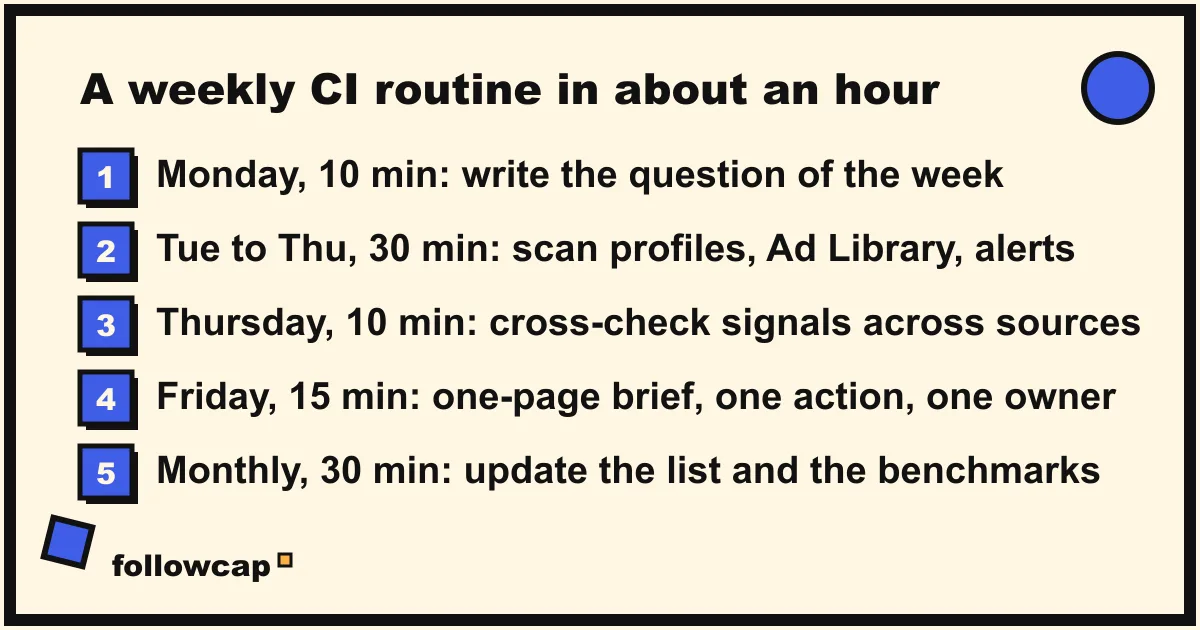
- Monday, 10 minutes: set the question. One line: “This week we want to know whether X has started pushing their new tier.”
- Tuesday to Thursday, 30 minutes total: scan. Open each profile, read the new posts, glance at Highlights and the bio, write down the follower count. Then the Ad Library for each name, then any Google Alerts. One row per signal.
- Thursday, 10 minutes: cross-check. A Reel plus an ad plus a job post is a launch with budget; a Reel alone may be a test.
- Friday, 15 minutes: write the brief. One page, the format below, one action with an owner.
- Monthly, 30 minutes: zoom out. Re-read four briefs, update the competitor list, refresh the benchmark numbers.
Our estimate for a by-hand scan is about 15 minutes per account per week, so ten accounts is about 2 hours 30. The routine fits in an hour by splitting the job: the scan covers the 3 to 5 accounts that matter most this week, and a weekly recap or tool covers the rest.
The weekly brief: a format for a team or a client
A brief that people read is one page, written for someone who did not see the posts:
Competitor brief, week of [date]
Question this week: [one line]

1. What changed (3 to 5 bullets, each with a link)
   - [Rival A] launched a €29 mid-tier plan (pinned carousel, Tue); ads live in IT and ES since Wed.
   - [Rival B] now posts 3 Reels a week, no images since the 2nd.

2. What it means (2 to 3 sentences)
   A moves into our price band with a paid push; B is betting on short video.

3. Numbers (one line per account: posts, best post, follower change)

4. What we do next (one action, one owner, one date)
   Decide our response to A's tier by Friday [owner].

5. Watch list for next week (one line)
Three rules keep it honest. Link every claim to the post or ad it came from. Separate what you saw from what you think it means; the “what changed” section has no adjectives. Keep one action, not five. For more detail, the weekly social media report template adds the performance side.
Tools by budget
| Budget | Tool | What it does | Sees other accounts? | From |
|---|---|---|---|---|
| Free | Meta Ad Library | Every active ad across Meta’s apps, by advertiser | Ads only | Free |
| Free | Google Alerts | Email when a competitor name appears on the web | Web only | Free |
| Free | Instagram Favorites and post notifications | Their posts in a chronological feed, a push per new post | Yes, in your feed | Free |
| Free | Meta Business Suite Benchmarking | Your account against your category | Category, not named rivals | Free |
| Under €50 | Metricool | Competitor profiles next to your analytics | Yes, 5 free, up to 100 paid | Free; Starter €20/month |
| Under €50 | Followcap (ours) | Sunday email with each account’s best posts, weekly numbers, archive | Yes, public creator and business accounts | Free for 3; €9/month for 10 |
| Enterprise | Brandwatch Consumer Research | Listening across 100 million+ sources, archive to 2008 | Mentions and conversations | By demo |
| Enterprise | Meltwater | Media and social listening; competitive benchmarking on Pro | Mentions and conversations | Tailored |
The row marked (ours) is our product, so read it as the maker’s description. You type the usernames of public Instagram creator or business accounts, with no Instagram login or password, and every Sunday one email arrives with a 30-second summary of the week, the three posts not to miss, then each account’s best three posts with a short recap, their day and their link, and “what you can apply this week”. Three accounts are free with no card. Premium (€9 a month, 10 accounts) opens with “this week in numbers” and adds weekly numbers per account and an archive page that keeps every post of every week; Business Pro (€29 a month, 50 accounts, 3 team users) adds a dashboard with alerts, CSV export and a monthly PDF report. Its limits matter for CI: weekly, not real time; Instagram public creator and business accounts only; posts, likes, comments and follower counts only, so no ads, Stories, mentions, reach or audience data; paid after the 7-day trial, with a 30-day money-back. It replaces the organic scan, not the Ad Library or Google Alerts.
Ethics and limits: public data only
Competitive intelligence has a bad cousin, and the line between them is clear.
- Public accounts only. Competitors here are public business and creator accounts. A private account, or a person who is not a public creator or business, is out of scope.
- No fake accounts. Following a competitor from a made-up profile to see their close friends Stories or get a DM reply is deception, and against Instagram’s terms, which do not allow impersonation or inaccurate account information.
- No scraping, no password apps. Instagram’s help page Why your account has been restricted for data scraping says its Terms of Use “don’t allow you to attempt to create accounts, access or collect information in unauthorized ways”, that giving your username and password to a third-party app gets an account restricted, and that Instagram has teams dedicated to blocking scraping. Any “spy” or “tracker” tool that logs in as you is exactly that.
- Link, do not copy. Reposting a competitor’s images or videos publicly needs their permission; linking is always fine.
- Mind the law on people. Logging what a company publishes is research. A dossier on an individual employee is not, and in the EU it raises data protection questions.
What no source can tell you
Public social data has a ceiling. You cannot see a competitor’s reach, saves, Story results, audience demographics or messages; those live in their Insights. You cannot see ad spend or results for ordinary commercial ads; the Ad Library shows the creative, the dates and the platforms, not the money. And you cannot see intent; two sources pointing the same way is the honest substitute.
FAQ
What is competitive intelligence in social media?
Collecting what competitors publish in public on social platforms, logging the signals that matter (launches, prices, campaigns, formats, hires, partnerships, audience moves, positioning), and turning them into a short brief that recommends an action.
Is social media competitive intelligence legal?
Reading and logging what public business and creator accounts publish is legal and normal. Scraping, fake accounts, password-based “tracker” apps and compiling data on private individuals are not: they breach Instagram’s terms, risk your account and may breach data protection law.
How often should a small team review competitors?
A weekly scan of the 3 to 5 accounts that matter most, a one-page brief every Friday, and a monthly review of the whole list and the benchmark numbers.
What tools do you need for competitive intelligence on social media?
To start, none that cost money: the Meta Ad Library, Google Alerts, Instagram Favorites and a sheet. Under €50 a month buys competitor profiles in an analytics tool or a weekly recap by email. Listening suites suit teams tracking many brands across markets.
Related reading
- How to Keep Track of Competitors on Social Media Without a Big Budget
- How to Monitor Competitors on Social Media (a Weekly Routine)
- Instagram Monitoring: What It Is and How to Do It in 20 Minutes a Week
The bottom line
Social media competitive intelligence for a small team is a weekly habit, not a platform: a short list of public accounts, eight kinds of signal, free public sources, one sheet, and a one-page Friday brief that ends in a single action. Automate the organic scan if it is eating your week, with a tool such as Followcap, which we make and which only ever reads public posts, likes, comments and follower counts, and keep the reading of the signals human. Public data only, linked to its source.