The Best Instagram Analytics Tools in 2026 (Yours and Others')
Best Instagram analytics tools in 2026, with verified prices and which ones see other accounts: Insights, Meta Business Suite, Metricool, Iconosquare, Later, Hootsuite.
 Andrea Marino11 min read
The best Instagram analytics tools fall into two groups. For your own account, Instagram Insights and Meta Business Suite are free and show more than any paid dashboard, because they have your private data. For other accounts, every tool, paid or not, works from the same public numbers: posts, likes, comments and follower counts.
Quick answer: start with Instagram Insights (free, 90 days of data). Add Meta Business Suite when you want the same numbers on a desktop. Pay for Metricool, Iconosquare, Later, Socialinsider, Sprout Social or Hootsuite when you need longer history, scheduled reports, several accounts or a team. If what you really want is to follow other accounts, pick a tool by how many it tracks and how it delivers, because none of them can see reach, saves or audiences that are not yours.
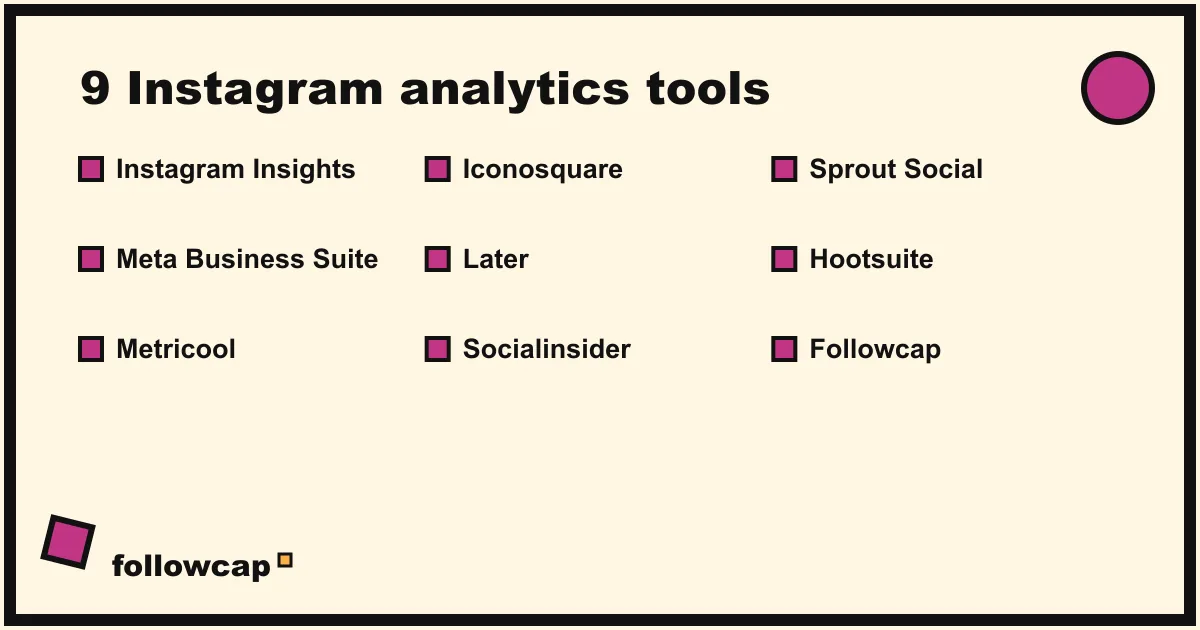
The 9 Instagram analytics tools compared
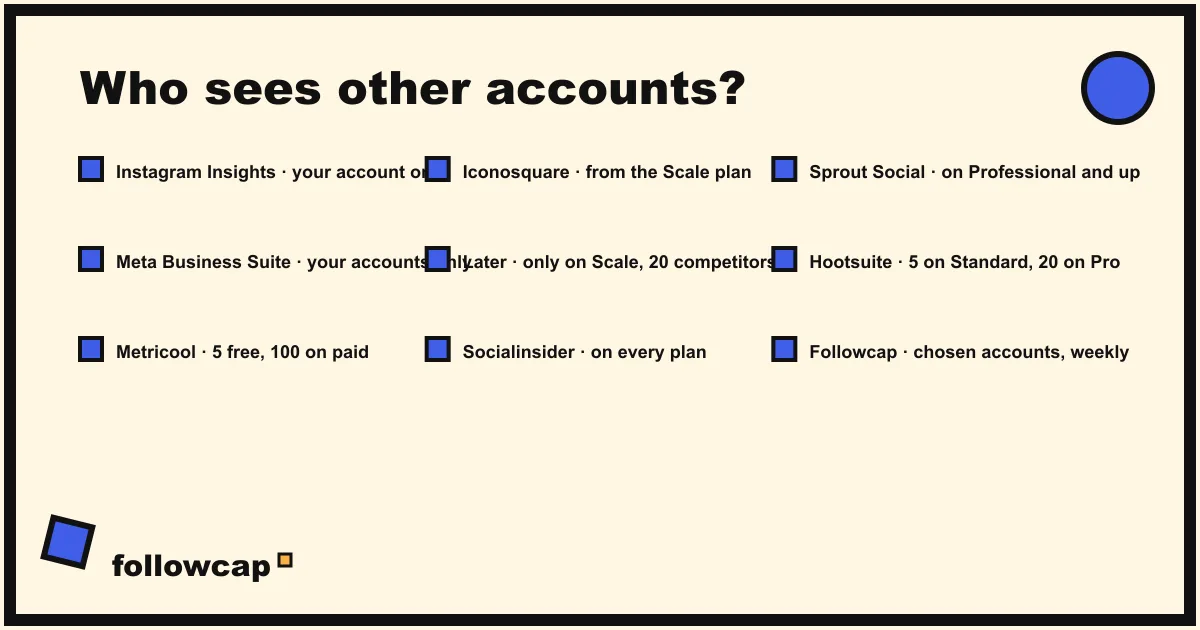
Prices below were checked on each tool’s own pricing page in early November 2026 and are the entry plan at the billing shown. “Sees other accounts?” means public accounts you do not own.
| Tool | What it measures | Sees other accounts? | From | Best for |
|---|---|---|---|---|
| Instagram Insights | Views, viewers, interactions, accounts engaged, followers | No | Free | Everyone, first |
| Meta Business Suite | Same account data on desktop, plus Facebook and scheduling | No | Free | Desktop reports, small teams |
| Metricool | Your accounts across networks, competitor profiles | Yes, 5 on the free plan, 100 on paid | Free; €16/month billed yearly | Budget, several networks |
| Iconosquare | Instagram and Facebook analytics, competitors from the Scale plan | Yes, from €69/month | Free (2 profiles); €9/month billed yearly | Agencies and brands on Instagram |
| Later | Scheduling with platform analytics | Only on Scale (up to 20 competitors) | $18.75/month billed yearly | Scheduling first, analytics second |
| Socialinsider | Benchmarks and competitor analysis | Yes, on every plan | $82/month | Benchmarking a niche |
| Sprout Social | Full management suite, competitor reports on Professional | Yes, on higher plans | $79 per seat/month billed annually | Larger teams |
| Hootsuite | Management suite, benchmarking of up to 5 competitors | Yes, 5 on Standard, 20 on Professional | $99 per user/month billed annually | Teams that also schedule and listen |
| Followcap (ours) | Posts, likes, comments and follower growth of public creator and business accounts you choose, weekly by email | Yes, that is all it does | Free (3 accounts); €9/month (10 accounts) | Keeping up with other accounts without a dashboard |
1. Instagram Insights: free, and the only source for your private numbers
Instagram’s help page on insights says that if you have a public account, you can use free insights to see trends across your followers and how your content performed. The app overview shows Views, Interactions, New followers and Content you shared; each opens into a detailed screen, and the timeframe can be any preset or custom range within the past 90 days.
The metrics that matter: Views (times your content was played or displayed), Viewers (unique accounts, with countries, cities, age ranges and gender once you reach more than 100 accounts), Interactions (likes, comments, saves and shares), Accounts engaged (split into followers and non-followers), and Total followers, with growth, locations, age range and active times once you have at least 100 followers. Per-post insights sit under View insights below each post or reel.
The two limits are the 90-day window and the fact that it covers only your account. For a year of history, export monthly or use a paid tool that stores what Instagram gives it.
2. Meta Business Suite: the same data on a desktop, free
Meta Business Suite is Meta’s own management tool for Facebook, Instagram, Threads and WhatsApp, and Meta’s help page says it is free to use on desktop and in the mobile app. Its Insights show trends, activity on the content you share and audience information, next to the calendar, the shared inbox and ads. You need a business portfolio and a connected professional Instagram account.
Use it to see Instagram and Facebook numbers side by side on a large screen, or to give a colleague access without sharing your Instagram login. It does not show other accounts.
3. Metricool: the most generous free plan for competitors
Metricool’s free plan manages one brand across all networks except LinkedIn and X, schedules up to 20 posts a month, keeps 30 days of analytics and lets you analyse 5 competitor profiles. Starter is listed from €16 a month billed yearly (€20 billed monthly) for up to 5 brands, with 100 competitors; Advanced starts at €43 a month billed yearly for up to 15 brands. Prices exclude VAT.
For a solo creator or small business that wants its own Insights kept longer, plus a few competitors on one screen, it is the cheapest full dashboard here.
4. Iconosquare: Instagram-first analytics, competitors from Scale
Iconosquare now has a free plan for up to 2 social profiles and 1 user. Starter starts from €9 a month billed yearly (3 profiles), Launch from €33 and Scale from €69, all excluding VAT, with a 14-day free trial on the paid plans. Competitor monitoring, hashtags and industry trends are listed on Scale and above, so the cheap tiers are for your own accounts only.
Its strength is depth on Instagram itself: post-by-post performance, best times and automated client reports. Instagram competitor analysis explains what to compare once the competitor module is on.
5. Later: a scheduler with analytics attached
Later is a scheduling tool first. Its pricing page lists Starter at $18.75 a month billed yearly (1 social set, platform analytics up to 3 months), Growth at $37.50 (analytics up to 1 year) and Scale at $82.50 (analytics up to 2 years). Competitive benchmarking, for up to 20 competitors, is only on Scale.
Pick it if publishing is your main job and the analytics are a bonus. If other accounts are the point, Scale is the only plan that does it, and at that price Socialinsider or Metricool give you more.
6. Socialinsider: benchmarks across a whole niche
Socialinsider sells analysis rather than publishing. Adapt is $82 a month for up to 20 social profiles, Optimize $124 for 30, Predict $199 for 40, and every plan includes competitor benchmarking, with a 14-day free trial and no card required. Profiles are counted across platforms, so 20 means your accounts plus the competitors you add.
It is the tool to buy when the question is “how does my engagement compare with the 15 accounts in my category.” Instagram engagement rate benchmarks shows what a normal rate looks like before you read a report.
7. Sprout Social: for teams, with competitor reports on Professional
Sprout Social’s Essentials plan is $79 per seat a month billed annually, or $99 billed monthly, with a 30-day free trial and no card. Standard is $199 per seat, Professional $299 and Advanced $399. Extensive competitor, tag and paid insights are listed on Professional and up; Listening is a separate add-on priced by demo. For a team that publishes, replies and reports from one place it is a serious tool; one person tracking a few accounts is paying for a suite.
8. Hootsuite: management suite with benchmarking built in
Hootsuite’s Standard plan starts at $99 per user a month billed annually, with 10 social accounts, social listening and benchmarking of up to 5 competitors, and a 14-day free trial. Professional, from $199, raises that to unlimited accounts and 20 competitors. Like Sprout, it is priced for teams that do everything in one tool; the competitor view is a feature, not the product.
9. The row marked (ours): a weekly email instead of a dashboard
The last row in the table is our product, so read this paragraph as the maker’s description. You type the usernames of public creator or business accounts, no Instagram login or password needed, and every Sunday you get one email with a 30-second summary, the three posts not to miss, a two to three line recap of the best posts from each account with their links, and “what you can apply this week”. Three accounts are free with no card. Premium (€9 a month, 10 accounts) adds weekly numbers per account (posts, likes, comments, best post, follower growth) and a personal archive page; Business Pro (€29 a month, 50 accounts, 3 team users) adds a monitoring dashboard with alerts, CSV export, a “you vs your niche” view, content ideas, a hook library, brand radar and a monthly PDF report. Paid plans have a 7-day free trial with a card at checkout and a 30-day money-back.
The limits are real: weekly, not real time; public creator and business accounts only; no reach, saves, views, watch time, mentions, hashtags or audience data, because nobody outside the account has them; paid after the trial. It does not replace Insights on your own account. It is for the other half of the job, the accounts you want to keep up with, as described in how to see analytics of other Instagram accounts. Start with three accounts if that is your problem.
What no tool can show you about other accounts
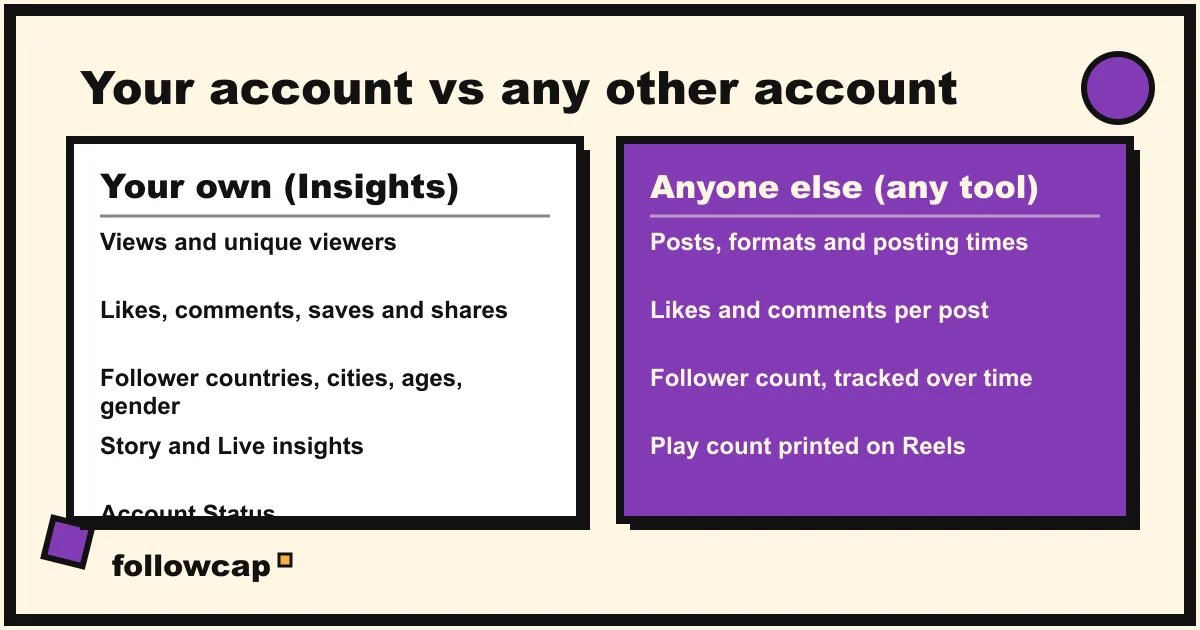
Every “sees other accounts” cell above means the same thing. Tools that read other Instagram professional accounts go through Meta’s official API, whose Business Discovery endpoint returns an account’s followers_count, media_count and its media with like_count and comments_count, for Business or Creator accounts; age-gated accounts are not returned at all. Reading public pages instead gives the same numbers and nothing more.
So, for an account you do not own, no tool can show:
- Reach, viewers or impressions. Insights metrics, private to the login. A tool that claims a competitor’s reach is estimating.
- Saves and shares. Not public. Any “engagement rate” for another account is likes plus comments over followers, which is why tools disagree.
- Audience demographics. Countries, cities, ages and gender exist only in the owner’s Insights.
- Story and Live numbers. Stories are not in the public media list.
- Account Status. Only the owner can check it; see Instagram shadowban.
- Video views, beyond the play count Instagram prints on a Reel. That number is public; the breakdown is not.
What you can track on anyone public is still enough to learn from: what they posted and when, the format, the opening line, the likes and comments each post pulled, and how the follower count moved week by week. How to track influencers and creators for your brand turns that into a routine.
How to choose: three questions
- Whose numbers? Your own account only: Insights and Meta Business Suite, both free, and a paid tool only for history beyond 90 days or client reports. Other accounts: check how many the tool tracks and on which plan, because that is where the price jumps (Later Scale, Iconosquare Scale, Sprout Professional).
- Dashboard or delivery? A dashboard is right when you log in daily to publish and reply. If you will not open it, a report that arrives by email or PDF is the one you will read.
- How many seats? Sprout and Hootsuite charge per user; Metricool, Iconosquare and Socialinsider by brand or profile. One person with ten accounts to watch should not pay per seat.
Before paying, open the trial and add the three accounts you care about most: Meta’s API covers professional accounts only, so a personal account you want to follow may not appear.
FAQ
What is the best free Instagram analytics tool?
Instagram Insights, for your own account: the only source for views, viewers, saves, shares and audience demographics, free for public accounts, with timeframes up to 90 days. Meta Business Suite shows the same data free on desktop. For other accounts, Metricool’s free plan tracks 5 competitor profiles.
Can I see Instagram analytics for other accounts?
Only the public part: posts, likes, comments, follower count and, on Reels, the printed play count. Meta’s Business Discovery API gives tools exactly that for professional accounts; no tool can see reach, saves, shares or audience data that belongs to another login.
How far back does Instagram Insights go?
Instagram’s help page says you can pick a preset or custom timeframe within the past 90 days. Older data is not shown in the app, which is the main reason to use a tool that stores your numbers, or to export them yourself.
Do I need a business account to see Instagram Insights?
Instagram’s current help page says insights are available to public accounts, and that boosting content is the part limited to professional (business or creator) accounts. Switching is free and reversible, and the third-party tools here connect only to professional accounts.
How much do Instagram analytics tools cost?
From free (Insights, Meta Business Suite, the free plans of Metricool and Iconosquare) to about $100 per user a month for the management suites. Verified entry prices: Iconosquare from €9 a month billed yearly, Metricool from €16, Later from $18.75, Sprout Social from $79 per seat, Socialinsider from $82, Hootsuite from $99 per user, before tax.
Are these tools accurate?
For your own connected account they show what Instagram’s API gives them, so they match Insights. For other accounts, likes, comments and follower counts are exact and public; engagement rates, best times and anything about reach are calculations or estimates, and two tools will give two answers.
Related reading
- 8 Best Instagram Monitoring Tools in 2026 (Creators and Brands)
- Free Social Media Monitoring Tools That Actually Work in 2026
- Influencer Tracking Tools: What They Cost and What They Show (2026)
The bottom line
For your own account, the best Instagram analytics tools are the free ones: Instagram Insights for the private numbers and Meta Business Suite for the desktop view, with a paid dashboard only when you need history past 90 days, client reports or a team. For accounts you do not own, every tool sees the same public posts, likes, comments and follower counts, so choose by how many accounts it tracks, what that plan costs and whether you will actually open it; if a Sunday email beats a dashboard for you, Followcap, which we make, does exactly that from public data and nothing more.