Free Social Media Monitoring Tools That Actually Work in 2026
Free social media monitoring tools that are genuinely free, not trials: Google Alerts, Talkwalker Alerts, Meta Business Suite, Ad Library and more, with limits.
 Andrea Marino12 min read
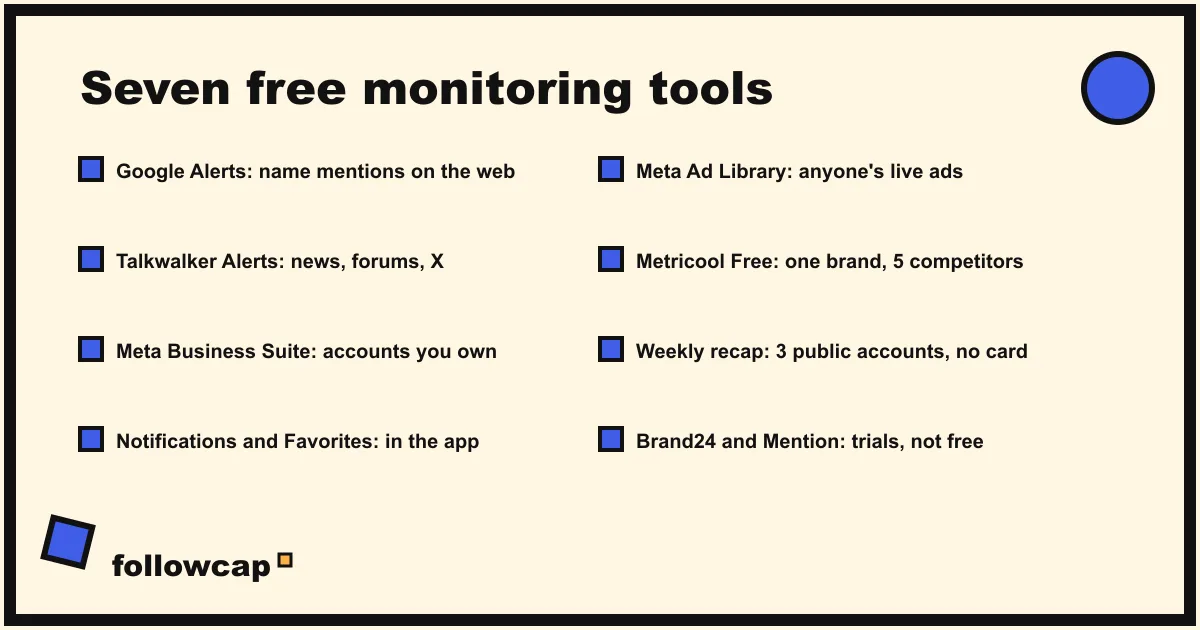
Genuinely free social media monitoring tools exist, but most lists mix them with 14-day trials. The tools that cost nothing in 2026 are Google Alerts and Talkwalker Alerts for mentions on the web, Meta Business Suite for your own accounts, Instagram’s notifications and Favorites, the Meta Ad Library for competitors’ ads, Metricool’s free plan, and a weekly recap for a few public accounts.
Quick answer: use Google Alerts and Talkwalker Alerts for your brand name across news, blogs and forums; Meta Business Suite for comments, messages and insights on the accounts you own; Instagram’s post notifications and Favorites for up to 50 accounts you follow; the Ad Library for any competitor’s live ads; Metricool Free for one brand’s analytics; and a free weekly email recap for three public creator or business accounts. Brand24 and Mention are trials, not free plans. Upgrade only when you need sentiment, history, more accounts or a team.
Free, trial, or freemium: the words lists blur
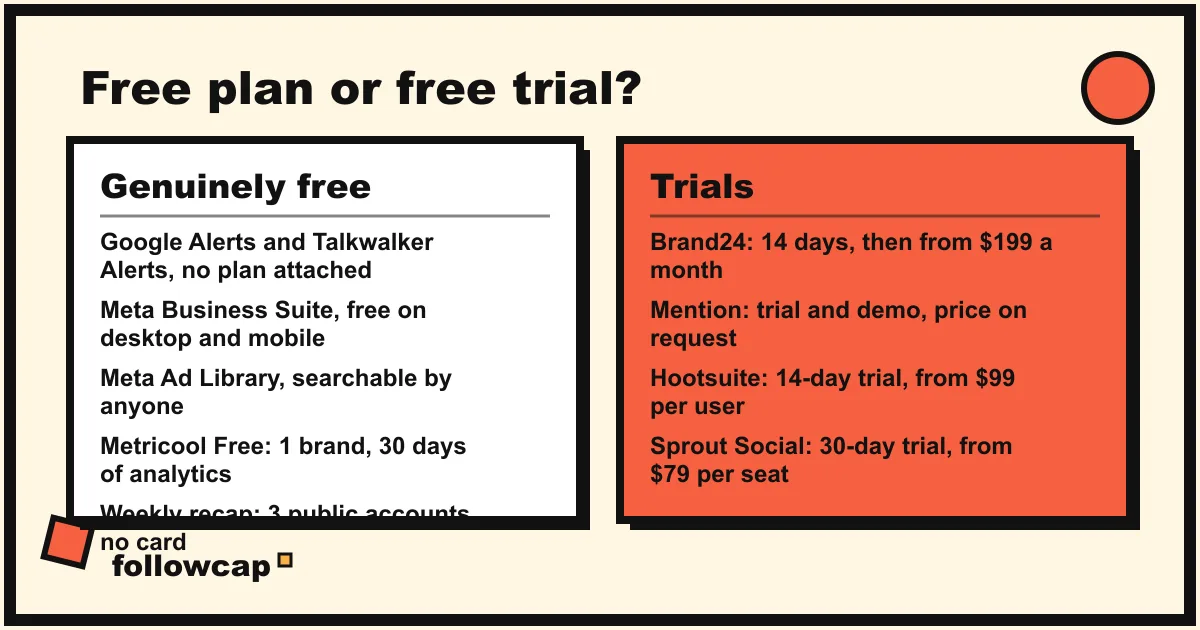
Searching for free social media monitoring tools returns pages where “free” means three different things. A free plan costs nothing for as long as you want, with limits. A free trial gives you the paid product for 7 to 30 days and then charges or stops. Freemium is a free plan that exists mainly to show you the paid one. The tools below are sorted by that distinction, because a trial you forget to cancel is not a free tool.
Lists also blur what “monitoring” covers. Mention monitoring watches the web for your name; account monitoring watches accounts: yours, a client’s, a competitor’s, a creator’s. Most free tools do one or the other, and social listening vs social monitoring explains why the paid tools that do both cost what they cost.
The free tools compared
| Tool | What it monitors | Sees other accounts? | Price | Best for |
|---|---|---|---|---|
| Google Alerts | New Google Search results for a term: news, blogs, web, video, discussions | Only pages Google indexes; social posts rarely | Free | Brand and name mentions on the web |
| Talkwalker Alerts | News, blogs, forums, websites and X for a term | X posts yes; Instagram no | Free | Mentions with a social source, by email, RSS or Slack |
| Meta Business Suite | Comments, messages, notifications and insights on your Facebook, Instagram, Threads and WhatsApp accounts | No, your own accounts only | Free | Running the accounts you own |
| Instagram notifications and Favorites | Posts from accounts you follow, as they happen or in a chronological feed | Yes, public accounts you follow, up to 50 in Favorites | Free | Keeping up with chosen accounts in the app |
| Meta Ad Library | Every active ad across Meta’s apps, searchable by name or term | Yes, any advertiser | Free | Competitors’ ads and paid partnerships |
| Metricool Free | Analytics for one brand’s accounts, with five competitor profiles | Yes, five competitor profiles | Free; Starter from €16 a month billed annually | A small account’s own analytics |
| Weekly recap email (ours) | Public posts, likes, comments and follower counts of chosen Instagram creator or business accounts, once a week | Yes, public creator and business accounts | Free for 3 accounts, no card; from €9 a month | Watching a few public accounts without the app |
| Brand24 | Mentions across social, news, blogs, forums and more | Yes | 14-day trial, no card, then from $199 a month billed yearly | Testing full listening before paying |
| Mention | Mentions across the web and social | Yes | Free trial and demo; plan priced on request | Teams ready for a paid listening tool |
The first seven cost nothing. The last two appear on every “free” list and are trials.
1. Google Alerts: mentions on the web, by email
Google’s own description is the plainest: you get emails when new results for a topic show up in Google Search. Type a term on the Google Alerts page, click Show options, and pick how often (As-it-happens, At most once a day, At most once a week), which sources (Automatic, News, Blogs, Web, Video, Books, Discussions, Finance), language, region, and Only the best results or All results. Then Create Alert.
It monitors your brand, product or personal name in the news articles, blog posts and forum threads Google indexes. Put multi-word names in quotes, and use At most once a day unless the name is rare.
Limits: social posts seldom show up, and Instagram comments, Stories and most posts never do. It reports no volume, sentiment or trend, keeps no history beyond the emails, and delivers by email only. Upgrade when you need social sources, a count of mentions over time, or a shared feed for a team.
2. Talkwalker Alerts: the same idea with a social source
Talkwalker Alerts calls itself a free alternative to Google Alerts, and in late 2026 its page still offers free alerts with no plan attached. It is the free gateway to Talkwalker’s listening platform, which Hootsuite bought in 2024. You enter a term, choose result types (news, X, blogs, discussion forums), pick As it happens or daily delivery, Only the best results or All results, and verify your email. Alerts can go to email, RSS or Slack, in 22 languages.
Limits: no Instagram, no sentiment, no history, no counts. The page warns that As it happens with All results will overwhelm an inbox, and it is right. Talkwalker’s paid platform has no public price; every plan on its pricing page leads to a demo request, so this is not a tool you grow into by clicking upgrade.
3. Meta Business Suite: everything on the accounts you own
Meta’s help page states that Meta Business Suite is free on desktop and in the mobile app, and that it helps small businesses and creators manage their presence across Facebook, Instagram, Threads and WhatsApp. You need a business portfolio (your Page, Instagram account and ad account grouped together). The page lists what you get: notifications about recent activity, a planner for Facebook and Instagram content, an inbox combining messages and comments from Facebook, Messenger, Instagram and WhatsApp Business, insights on performance and audience, and ad creation.
Most lists skip it because it is not “social listening,” yet it is the only free way to see every comment and message on your Instagram and Facebook accounts in one screen and read your reach, views and follower trends from a computer; how to see Instagram Insights shows where each number lives.
Limits: your own accounts and nothing else. No competitor view, no mention tracking, no keyword search across Instagram, and a 90-day Insights window, so export what you want to keep. For your own accounts there is nothing to upgrade to; you add tools for other people’s accounts.
4. Instagram’s notifications and Favorites: free account monitoring in the app
For accounts you follow, Instagram ships two monitors. Per-account post notifications send a push every time a chosen account shares a post; Instagram’s help page Turn notifications on or off for someone you follow notes the feature is not available on computers. In the app, as of late 2026: open the profile, tap the bell, toggle Posts, Stories, Reels or Live videos. The account is not told.
Favorites is the second. Instagram’s March 2022 announcement set the rules: up to 50 accounts, shown in chronological order, and people are not notified when they are added or removed. Tap Instagram at the top of the feed, then Favorites, then the list icon to add accounts. Instagram Favorites covers how it changes your main feed, and how to get notified when someone posts on Instagram compares the two.
Limits: both require that you follow the account and open the phone app, and neither keeps a record. A notification you swipe away is gone, and Favorites shows nothing about likes, comments or follower changes. They monitor presence, not performance. Upgrade when you want numbers, history, or to stop opening the app.
5. Meta Ad Library: every competitor’s live ads
The Meta Ad Library is the free tool competitor research is built on. Meta’s help page says anyone can view and search it, that it contains all active ads shown across Meta technologies, and that it includes active public branded content on Facebook and Instagram with a paid partnership label. You can search for any term, name or Page with no account; downloading a search requires a Facebook login.
Check it monthly for the ads a competitor has kept running longest, since nobody keeps a losing ad live, and for the creators carrying its paid partnership label.
Limits: active ads only, no organic posts, no performance numbers. It shows the ad, not whether it worked. How to monitor competitors on social media fits it into a monthly routine. Meta sells nothing above it; paid ad intelligence tools add history and estimates most small teams do not need.
6. Metricool Free: one brand’s analytics, five competitors
Metricool’s pricing page lists a free plan at €0: manage one brand, connect its social networks except LinkedIn and X, analyze five competitor profiles, and access 30 days of analytics. The first paid plan, Starter, is from €16 a month billed annually. It is the most generous free analytics plan still standing in 2026, now that Hootsuite’s free plan is gone.
Limits: one brand, 30 days of data, and the pricing page does not say which networks the five competitor profiles can be on, so test it with an Instagram competitor before relying on it. It monitors analytics, not mentions. Upgrade when 30 days is too short a memory or you manage more than one brand.
7. A weekly recap for a few public accounts
The tools above either watch the web for a word or watch the accounts you own. The gap is a handful of other people’s public accounts: three creators you learn from, two competitors, a client’s rivals. Followcap is our product, so read this as the maker’s description. You type the usernames of public Instagram creator or business accounts, with no Instagram login or password, and every Sunday you get one email with a 30-second summary, the three posts not to miss, a two to three line recap of the best posts from each account with their links, and “what you can apply this week.” Three accounts are free with no card. Premium (€9 a month, 10 accounts) adds weekly numbers per account (posts, likes, comments, best post, follower growth) and a personal archive page; Business Pro (€29 a month, 50 accounts, 3 team users) adds a monitoring dashboard with alerts, CSV export and a “you vs your niche” view.
Limits, stated plainly: it is weekly, not real time; it covers public creator and business accounts only, never private or personal profiles; it sees public posts, likes, comments and follower counts, so no reach, saves, views, mentions, hashtags, Stories or audience data; the free plan keeps no archive; and the paid plans are paid after the 7-day trial, with a 30-day money-back. Upgrade when three accounts become ten, or when you want the numbers rather than the summary.
The trials that pretend to be free
Brand24 offers a 14-day trial with no credit card, and after that its cheapest plan is $199 a month billed yearly, or $249 monthly. Mention shows a single plan priced on request, a free trial and a demo. Both are real listening tools with sentiment, history and alerts, and both belong on a list of social media monitoring tools for teams with a budget. Neither is free. The same goes for Hootsuite (14-day trial) and Sprout Social (30-day trial, no card). A trial is good for one thing: a two-week audit of your mention volume before monitoring gets a line in the budget. Set a reminder for day 12.
How to combine the free tools in 20 minutes a week
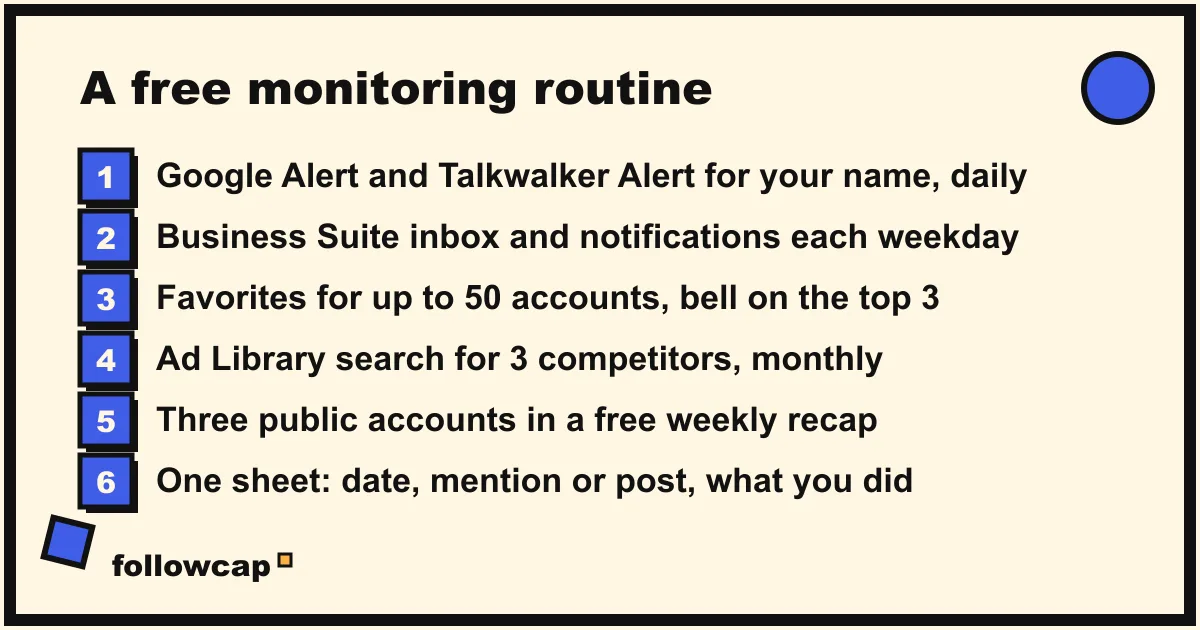
- Create a Google Alert and a Talkwalker Alert for your brand name, daily digest, best results only. Fifteen minutes, once.
- Open Meta Business Suite’s inbox and notifications each weekday for the accounts you own.
- Add the accounts you must not miss to Instagram Favorites, up to 50, and turn on post notifications for the three that matter most.
- Search the Ad Library for your three closest competitors once a month and screenshot the ads still running.
- Put three public accounts into a free weekly recap, and read it on Sunday.
- Keep one sheet with the date, the mention or post, and what you did about it. That sheet is the history none of the free tools keeps.
What no free tool can show you
- Reach, saves, views and audience data of accounts you do not own. They live in the owner’s Insights; any tool quoting them for a competitor is estimating.
- Instagram mentions and hashtag volume. Google Alerts and Talkwalker Alerts do not cover Instagram, and Meta does not hand that data to free tools.
- Sentiment. Free alerts deliver links, not judgments.
- History. Alerts email you and forget; Business Suite keeps 90 days; Metricool Free keeps 30. Beyond that, your own sheet.
- Private accounts. Nothing free, paid or legitimate monitors a private account you do not follow.
FAQ
What is the best free social media monitoring tool?
For mentions of a name, Talkwalker Alerts, because it adds X and forums to what Google Alerts sees and delivers to RSS or Slack. For the accounts you own, Meta Business Suite. For other people’s public Instagram accounts, Favorites in the app or a weekly recap by email. No single free tool does all three.
Is Hootsuite still free?
No. Hootsuite has no free plan in 2026; it offers a 14-day trial, and its Standard plan starts at $99 per user a month billed annually, according to its plans page. The free social media monitoring tools that remain are narrower than Hootsuite was, which is why you combine several.
Can free tools monitor Instagram?
Partly. Meta Business Suite monitors your own Instagram account completely. Favorites and notifications monitor accounts you follow, inside the app. The Ad Library shows any advertiser’s Instagram ads. A weekly recap covers public creator and business accounts. No free tool monitors Instagram mentions or hashtags across the platform.
Do free social media monitoring tools include sentiment analysis?
Not the genuinely free ones. Sentiment is the feature Brand24, Mention, Talkwalker and Brandwatch charge for, and their trials include it for two weeks. If you need a mood reading on your mentions, a trial is the honest way to test whether the volume justifies the price.
Related reading
- The Best Instagram Analytics Tools in 2026 (Yours and Others’)
- Influencer Tracking Tools: What They Cost and What They Show (2026)
- Social Media Competitor Analysis Tools: 8 Options Compared (2026)
The bottom line
Seven tools cost nothing in 2026, and each covers one slice: Google Alerts and Talkwalker Alerts for your name on the web, Meta Business Suite for the accounts you own, Instagram’s notifications and Favorites for the accounts you follow, the Ad Library for anyone’s live ads, Metricool Free for one brand’s analytics, and a weekly email recap such as Followcap, which we make, for a few public creator or business accounts, free for three with no card. Brand24 and Mention are trials. Combine the free ones with a sheet, and pay only when you need sentiment, history or a team.