How to See Your Instagram Feed in Chronological Order (2026)
The Instagram chronological feed is two taps away: Following and Favorites. How to switch, why it resets every time, what it cannot do, and a steadier alternative.
 Andrea Marino11 min read
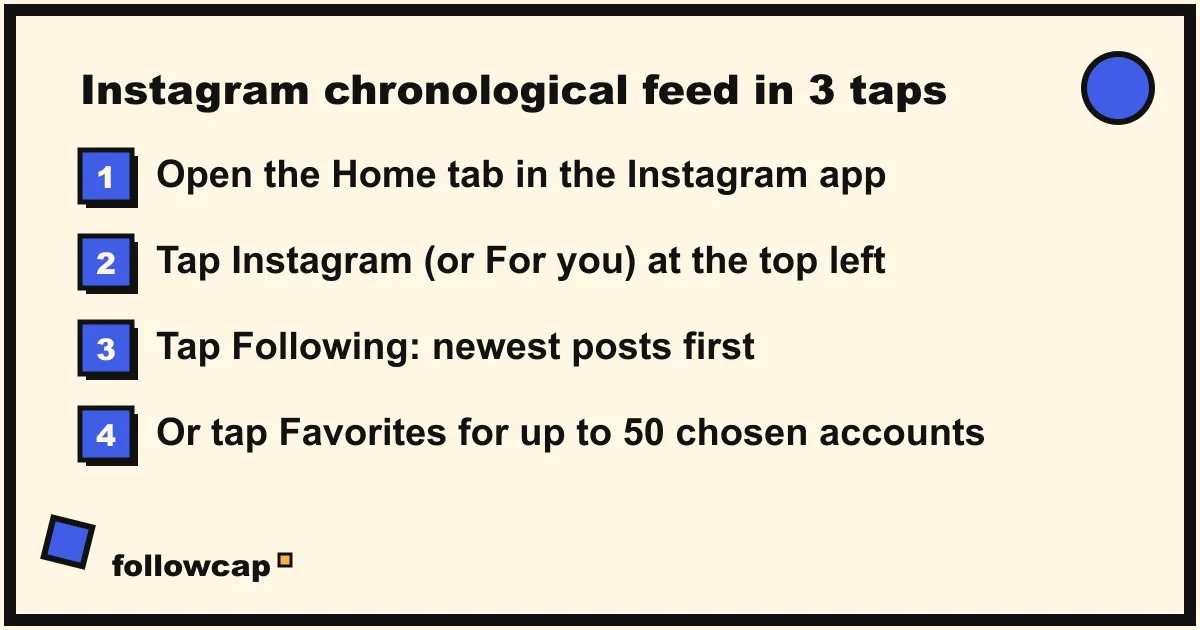
Instagram has a chronological feed, it is just not the one the app opens. Tap the Instagram logo at the top left of your home feed and choose Following to see every account you follow, newest post first. Choose Favorites for the same order, limited to up to 50 accounts you pick. The switch resets each time you reopen the app.
Quick answer: open Instagram → tap Instagram (on some accounts it reads For you) at the top of the home feed → tap Following. Posts now run newest to oldest with no suggested posts. Tap the logo again and choose Favorites for a chronological feed of up to 50 chosen accounts. Neither can be set as the default, so you repeat the tap every time you open the app.
How do you switch Instagram to the chronological feed?
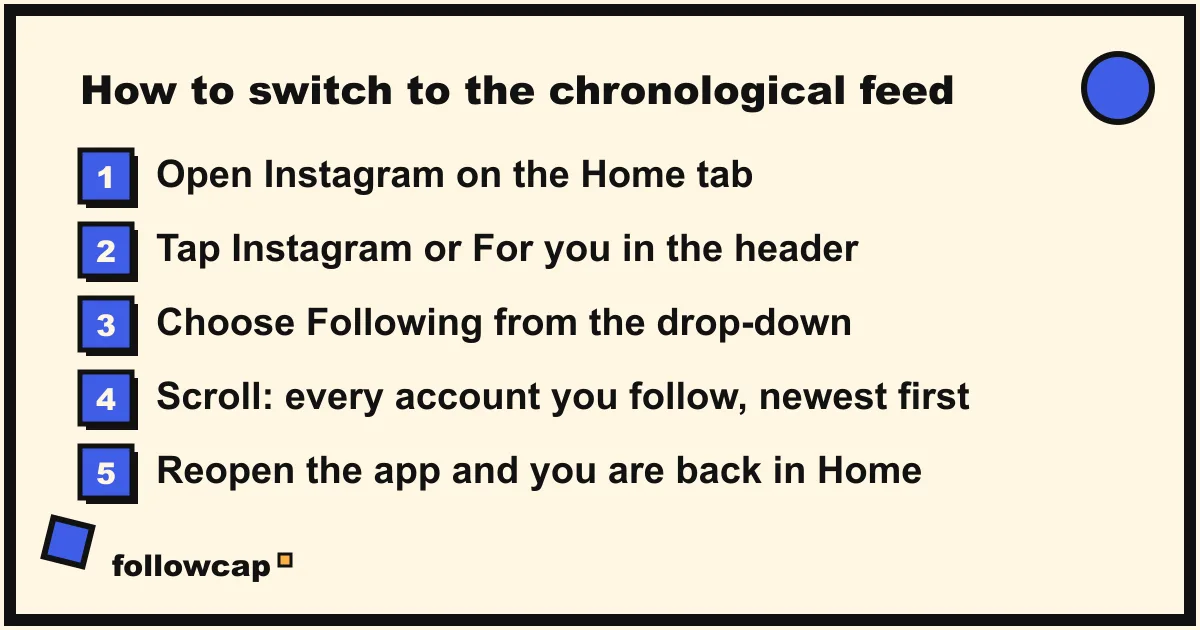
The chronological option lives behind the app name in the header of the home tab. Instagram’s help page on the Following view, checked in late 2026, gives the path as “Tap Instagram or For you in the top of your feed, then tap Following.” Here it is step by step on iPhone and Android:
- Open Instagram and make sure you are on the Home tab (the house icon at the bottom left).
- Tap the word Instagram at the top left of the screen. On some accounts the header reads For you instead; tap that. A small down arrow next to the label is the hint that it is a menu.
- A short menu drops down with two or three options: Following, Favorites, and sometimes a return to the ranked feed. Tap Following.
- The header now reads Following, and the feed shows posts and reels from the accounts you follow, newest at the top.
- To go back to the ranked feed, tap Following in the header and choose the first option, or simply close and reopen the app.
If the menu does not appear, you are on an old version of the app; the fix is in the troubleshooting section below.
Following or Favorites: which chronological feed should you use?
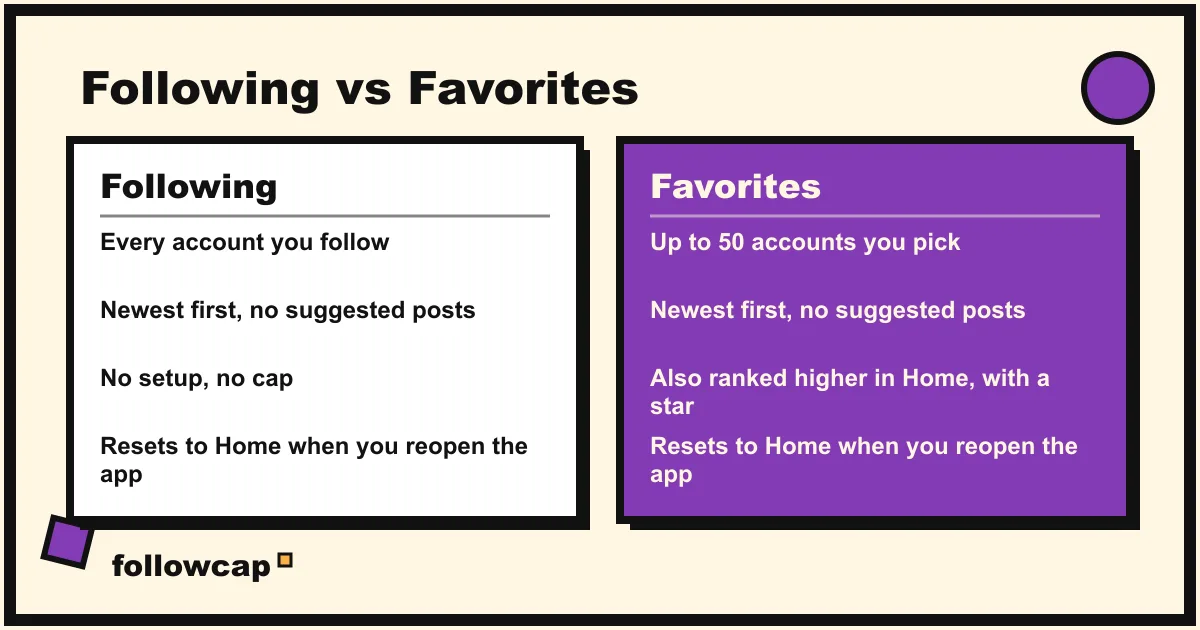
Both feeds are chronological. Instagram’s own announcement from Adam Mosseri in March 2022 put it plainly: “Both Favorites and Following will show you posts in chronological order.” The difference is who is in them.
| Following | Favorites | |
|---|---|---|
| Who appears | Every account you follow | Up to 50 accounts you add by hand |
| Order | Newest first | Newest first |
| Suggested posts | None | None |
| Effect on the Home feed | None | Favorites also rank higher in Home, marked with a star |
| Setup | None | You build the list once, then edit it |
| Sticks after you close the app | No | No |
| Available on the web | A Following view exists; details below | No, mobile app only |
Use Following if you follow fewer than a hundred or so accounts and you want the whole picture. If you follow 600 accounts, Following is complete but endless: every post from everyone, including the brands and meme pages you followed years ago, with no ranking to rescue the good ones.
Use Favorites if a short list of people matters more than the rest. You add up to 50 accounts, and the Favorites feed shows only them. As a bonus, their posts also move higher in the regular Home feed, with a star icon next to the username, and Instagram’s launch announcement states that people are not notified when you add or remove them. The full setup, with every menu label, is in our guide to how Instagram Favorites works.
A practical pattern: Favorites for the 20 to 40 accounts you would miss, Following when you have time to browse everything, Home when you want Instagram to surprise you.
Why does the Instagram chronological feed keep resetting?
Because Instagram designed it that way. When the feeds launched, an Instagram spokesperson told CBS News that the ranked feed would remain the default, and the company said: “We know from research that people have a better experience on Instagram with a ranked feed, so we won’t be defaulting people into a chronological feed.”
Nothing has changed since. As of late 2026, there is no setting anywhere in the app to make Following or Favorites the default. Each time you close Instagram and open it again, you land in the ranked Home feed and the logo menu is waiting for your tap. The app may also refresh the feed on its own after it has sat in the background for a while, which puts you back in Home even if you did not close it.
Instagram’s position has hardened rather than softened. In September 2026, responding to an Australian proposal that would require platforms to offer a non-algorithmic feed option, Mosseri said that “the average user experience gets much worse” on a chronological feed, because it fills up with posts from companies, brands and publishers, and that engagement drops by as much as half when people switch back. In the same comments, reported by Gizmodo, he admitted “there’s definitely room to improve the discoverability” of the Following feed. So the feature stays, the extra tap stays, and the default stays ranked.
If the reset is the part that annoys you, there is no fix inside the app: make the logo tap a habit, or move the job outside Instagram, covered further down.
Can you see the chronological feed on the Instagram website?
Partly, and this is where most guides are out of date.
Instagram’s help page on the Following view now has a “Computer” tab that says: “Click Following in the top left to find your following view.” That is the only official statement, and it is thin. The web layout changes often and we could not confirm in late 2026 exactly where the control sits for every account, so look for a Following label near the top of the home feed on the desktop site.
A long-standing unofficial route is to open instagram.com/?variant=following while logged in, which several how-to sites reported as working as recently as mid 2024. We could not verify that it still works in 2026, so treat it as a bookmark to try, not a feature to rely on.
The Favorites feed is a different story. Instagram’s help page for Favorites states that the feature “isn’t available on computers,” so the Favorites list can only be built and viewed in the iPhone, iPad or Android app.
What the chronological feed does not fix
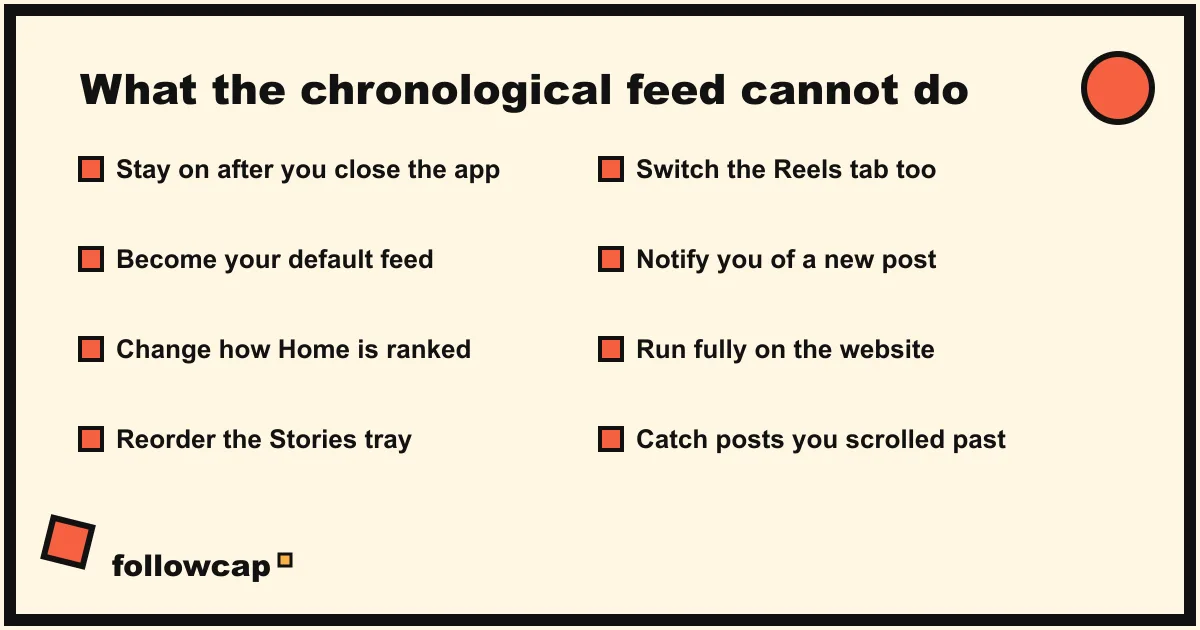
The Following feed solves one problem, order, and leaves the others alone. Knowing the limits saves you from blaming the wrong thing.
- It does not stay on. Covered above: every app launch starts in Home.
- It does not change the Home feed. Home is still ranked by Instagram’s models using, in the help center’s own words, your activity, information about the post, previous interactions with the person posting, your Threads activity and your favorites. If you want fewer recommendations in Home, that is a separate set of controls, covered in how to turn off suggested posts on Instagram.
- It does not cover Stories. The Stories tray at the top is ordered by Instagram regardless of which feed you are in.
- It is not the same as the Reels Following filter. The Reels tab has its own Following option behind the label at the top left of that screen. Switching one does not switch the other.
- It does not notify you. A chronological feed only helps while you are looking at it. For the two or three accounts where timing matters, per-account post notifications are the tool.
- It does not go back forever. Skip a week while following many accounts and the posts you want are buried under hundreds of others. Instagram’s help center notes that the ranked feed may deliberately resurface a post from a few days ago; the Following feed does not.
For the broader picture of why the ranked feed shows you some posts and not others, see why Instagram is not showing posts from people you follow and, for the ranking signals surface by surface, how the Instagram algorithm works.
A steadier alternative for creators you never want to miss
The chronological feed is a good browsing mode and a poor keeping-up system. It depends on you opening the app, making the extra tap, and scrolling far enough on the right day. That works on Monday and fails by Thursday.
If the real goal is “never miss a post from these 10 creators,” the reliable version is to take that short list out of the feed entirely. Followcap is our product, so read this as the maker’s description: you type the usernames of public creator or business accounts, with no Instagram login or password, and every Sunday you get one email with a 30-second summary, the three posts not to miss, a two to three line recap of the best posts from each account with their links, and a “what you can apply this week” note. Three accounts are free with no card. Premium (€9 a month, 10 accounts) adds weekly numbers per account (posts, likes, comments, best post, follower growth) and a personal archive page; Business Pro (€29 a month, 50 accounts, 3 team users) adds a monitoring dashboard with alerts and a monthly PDF report. The limits are real: it is weekly, not real time; it covers public creator and business accounts only, not private friends; it has no Stories, reach, saves or audience data; and paid plans are paid after the 7-day trial, with a 30-day money-back. If a Sunday read is close enough for your list, you can start with three accounts and keep the chronological feed for everything else.
Other routes to the same outcome, including RSS and newsletters, are compared in how to keep up with Instagram without the app.
What to do if the chronological feed is not working
- No menu when you tap the logo. Update the app from the App Store or Google Play, force close it, reopen. The feeds have been on every account since March 2022, so a missing menu is a version problem, not a rollout one.
- The header reads “For you” and not “Instagram”. Same menu, different label; tap it.
- Following shows old posts first. Pull down to refresh. If it persists, close the app fully and reopen; you were looking at a cached feed.
- Favorites is empty. You have not added anyone yet. Tap the list icon at the top right of the Favorites feed, search a username and tap Add.
- The feed flips back to Home by itself. Expected after the app has been in the background. No setting prevents it.
FAQ
Is there a chronological feed on Instagram in 2026?
Yes. Tap the Instagram or For you label at the top of the home feed and choose Following for every account you follow in reverse chronological order, or Favorites for a chronological feed of up to 50 accounts you choose. Both have been available to all accounts since March 2022.
Why can’t I make the chronological feed my default?
Instagram has said it will not default people into a chronological feed because its research shows people have a better experience with the ranked one, and in 2026 Adam Mosseri repeated that a chronological feed makes the average experience “much worse.” There is no default setting, so you reselect Following or Favorites each time you open the app.
Does the Following feed show suggested posts or ads?
The Following feed shows posts and reels only from accounts you follow, in time order, with no suggested posts; the help center calls it the “non-personalized experience.” Ads are a separate layer Instagram can place in any surface, and they do not change the order.
What is the difference between Following and Favorites?
Following includes everyone you follow. Favorites includes only the accounts you add to the list, up to 50, and those accounts also rank higher in your regular Home feed with a star next to their name. Both show posts newest first and both reset to Home when you reopen the app.
Can I see Instagram in chronological order on a computer?
Instagram’s help center says you can click Following at the top left of the home feed on a computer, though the web layout changes often. The ?variant=following URL is an unofficial workaround that we could not confirm still works in 2026. The Favorites feed is not available on computers at all.
Related reading
- How to Mute Someone on Instagram (and What They Can See)
- Instagram Story Viewers Order: What It Means (2026)
- Can You See Who Views Your Instagram Profile? (2026 Answer)
The bottom line
The Instagram chronological feed is real, official and two taps away: the Instagram (or For you) label at the top of the home tab, then Following for everyone you follow or Favorites for up to 50 accounts you choose. What it is not is a setting. Instagram has said since 2022, and repeated in 2026, that it will not make a chronological feed the default, so the switch resets with every app launch, and the web version is a thinner, less documented copy. Use Following to browse, Favorites for the people who matter, and for the handful of creators you truly never want to miss, move the job out of the feed: notifications for two or three accounts, or a weekly email like Followcap, which we make, for the rest.