Instagram Not Showing Posts From People You Follow? 5 Fixes
Instagram not showing posts from people you follow? Here is why the ranked feed hides them, five fixes inside the app, and one option outside it.
 Andrea Marino9 min read
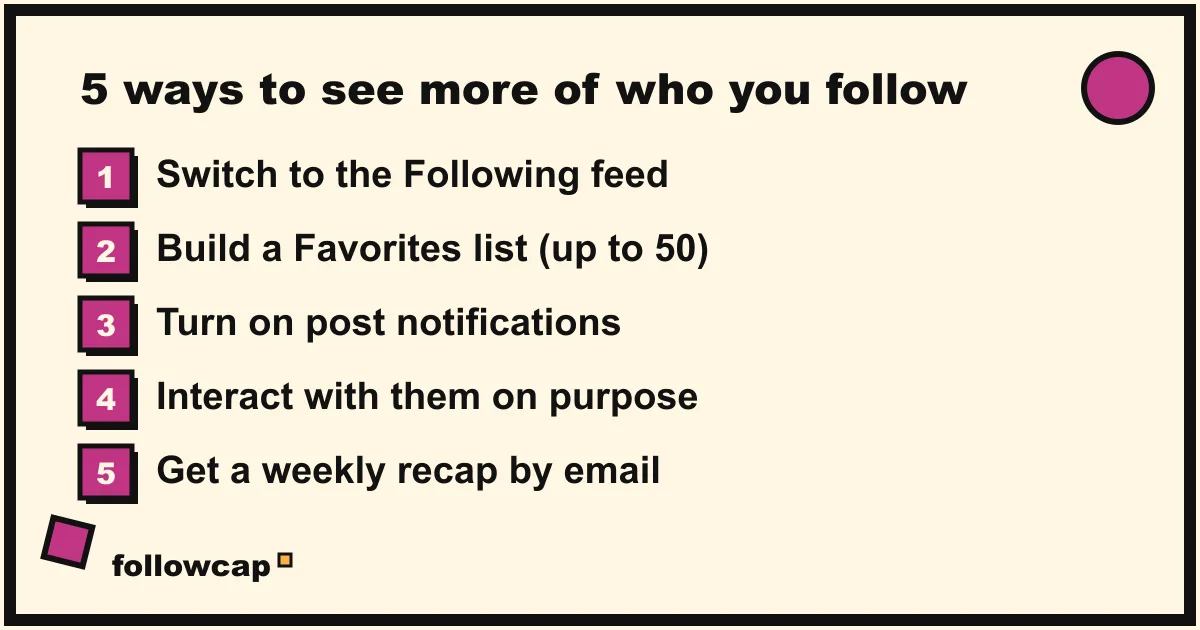
You follow an account, they post, and you never see it. Then you open their profile and find three posts from the last week that never reached your feed. If Instagram is not showing posts from people you follow, nothing is broken: the home feed is ranked by an algorithm and was never meant to show you everything. This guide explains what the feed is doing, five fixes you can apply inside the app today, and one option outside it.
Quick answer: Instagram’s home feed is personalized, so it shows a selection of posts, not all of them. To see more from specific accounts, switch to the Following or Favorites feed (tap the Instagram logo at the top left), turn on post notifications for the accounts that matter most, and follow fewer accounts. For a complete weekly view, use a recap outside the app.
Why is Instagram not showing posts from people I follow?
Because the default feed is ranked, not chronological. Instagram has said publicly that the home feed is personalized using signals such as your activity in the app and your relationship with each account. In plain words: the app predicts which posts you are most likely to engage with and puts those first. Posts it rates lower slide down, and if you do not scroll far enough, you never meet them.
This is by design, not a bug, and it has a few practical consequences:
- Following is not a subscription. It adds an account to the pool of candidates the feed can pick from. It does not guarantee delivery.
- The accounts you interact with win. If you like and comment on three friends’ posts every day, you will see those three friends. A creator you quietly admire but never touch slips down the list.
- Other content competes for the same space. The home feed is not limited to accounts you follow, so suggested posts and reels take up room that could have gone to the people you chose.
- The feed resets to ranked. Even when you switch to a chronological view, the app returns to the ranked feed the next time you open it, as of 2026.
When we tested this with our own accounts while building Followcap, the pattern was consistent: accounts we had not interacted with for a few weeks almost disappeared from the home feed, even though they were posting several times a week.
How does the Instagram feed decide what you see?
Instagram does not publish its exact formula, so treat this as a plain-language summary of what the company has said.
The two signals Instagram talks about most are:
- Your activity. What you like, comment on, save, share, and how long you linger. This tells the feed what kind of content you want more of.
- Your relationship with the account. Whether you interact regularly, visit their profile, or respond to their stories. Closer relationship, higher rank.
Instagram has mentioned other signals too, but these two explain most of what you see. For each candidate post, the feed predicts how likely you are to spend time on it or interact with it, and sorts by that prediction. The result is good at keeping you scrolling and bad at the thing you probably wanted when you tapped “Follow”: seeing what that person posted this week.
The important takeaway: you can influence the feed, but you cannot force it. If you need certainty, you need one of the alternative views below or a channel outside the app.
What can you do inside Instagram to see more posts?
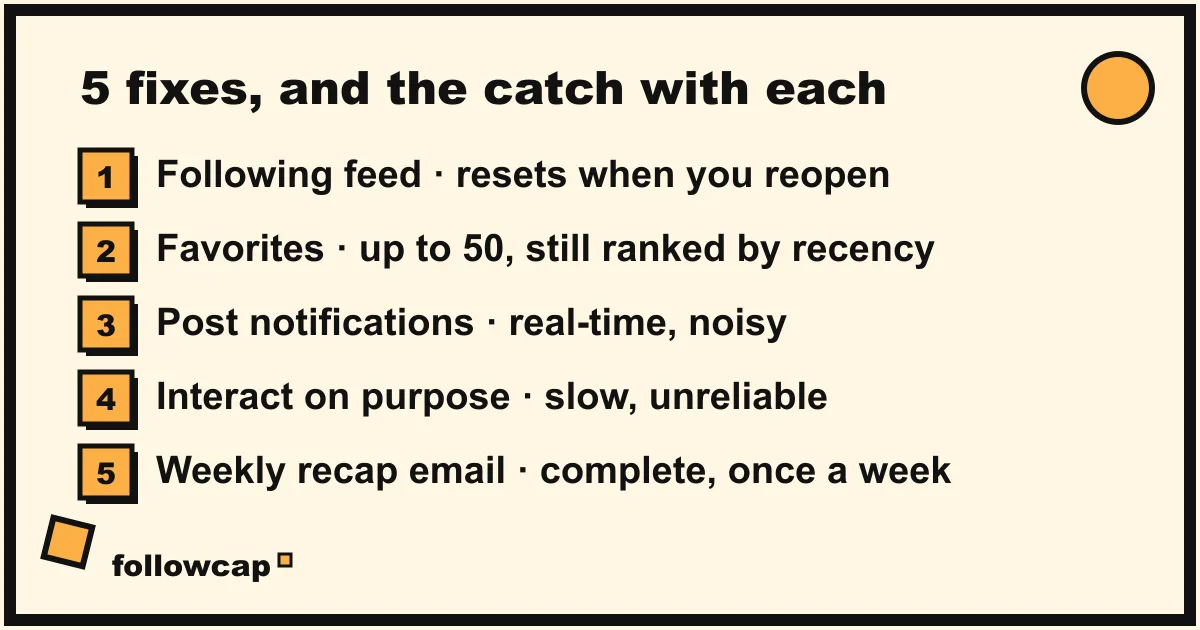
There are five things you can do without leaving the app. Each one works, and each one has a catch. We list the catch because that is what the top results usually leave out.
1. Switch to the Following feed
Instagram has a chronological feed that shows only posts from accounts you follow, newest first. To open it, tap the Instagram logo at the top left of the home screen and choose Following. Scroll down and you will see posts in order, with no suggested content mixed in.
The catch: it is not sticky. Close the app and reopen it, and you are back in the ranked feed. You also still see every account you follow, so if you follow 400 accounts, the Following feed is complete but very long.
2. Build a Favorites list
From the same menu (tap the logo, choose Favorites), you get a chronological feed limited to the accounts you have marked as favorites. You can add up to 50 accounts, which is enough for the people you actually want to keep up with.
The catch: the 50-account cap, the same reset problem, and one more tap every time you open the app. In our own weekly routine the Favorites feed was the best in-app fix, and we still forgot to open it on most days.
3. Turn on post notifications
Open the account’s profile, tap the bell icon (or tap Following and then Notifications), and choose what you want to be told about: Posts, Stories, Reels, Live. From then on you get a push notification every time they publish.
The catch: noise. Notifications are real-time and per account. Three active creators can mean a dozen buzzes a day, and most people turn them off within a few weeks. We go into the setup and the trade-offs in how to get notified when someone posts on Instagram.
4. Interact on purpose
The feed ranks by relationship, so you can teach it. Visit the profiles you care about, like and comment on their recent posts, save a couple, and reply to a story. Do this for a week and those accounts will usually climb in your ranked feed.
The catch: it takes effort every week, it only tilts the odds, and it rewards you with more time in the app, which is often the opposite of what you wanted.
5. Clean up your follow list
Fewer accounts means less competition for the same slots. Go through your following list and unfollow the accounts you no longer read.
The catch: this is a one-off that takes an hour and that most people put off. It also does not change the ranking logic; it just makes the pool smaller. Still, when we did this with a list of about 600 accounts and cut it to about 120, the home feed changed noticeably within days.
Is there a way to see every post without fighting the app?
Yes, if you take the “following” job out of Instagram. The in-app fixes above all share the same weakness: they depend on you remembering to switch views or on the algorithm’s mood that day. A channel outside Instagram does not.
That is what Followcap does. It is our product, and it works like this: you type the usernames of up to 3 public creators for free, or 10 to 50 on the paid plans (no Instagram login or password, just the usernames), and every Sunday you receive one email on what they posted that week: a 30-second summary, the three posts not to miss, a two or three line recap of the best posts from each account with their links, and a short “what you can apply this week”. The first recap arrives within 24 hours, then every Sunday. Two honest limits: it is a weekly recap, not a real-time notification system, and it only covers public creator and business accounts, so it will not help you keep up with a private friend. It is paid after a 7-day free trial, with plans from 9 euros a month. You can see how it works at followcap.com or start the free trial.
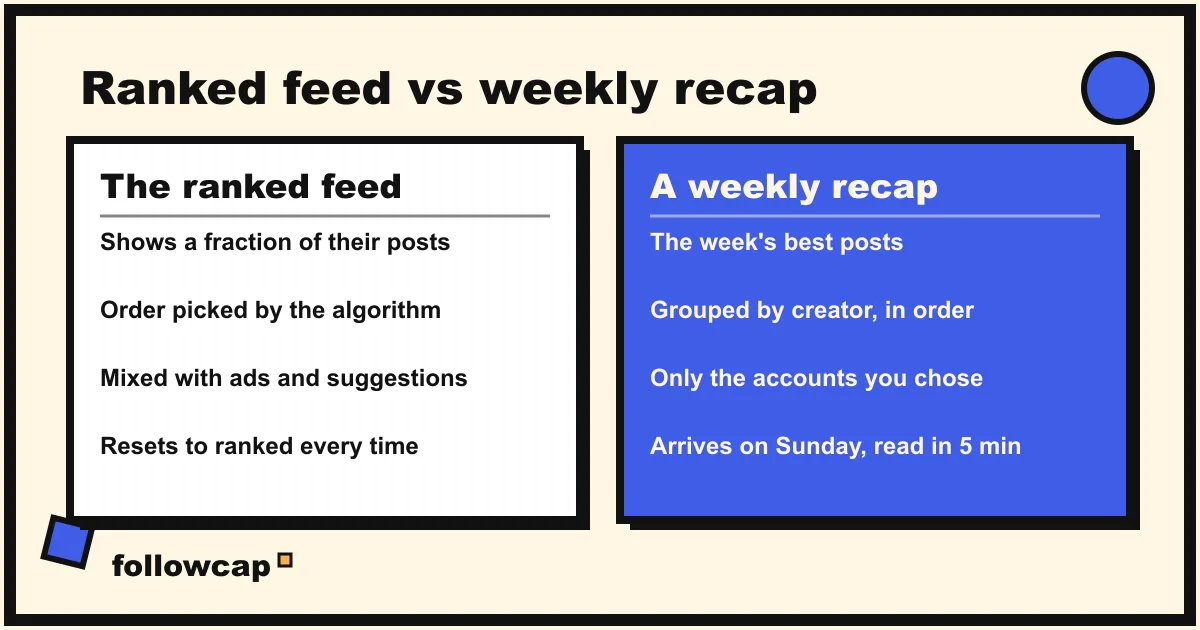
The difference in practice: the ranked feed gives you a sample chosen for engagement, on the app’s schedule, mixed with suggestions. A recap gives you the best posts from a short list you chose, on your schedule, with nothing else in between. On the paid plans, every other post of the week sits in your archive page. For 10 creators that is about 58 reels, posts and stories a week, which would take roughly 12 hours of scrolling to catch up on and about 5 minutes to read as a recap.
If you want to see every post from a single account, their profile grid is still the most complete view; see how to see all posts from someone on Instagram.
What does a simple weekly routine look like?
Whatever tools you pick, the thing that actually changes your experience is a routine. Here is the one we use, and it takes about 20 minutes a week.
- Sunday, 10 minutes: the people who matter. Open your Favorites feed (or your recap email) and go through the week’s posts from the 10 to 20 accounts you really follow. Save or note anything you want to act on.
- Sunday, 5 minutes: maintain the list. Add anyone new you want to keep up with. Remove one account that you skipped for three weeks in a row.
- During the week: zero obligation. The ranked feed becomes entertainment, not a to-do list. If you miss something, it will be in Sunday’s view anyway. Keep post notifications on for at most two or three accounts whose drops you cannot miss.
This split matters because it removes the anxiety that drives a lot of scrolling: the feeling that you might be missing something. If you want to go further, we wrote about the broader habit in how to stop doomscrolling and about building a feed-free information diet in how to stay up to date without social media.
FAQ
Why did Instagram stop showing posts from someone I follow?
Most likely because you have not interacted with them recently, so the ranked feed rates their posts lower than others. It can also happen if they post less or if you follow many more accounts than before. Check their profile to confirm they are still posting, then mark them as a Favorite.
Is there a way to make Instagram chronological again?
Partly. The Following and Favorites feeds are chronological, and you reach them by tapping the Instagram logo at the top left of the home feed. As of 2026 you cannot set either one as your default: the app reopens in the ranked feed every time.
Does unfollowing people help me see the accounts I care about?
Yes, modestly. A smaller following list means fewer candidates competing for the same slots. It does not change how the feed ranks posts, so pair it with Favorites or notifications for the accounts you never want to miss.
Do post notifications work for every account?
You turn them on per account from the profile, and you choose Posts, Stories, Reels or Live separately. They are real-time, which is great for one or two accounts and overwhelming for ten. If nothing arrives, check that Instagram is allowed to send notifications in your phone’s settings.
Can I get posts from the accounts I follow by email instead?
Instagram has no built-in option to email you posts. The closest options are the creator’s own newsletter if they have one, or a recap service such as Followcap that sends a weekly email covering the public accounts you choose. We compare these in Instagram to email.
Related reading
- How the Instagram Algorithm Works in 2026 (Feed, Stories, Reels, Explore)
- How to Mute Someone on Instagram (and What They Can See)
- Instagram Story Viewers Order: What It Means (2026)
The bottom line
Instagram not showing posts from people you follow is the normal result of a ranked feed that optimizes for engagement, not completeness. Inside the app, the Following and Favorites feeds, post notifications, deliberate interaction and a shorter follow list all help, and each one either resets, gets noisy or costs time. If you want the posts from a short list of creators without depending on the algorithm, move that job to a weekly email like Followcap and let the home feed be what it is: a place to browse, not a place to keep up.