How to See All Posts From Someone on Instagram, in Order
See all posts from someone on Instagram, in order: their profile grid, the Following and Favorites feeds, post notifications, or a weekly recap. Step by step.
 Andrea Marino9 min read
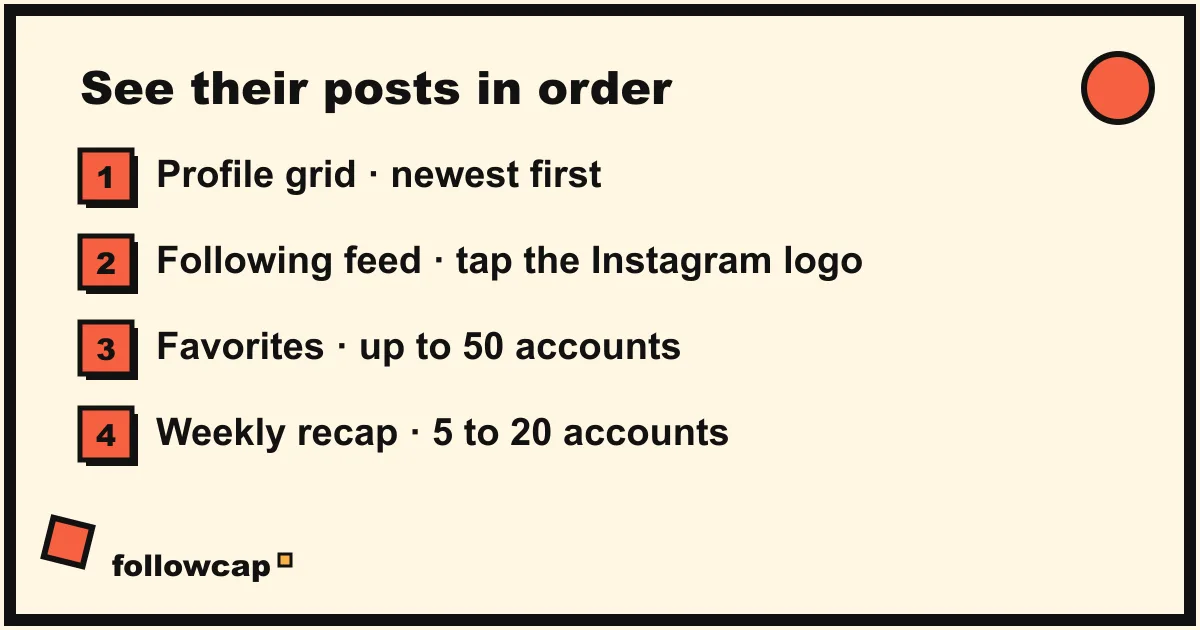
You follow someone, you like their work, and their posts still keep slipping past you. If you want to see all posts from someone on Instagram in the order they were published, you have four real options, and the right one depends on how many accounts you care about. This guide walks through each one, with the catch that comes with it.
Quick answer: to see all posts from someone on Instagram, open their profile: the grid and the Reels tab show posts newest first, while stories disappear after 24 hours unless saved as highlights. For several accounts, open the Following or Favorites feed by tapping the Instagram logo at the top left. For 5 to 20 accounts, a weekly recap email saves hours.
Why doesn’t your home feed show all their posts?
Because it was never meant to. Instagram’s home feed is ranked by an algorithm, and it does not show every post from every account you follow. Instagram has said publicly that the feed is personalized based on signals like your activity and your relationship with the account. If you have not interacted with someone for a while, their posts sink, even if you would have loved them.
So the first thing to accept is that this is not a bug on your phone or a setting you forgot. The ranked feed is the default, and every method below is a way of stepping outside it. We go deeper into the ranking itself in why Instagram isn’t showing posts from people you follow.
How to see all posts from someone on Instagram using their profile
The most reliable place to see everything from a single account is the account itself. Open the profile, and you are looking at the one view Instagram keeps in order.
What the profile shows
- The grid lists the account’s posts newest first. The post count at the top tells you how many there are, so you can scroll until you have seen them all.
- The Reels tab sits next to the grid. Reels often appear in both places, but the Reels tab is the surest way to see every reel in order.
- Highlights are stories the creator chose to keep. They sit above the grid, grouped by theme rather than by date.
What the profile hides
- Stories vanish after 24 hours unless the creator saved them as highlights. If you check a profile once a week, you will miss most of them.
- The Tagged tab shows posts other people made that mention this account, not the account’s own posts. Useful for context, easy to confuse.
For one or two accounts, visiting the profile every few days works fine. The cost shows up when you care about ten accounts: ten profile visits, each starting from the ranked home feed with its suggestions, each a small tug back into scrolling. The profile is a great place to catch up on one person and a poor way to keep up with a list.
How to see posts in chronological order with the Following feed
Instagram offers two alternative feed views that are chronological and limited to accounts you follow. They are the closest thing to “show me everything, in order” that exists inside the app. The surprise is how few people know they are there.
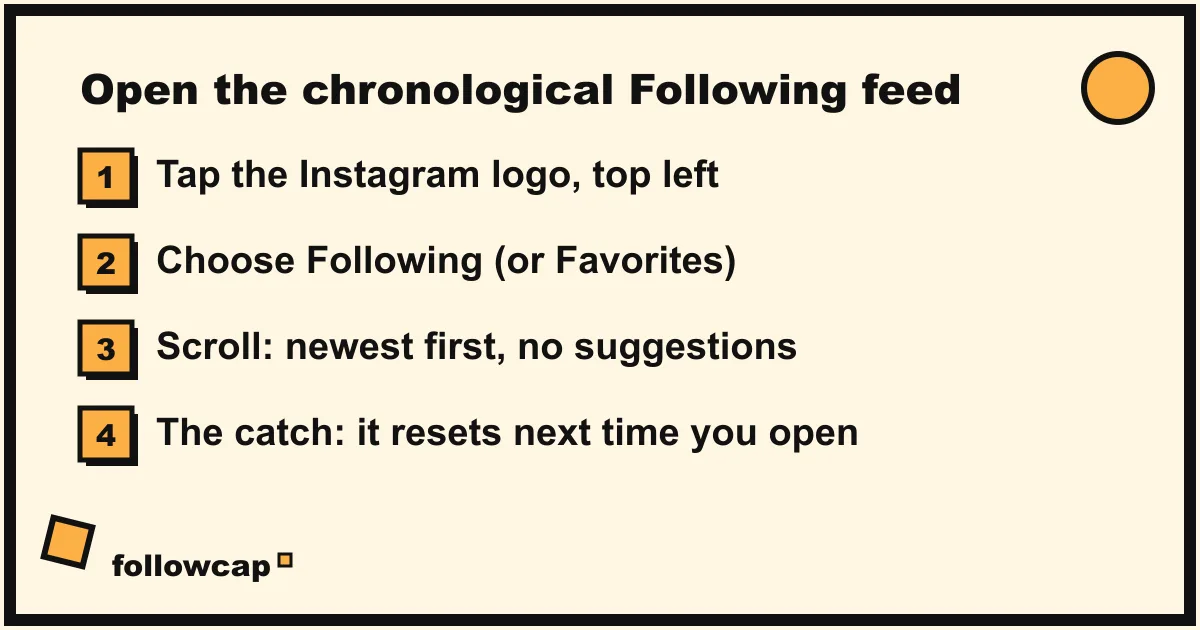
Step 1: tap the Instagram logo
On the home feed, tap the Instagram wordmark at the top left of the screen. A small menu drops down with the feed options.
Step 2: choose Following or Favorites
- Following shows posts only from accounts you follow, in chronological order, newest first. No suggested posts, no ranking.
- Favorites shows posts from up to 50 accounts you have marked as favorites, also in chronological order. You add an account to Favorites from its profile or from the Following menu.
Step 3: scroll, and notice the catch
Scroll down and you see every post from those accounts in order, back as far as you care to go. Then close the app. When you reopen it, you are back on the ranked feed. The Following and Favorites views are not the default, and as of 2026 Instagram does not let you make them the default. Every session starts with the same two taps.
When we tested the Favorites feed for a few weeks, the feed itself was exactly what we wanted. The failure point was us: most mornings we opened the app, saw the ranked feed, and started scrolling before remembering to switch. Treat the Following feed as a tool you use on purpose at a set time, not as a replacement for the home feed.
When should you turn on post notifications instead?
If there are one to three accounts you genuinely never want to miss, notifications beat any feed. Open the profile, tap the bell icon (or tap Following, then Notifications), and choose what you want to be told about: Posts, Stories, Reels or Live. Each new post then arrives as a push notification, in real time.
The trade is noise. Notifications are per account, so three active creators can mean fifteen buzzes a week, each one an invitation to open the app and stay. Keep notifications for the one or two accounts where timing matters, such as a drop or a live session, and use a different method for everyone else. The full setup, with the iOS and Android taps, is in how to get notified when someone posts on Instagram.
How to see all posts from 5 to 20 accounts without scrolling
This is where the methods above stop scaling. Ten profiles to visit, a Following feed that resets, notifications that add up. The honest math is not kind.
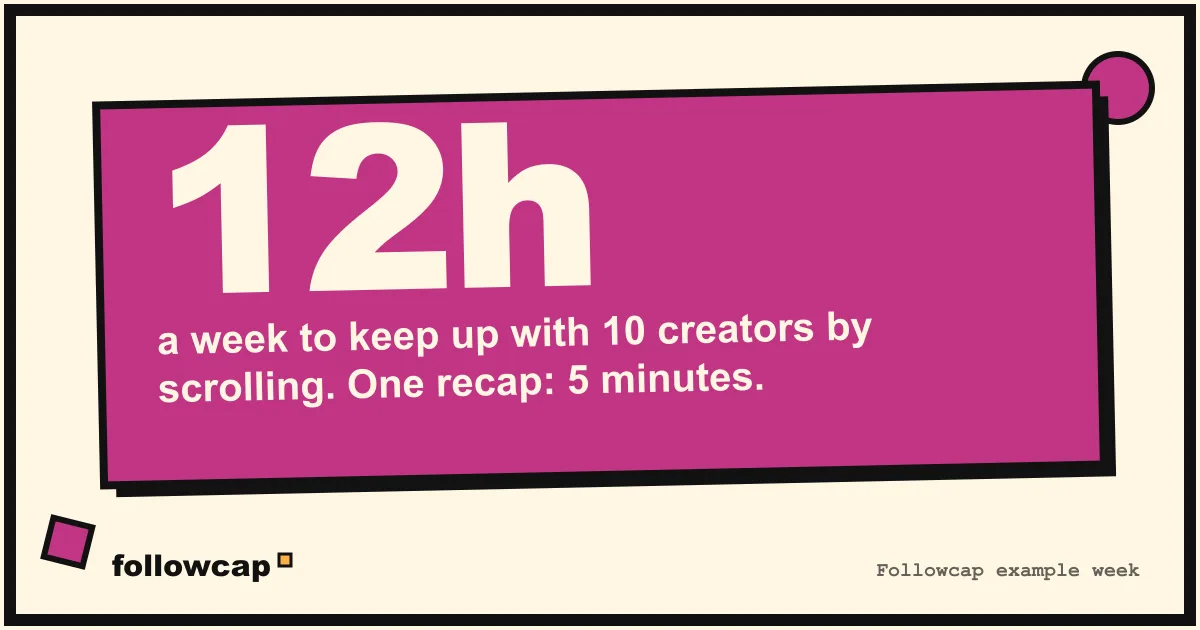
Take ten active creators. Between them they post about 58 reels, posts and stories in a typical week. Keeping up with that by scrolling, including the suggested posts and ads wrapped around every one of them, comes to roughly 12 hours a week. Nobody budgets 12 hours for it. What actually happens is that you watch some of it, miss a lot, and feel vaguely behind.
A weekly recap email is the other approach: instead of you going to the posts, the posts come to you, once, in a summarized form. This is what we built Followcap to do, so take this paragraph as coming from the people who make it. You type the usernames of the public creators you want to follow, no Instagram login or password needed, and every Sunday you get one email on what they posted that week: a 30-second summary, the three posts not to miss, a two or three line recap of the best posts from each account with their links, and a “what you can apply this week” section. Reading it takes about five minutes. The limits are real: it is weekly, not real-time, so it is not a way to be first to comment; it only covers public creator and business accounts, never private ones; and it is paid after a 7-day free trial, starting at €9 a month for up to five creators. If that fits your list, you can start a trial and get the first recap within 24 hours.
To compare the recap with the other ways of moving Instagram into your inbox, including creators’ own newsletters, see Instagram to email.
A 10-minute Sunday routine to catch up on everyone
Whatever mix you choose, it works far better with a fixed slot than as an “I’ll check when I think of it” habit. Here is the routine we use, and it fits in ten minutes.
- Pick the time and protect it. Sunday morning with coffee works for most people. Put it in the calendar. The slot is the method.
- Read the recap first, if you have one. Five minutes. Open the three posts not to miss on Instagram if you want the full video, then close the app.
- Switch to the Following or Favorites feed. Two taps. Scroll back to last Sunday for the accounts not in your recap. Three minutes.
- Check one or two profiles directly. For anyone whose stories or highlights matter to you, open the profile. Two minutes.
- Write down one thing. One idea, one post to save, one thing to try this week. Then the app goes away until next Sunday.
The hard part is step five, which is really “and then stop”. If closing the app after ten minutes is the part that fails for you, the stopping cues in how to stop doomscrolling are built for that moment, and the setup in how to spend less time on your phone makes the Sunday slot the only time the app gets your attention.
FAQ
Can I see someone’s Instagram posts in chronological order?
Yes, in two places. Their profile grid and Reels tab are always newest first. For posts from several accounts in one stream, tap the Instagram logo at the top left of the home feed and choose Following or Favorites. Both views are chronological, but the app returns to the ranked feed when you reopen it.
Why can’t I see all posts from someone I follow?
Because the home feed is ranked, not chronological. Instagram chooses what to show based on signals like your activity and your relationship with the account, so posts from people you rarely interact with sink. Use the Following feed, turn on post notifications for that account, or check their profile directly.
How do I see someone’s old posts on Instagram?
Open their profile and scroll down the grid. It goes back to their first post, newest first, and the post count at the top tells you how far there is to go. The Reels tab does the same for reels. There is no date search, so for very active accounts it is a long scroll.
Can I see all posts from someone without following them?
For public accounts, yes: open their profile and the grid is visible, though in a web browser a login wall often appears after a few posts as of 2026. A weekly recap email works for public creator and business accounts without you following them or even having an Instagram account. Private accounts need their approval, and no outside tool changes that. More in how to follow Instagram accounts without an account.
Does the Following feed stay on after I close the app?
No. As of 2026 the Following and Favorites feeds reset every time you reopen Instagram, and there is no setting to make either one the default. You need to tap the logo and pick the feed each session, which is why pairing it with a fixed weekly time works better than relying on memory.
Related reading
- How to Monitor an Instagram Account: Yours, a Brand’s or a Creator’s
- How to See Saved Posts on Instagram (and Organise Collections)
- How to See Someone’s Activity on Instagram (What Is Public in 2026)
The bottom line
To see all posts from someone on Instagram, go to the source: the profile grid and Reels tab are complete and in order, and the Following or Favorites feed does the same for everyone you follow, as long as you remember the two taps each time. Notifications cover the one or two accounts where timing matters. For five to twenty accounts, a weekly recap email like Followcap, which we make, replaces hours of scrolling with one Sunday read, with the trade-off that it is weekly and public accounts only. Choose the method that fits your list, give it a fixed slot, and the feeling of always being behind goes away.