How to See Someone's Activity on Instagram (What Is Public in 2026)
How to see someone's activity on Instagram in 2026: what is public (posts, comments, likes on a post, follows), what Instagram removed in 2019, and why tracker apps fail.
 Andrea Marino11 min read
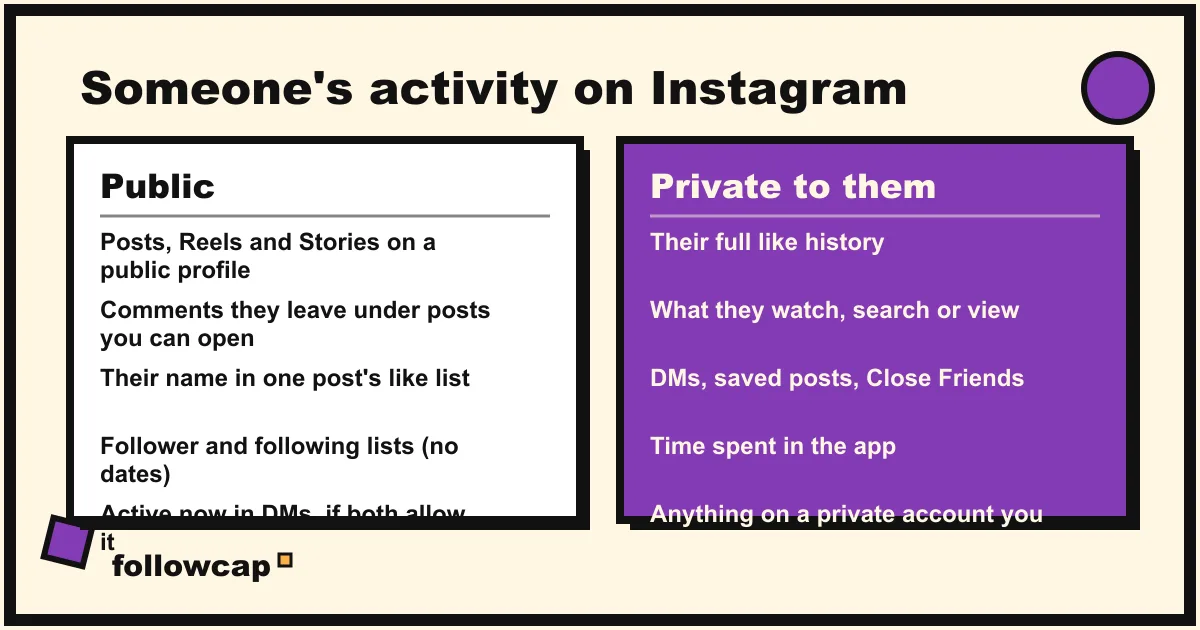
You can see someone’s activity on Instagram only where Instagram makes it public: the posts and Reels on their profile, the comments they leave, their name in the like list of a post you open, their follower and following lists, and, inside a DM thread, whether they are active. There is no feed of what another person likes, watches or searches, and there has not been since 2019.
Quick answer: open their profile for posts, Reels and the follower and following lists; open a specific post and tap the likes to see whether their name is there; open a DM thread to see “Active now” or “Active 2h ago” if both of you have Activity Status on; tap ⋯ on the profile of someone you follow (or who follows you) and choose See shared activity for the likes, comments and tags between the two of you. Everything else, from their full like history to what they look at, is not visible to anyone, and apps that promise it are either guessing or stealing your login.
What you can see of someone’s activity on Instagram
Instagram’s own table of public versus private accounts is the honest starting point: on a public account anyone sees the posts, the lists and the profile; on a private account only approved followers do. For a private person who has not accepted your follow request, the map below shrinks to the profile photo, name, username and bio, and that is the end of it.
| Activity | Visible? | Where to look |
|---|---|---|
| Posts, carousels, Reels | Yes, on a public account or one you follow | Their profile grid and Reels tab |
| Stories | Yes, for 24 hours, same rule | Their profile picture ring |
| Comments they leave | Yes, under the post, if you can see that post | The comments of any post they commented on |
| A like they gave | Yes, in the like list of that specific post | Open the post, tap the likes |
| Who they follow and who follows them | Yes, as lists, not in order of time | Followers and Following on their profile |
| Whether they are online | Only in a DM thread, only with Activity Status on both sides | Your inbox |
| Likes, comments and tags between you and them | Yes, if one of you follows the other | Profile → ⋯ → See shared activity |
| Their full like history | No | Nowhere |
| What they watch, search or view | No | Nowhere |
| Their DMs, saved posts, Close Friends list | No | Nowhere |
Two details catch people out. First, the like list is per post: Instagram’s help page on likes says a like “is visible to anyone who can see the post,” so you can confirm that one person liked one post you are looking at, but there is no way to walk from their profile to the posts they liked. Second, the follower and following lists are not chronological, so they tell you who, not when; see who someone recently followed on Instagram explains what those lists can and cannot tell you.
The Following activity tab Instagram removed in 2019
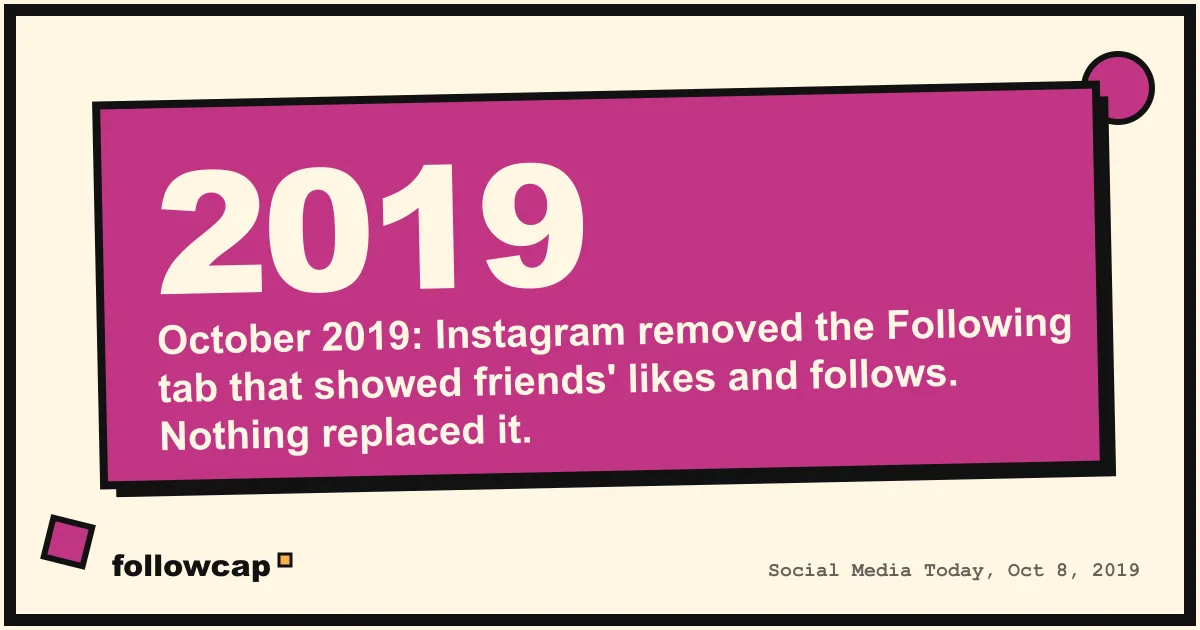
Most of the confusion around this search comes from a feature that no longer exists. From 2011 until October 2019, the heart icon opened two tabs: You, with the likes and comments on your own posts, and Following, a running feed of what the people you followed were doing: the posts they liked, the comments they left and the accounts they had started following.
On October 7, 2019 Instagram confirmed to BuzzFeed News that it was removing the tab for everyone over that week. Social Media Today’s report on the removal of the Following tab carries the company’s reasons: the feature dated from 2011, before Explore existed; few people used it; and, in the words of Vishal Shah, Instagram’s head of product at the time, “People didn’t always know that their activity is surfacing.” Adam Mosseri framed it as keeping Instagram simple.
Nothing replaced it. The heart icon now shows only activity directed at you, and any page that tells you to “tap the heart, then Following” in 2026 was written from memory.
What you cannot see, and no app can
The wall is the same for everyone, including third-party tools, because Instagram does not expose this data to anyone but the account owner:
- Their like history. Instagram does keep one: the help page on recent posts you’ve liked says you can see your 300 most recent likes under Your activity → Interactions → Likes. The word “your” is doing all the work. It is a settings screen for the logged-in account, visible to nobody else.
- What they watch and view. Reels watch history, story views, profile visits and searches are private to the viewer, which is why can you see who views your Instagram profile has the same answer: no, and only the owner for a story.
- Their DMs, saved posts, Close Friends list, muted accounts and Favorites. All private.
- Their time on the app. Only the account owner, and a supervising parent, see it.
If a tool claims to show any of these for an account that is not yours, it is not reading Instagram. It is inventing data, recycling public like lists you could open yourself, or running inside your account with your password, which brings us to the apps.
Activity status in DMs: what “Active now” means
The one piece of live activity Instagram shares is Activity Status, and it is narrower than people think. Instagram’s help page on Activity Status says that when yours is on, “people you follow and anyone you message will see when you were last active or currently active,” shown as a green dot or a timestamp next to the profile picture in messaging.
Three rules follow from that page:
- It is reciprocal. Turn yours off and you “won’t be able to see anyone else’s Activity status.” There is no watching while hidden.
- It is limited to connections. Accounts you follow or message, not a stranger whose profile you opened.
- It is a status, not a log. “Active 3h ago” says when the app was last open, not what they did, and it keeps no history.
The toggle is under Settings and activity → Messages and story replies → Show activity status, as of late 2026. If someone’s status never appears, they have turned it off, or you have.
Shared activity: the one activity view Instagram still has
Instagram does have a feature called shared activity, and tracker apps love to misdescribe it. The help page on shared activity says it “lets you see the tags, likes and comments you share with other accounts,” and that it “is only available when one or both accounts follow each other.” Open the profile of someone you follow or who follows you, tap ⋯ at the top right, and choose See shared activity. You get four sections: photos and Reels where you tagged each other, likes on each other’s posts, comments on each other’s posts, and when you followed each other.
What it is not: a view of that person’s activity with anyone else. It is a two-way ledger between your account and theirs, built so you can find and remove old interactions, and it is mobile and iPad only.
Why “Instagram activity tracker” apps are fake or dangerous
Search this query and the results are full of apps that promise to show you what someone likes, who they talk to, or when they are online, for a subscription. They fall into three groups, and none is worth it.
The password apps. Anything that asks for your Instagram username and password, or a “session” on your phone, now controls your account. Instagram’s help page on accounts restricted for data scraping lists exactly this as a cause: “You may have provided your username and password to a third-party app or website,” and “You used an app or service to interact with Instagram in unauthorized ways.” The Terms of Use say the same: “You can’t attempt to create accounts or access or collect information in unauthorized ways.” And the app gains nothing by it, because your login has no more access to other people’s activity than you do.
The username-only “viewers.” These take a public username and show a dashboard. The real part is the public profile, which you could have opened for free. The “recently liked” and “most interacted with” sections are guesswork from public like lists, stale data, or invented, because the private data does not exist for anyone but the account owner.
The phone “monitoring” apps. Some are real software that records the screen of a phone you own. That is not seeing someone’s Instagram activity through Instagram, and installing it on a phone that is not yours or your minor child’s is illegal in most places. For a teen, Instagram’s own supervision in Family Center shows a parent the time spent and who the teen follows and messages, with the teen’s knowledge.
The pattern: Instagram shows the same public data to every logged-in account, so a paid app that claims to see more is either showing you what you already had, or lying.
The legitimate way to keep up with a public creator
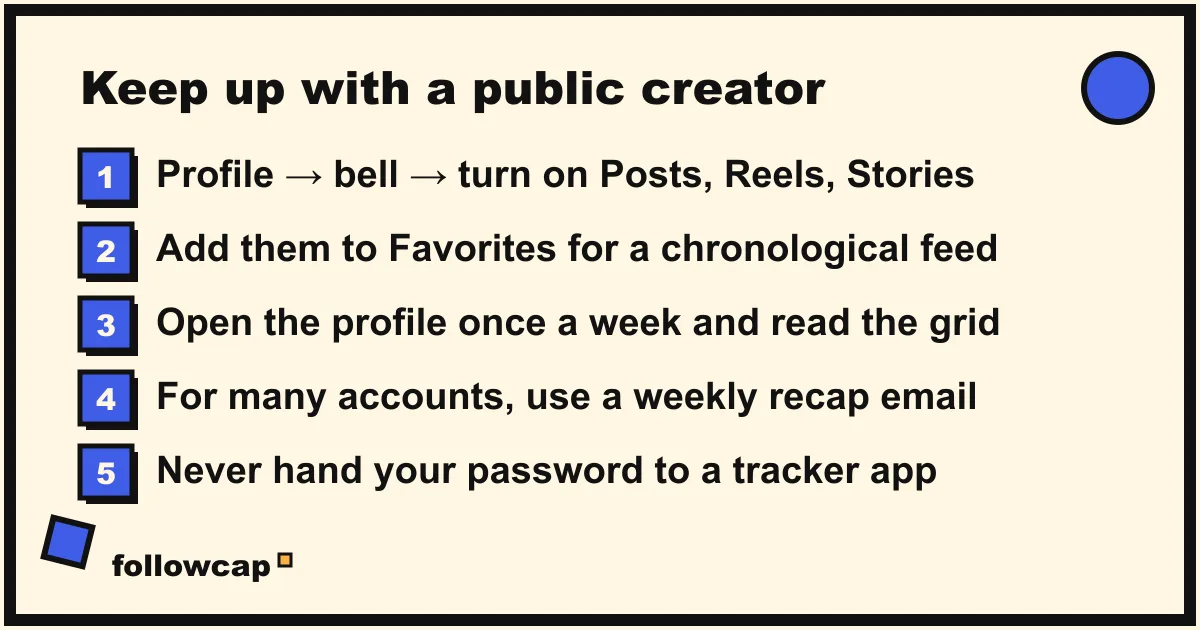
If the “someone” is a public creator, a brand or a competitor rather than a person in your life, the honest version of this question is “how do I stop missing what they post,” and that one has good answers:
- Turn on post notifications. As of late 2026: open the profile → tap the bell (or ⋯ → Notifications on some versions) → choose Posts, Stories, Reels or Live. Instagram’s help page on notifications for someone you follow notes the feature is app-only. There is no digest, so it works for three accounts and not for thirty; get notified when someone posts on Instagram has the paths per version.
- Add them to Favorites. Their posts rank higher in your feed, and the Favorites feed view shows only those accounts in chronological order.
- Open the profile weekly and read the grid and Reels tab in order. Free, complete, manual.
- Use a weekly recap tool if you are watching more accounts than you can open by hand.
That last option is what Followcap does, and since it is our product, read this as the maker’s description. You type the usernames of public creator or business accounts, with no Instagram login, and every Sunday you get one email with a 30-second summary, the three posts not to miss, a two to three line recap of the best posts from each account with their links, and “what you can apply this week.” Three accounts are free with no card; Premium (€9 a month, 10 accounts) adds weekly numbers per account (posts, likes, comments, best post, follower growth) and an archive page; Business Pro (€29 a month, 50 accounts, 3 team users) adds a dashboard with alerts and CSV export. The limits are the wall described above: weekly, not real time; public creator and business accounts only, never a private person; public posts, likes, comments and follower counts and nothing else, so no reach, saves, views, DMs, activity status or audience data; paid after the 7-day trial, with a 30-day money-back. How to see analytics of other Instagram accounts covers what public counts can and cannot tell you.
FAQ
Can you see what someone likes on Instagram?
Only one post at a time: open a post and its like list, and their username is there if they liked it. There is no list of everything a person has liked. Instagram removed the Following activity feed in October 2019, and the Likes screen under Your activity shows only your own last 300 likes.
Can you see if someone is active on Instagram?
Yes, in a DM thread, if you follow them or have messaged them and both of you have Activity Status on. You see a green dot or “Active 2h ago” next to their picture in the inbox. Turn yours off and you lose the ability to see anyone else’s.
Can you see someone’s Instagram history or what they look at?
No. Search history, Reels watch history, story views and profile visits are visible only to the account that did them. No app can show them for another account, because Instagram does not make that data available.
Is there an app to see someone’s activity on Instagram?
No real one. Apps that ask for your password give a stranger your account and can get you restricted under Instagram’s terms; apps that take a username only show you public pages you could open yourself, plus invented sections. The only tools that work are the ones that watch public posts of public accounts.
Can parents see their teen’s Instagram activity?
Partly, with supervision set up in Family Center and the teen’s knowledge: time spent over the past 7 days, the accounts the teen follows and is followed by, who they have messaged recently (not the messages), and settings. Teen accounts are private by default.
How do I see what someone recently posted without following them?
If the account is public, open their profile in the app or at instagram.com/username; no follow needed. If it is private, you need an accepted follow request, and there is no workaround.
Related reading
- How to See Someone’s Most Liked Posts on Instagram (2026)
- Instagram Post Tracker: 4 Ways to Track Posts From Accounts You Follow
- Instagram Broadcast Channels: Join, Leave and Create One (2026)
The bottom line
Someone’s activity on Instagram is visible exactly as far as Instagram makes it public: posts, Reels, Stories, comments, their name in a post’s like list, their follower and following lists, a green dot in DMs if both of you allow it, and the shared activity between your two accounts. The feed of other people’s likes and follows was removed in October 2019 and nothing replaced it; what a person watches, searches, saves or messages is theirs alone, and the apps that sell the opposite are showing you public pages or holding your password. If the account you care about is a public creator or brand, use post notifications, Favorites, or a weekly recap such as Followcap, which we make, and leave private people their privacy.