How to See Who Someone Recently Followed on Instagram (2026)
How to see who someone recently followed on Instagram in 2026: what Instagram removed, what still works without an app, and why follow trackers are a bad trade.
 Andrea Marino11 min read
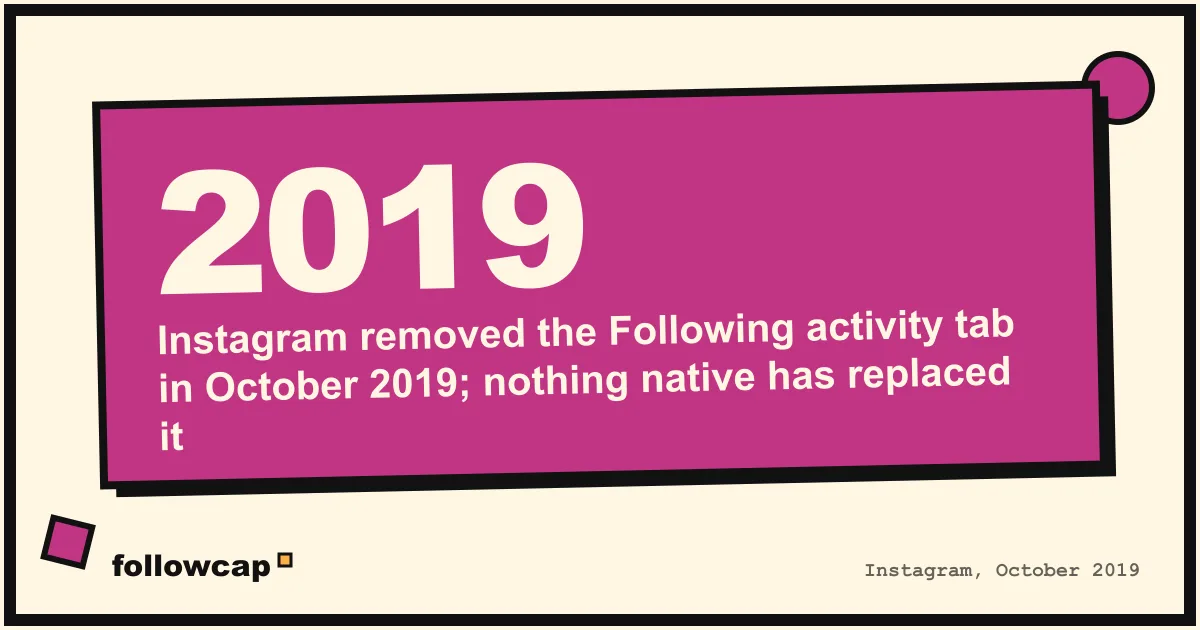
As of 2026, Instagram does not show who someone recently followed. The Following tab that once listed your friends’ likes and new follows was removed in October 2019, and another person’s following list is sorted by relevance to you, not by date. What is left is manual: open their following list, compare it over time, and use the shared activity screen for accounts you both follow.
Quick answer: open the profile → tap Following → use the search box to check a specific name, or screenshot the first screen and the following count and compare again in a week. The order you see is personalised to you and carries no dates. Apps that promise a “recently followed” list for any account either guess from that order or scrape Instagram against its terms, and the ones that ask for your password are a risk to your own account.
Can you see who someone recently followed on Instagram?
Not inside the app, and Instagram has been clear about it twice.
The first time was the removal of the Following tab. Until October 2019, the heart icon opened two tabs: You, with activity on your own posts, and Following, a running list of what the accounts you followed had liked, commented on and started following. On 7 October 2019 Adam Mosseri announced its removal, writing that the team is “always trying to stay focused and keep Instagram simple”. Vishal Shah, then head of product, told BuzzFeed News that “people didn’t always know that their activity is surfacing”. Nothing has replaced it.
The second is how following lists are ordered. In February 2020 Instagram added sorting to your own following list, by date followed, earliest or latest. It never added that sort to anyone else’s list, and it has never shown the date a follow happened on another account. The only follow date the app exposes is in shared activity, between you and your own connections.
Why isn’t someone’s following list in chronological order?
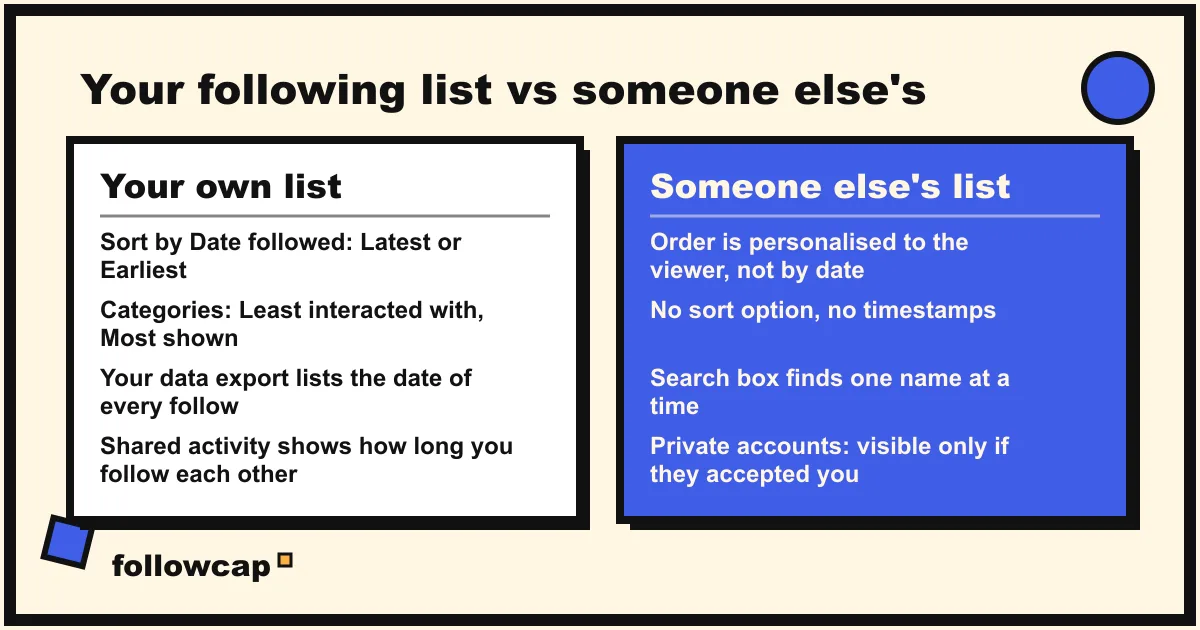
Because Instagram ranks it, the way it ranks nearly everything. Open the following list of a public account and the first names are usually accounts you also follow, accounts you have interacted with, and large accounts. Open the same list from a different account and the order changes. Instagram has not published the signals for this list the way it has for Feed and Reels, so anything more precise than “mutual connections and relevance to you” is a guess. Two things are safe to say:
- The top of the list does not mean “most recent”. It usually means “most connected to you”. Guides that tell you the newest follows sit at the top are describing a behaviour from before 2020 that is no longer reliable.
- The list contains no dates. Instagram records when a follow happened, which is how shared activity can show “followed for 2 years”, but it does not display that for other people’s connections.
Your own list is different. As of late 2026 your own Following screen has a sort control, with options Instagram introduced in 2020 as Default, Date followed: Latest and Date followed: Earliest, and two categories at the top, Least interacted with and Most shown in feed. Labels have changed slightly between app versions, so if yours read differently, look for the sort arrow at the top of your own Following list. Those tools exist for managing your own follows, and none of them appear on anyone else’s list.
What still works, without any app?
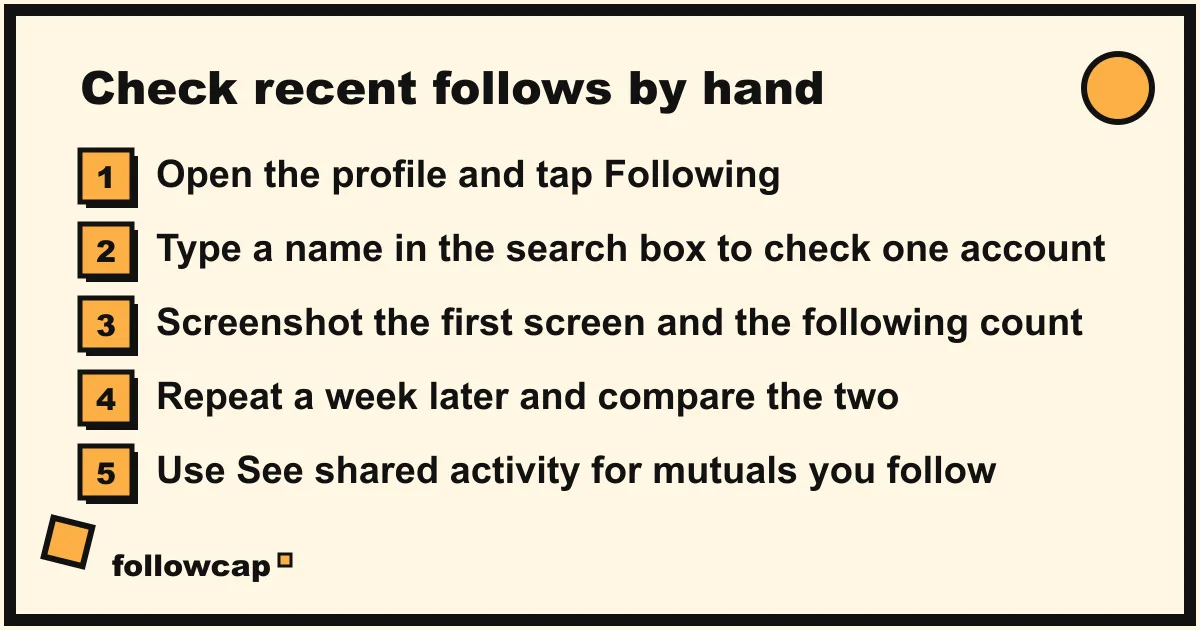
Four methods, all inside Instagram and within its terms. They work on public accounts, and on private accounts only if the person has accepted your follow request.
1. Search their following list for a name
If the real question is “did they follow this one person”, you do not need the order.
- Open the profile and tap Following.
- Tap the search box at the top of the list.
- Type the username or name. If it appears, they follow that account.
This takes ten seconds and is exact.
2. Compare the list and the count over time
The following count on a profile is public and exact. If it rises by three in a week, three follows happened. To find out which, compare the lists.
- Screenshot the first screen of their following list and note the count.
- A week later, open the list again. New names near the top that were not there last time are candidates; Instagram tends to surface recent follows higher for a while, though it does not guarantee it.
- For a short list, under a few hundred, scroll the whole thing and tick off names. For long lists this stops being practical, which is where tracker apps make their pitch.
3. See shared activity, for people you both follow
This is the one place Instagram shows a follow date. As of late 2026 the path, on the mobile app only, is: open the person’s profile → tap ··· in the top right → See shared activity (also reachable from your own Following list through the ··· next to a name). The screen shows how long you have followed them, how long they have followed you, and the posts you have tagged, liked or commented on together. Instagram’s help center confirms the feature is mobile only; third-party guides add that it needs a mutual follow, which we could not confirm on Instagram’s own page. It answers “when did I follow them” and “when did they follow me”, not “who did they follow last week”, but it is the only dated follow information in the app.
4. Read their public activity instead
Follows are a weak signal; what someone posts, comments on and gets tagged in is public and dated. A new account they follow often shows up as a tag, a collaboration post or a comment under their photos. Seeing all of someone’s posts on Instagram in one place tells you more about where they are heading than a list of follows.
How do you see who you recently followed yourself?
For your own account the question has a clean answer.
- Sort your Following list. Profile → Following → the sort arrow → Date followed: Latest. The list reorders with your newest follows first.
- Download your information. Settings and activity → Your information and permissions → Download your information. Instagram’s help center describes this export; the follows file inside it lists every account you follow with the date you followed them, the only timestamped view of your own follow history. It can take a couple of days to arrive.
Why are “recently followed” trackers a bad trade?
Search this query and half the results are tools: enter any username, no login needed, see who they followed last week. Here is what they do not say on the landing page.
- They cannot see what Instagram does not expose. There is no follow timestamp on another person’s list. A tracker either guesses from the personalised order it fetches, or takes a snapshot of the whole list today, another tomorrow, and reports the difference. The second method only works from the day the tool first looked at the account; it cannot tell you anything about last month, whatever the pricing page suggests.
- They scrape Instagram against its terms. Automated collection of other people’s data without Instagram’s permission is prohibited by its Terms of Use. The tools break whenever Instagram changes something, which is why their reviews swing between “worked yesterday” and “shows nothing”.
- The ones that ask for your login put your account at risk. Handing your password to a third party is the single most common way accounts get locked, spammed from, or used for fake follows. Instagram’s own warnings about this are the reason apps that ask for your password are a bad idea in every guide on this site.
- Private accounts are out of reach for everyone. A private account’s following list is visible only to approved followers. No tool changes that.
- The framing is the tell. Most of these pages are written for checking on a partner. A list of guessed follows from a scraper that may be wrong is a poor basis for a conversation that matters.
What if you need to track a creator’s activity for work?
Sometimes the query comes from a brand or a marketer: a creator you work with keeps following new brands, and that hints at their next partnership. Follows are a weak and unlisted signal for that. Their posts, collaborations and paid partnership labels are strong, public and dated.
Here we have to be transparent: Followcap is our product, so read this as the maker’s description. It does not track follows at all, and nothing within Instagram’s terms can. What it does: you type the usernames of public creator or business accounts, no Instagram login or password needed, and every Sunday one email summarises their week, with a 30-second summary, the three posts not to miss, a two to three line recap of the best posts from each account with their links, and what you can apply this week. Three accounts are free, no card. Premium (€9 a month, up to 10 accounts) adds weekly numbers per account: posts, likes, comments, best post and follower growth, plus an archive page. Business Pro (€29 a month, up to 50 accounts, 3 team users) adds a dashboard with alerts, CSV export and a monthly PDF report. The limits: weekly, not real time; public creator and business accounts only; no reach, saves, views, watch time or audience data; and paid after the 7-day trial, with a 30-day money-back. If what you want is to know what a creator published and who they tagged, you can start with your list. For a fuller routine, see how to track influencers and creators for your brand. For a single post the moment it goes up, Instagram’s own per-account notifications are the tool, covered in how to get notified when someone posts on Instagram.
Does the person know you looked at their following list?
No. Opening a public profile, its following or followers list, and its posts sends no notification, and neither does the search box inside the list.
The two things that do leave a trace: viewing their story, which puts your name in their viewer list (how that list is ordered is its own topic, in Instagram story viewers order), and liking or commenting on an old post, which notifies them.
What to do if the following list looks wrong
- The list shows fewer names than the count. The count includes accounts that are deactivated or that have blocked you; those do not render in the list. The gap is normal.
- Different order on your phone and on the website. Expected. The order is computed per session and per viewer. Neither is chronological.
- You cannot see the list at all. The account is private and has not accepted you, or it has blocked you. There is no workaround that stays within Instagram’s terms.
FAQ
Can you see who a private account is following?
Only if the account has accepted your follow request. Once accepted, you see the full following list like any other, in the same personalised order. Tools that claim to show a private account’s follows without that approval cannot do so; treat the claim as a sign to close the tab.
Does the top of someone’s following list mean anything?
Not much. The first names are usually the accounts you have most in common with, large accounts, and sometimes recent follows, in an order Instagram has not documented and that differs from viewer to viewer. It is not a date order.
Can you tell how recently someone followed another account?
Not for other people’s connections. Instagram shows follow duration only in shared activity, between you and an account you are connected with.
Is there a free way to see who someone recently followed?
The free way is the manual one: search their following list for a name, or compare the list and the count across a week. It is exact for one name and approximate for “everything new”. Free tracker sites are free because they sell an upgrade or your data, and their results are guesses either way.
Did Instagram remove the recent follows feature?
Yes. The Following tab, which listed likes, comments and new follows by the accounts you followed, was removed in October 2019 for all users. Since then there has been no native way to see another account’s follow activity, only your own.
Related reading
- Can You See Who Views Your Instagram Profile? (2026 Answer)
- How the Instagram Algorithm Works in 2026 (Feed, Stories, Reels, Explore)
- How to See Someone’s Activity on Instagram (What Is Public in 2026)
The bottom line
You cannot see who someone recently followed on Instagram, as of 2026, because Instagram removed the feature in 2019 and never exposed follow dates for other people’s accounts. Their following list is public but sorted for you, not by time. What works is small and exact: search the list for the name you care about, compare the list and the count over a week, and use shared activity for the accounts you both follow. The tracker apps in the search results are guessing from the same list you can see, or scraping against Instagram’s terms, and the ones that want your password are the worst trade on the platform. If the real goal is to keep up with what a creator is doing, their posts are the signal, and a weekly recap such as Followcap, which we make, covers those for public accounts, weekly rather than live, without touching follows at all.