Can You See Who Views Your Instagram Profile? (2026 Answer)
Can you see who views your Instagram profile? No, and no app can. What you can see instead: story viewers, Insights counts, interactions, and what a creator can learn.
 Andrea Marino10 min read
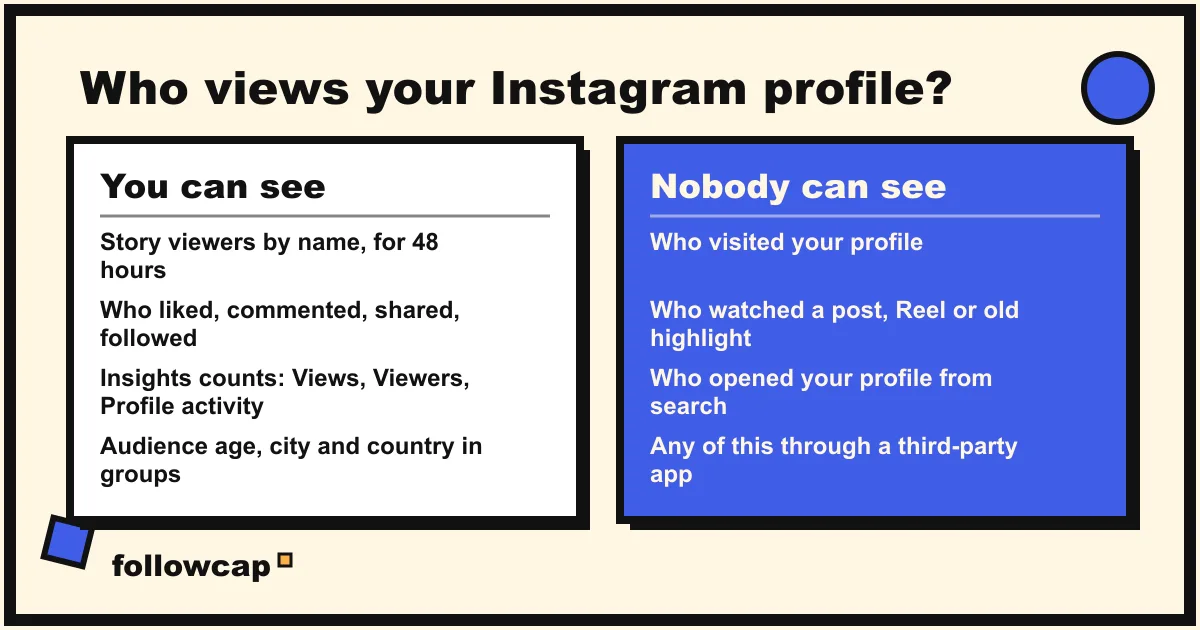
No. Instagram does not show you who views your profile, has never offered it, and as of late 2026 still does not, on personal, creator or business accounts alike. What you can see is narrower: story viewers by name for 48 hours, everyone who liked, commented, shared or followed, and aggregate counts in Insights with no names attached.
Quick answer: nobody can see who viewed their Instagram profile, and no app can show it either. You can see story viewers by name (open the story, swipe up, for up to 48 hours via Archive), the people who interact with your posts, and, on a public account, Insights counts such as Views, Viewers, Interactions and Profile activity. All of those are numbers or actions, never a list of lurkers.
Can you see who views your Instagram profile?
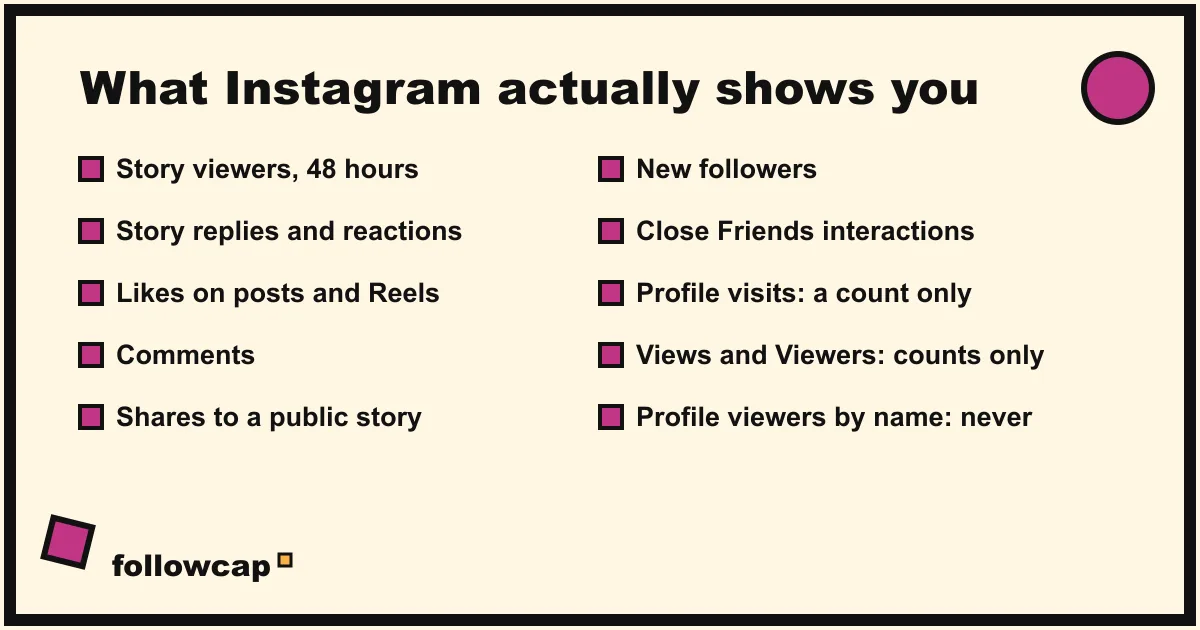
Instagram’s help center has a page for almost everything you can see about your audience: who viewed your story, what Insights measures, who can tell you have seen their story. It has no page for profile viewers, because the feature does not exist. The closest it comes is the definition of Insights, which describes every audience metric as a count: “Viewers: the number of unique accounts that have seen your content on screen at least once”, “Profile activity: the number of actions people take when they visit your profile after engaging with your post.” Numbers, demographics in bands, never usernames.
The design is symmetrical. Instagram tells you when someone looks at your story, and tells the other person when you look at theirs: the help page “Who can tell that you’ve seen their Instagram story” is one sentence long, “When you see someone’s story, they’ll be able to tell that you’ve seen it.” Profile visits, post views, Reel views and old highlights are the other side of that line. You can browse without being seen, and so can everyone browsing you.
What you can see: every signal Instagram gives you, and how long it lasts
| Signal | Who you see | How long | Where |
|---|---|---|---|
| Story viewers | Usernames | 48 hours after posting | Open the story, swipe up; after 24 hours via Archive |
| Story replies and reactions | Usernames | As long as the DM exists | Your inbox |
| Likes on posts and Reels | Usernames | Permanent | Tap the like count |
| Comments | Usernames | Permanent | Under the post |
| Shares to someone’s story | Usernames, when the account is public | While the story is live | Post → View insights → Shares, or the mention |
| New followers | Usernames | Permanent | Followers list, notifications |
| Close Friends interactions | Usernames, visible to the whole list | While the content exists | On the story or Reel |
| Profile visits | A count only | Within the past 90 days | Insights (public accounts) |
| Post, Reel and story views | A count only | Up to 2 years for posts | View insights |
| Profile visits by name | Nobody | Never | Nowhere |
Three details from Instagram’s help pages are worth knowing exactly.
Story viewers last 48 hours, not 24. The help page “How to tell who’s seen your Instagram story” says: “You can look at who’s seen your story up to 48 hours after you post it.” After the story expires, the path is Profile → ☰ Menu → under How you use Instagram, tap Archive → open the story → swipe up. The same page adds that the view count “includes all the replays of your story”, and that “only you are able to look at who’s seen your story.” What the order of that list means is covered in Instagram story viewers order.
Highlights follow the same clock. A highlight’s viewer list is the original story’s list, so it shows names only within 48 hours of posting. After that, people can watch a highlight indefinitely and you will never know who did.
Close Friends is the one place interactions are shared. Instagram’s page on sharing a Reel with Close Friends says that “if someone on your Close Friends list likes, comments on or shares your reel, others on your Close Friends list will be able to see their username.” Interactions, not views, and only inside the list, as explained in how Instagram Close Friends works.
What Insights shows about profile visitors (and who gets Insights in 2026)
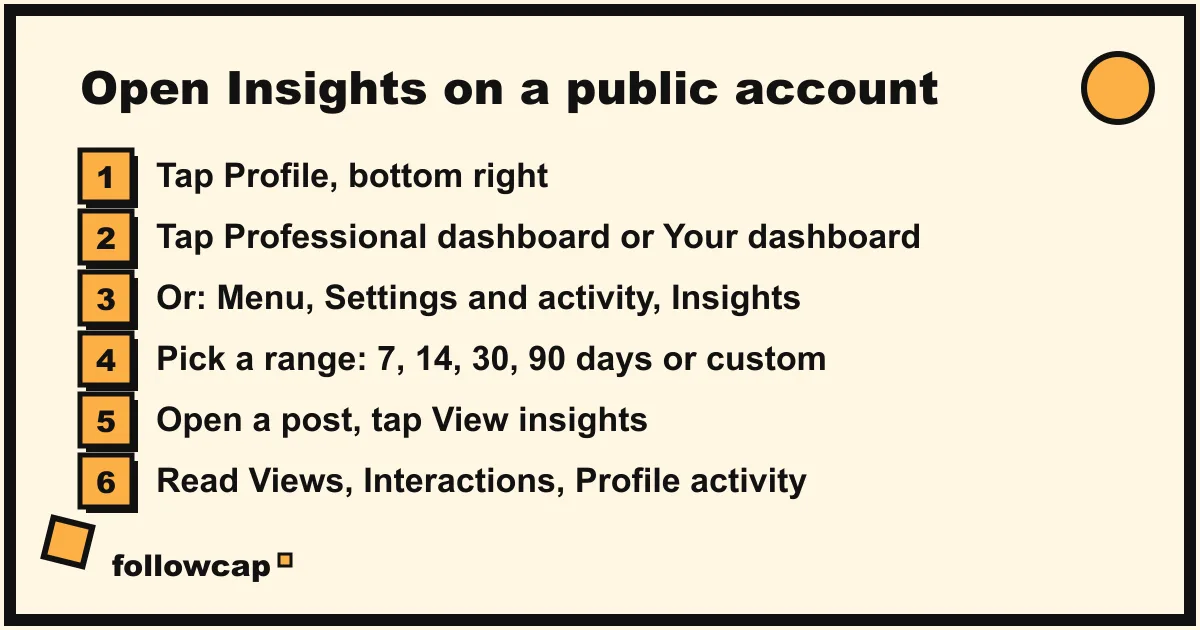
Insights is where the “profile visits” number lives, and the rules changed recently. Instagram’s help page “View account and content insights on Instagram”, as of late 2026, says: “You need to have a public (personal or professional) account on Instagram to view insights.” Public personal accounts get Your dashboard; professional accounts get Professional dashboard. Private accounts get nothing, and switching from public to private means “you’ll lose access to insights” unless you switch back within 90 days.
To open it:
- Tap Profile or your profile picture at the bottom right.
- Tap Professional dashboard (professional account) or Your dashboard (public personal account). If you do not see it, tap ☰ Menu → Settings and activity, then Insights under For professionals, or Your dashboard under Your insights and tools.
- You land on the past 30 days of Views, Interactions, New followers and Content you shared. Tap any of them to change the range: Last 7 days, Last 14 days, Last 30 days, Previous month, Last 90 days, or a custom range inside the past 90 days.
- For a single post, open it and tap View insights. The help page lists three groups: Views, Interactions and Profile activity, defined as “the number of actions people take when they visit your profile after engaging with your post.”
Profile activity is the honest version of “who looked at my profile”: after seeing a given post, a certain number of people tapped through to your profile, and some followed or tapped your link. It does not tell you who. Instagram adds that these metrics “are estimated and in-development”, and that audience demographics (top countries, cities, age ranges, gender) only appear once you reach or engage more than 100 accounts in the chosen period. Post insights “are available to view for up to two years”, so you can see that a post from 2024 sent 300 people to your profile. You still cannot see which 300.
Why “profile viewer” apps are fake or dangerous
Search this question and half of page one is apps promising a list of “stalkers” or “top profile viewers”. They cannot work: Instagram does not record profile views anywhere a third party can read, and the data an app sees once you log in is the data you can see yourself. An app is therefore doing one of three things:
- Guessing. It takes your story viewers, recent likers and commenters, shuffles them and calls the result “profile visitors”. It looks plausible because those people did interact with you. It is still fiction.
- Fabricating. It shows random accounts to keep you tapping and to sell a “premium” tier that reveals “the rest”. There is no rest.
- Harvesting. It asks for your Instagram username and password. From that moment it can read your DMs, act on your behalf, change your email and lock you out. Logging into third-party apps also puts your account on the wrong side of Instagram’s terms.
If you want real numbers, Insights has them, free, without a login to anyone but Instagram. The same reasoning applies to every app that promises hidden activity, whether it is who someone recently followed or who blocked you: the platform does not expose it, so the app cannot have it.
Several blogs in 2026 report a limited test in which some accounts see how many times their profile was viewed over the past 14 days. We could not find it on Instagram’s help pages or in Meta’s newsroom, so treat it as unconfirmed. Even if real, every description of it is a count visible only to the owner, and no report claims it names anyone.
What a creator can actually learn about an audience
If you post for an audience, “who viewed my profile” is the wrong question, and the right ones have answers.
On your own account: Insights gives you Viewers (unique accounts) against Views (total plays), the split of Accounts engaged between followers and non-followers, the age, city and country bands of the people you reach, follower growth, and the times your followers are most active. The Profile activity figure per post tells you which content makes people curious enough to visit. The formula for turning that into a number you can compare is in how to check your Instagram engagement rate.
On other people’s accounts: you can see what any visitor to a public profile can see, which is posts, likes, comments, follower counts and follow lists, and nothing from their Insights. That is enough to compare yourself with the accounts in your niche, as described in how to see analytics of other Instagram accounts, as long as you remember that views, reach and profile visits are theirs alone.
That second job is what we built Followcap for, so read this as the maker’s description. You type the usernames of public creator or business accounts, with no Instagram login, and every Sunday you get one email with a 30-second summary, the three posts not to miss, a two to three line recap of the best posts from each account with their links, and a short “what you can apply this week”. Three accounts are free with no card. Premium (€9 a month, up to 10 accounts) adds weekly numbers per account (posts, likes, comments, best post, follower growth) and a personal archive page; Business Pro (€29 a month, 50 accounts, 3 team users) adds a monitoring dashboard with alerts, CSV export and a monthly PDF report. The limits are the point of this article: it is weekly, not real time; it only covers public creator and business accounts; it shows posts, likes, comments and follower counts, never views, reach, saves, watch time or anything about who visits a profile, because nobody outside Instagram has that; and paid plans are paid after the 7-day trial, with a 30-day money-back.
How to keep your own browsing private
The mirror image of the question is “can they see that I looked?” Same rules, applied to you.
- Profiles, posts, Reels, highlights older than 48 hours: nobody can tell you looked.
- Stories under 48 hours: the owner sees your username. No setting hides it, and “anonymous story viewer” sites are the harvesting apps from above in a different coat.
- Activity status: Instagram’s help page says that when it is on, “people you follow and anyone you message will see when you were last active or currently active.” To turn it off: Profile → ☰ Menu → under How others can interact with you, tap Messages and story replies → Show activity status → toggle off. You then stop seeing everyone else’s status too.
- Likes, comments, follows, shares: always visible, always attributed.
FAQ
Can someone see if I viewed their Instagram profile?
No. Instagram does not show profile visitors to anyone, on any account type, and does not notify people when their profile is viewed. The only viewing that is visible is a story viewed within 48 hours of posting, where the owner sees your username.
Can business or creator accounts see who viewed their profile?
No. Professional accounts get Insights, which reports profile visits and profile activity as counts, plus audience demographics in groups of 100 or more, never names. As of 2026, public personal accounts get the same Insights through Your dashboard.
Can you see who viewed your Instagram highlights?
Only within 48 hours of the original story being posted, through the viewer list in Archive. After that, anyone who can see your profile can watch the highlight, and you will not see who.
Can you see who views your Reels?
No. Reel insights report Views (plays, including repeats) and Viewers (unique accounts), with demographic bands once you reach more than 100 accounts. The only identifiable viewers are the people who like, comment, share or save.
Do “who viewed my profile” apps work?
No. Instagram does not expose profile views to third parties, so an app can only guess from your story viewers and likers, invent a list, or ask for your password to read your account. The last one risks a lost account and a breach of Instagram’s terms for a feature that does not exist.
Related reading
- How to See Someone’s Activity on Instagram (What Is Public in 2026)
- How to See Who Unfollowed You on Instagram (Without Sketchy Apps)
- How to Get Notified When Someone Posts on Instagram (5 Ways)
The bottom line
You cannot see who views your Instagram profile, and nobody can see that you viewed theirs. What you can see is a short list: story viewers by name for 48 hours, the people who like, comment, share and follow, and, on a public account, Insights counts such as Viewers, Accounts engaged and Profile activity, which describe groups and never individuals. Every app that promises more is guessing, inventing or collecting passwords. If you post for an audience, use Insights for your own numbers, and for the public accounts you watch for work, a weekly email like Followcap, which we make, covers their posts, likes, comments and follower counts, which is everything anyone outside Instagram can know.