How to See Who Unfollowed You on Instagram (Without Sketchy Apps)
How to see who unfollowed you on Instagram without giving an app your password: the followers search, the Accounts Center export compared over time, and Insights.
 Andrea Marino11 min read
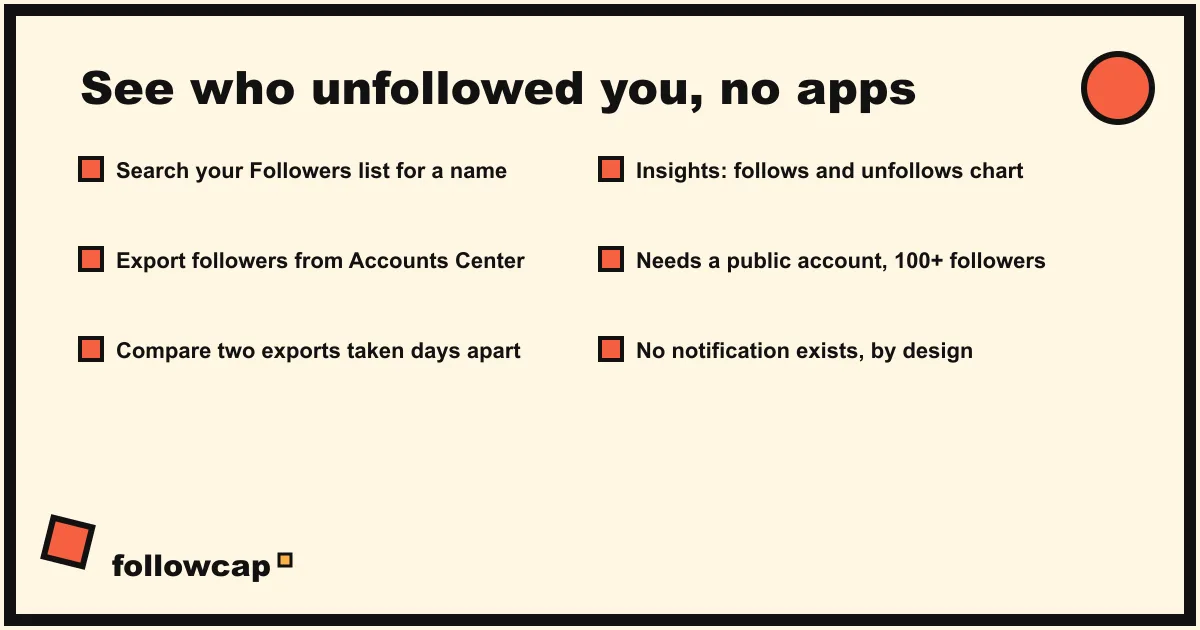
Instagram does not tell you who unfollowed you. There is no notification, no list and no official tracker. What you can do is check one person in your followers list, export your followers from Accounts Center and compare two exports taken on different days, or, with a public account, read the follows and unfollows chart in Insights.
Quick answer: for one person, open your profile → Followers → search their username; no result means they no longer follow you. For everyone, go to Profile → ☰ Menu → Accounts Center → Your information and permissions → Export your information → Create export → Export to device, pick followers and following in JSON, and compare that file with a second export a week or a month later. Apps that promise a live unfollower list need your password, break Instagram’s terms and are often wrong.
Can you actually see who unfollowed you on Instagram?
Not directly. As of late 2026, Instagram shows you three things about your audience: your follower count, the list of accounts that currently follow you, and, for public accounts with at least 100 followers, an Insights chart of followers gained and lost. None of them names the people who left. Instagram’s help center describes the Insights figure as “Growth (number of followers you’ve gained or lost)”, a number, not a list.
Instagram has never offered an unfollow notification, and nothing on its help pages suggests one is coming. So every method below is a comparison: the followers you had before against the followers you have now. It is the same difference the “unfollower” apps compute, except you keep your password.
Method 1: Search your followers list for one account
When you suspect a specific person, the check takes ten seconds and needs nothing but the app.
- Open your profile and tap Followers under your name.
- Tap the search bar at the top and type their username.
- If they appear, they still follow you. If the search comes back empty, they unfollowed, or their account is deactivated, deleted or has blocked you.
That last line matters. A missing name is not proof of an unfollow. Open their profile from Instagram’s main search: if it loads and the button says Follow, they are active and simply not following you anymore. If the profile does not load at all, read how to know if someone blocked you on Instagram before drawing conclusions.
A shortcut for someone you do not follow: on their profile, Follow back means they still follow you, plain Follow means they do not. Instagram only shows the “back” label when the other account follows you.
Method 2: Export your followers and compare the lists over time
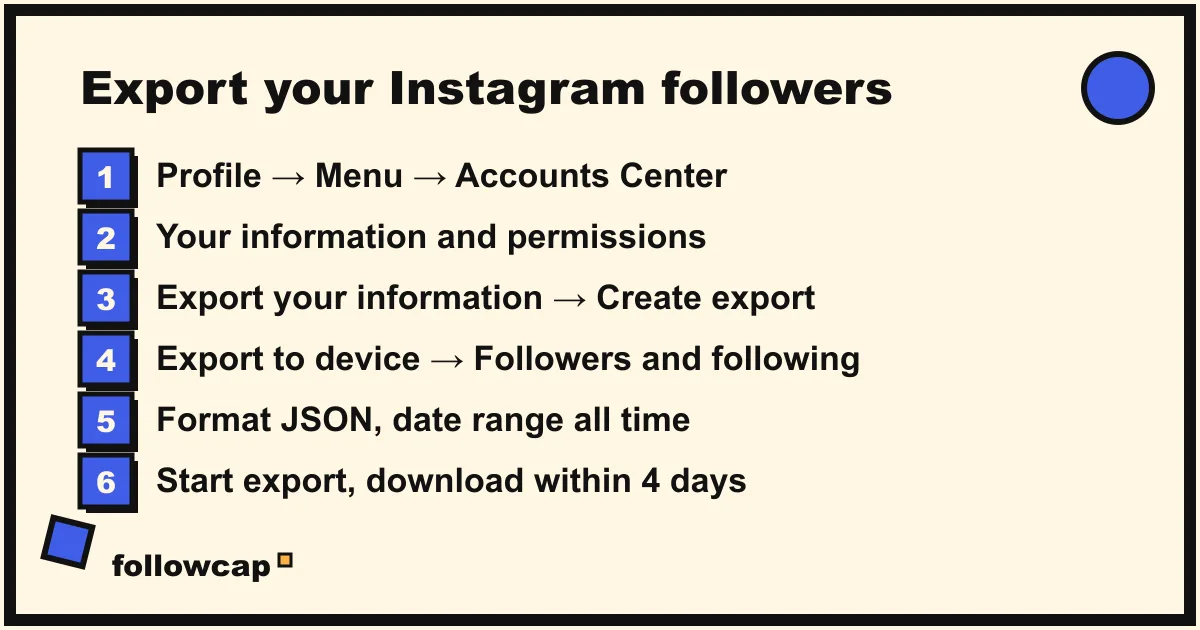
This is the only way to get a complete, named answer. Instagram lets you export your own data, including your followers and following lists, from Accounts Center. Take one export today, another later, and the usernames in the first file that are missing from the second are the people who unfollowed (or left Instagram) in between.
The path below is Instagram’s own, from the help center page on exporting your information, checked in late 2026. Instagram is moving people to “Meta Account” settings, so the first menu item may read Accounts Center or Meta Account depending on your version.
- Open your profile and tap ☰ Menu in the top right.
- Tap Accounts Center (or Meta Account), then Your information and permissions.
- Tap Export your information, then Create export.
- Select the Instagram profile you want to export.
- Tap Export to device.
- Choose specific info rather than everything: in current versions the category is Followers and following. Set the date range to all time and the format to JSON (HTML also works if you prefer reading it in a browser).
- Tap Start export.
Instagram sends an email and an in-app notification when the file is ready. The help center says it “may take up to 30 days”, although a followers-only export is usually ready within minutes to hours. Once ready, you have 4 days to download it from the Available downloads section of the same tool.
Inside the ZIP, look for a folder named followers_and_following with followers_1.json (large accounts get several numbered files) and following.json. Each entry has a username, a profile link and a timestamp of when the follow happened.
How to compare two exports. Rename today’s file followers-2026-11-02.json and keep it. In a week or a month, export again. Then paste the usernames from each file into two columns of a spreadsheet and use a lookup: in Google Sheets, =COUNTIF(B:B, A2) next to each old username, where a 0 means they are gone. If you prefer a terminal, extract the usernames into two text files and run a diff. The same two files also show who does not follow you back: usernames in following.json that are missing from the followers file.
The honest limits of this method. It only works from the day of your first export; it cannot tell you who left last month. It cannot distinguish an unfollow from an account that was deleted, deactivated or removed by Instagram, and Instagram periodically removes inactive and fake accounts, which show up as “lost followers” too. And it is a snapshot: someone who unfollows and refollows between two exports never appears.
Method 3: Read follows and unfollows in Insights (public accounts)
If your account is public and has at least 100 followers, Instagram Insights shows the trend. Instagram’s help center lists a Total followers section with “Growth (number of followers you’ve gained or lost)”, top locations, age range and most active times. In the app, the growth chart breaks that figure into follows and unfollows per day, over any preset or custom window within the last 90 days.
- Open your profile and tap Professional dashboard (or ☰ Menu → Insights).
- Tap Total followers.
- Scroll to Growth and read the daily bars of follows and unfollows. Tap the date range at the top to widen it, up to 90 days.
This gives you the when and the how many, which is often more useful than the who. A spike of unfollows the day after a giveaway, a sponsored post or a change of topic tells you what happened. Pair it with the causes in why am I losing followers on Instagram and you can usually explain a drop without naming a single person.
Two caveats. Insights needs a public account; the help page says so, and private accounts have none. And the Growth chart does not list names, so it does not replace Method 2 if a name is what you want.
Why unfollower apps are a bad trade
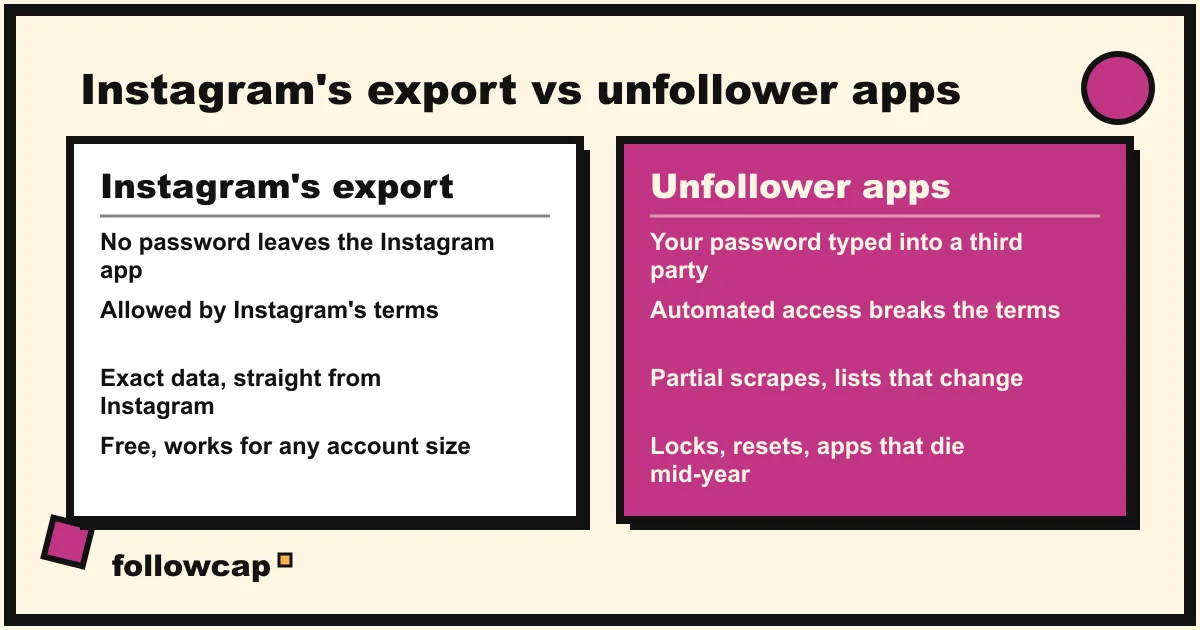
Search this query and most of the page is apps: “followers tracker”, “unfollowers for Instagram” and dozens of lookalikes, plus Chrome extensions that do the same from the website. They all work the same way: you log in to Instagram inside the app, it reads your followers list on a schedule, and it shows the difference. That is Method 2 with your password attached. Here is what you pay for the convenience.
| Instagram’s own export | Unfollower apps and extensions | |
|---|---|---|
| Needs your password | No, you stay in the Instagram app | Yes, typed into a third-party app |
| Allowed by Instagram’s terms | Yes, it is an official feature | No; automated access to your account is against the terms |
| Accuracy | Exact, it is Instagram’s own data | Partial; lists are often incomplete, delayed or wrong |
| Risk to your account | None | Login warnings, “suspicious activity” locks, apps disabled when Instagram changes something |
| History | From your first export onward | From the day you installed, while it keeps working |
The password is the product. An app that logs in as you can read your DMs, post, follow and like on your behalf, and sell what it learns. Instagram’s terms forbid sharing your credentials and forbid automated access; when Instagram detects it, the usual result is a forced password reset or a temporary lock. The same argument applies to every tool in this family, as we explain in see who someone recently followed on Instagram: the number being promised is one Instagram does not expose, so the tool is either guessing or breaking something.
The data is often fake. Because these apps scrape, they only see what a scraper can load, which for larger accounts is a partial follower list. The “unfollowers” they show can be people who never followed you, people the scrape missed this week, or deleted accounts, which is why their lists change between refreshes without anyone unfollowing. And every change to Instagram’s website breaks them until they update; Instagram’s export has no such problem.
If you already used one: change your Instagram password, then review connected apps in Accounts Center under Password and security and remove anything you do not recognise. Turn on two-factor authentication while you are there.
Track a creator’s or competitor’s follower trend instead
For your own account, the trend usually matters more than the names, and for other accounts, the trend is all anyone can see. Nobody outside Instagram can see who unfollowed a competitor, a creator or a client; only their public follower count over time.
That public trend is what a follower growth tracker records: a count per week per account, so a stall, a spike after a viral Reel or a drop after a controversy sits next to the posts that caused it. Benchmarked against accounts in your niche, it is the comparison that explains a slow month, and it is the basis of any Instagram competitor analysis.
Followcap is our product, so read this as the maker’s description. You type the usernames of public Instagram creator or business accounts, with no Instagram login or password, and every Sunday you get one email with a 30-second summary, the three posts not to miss, a two to three line recap of the best posts from each account with their links, and “what you can apply this week”. Three accounts are free with no card. Premium (€9 a month, up to 10 accounts) adds weekly numbers per account, including posts, likes, comments, best post and follower growth, plus a personal archive page; Business Pro (€29 a month, 50 accounts, 3 team users) adds a monitoring dashboard with alerts, CSV export and a “you vs your niche” view. The limits: it is weekly, not real time; it only covers public creator and business accounts; it never shows who followed or unfollowed anyone, only the public count; it has no reach, saves, views or audience data; and paid plans are paid after the 7-day trial, with a 30-day money-back guarantee. For the names on your own list, use the export above; for the trend on everyone else’s, a weekly count is the honest ceiling.
What to do if it does not work
- The export never arrives. Check Available downloads and Past requests in Export your information; the in-app notification sometimes fails while the file is ready.
- The download link expired. Files stay available for 4 days. Request a new export.
- The followers file is missing or short. Make sure you picked Followers and following (or everything) and the date range All time. Large accounts get
followers_1.json,followers_2.jsonand so on; open them all. - No Total followers card in Insights. You need a public account with at least 100 followers.
FAQ
Does Instagram notify you when someone unfollows you?
No. Instagram sends no notification, email or activity entry when someone unfollows you, and none when you unfollow someone. The only built-in signals are your follower count and the followers list itself. Any “unfollow alert” comes from a third-party app, not from Instagram.
Can you see who unfollowed you on Instagram for free?
Yes, with Instagram’s own tools. Search your followers list for one person, or export your followers from Accounts Center (Profile → ☰ → Accounts Center → Your information and permissions → Export your information) and compare two exports taken on different days. Both are free and need no third-party app.
Is there an official Instagram unfollower tracker?
No. As of late 2026 Instagram has no feature that lists unfollowers. Public accounts with 100 or more followers get a follows and unfollows chart in Insights under Total followers, but it is a number per day, not a list of names.
Why did my follower count drop if nobody unfollowed me?
Because Instagram removes inactive, spam and bot accounts in periodic sweeps (a large one was widely reported in May 2026), and because deactivated accounts disappear from your list until they return. Blocks in either direction also remove the follow. All of these count as “lost” in Insights even though nobody tapped Unfollow. The human reasons, from topic changes to giveaway followers leaving, are in why am I losing followers on Instagram.
Do unfollower apps work, and are they safe?
They work partly and intermittently, and they are not safe. They need your Instagram password, which is against Instagram’s terms and exposes your account; they scrape partial follower lists, so their results are often wrong; and they stop working whenever Instagram changes its website. Instagram’s export gives you the same comparison with none of that.
Related reading
- Can You See Who Views Your Instagram Profile? (2026 Answer)
- Instagram Follower Count History: How to See It (Yours and Any Account)
- Instagram Reach vs Views vs Impressions: What Each Metric Means (2026)
The bottom line
Instagram will not tell you who unfollowed you, but it gives you everything you need to work it out: a searchable followers list for one name, a free export of your full followers list from Accounts Center to compare over time, and a follows and unfollows chart in Insights for public accounts with 100 or more followers. The apps that promise the same thing in one tap want your password, break Instagram’s terms and often show fake data, a bad trade for a number you can get for free. For your own account, export and compare; for a creator’s or competitor’s trend, which is all anyone outside can see, a weekly public follower count like the one in Followcap, which we make, is the honest ceiling.