How to See Instagram Insights (and What Each Number Means)
How to see Instagram Insights in the app and on a computer, who gets them, the 90-day window, and what views, viewers, interactions and follows mean in 2026.
 Andrea Marino11 min read
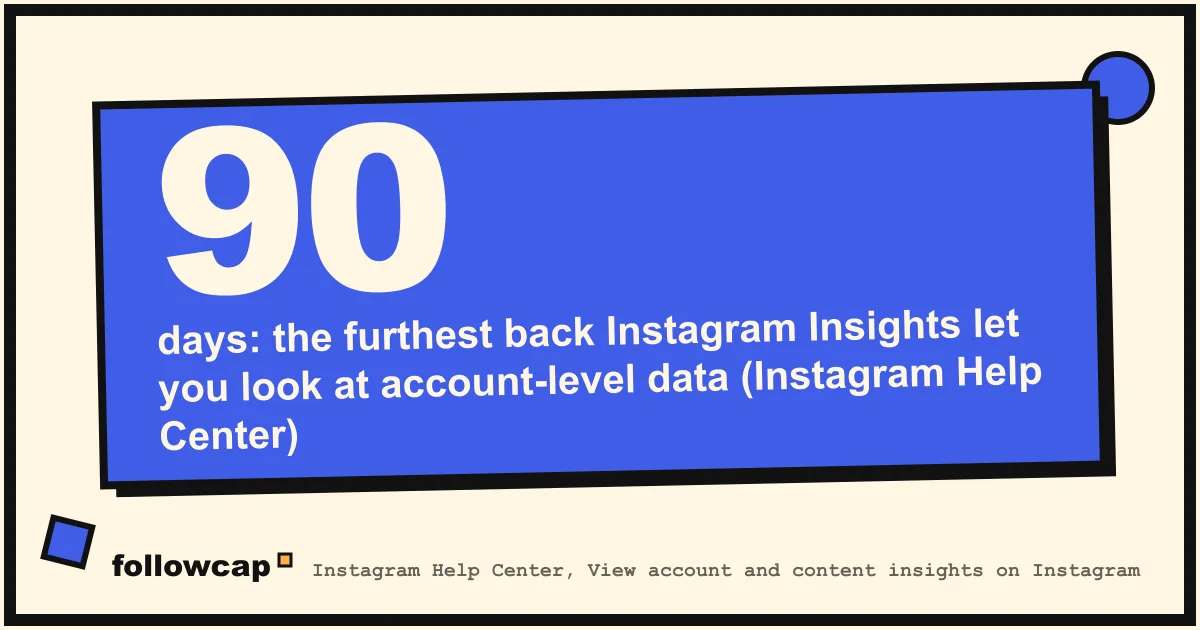
Instagram Insights are the free analytics Instagram shows for any public account. Open your profile, tap Professional dashboard (or Your dashboard on a personal account), then Insights. You get views, viewers, interactions, follows and profile activity for the account as a whole and for each post, reel and story, for any window inside the past 90 days.
Quick answer: in the app, tap your profile picture, then Professional dashboard, then Insights below For professionals. For one post or reel, open it and tap View insights. On a computer, open instagram.com, click Dashboard in the left menu, then Insights, or use Meta Business Suite. Your account must be public; a professional (creator or business) account is no longer required for the basic numbers, but it unlocks the professional dashboard, ads and monetization tools.
Who can see Instagram Insights
The rule changed quietly. Older help pages said Insights were “only available to businesses,” and most guides still repeat it. Instagram’s current About insights help page says: “If you have a public account on Instagram, you can use free insights,” and the page on viewing them states the only hard condition: “You need to have a public (personal or professional) account on Instagram to view insights.”
So, as of late 2026:
- Public personal account: you get Your dashboard with an insights overview.
- Public professional account (creator or business): you get the Professional dashboard, the same insights plus ad tools, monetization eligibility and boosting.
- Private account: no insights at all. If you switch from public to private you lose access, and the help page says you can get the past data back only if you return to public “within 90 days.”
Two practical consequences. If you only want the numbers, you no longer have to convert a personal account. And if your account is private, going public is the real decision, not the account type.
How to switch to a professional account
Switching is still worth it for most creators and businesses, because ads and monetization live in the professional dashboard. The steps from Instagram’s help page Set up a professional Instagram account, in the iPhone and Android apps:
- Tap Profile (your picture, bottom right).
- Tap More (the three lines, top right) to open Settings and activity.
- Below For professionals, tap Account type and tools.
- Tap Switch to professional account, choose a category, then Creator or Business, then Next.
- Add or skip contact details, connect or skip a Facebook Page.
One warning on that page: “If your personal account is private, switching to a professional account will make it public. All pending follow requests will be automatically accepted when you go public.” You can switch back to personal at any time from the same menu, with the loss of ads and some tools.
Where Insights live: account, post, reel, story
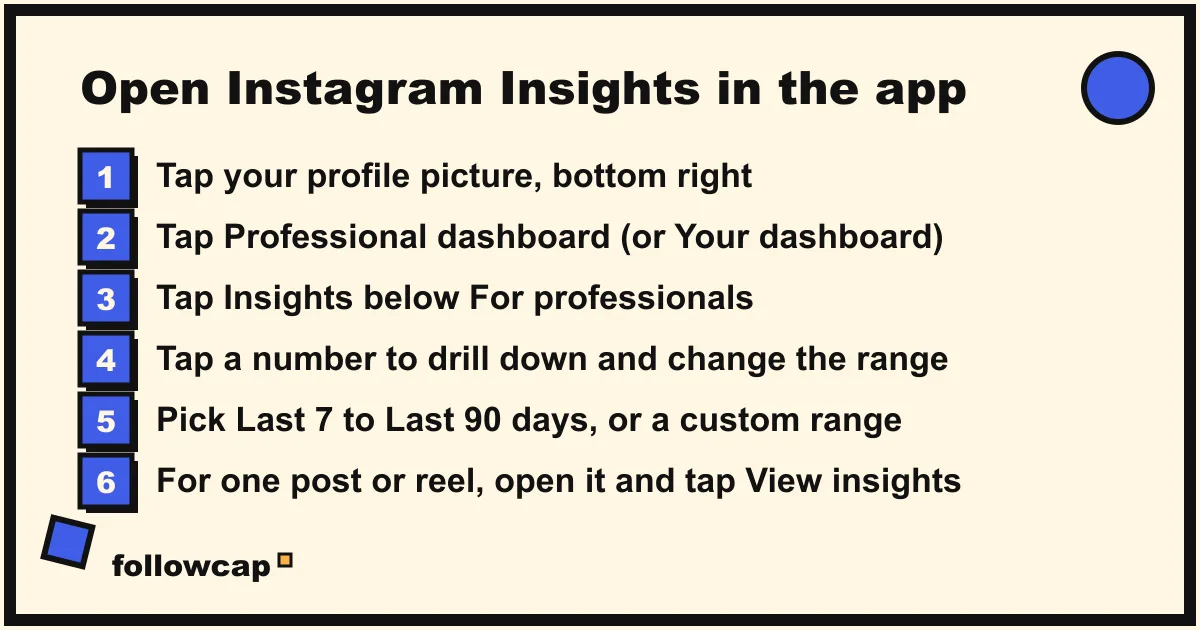
There are four doors, and people usually know one. All steps are from Instagram’s help pages for the iPhone and Android apps, checked in November 2026.
Account insights. From View account and content insights on Instagram: tap your profile picture, tap Professional dashboard (or Your dashboard), then Insights. If the dashboard button is missing from your profile, tap More, then Insights below For professionals (or Your dashboard below Your insights and tools). The first screen shows the past 30 days for Views, Interactions, New followers and Content you shared. Tap any of them to drill down, and tap the (i) in the top right to read Instagram’s own definition of each metric.
A single post. Open your profile, tap the post, tap View insights below it. The help page View insights on your Instagram posts lists what you get: Views, Interactions and Profile activity, and says post insights “are available to view for up to two years.”
A reel. Profile, then the Reels tab, tap the reel, tap View insights. Reels add Watch time, Average watch time and Viewers.
A story. Tap your profile picture at the top of the feed to open your story, tap Activity, then Insights. For a story that has expired, go to Insights, then Content you shared, and pick it; story insights stay for up to two years after the story expires.
What each number means in 2026
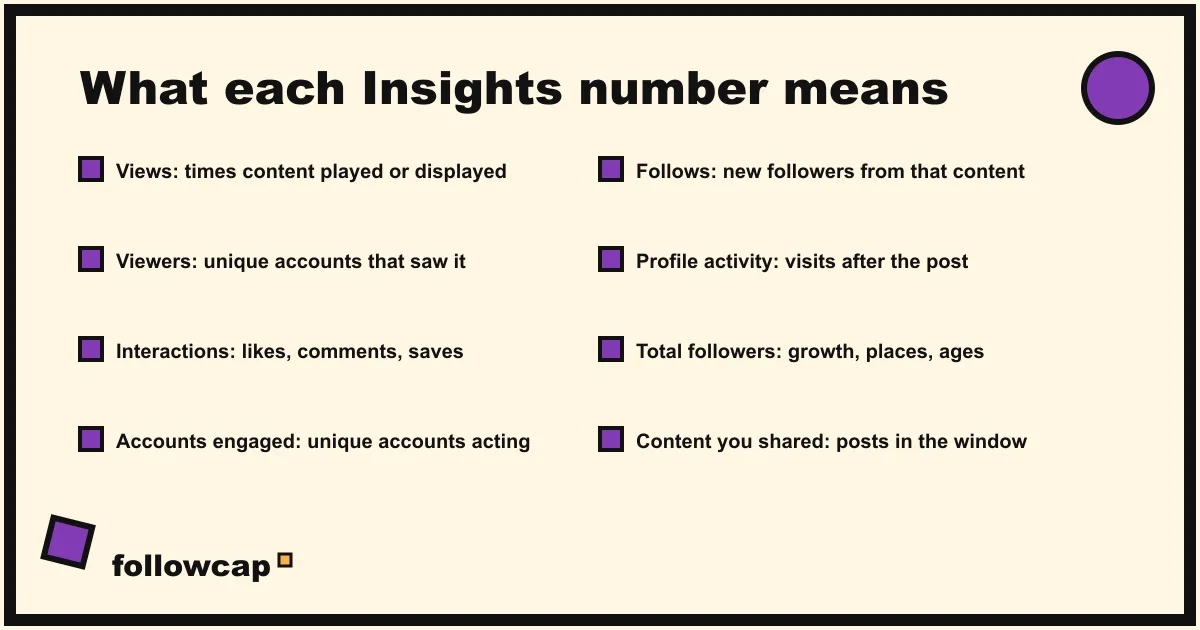
The metric names changed in 2024; most older guides still lead with Impressions and Reach. Meta’s developer blog states that “in August 2024, Instagram introduced Views as the primary consumption metric,” and the same post lists Impressions among the metrics deprecated for media created after July 2, 2024. The definitions below are Instagram’s own, from the About insights help page and the post, reel and story pages.
| Metric | Instagram’s definition | Where you see it |
|---|---|---|
| Views | “The number of times your content was played or displayed.” Includes reels, posts, stories, live videos and ads. Repeat views by the same account count. | Account overview, every post, reel and story |
| Viewers | “The number of unique accounts that have seen your content on screen at least once,” plus top countries, cities, age ranges and gender. Marked “estimated and in-development.” | Account (tap Views), reels, stories |
| Interactions | “The number of actions people take when they engage with your content, such as likes, comments, saves and shares.” | Account overview, every post, reel and story |
| Accounts engaged | Unique accounts that interacted with your content, with demographics. Split into followers and non-followers for posts, stories and Live. | Account (tap Interactions), stories |
| Follows | How many accounts started following you from that content. | Reels, stories, post profile activity |
| Profile activity | “Actions people take when they visit your profile after engaging with your post,” such as visits, follows and website clicks. | Posts, stories |
| Total followers | Trends across your followers once you have at least 100: growth gained and lost, top locations, age range, most active times. | Account (tap New followers) |
| Content you shared | The number of posts, stories and reels you published in the chosen window. Tap through to the content library, which you can “filter by media type, reach, interactions and time frame.” | Account overview |
| Watch time, Average watch time | Total time a reel was played, including replays; and watch time divided by initial views. | Reels |
Three things to know before you read those numbers. Views are not people: one person who watches a reel three times is three views and one viewer, so use viewers for “how many people saw this.” Instagram reach vs views vs impressions walks through the difference with examples. Demographics have a floor: the help page says you need preset timeframes and to “reach or engage over 100 viewers,” so a new account sees blank audience sections until it grows. Some metrics are labelled estimated: Instagram says viewers and accounts engaged are “estimated and in-development,” so do not treat a difference of a few percent as real.
For engagement, Insights gives you the raw interactions; it does not compute a rate. Divide interactions by viewers or by followers yourself, and use Instagram engagement rate for the formulas and what counts as good.
The 90-day window, and what lasts longer
Account insights cover “any time period within the past 90 days,” and the date picker offers five presets: Last 7 days, Last 14 days, Last 30 days, Previous month and Last 90 days, plus a custom range where the start and end must be at least one day apart. The 30-day view is the default when you open Insights.
Beyond 90 days, Instagram keeps nothing at account level: no export, no history. To compare this quarter with last year’s, you need to have written the numbers down, which is why Instagram follower growth rate recommends logging a handful of figures on a fixed day each month.
Content-level insights last longer: posts, reels and stories keep their insights for up to two years, so you can always open an old post and see its views and interactions, even when the account chart has moved on.
Insights on a computer
Instagram’s own site now shows the overview: on instagram.com, select Dashboard in the left menu, then Insights below For professionals (or Your dashboard below Your insights and tools), choose Account or Content from the dropdown, and set the date range. It mirrors the app for the headline numbers, with less drill-down.
For real desktop work, use Meta Business Suite. Meta’s help page About Insights in Meta Business Suite on desktop describes the tabs: Overview (past 28 days, Views and Follows), Results (Views, Content interactions, Link clicks), Audience (age, gender, location, when followers are active), Benchmarking against businesses in your category, and Content, “a table showing results of individual pieces of content,” which you can sort. Business Suite requires a professional account and permissions on the connected Page or profile. Use it when you need every post with its numbers side by side, or when a teammate without the phone needs the figures.
Can you see Instagram Insights for someone else’s account?
No. Insights are private to the account that owns them, in the app, on instagram.com and in Business Suite. No setting shares them, and no app that claims to show another account’s reach, saves, views or audience is reading them; it is estimating from what is public, or inventing.
What is public on any open creator or business account: the follower, following and post counts on the profile; each post’s like count, unless the owner hid it; each post’s comments; and view counts on reels. From those you can build posts per week, average likes and comments, the best post of the month, and follower growth if you record the count on a schedule. How to see analytics of other Instagram accounts is the full method.
If you watch a few accounts regularly, Followcap is our product for that job, so read this as the maker’s description. You type the usernames of public Instagram creator or business accounts, no Instagram login or password needed, and every Sunday you get one email with a 30-second summary, the three posts not to miss, a two to three line recap of the best posts from each account with their links, and “what you can apply this week.” Three accounts are free with no card. Premium (€9 a month, 10 accounts) adds weekly numbers per account (posts, likes, comments, best post, follower growth) and a personal archive page; Business Pro (€29 a month, 50 accounts, 3 team users) adds a monitoring dashboard with alerts, CSV export and a “you vs your niche” view. Its limits are the limits of public data: it is weekly, not real time; public creator and business accounts only; no reach, saves, views, watch time, mentions, hashtags, Stories or audience data, because none of that is public; and the paid plans are paid after the 7-day trial, with a 30-day money-back.
What to do if Insights don’t show up
- No dashboard button on the profile. Tap More (three lines), then look under For professionals or Your insights and tools. Instagram’s dashboards page notes features “may vary depending on your account type, region and eligibility.”
- Account is private. Insights require a public account. Make it public, then wait; recently changed accounts may not show past data straight away.
- Audience sections are empty. You have not reached or engaged 100 accounts in that preset window. Switch to Last 30 days or Last 90 days, or wait for growth.
- Numbers look lower than you expect. The overview defaults to 30 days; check the date range before comparing with a 90-day figure. Story numbers can lag; Instagram says “reported numbers may be delayed as they populate.”
- You just switched to professional. The help page says you “may not be able to view past insights if you’ve recently converted.”
FAQ
Do you need a business account to see Insights?
Not anymore. Instagram’s help pages now say a public personal or professional account can view insights. A professional (creator or business) account adds the Professional dashboard, ads, boosting and monetization tools, and it is still required for Meta Business Suite.
How far back do Insights go?
Account insights go back 90 days, in presets of 7, 14, 30 or 90 days, the previous month, or a custom range inside those 90 days. Insights on individual posts, reels and stories are kept for up to two years.
Can you see Insights on a computer?
Yes, two ways. On instagram.com, click Dashboard, then Insights, and choose Account or Content. For more detail, a per-post table and audience data, open Meta Business Suite and click Insights in the left menu; it needs a professional account.
What is the difference between views and viewers?
Views count every time content is played or displayed, including repeats by the same account. Viewers count unique accounts that saw it at least once. Views replaced Impressions and Reels Plays as the primary metric in August 2024.
Why can’t I see audience demographics in Insights?
Instagram shows age, gender and location only when you use a preset timeframe and have reached or engaged more than 100 accounts in it. Pick a longer preset, such as Last 30 days or Last 90 days, and check again.
Can I see who viewed my profile in Insights?
No. Insights show counts of profile visits and viewers, never names. Apps promising a visitor list are guessing; can you see who views your Instagram profile explains what is actually visible.
Related reading
- The Best Instagram Analytics Tools in 2026 (Yours and Others’)
- Instagram Audit Checklist: 25 Points to Review Your Account (2026)
- Instagram Follower Count History: How to See It (Yours and Any Account)
The bottom line
Any public account can see Instagram Insights: profile picture, dashboard, Insights, with a 90-day window at account level and two years per post. Read views as plays, viewers as people, interactions as the sum of likes, comments, saves and shares, and expect blanks under 100 accounts. On a computer, instagram.com gives the overview and Meta Business Suite gives the tables. For other people’s accounts there are no Insights at all, only public posts, likes, comments and follower counts, which is what a weekly recap such as Followcap, which we make, records for the public creator and business accounts you choose.