How to See Analytics of Other Instagram Accounts (What You Can and Can't Know)
What you can see on any public Instagram account, what stays private, how to read each public number, and a 15-minute weekly log. No password, no scraper.
 Andrea Marino9 min read
Searches for “analytics of other Instagram accounts” usually land on one of two pages: a tool that promises a competitor’s full dashboard, or an “Instagram viewer” that asks for your login. Neither delivers, because most of an account’s analytics are visible only to its owner. This guide is the honest version: the split between public and private numbers as of 2026, how to read each public number, a 15-minute weekly log, and why apps that ask for your password are a bad trade.
Quick answer: on any public account you can see follower and following counts, the number of posts, likes per post (unless the account hides them), comments, the view count shown on reels, captions, hashtags and posting dates. You cannot see reach, impressions, saves, shares, watch time, story views, profile visits or audience demographics. Instagram shows those only to the owner, and no tool can get them for you. Log the public numbers once a week, and trends will tell you most of what the private numbers would.
What can you actually see on someone else’s Instagram account?
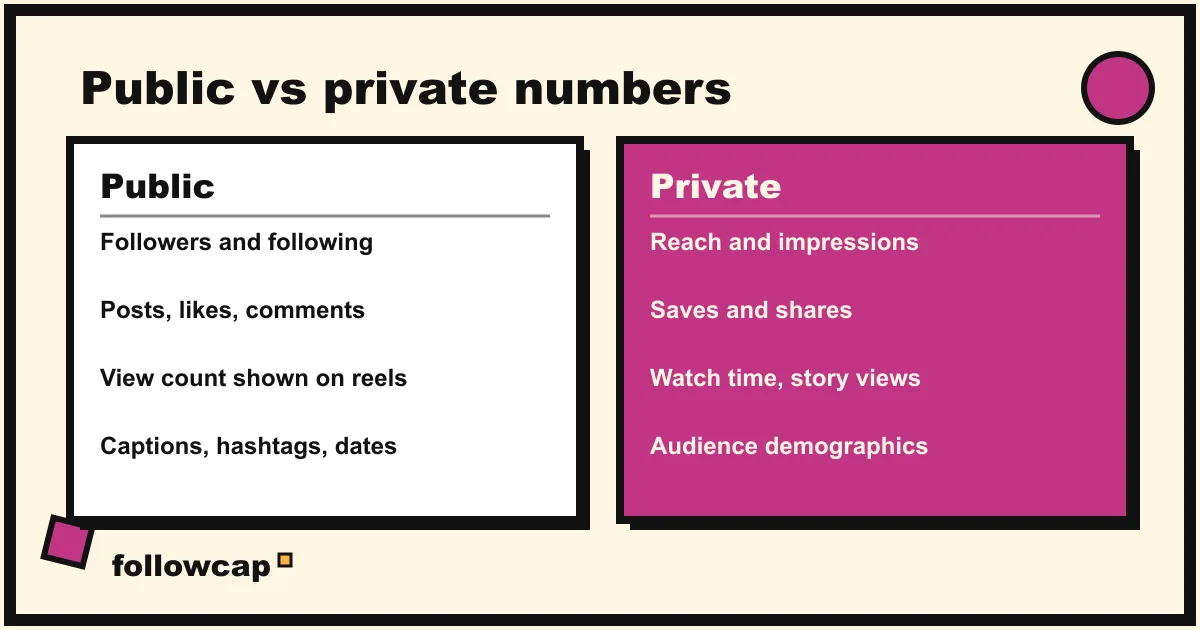
Open any public profile and you have access to everything in the left column below. Everything in the right column lives in Instagram Insights, which only the account owner can open.
| Public, visible to anyone | Private, only the owner sees it |
|---|---|
| Follower count and following count | Reach and impressions |
| Number of posts | Saves and shares |
| Likes on each post, unless the account hides them | Watch time and average view duration |
| Comments on each post, and what they say | Audience demographics (age, location, gender) |
| View count shown on reels | Story views, profile visits, website clicks |
| Captions, hashtags, mentions, posting dates | Which posts were promoted as ads |
The public column answers most practical questions: how often does this account post, what formats does it bet on, what gets a reaction, and is it growing. The private column answers who sees the posts, who saves them, and whether a spike was paid for. You will not get the second set for any account you do not own.
Why can’t any tool show a competitor’s reach or saves?
Instagram Insights is tied to the professional account that owns the data. A third-party tool can only read an account’s private numbers when that account’s owner connects it and grants access. Your competitor is not going to do that for you.
So every tool that shows “estimated reach” or “audience demographics” for an account you do not own is estimating from public signals, or guessing. Treat those figures as a hint, never as a number to put in a report.
This is also why the public engagement rate is the one derived metric worth computing. It is built entirely from public inputs: likes plus comments, divided by followers, times 100. Socialinsider’s 2026 Instagram benchmarks, built on about 67 million organic posts from 2025, put the average rate across professional accounts with 1K to 1M followers at roughly 0.48 percent using that formula. Small accounts and creators usually sit well above that figure, large brands below it. The full method, with the version for reels, is in how to see the engagement rate of any Instagram account.
How to read each public number
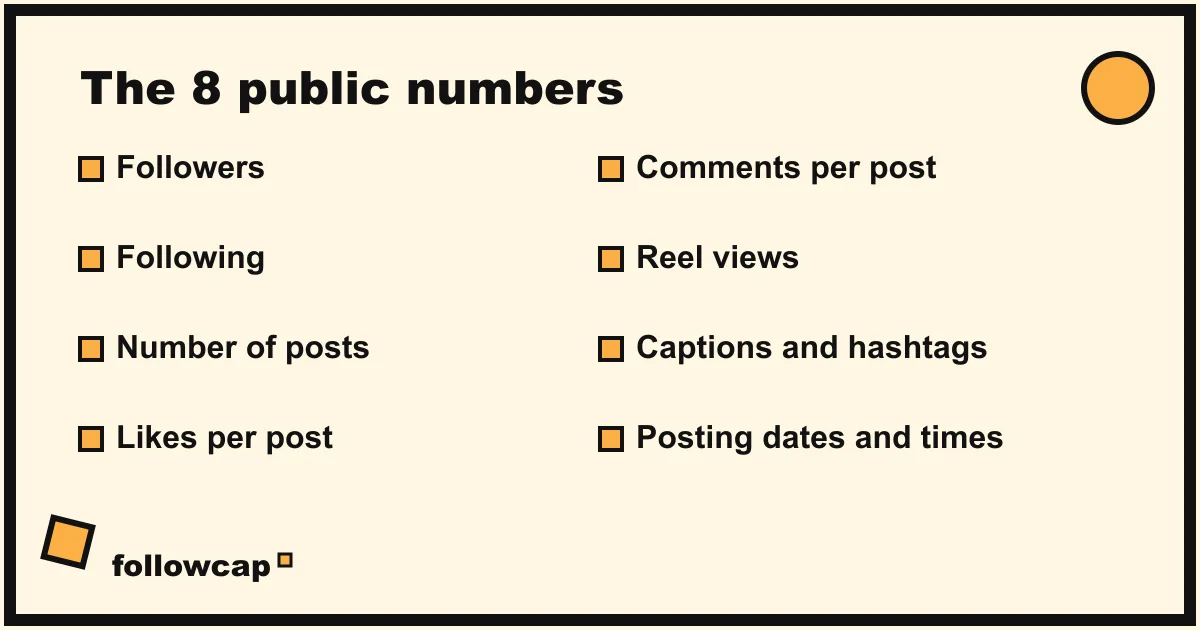
Each public number answers a different question. Here is how we read them.
- Followers. The least useful number on its own, and the most useful as a series. Record it weekly; the change tells you whether the account is growing, flat or losing people. One reading tells you almost nothing.
- Following. Compare it with followers. An account following nearly as many people as follow it often grew through follow-for-follow, which usually comes with low engagement.
- Number of posts. Divide by the account’s age for a lifetime cadence, then count the last seven days for the current one. A gap between the two means the account changed strategy.
- Likes per post. The broad reaction signal. Average it over the last 10 to 12 posts, skipping anything under 48 hours old. If the account hides likes, note that and lean on comments.
- Comments per post. The expensive reaction: someone had to type. Read them, not just count them; the comments tell you what the post did not say. For context, Socialinsider’s 2026 benchmarks put average comments per reel at about 3 for accounts with 1K to 5K followers, 12 for 10K to 50K, and 60 for 100K to 1M.
- Reel views. The only public reach-like number. Reels travel beyond followers, so views can exceed the follower count. Compare reels with reels, never reels with photos.
- Captions and hashtags. Free strategy notes. The first line is the hook; the hashtags show which niche the account wants to be found in.
- Posting dates and times. Over a month they reveal a schedule. Over three months they reveal what the account dropped.
The 15-minute weekly log
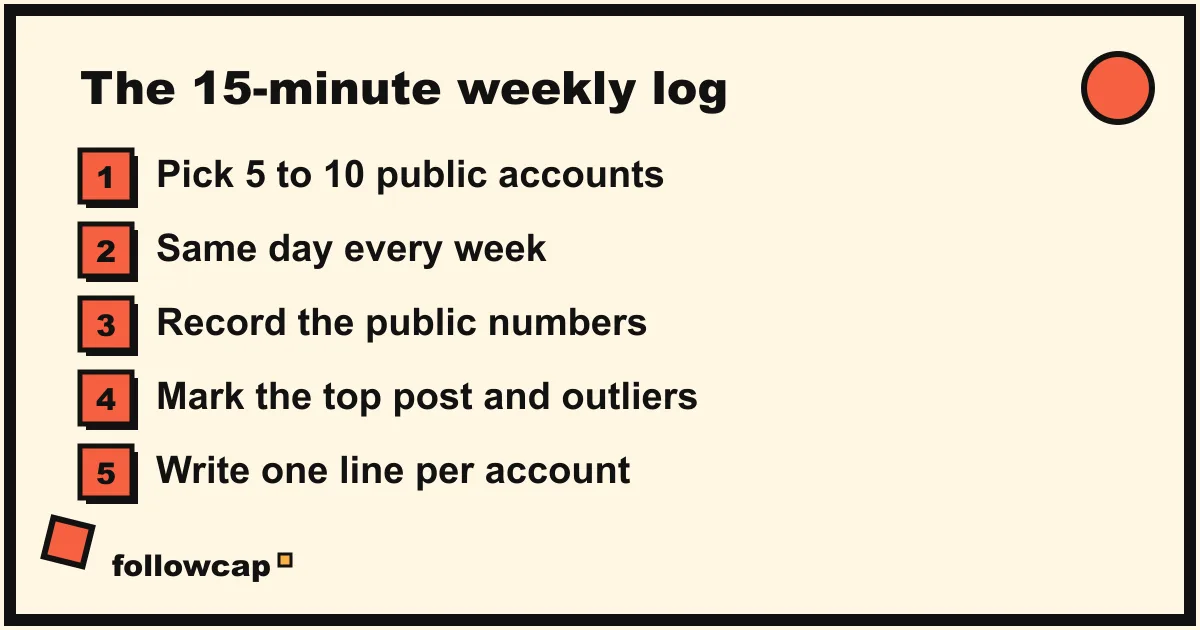
A spreadsheet beats memory, and a weekly series beats any single snapshot. This is the log we keep ourselves.
- Pick 5 to 10 public accounts. Competitors near your size, two or three accounts slightly ahead of you, at most one large account for format ideas.
- Choose a day and keep it. Numbers drift as posts collect likes. If every row is a Monday, every row covers the same seven days.
- Record the public numbers. One row per account per week: date, followers, follower change, posts this week, reels, carousels, images, average likes, average comments, best reel views.
- Mark the top post and any outlier. The top post gets its link. An outlier is anything at two to three times the account’s usual likes, comments or views.
- Write one line. What stood out, in one sentence. This column is the one you will actually reread.
With eight accounts the numbers take about 10 minutes and the notes about 5. The reading and ideas blocks that follow are in Instagram competitor analysis: a 30-minute weekly routine. The growth rate formula and healthy ranges are in the Instagram follower growth tracker guide.
Why apps that ask for your password are a bad idea
Many “analytics of other accounts” apps and “Instagram viewer” sites ask you to log in with your own Instagram username and password. We would not do it, for four reasons.
- They cannot deliver what they promise. Your login gives them your account, not your competitor’s. The private numbers still belong to the other owner. Whatever the app shows for someone else’s reach or audience is an estimate dressed up as data.
- It is against Instagram’s terms. Instagram’s terms of use ask you not to share your password or let anyone else access your account, and they prohibit automated collection of data without permission. Accounts caught using such tools can be restricted or disabled, and you have no appeal that says “the app did it”.
- It is a security risk. You are handing your password to an unknown company. If it also matches your email password, as it often does, the damage goes beyond Instagram.
- Anonymous story viewers are the same trade. They promise to hide you from the story’s owner. Many simply log in with a borrowed account on your behalf, which is the problem above under a different name.
The honest alternatives are duller and they work: the Instagram app or website for public profiles, a spreadsheet for the log, Instagram Insights for your own account, Meta Business Suite if you manage pages, and the Meta Ad Library to check whether a competitor runs ads. Suites such as Sprout Social, Hootsuite, Rival IQ and Socialinsider offer competitor tracking built on public data; they will not show private numbers either, and they say so.
Do you need a tool to see other accounts’ analytics?
For the first month, no. Logging by hand teaches you what the numbers mean and costs nothing. The problems arrive later: the numbers block eats the whole slot, or you miss a week and the series gets a hole.
A weekly recap is the next step up, and here we have to be transparent: Followcap is our product, so read this as the maker’s description. You type the usernames of public Instagram creator or business accounts, with no Instagram login or password, and every Sunday you get one email: a 30-second summary of the week, the three posts not to miss, a two to three line recap of the best posts from each account with their links, and a short “what you can apply this week”. Three accounts are free, with no card. Premium (€9 a month or €90 a year, up to 10 accounts) adds the weekly public numbers per account: posts, likes, comments, best post and follower growth, plus a personal archive of every recap. Business Pro (€29 a month, up to 50 accounts, three team users) adds alerts on spikes, CSV export, a “you vs your niche” comparison and a monthly PDF report. The limits are the same as everywhere in this article: it is weekly, not a live dashboard; public creator and business accounts only; it cannot show reach, saves, views, watch time or audience data, because nobody outside the account can; and it is paid after the 7-day trial, with a 30-day money-back after the first charge. If the log is the part you want off your plate, you can start with your list.
For a wider comparison of the legitimate options, see the best Instagram monitoring tools.
FAQ
Can I see who views another account’s profile or stories?
No. Profile visits are private to the owner, and the list of story viewers is shown only to the account that posted the story. Any app claiming to reveal who viewed a profile is guessing or lying.
Can I see an account’s analytics without following it?
Yes, if the account is public. Follower count, posts, likes, comments and reel views are visible to anyone who opens the profile. For a private account you see only the follower, following and post counts, nothing else, and no tool can get around that. More on this in how to see all posts from someone on Instagram.
Are engagement rate calculators accurate?
They are as accurate as the public numbers they read. A calculator divides average likes plus comments by followers, which you can do yourself in two minutes. Treat any “reach” or “audience” figure the same tool shows as an estimate, because those numbers are not public.
Will the other account know I am checking its numbers?
Viewing a public profile, its posts and its comments does not notify the account. Stories are different: the owner can see who viewed them. If you want to stay unnoticed, skip the stories. If you manage an account for a client, ask to be added to their professional account or Meta Business Suite; that is the legitimate way to get Insights.
Related reading
- Best Time to Post on Instagram in 2026 (and How to Find Yours)
- How Often Should You Post on Instagram? What the Accounts in Your Niche Actually Do
- How to Track Influencers and Creators for Your Brand Without an Agency
The bottom line
You can see a lot on any public Instagram account: followers, following, post count, likes, comments, reel views, captions, hashtags and dates. You cannot see reach, saves, shares, watch time, story views or audience data, and nothing legitimate can get them for an account you do not own. Log the public numbers for 5 to 10 accounts once a week, same day, with one line of notes, and the trends will answer most questions the private numbers would. Never trade your password for a promise. When the log becomes a chore, a weekly recap such as Followcap Premium, which we make, can collect the public numbers for you, with the trade-off that it is weekly and public accounts only.