Best Time to Post on Instagram in 2026 (and How to Find Yours)
The best time to post on Instagram in 2026 according to four published studies, why they disagree, and how to find your own best time in Insights and in your niche.
 Andrea Marino11 min read
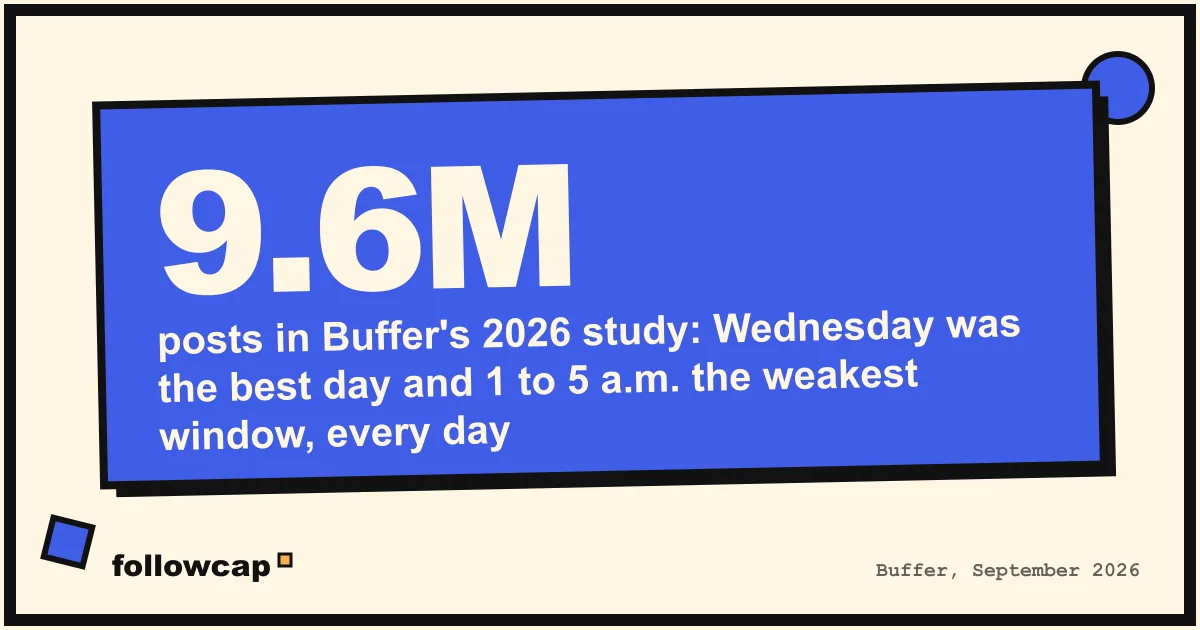
The best time to post on Instagram, according to the four largest studies published in 2026, is a weekday between late morning and early evening, with Tuesday to Thursday ahead of the weekend and the overnight hours last. The studies disagree on the exact hour, which tells you the honest answer: the best time for your account lives in your own Insights, not in anyone’s chart.
Quick answer: start with Tuesday, Wednesday or Thursday between 11 a.m. and 7 p.m. in your audience’s time zone. Then open Instagram Insights, read the “most active times” of your followers, and test your two best windows for four weeks each. Keep the one that wins on reach and comments.
What do the 2026 studies say is the best time to post on Instagram?
Four companies that schedule posts for a living publish a study every year. Each one measured a different set of accounts with a different method, so read the table as four opinions, not one truth.
| Study | Sample | Period measured | Best day | Best slots | Worst |
|---|---|---|---|---|---|
| Buffer (updated September 2026) | 9.6 million posts | January 2024 to December 2025 | Wednesday, then Thursday and Tuesday | Thursday 9 a.m., Wednesday 12 p.m., Wednesday 6 p.m. | Friday and Saturday; 1 to 5 a.m. every day |
| Sprout Social (March 2026) | About 307,000 profiles, six networks | November 2025 to February 2026 | Tuesday and Wednesday | Monday 2 to 4 p.m., Tuesday 1 to 7 p.m., Wednesday 12 to 9 p.m., Thursday 12 to 2 p.m. | Weekends; Saturday lowest |
| Hootsuite with Critical Truth (July 2026) | Over 1 million posts | 2025 | Monday, Tuesday, Thursday | Monday 3 to 9 p.m., Tuesday 5 to 8 a.m. and 3 to 7 p.m., Wednesday 5 p.m., Thursday 4 to 5 p.m. | Before 8 a.m., after 10 p.m. |
| Later (April 2026) | Over 6 million feed posts | January to October 2024 | Monday | 5 a.m. local time; 3 to 6 a.m. above average | Saturday; Thursday 3 a.m. |
Three things the four agree on. Midweek beats the weekend. Weekday afternoons and early evenings are reliably good. And the middle of the night is reliably poor, with one loud exception: Later’s 5 a.m. result, which it measured as engagement rate on posts scheduled through its own tool.
Three things they do not agree on: the single best day, the single best hour, and whether mornings beat evenings.
Why do the studies disagree?
Because they measure different things on different people.
- Different accounts. Each study only sees the accounts that use that company’s scheduler. Later’s customers skew toward creators and small shops; Sprout’s toward larger brands with teams. Those audiences keep different hours.
- Different metrics. Buffer ranks slots by median engagement rate, defined as likes, comments, shares and saves divided by followers. Sprout counts engagement volume. A slot can win on rate (fewer people online, but a higher share of them react) and lose on volume at the same time.
- Different time handling. Each study says times are “local”, but local to the account, not to each follower.
- Different periods. Later’s 2026 article uses data from January to October 2024. Buffer’s runs to December 2025. Sprout’s covers a single winter quarter.
None of this makes the studies useless. It makes them a starting point for a test, which is how their own authors describe them once you read past the headline.
Does posting time actually matter on Instagram?
Yes, but less than it did, and less for Reels than for Feed.
Instagram has described its ranking signals twice in public, in Adam Mosseri’s “Shedding more light on how Instagram works” (June 2021) and “Instagram ranking explained” (May 2023). For Feed, both list “when it was posted” among the signals, next to how quickly people are liking, commenting, sharing and saving a post. Neither says how heavily timing is weighted. The practical reading: a post published while your followers are scrolling has its first hour in front of the most eyes, and that first hour’s reactions feed the “how quickly” signal.
For Reels and Explore the picture is different. Instagram’s creators blog (February 2025) says a reel is first shown to a small group of non-followers likely to enjoy it, and spreads further only if they watch and share it. That test can run for days, so the posting hour matters for the first push to followers and much less for whether a reel travels afterwards. The signals per surface are in how the Instagram algorithm works in 2026.
So: timing is a real but second-order factor. The hook, the format and the consistency of your posting matter more, and no posting hour rescues a weak first three seconds. If you are choosing between fixing the hook and fixing the hour, start with Instagram hook examples.
How do you find your own best time to post in Instagram Insights?
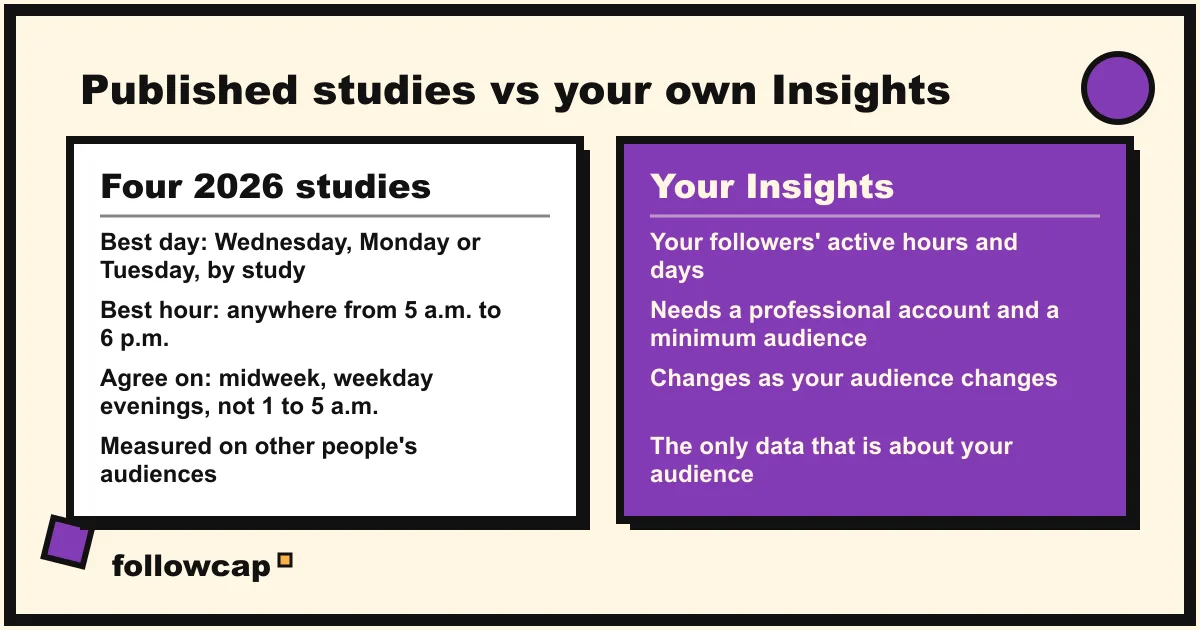
Instagram shows every professional account when its followers are online, by hour and by day, free. You need a professional account (creator or business). Instagram’s help center says audience insights only appear once the account reaches a minimum audience, in the region of 100 accounts, so a brand new account will see an empty section for a while.
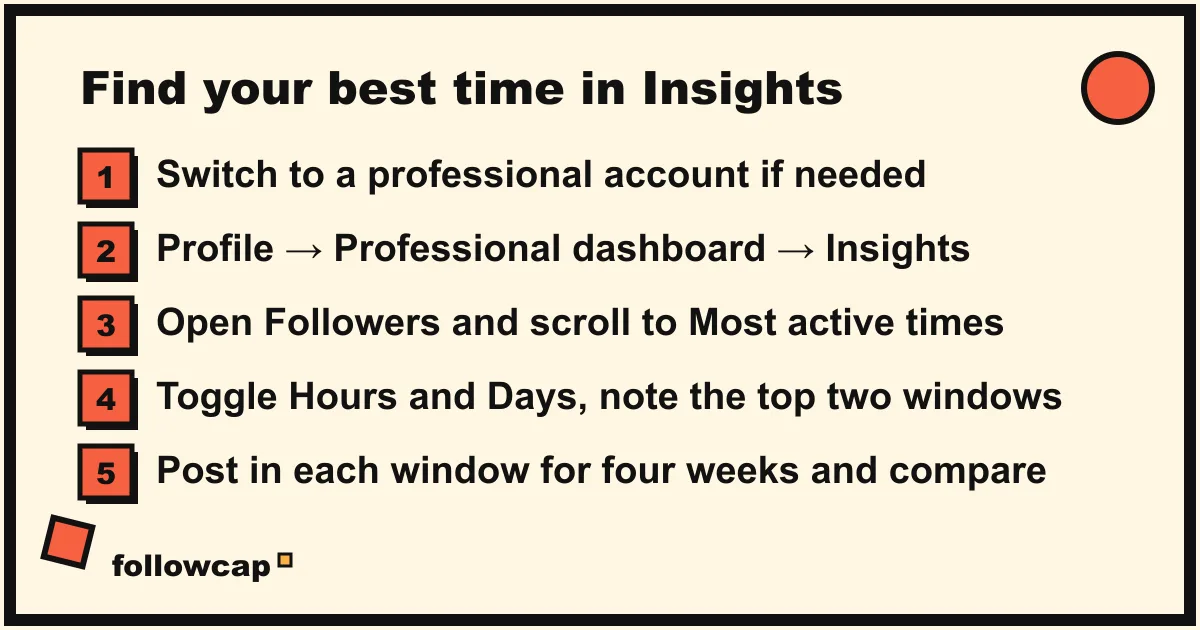
As of late 2026 the path is below. Instagram’s help pages describe the section without listing every label, and the labels have changed several times, so if yours differ, look for the Followers chart inside Insights and scroll to the bottom.
- Open your profile and tap Professional dashboard under your bio (older versions show Insights instead).
- Tap the followers card. Depending on the app version it is labelled Total followers or New followers.
- Scroll to the bottom to Most active times.
- Toggle between Hours and Days. Hours shows the average number of followers online per hour for a chosen day; Days shows the busiest days of the week.
- Write down your top two windows: the best two-hour block and the best day. On the Instagram website, the same chart lives under Dashboard → Insights → Account → Followers.
Two cautions when reading the chart. First, it shows when followers are on Instagram, not when they engage with you; most people are online in the evening, so the chart almost always peaks at 8 or 9 p.m. regardless of what you post. Second, the hours are in the time zone set on your phone, so a follower base spread across continents shows as a flat line rather than a peak. In that case, pick the country that holds the most followers, listed under the same chart, and post for its evening. Treat the chart as a shortlist of windows to test, not a verdict.
A second source is your own posts. In Insights, sort your last 30 posts by reach and note the hour each was published. If your top five share a window, you have your answer without any chart. For reading reach next to the public numbers, see Instagram engagement rate.
How do you learn posting times from the accounts in your niche?
The studies measure everyone. Your Insights measure your followers. There is a third dataset in between: the accounts in your niche that already reach the audience you want. Their posting times are public, on every post. The method takes fifteen minutes a week:
- Pick 10 public accounts in your niche, most of them near your size and two or three a step ahead.
- Each week, open their last seven posts and note the day and hour each was published. The timestamp is on the post; on the website it shows the exact time when you hover over the date.
- Next to each time, note the likes and comments relative to that account’s usual numbers. Views for reels where shown.
- After four weeks, you have about 280 posting times. Mark the ones that outperformed. Look for the windows that keep appearing.
What you find is the niche’s working hours, not the platform’s. If eight of your ten accounts publish in the same window and their best posts sit in it, that window has already been tested on your audience by someone else.
Keeping that log by hand is the part most people drop, so here we have to be transparent: Followcap is our product, so read this as the maker’s description. You type the usernames of public creator or business accounts, no Instagram login needed, and every Sunday one email summarises their week: a 30-second summary, the three posts not to miss, a two to three line recap of the best posts from each account with their links, and what you can apply this week. Three accounts are free, no card. Premium (€9 a month, up to 10 accounts) adds a weekly line of numbers per account, with posts, likes, comments, best post and follower growth, plus a personal archive page. The limits for this job: the email does not list posting hours, so you still open the best posts to note their time; it is weekly, not real time; it covers public creator and business accounts only; it cannot show reach, saves, views, watch time or audience data, which nobody outside an account can see; and it is paid after the 7-day trial, with a 30-day money-back. If the weekly reading is the part you want delivered, you can start with your list. The wider routine, with the six numbers worth logging, is in Instagram competitor analysis.
How do you test a posting time properly?
Most “I posted at 9 a.m. and it worked” stories compare one post against another, and posts differ far more than hours do. A fair test looks like this:
- Two windows, four weeks each. Take your top two from Insights or the niche log. Post everything in window A for four weeks, then everything in window B for four weeks. Keep the posting frequency and the format mix the same.
- Compare medians, not totals. Take the median reach and comments per post for each window. One viral post makes an average lie.
- Expect a small difference. If window B beats window A by 10 percent on median reach, that is a real result on Instagram. If it beats it by 100 percent, something else changed, usually the content.
- Retest twice a year. Audiences shift with seasons and your own growth; every six months is a sensible default.
How many posts you spread across the window matters as much as the hour. If you are deciding that at the same time, read how often you should post on Instagram first, because changing cadence and timing together leaves you unable to tell which one moved the result.
FAQ
What is the best day to post on Instagram?
Midweek. Buffer’s 2026 analysis ranks Wednesday first, then Thursday and Tuesday; Sprout Social puts Tuesday and Wednesday at the top; Hootsuite names Monday, Tuesday and Thursday; Later names Monday. Every study ranks Saturday at or near the bottom. If you post three times a week, Tuesday, Wednesday and Thursday is the safe default to test against.
What is the worst time to post on Instagram?
The overnight hours. Buffer finds 1 to 5 a.m. the lowest window every day; Hootsuite advises against before 8 a.m. and after 10 p.m. The one dissent is Later’s finding that 3 to 6 a.m. posts earned above-average engagement rates, which is more likely a feature of its customers’ scheduled posts and global audiences than a reason to set an alarm.
Should I post at the same time every day?
Consistency in frequency matters more than consistency in hour; Instagram’s creator guidance stresses posting regularly, not at a fixed time. A steady window does help your test: if you always post between 5 and 7 p.m., a change in results comes from the content.
Is the best time to post Reels different from photos?
Sprout Social’s 2026 data says the best times for Reels are the same as for other formats. Buffer says the same peaks apply, with a note that reels may follow slightly different windows. Later found 12 a.m. on Monday for reels, from a separate sample of about 975,000 reels. In practice, posting hour matters less for reels because Instagram tests them with non-followers over days, so use your follower window and judge reels on retention instead.
How do I see when my followers are most active on Instagram?
In Instagram Insights, on a professional account: Profile → Professional dashboard → the followers card → scroll to Most active times, with a toggle between Hours and Days. The chart only appears once you have a minimum audience, and it shows when followers are online in your phone’s time zone, not when they engage.
Related reading
- How Often Should You Post on Instagram? What the Accounts in Your Niche Actually Do
- Instagram Shadowban: How to Check, What Causes It and How to Fix It (2026)
- Why Am I Losing Followers on Instagram? 9 Causes and What to Do
The bottom line
The best time to post on Instagram in 2026, if you have no data of your own, is a weekday between late morning and early evening, Tuesday to Thursday first, never between 1 and 5 a.m. That is where Buffer, Sprout Social, Hootsuite and Later overlap, and it is a starting point, not a result. Your own answer comes from three places: the Most active times chart in Instagram Insights, the published hours of your best posts, and the posting times of the accounts in your niche that already reach your audience. Test two windows for four weeks each, compare medians, and keep the winner. If you want the weekly reading of your niche delivered rather than logged by hand, Followcap, which we make, sends it every Sunday for public accounts, weekly rather than live. The hour is worth getting right; the hook is worth getting right first.