How to See Your Reels Watch History on Instagram (2026)
Instagram Reels watch history: the exact path (Profile, menu, Your activity, Watch history), the 30-day limit, filters, how to remove reels, and what it does not show.
 Andrea Marino10 min read
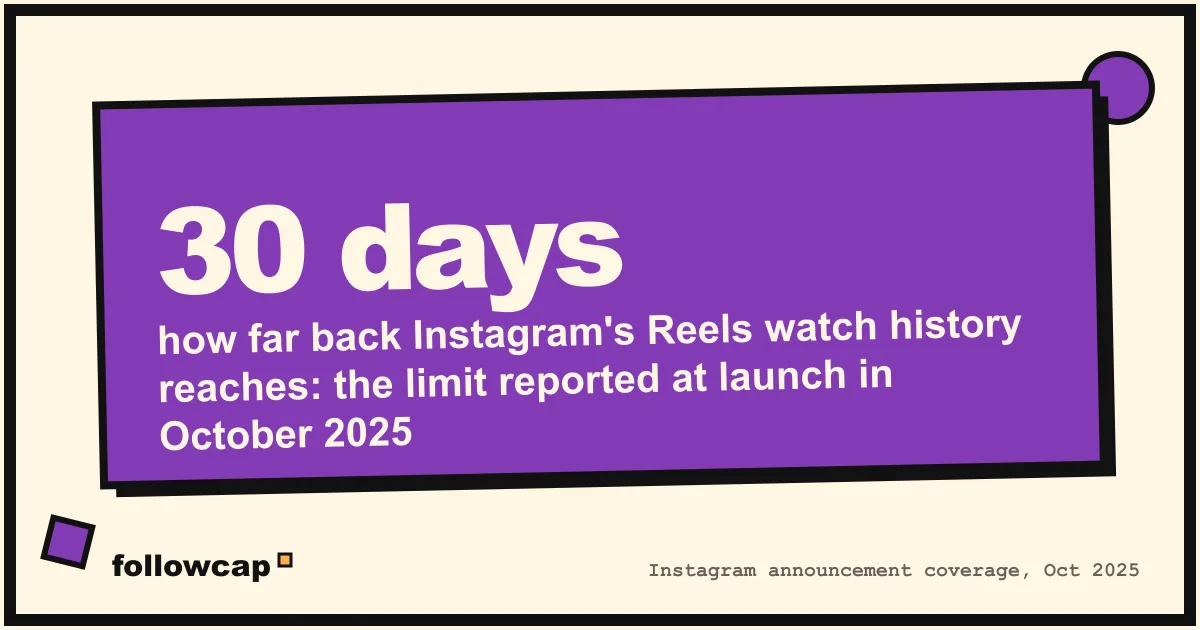
Instagram has a built-in Reels watch history. Open your profile, tap the ☰ menu in the top right, tap Your activity, then scroll to the bottom and tap Watch history. You get a grid of the reels you watched in roughly the last 30 days, sortable by date and filterable by the account that posted them.
Quick answer: Profile → ☰ → Your activity → Watch history. Sort newest or oldest first, filter by date range or by account, tap a thumbnail to reopen the reel. Reels older than about 30 days, stories and photo posts are not listed. To remove entries, tap Select, pick the reels, then Remove.
Does Instagram have a Reels watch history?
Yes, since late October 2025. Instagram head Adam Mosseri announced it on 24 October 2025, and the main tech press (TechCrunch, Engadget, 9to5Mac) covered it the same day. Before that date there was no watch history at all, which is why many older guides still say the feature does not exist and send you to liked posts or saved reels instead. Those guides are out of date.
The feature lives inside Your activity, the same section that holds your likes, comments and account history. It is available in the Instagram app for iPhone and Android. We could not confirm a desktop version on instagram.com, so treat the web as unsupported until you see it yourself.
One honest caveat: Instagram has not published a help page about watch history as of late 2026. The steps below are confirmed by the launch announcement and by hands-on reports, and they matched the app when we checked. If a label differs on your phone, you are probably on an older app version, so update first.
How to find your Reels watch history
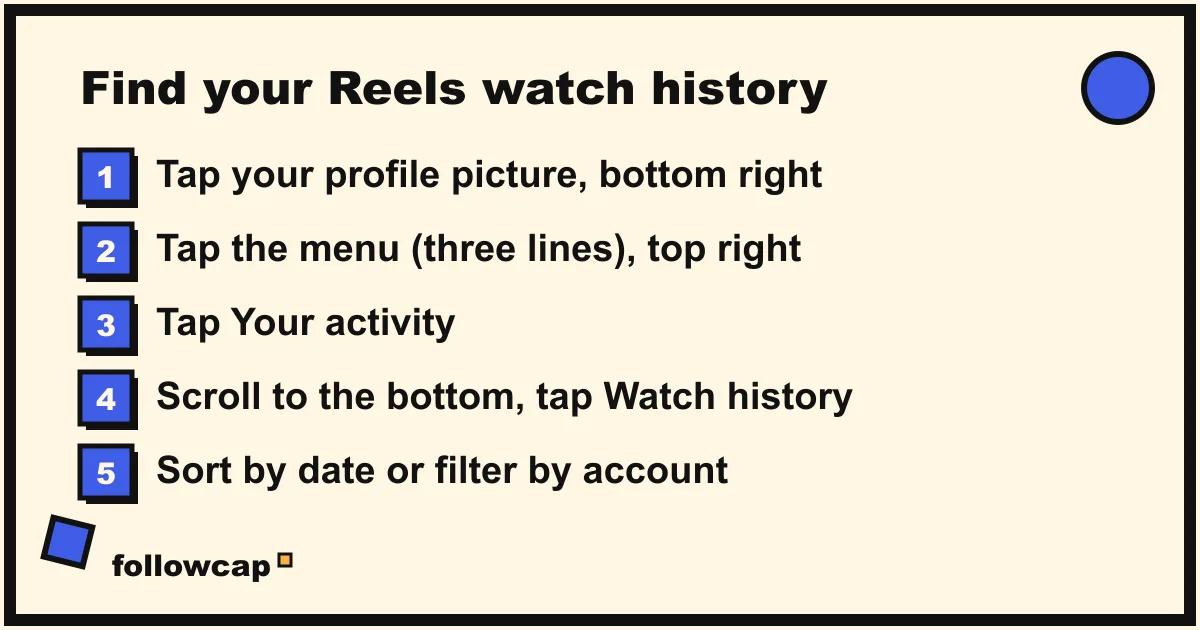
- Open Instagram and tap your profile picture in the bottom right.
- Tap the ☰ menu in the top right to open Settings and activity.
- Under How you use Instagram, tap Your activity.
- Scroll to the bottom of the list and tap Watch history.
- Tap any thumbnail to reopen that reel. Use the controls at the top to sort or filter.
If you reach Your activity and there is no Watch history row, update the app from the App Store or Google Play, close it fully and try again. The feature rolled out with the app version released in late October 2025, and phones that stopped updating never receive it.
How to sort and filter your watch history
Instagram’s version is more flexible than it first looks, and more flexible than TikTok’s, which is a point several outlets made at launch.
| Control | What it does |
|---|---|
| Sort | Newest to oldest (the default) or oldest to newest |
| Date filter | All dates, past week, past month, or a custom date range |
| Account filter | “All authors” by default; pick one or more creators and tap Apply |
| Select | Lets you pick several reels at once to remove them |
The account filter is the one worth remembering. If you know a reel came from a specific creator but cannot find it on their profile, filtering your history by that account is faster than scrolling their grid. If you are trying to remember an account you keep seeing, sort by oldest and look for the name that repeats.
How far back does watch history go?
About 30 days. Mosseri’s announcement said you could find “every Reel that you’ve ever watched”, but the screenshots showed a 30-day window, and hands-on tests published in the weeks after launch found that a custom date range set further back returned nothing. Meta later told the press that the feature is limited to 30 days and that the interface wording suggesting otherwise was a bug. As of late 2026 the window is still 30 days; TikTok’s equivalent reaches back six months, for comparison.
Practically, this means watch history solves the “I saw it last week and lost it” problem. It does not solve “I saw it in the spring”. For anything older, see the fallback methods below.
How to delete reels from your watch history
You can remove reels one at a time or in batches, but there is no “clear all” button.
- Open Watch history as above.
- Tap Select in the top right.
- Tap each reel you want to remove. A tick appears on the thumbnail.
- Tap Remove at the bottom. Tap Cancel to deselect instead.
If your history is short you can clear it this way in a minute. If it holds hundreds of reels, it is tedious, and there is no faster official route. Removing entries is permanent; you cannot restore a removed reel to the list.
Two things removal does not do. It does not change your recommendations: Instagram ranks reels on likes, comments, shares, saves, follows and watch time, not on the contents of this list, so deleting the history does not reset your feed. And it does not hide anything from anyone else, because nobody else can see your watch history in the first place.
If what you actually want is a different Reels feed, Instagram has a separate control for that: Profile → ☰ → Content preferences (under What you see) → Reset suggested content. That wipes your recommendations across Feed, Reels and Explore and cannot be undone. The mechanics of ranking are covered in how the Instagram algorithm works.
What watch history does not show
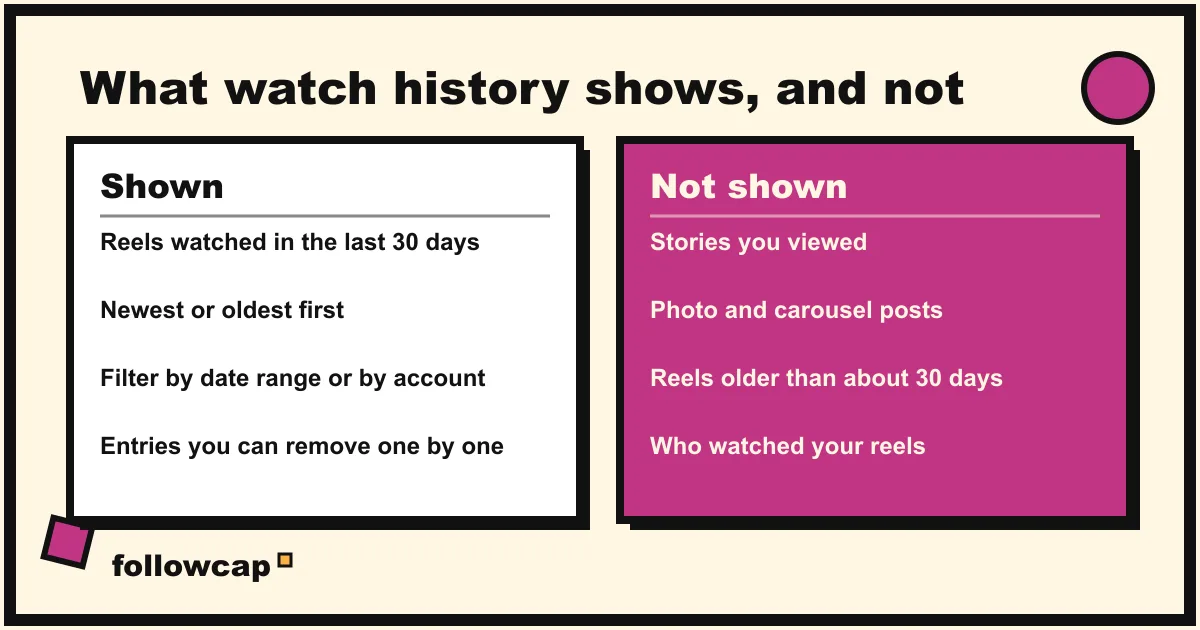
This is where most people get confused, so here is the list.
- Stories. Stories you viewed are never listed. There is no story view history anywhere in the app.
- Photo and carousel posts. Only reels appear. If you scrolled past a carousel in your feed, it leaves no trace here. Your only record of a feed post is a like, a comment or a save.
- Reels older than about 30 days. See above.
- Reels watched while logged out or on another account. History follows the account, not the phone.
- Who watched your reels. Watch history is about what you watched. Creators see view counts and, with a professional account, Insights; nobody gets a named list of viewers.
- Ads. Sponsored reels do not reliably appear.
Nobody else can see your watch history. It is not shared with followers, it is not shown to the creator, and it does not appear in the data export you can request from Instagram as of late 2026 (the export lists reels you uploaded, not reels you watched).
What to do if you still cannot find a reel
Watch history covers 30 days and reels only. For everything else, these are the routes that work, all of them inside Instagram’s own settings.
Check your likes
Instagram keeps your 300 most recent likes. Profile → ☰ → Your activity → under Interactions, Likes. Tap All content types and tick Reels to hide photo posts, then sort by date or filter by author. This reaches further back than watch history as long as you liked the reel.
Check your saved reels
Profile → ☰ → Saved, then the Reels tab. If you tap the bookmark on a reel it stays here indefinitely, sorted into whatever collection you chose. If a reel matters, saving it beats relying on history.
Search by audio
Most reels use a trending sound. Search the song or a line from it, open the Audio tab, and browse every reel that uses it. Slow, but it works for reels from months ago.
Search the creator’s profile
If you know who posted it, their Reels tab is a complete record of everything they still have up. Filtering it is impossible, but scrolling by date is not. For a creator you follow regularly, a quieter solution is to stop depending on the feed at all, which is the whole point of how to see all posts from someone on Instagram.
Avoid third-party “history” apps
Nothing outside Instagram can read your watch history. Apps and websites that promise “see every reel you watched” either ask for your login, which hands your account to a stranger and breaks Instagram’s terms, or show you nothing useful. Skip them.
A steadier way to keep up with the creators you follow
Watch history exists because the Reels feed is designed to be forgotten: it shows you a reel once, you keep scrolling, and it is gone. If the reels you keep losing come from a handful of creators you care about, a 30-day log is the wrong tool. A weekly record is better.
Followcap is our product, so read this as the maker’s description. You type the usernames of up to three public creator or business accounts (free, no Instagram login or password needed), and every Sunday you get one email with a 30-second summary, the three posts not to miss, a two to three line recap of the best posts from each account with their links, and a line on what you can apply this week. Premium (€9 a month, up to 10 accounts) adds weekly numbers per account (posts, likes, comments, best post, follower growth) and a personal archive page where every past recap stays searchable. The limits: it is weekly, not real time; it covers public creator and business accounts only; it has no view, watch time or audience data; and it cannot tell you what you personally watched, only what those accounts posted. Paid plans are paid after the 7-day trial, with a 30-day money-back. If you want the posts from your core accounts in one place that does not expire after 30 days, you can start with three accounts.
For the same idea with different tools, see how to get notified when someone posts on Instagram and keeping up with Instagram without the app.
FAQ
Can you see your watch history on Instagram?
Yes. Since October 2025 the Instagram app has a Watch history section under Profile → ☰ → Your activity. It lists the reels you watched in the last 30 days, sortable by date and filterable by account. It covers reels only, not stories or photo posts.
Can other people see what reels you watch on Instagram?
No. Your watch history is private to your account. Creators see a total view count on their reels and, with a professional account, aggregate Insights, but never a list of who watched. Your followers see nothing about your viewing either.
Can I see who watched my reels?
No. Instagram shows view counts and Insights to the account owner, not viewer names. Only likes, comments, shares to you and follows attach a name. Stories are the exception: story viewers are listed for 24 hours (48 for the story owner).
How do I find a reel I watched but did not like or save?
Open Watch history and filter by the past week or by the account you think posted it. If it was more than 30 days ago, search the audio it used or scroll the creator’s Reels tab. Nothing else inside or outside Instagram can recover it.
Why is my watch history empty or missing?
Three usual causes. Your app is out of date, so update it. You are logged into a different account than the one you were watching on. Or the reels were watched more than 30 days ago. Removed entries are also gone for good.
Does clearing watch history reset my Instagram algorithm?
No. Recommendations are built from likes, comments, shares, saves, follows and watch time, not from this list. To actually reset suggestions, use Profile → ☰ → Content preferences → Reset suggested content, which cannot be undone.
Related reading
- How to Mute Someone on Instagram (and What They Can See)
- Can You See Who Views Your Instagram Profile? (2026 Answer)
- How to Know if Someone Blocked You on Instagram (2026)
The bottom line
Instagram’s Reels watch history is real, it is four taps away (Profile → ☰ → Your activity → Watch history), and it does its one job well: finding the reel you lost this week. Know its edges, which are reels only, about 30 days, removal one at a time and no clear-all. For older reels, your likes, your saved collections and audio search are the routes that work, and any outside app that promises more is a bad trade. If the reels you keep losing come from the same few creators, a weekly recap by email such as Followcap, which we make, gives you a record that does not expire, with the limit that it is weekly and only covers public accounts.