How to See Saved Posts on Instagram (and Organise Collections)
How to see saved posts on Instagram on iPhone, Android, iPad and the web, how collections work, why saved posts disappear, and whether the poster can tell you saved it.
 Andrea Marino11 min read
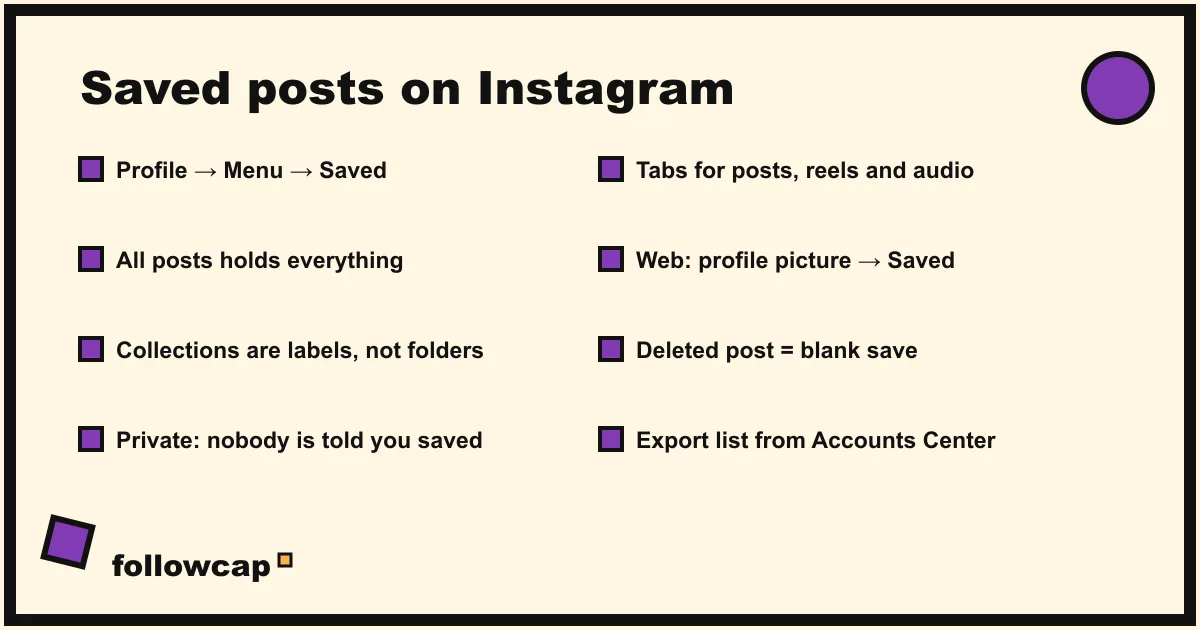
To see saved posts on Instagram, go to your profile, tap the menu (☰) at the top right, and tap Saved under “How you use Instagram”. You land on All posts, with your collections above it and tabs for posts, reels and audio. Saved posts are private: only you see them, and the person who posted is never told.
Quick answer: Profile → ☰ Menu → Saved → All posts (or a collection). On a computer, click your profile picture at the top right and click Saved. To file a post, tap and hold the bookmark under it and pick a collection, or tap New collection.
Where are saved posts on Instagram?
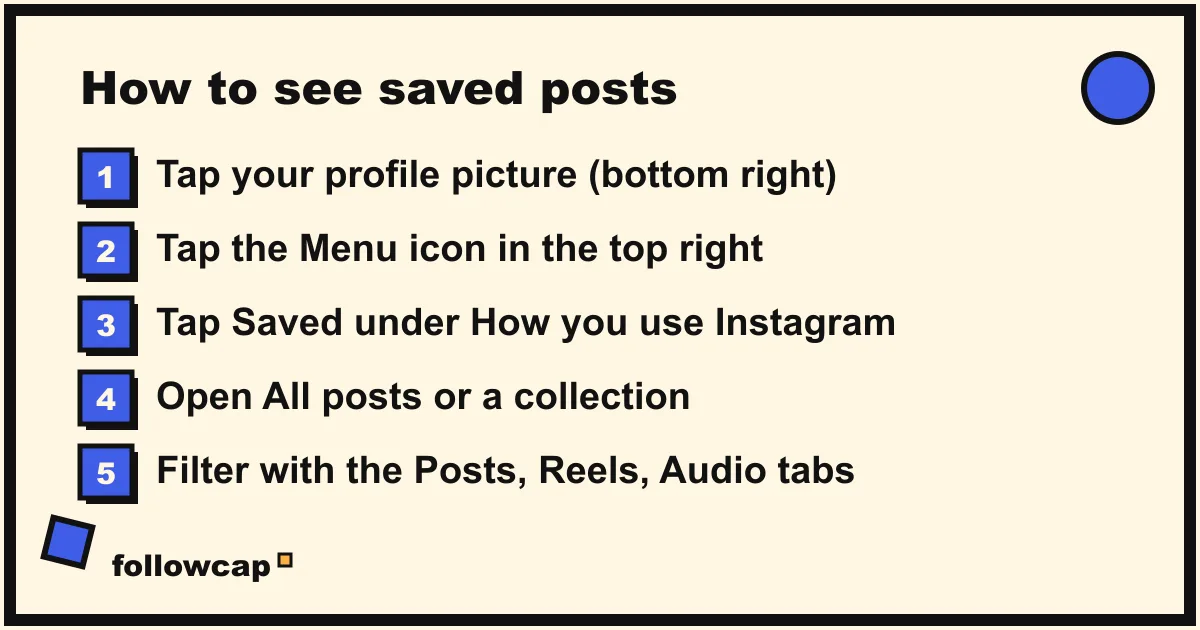
Saved posts live in a private section of your own profile. Instagram’s help page on saving, checked in late 2026, gives one route for the phone apps and a slightly different one for iPad and the web. The labels below are copied from that page.
Instagram app for Android and iPhone
- Tap your profile picture in the bottom right.
- Tap ☰ Menu in the top right.
- Below How you use Instagram, tap Saved.
- Tap All posts to scroll everything, or tap a collection.
Instagram app for iPad
- Tap your profile picture on the left.
- Tap ☰ Menu in the top right.
- Below How you use Instagram, tap Saved.
Instagram.com from a computer
- Click your profile picture in the top right.
- Click Saved.
One oddity: the top of the same help page says the feature “isn’t available on computers”, then the computer section tells you how to open it. In practice the website shows your saved posts and collections on your own profile, but the collection tools below are written for the app, so rename, move and delete on your phone.
What you see inside Saved
The Saved screen opens on a grid of collection covers. All posts is always first and contains everything you have ever saved; the other covers are collections you created. Inside All posts, tabs at the top filter by type, typically Posts, Reels and Audio. Reels saved with the three-dot menu and sounds saved from the audio page land here too.
There is no search box inside Saved as of late 2026. If you have saved hundreds of posts without collections, you scroll. That is the best argument for the next section.
How do collections work on Instagram?
A collection is a named folder inside Saved. The feature arrived in April 2017, when Instagram’s announcement said you “can find your collections on the saved posts tab on your profile” and that “just like all saved posts, your collections are also private”. Nothing about that has changed. Two rules from Instagram’s current help page explain most of the confusion people have:
- A post in a collection is also in All posts. Collections are labels, not moves. Removing a post from a collection leaves it saved; the help page says so twice (“your posts will still be saved in all posts”).
- Deleting a collection does not delete the saves. Same rule: the posts go back to being plain saved posts.
Create a collection
The fastest way is from the post itself:
- Tap and hold the Save (bookmark) icon under a post.
- Tap New collection, give it a name, and tap Done or Save, depending on your version.
Or from the Saved screen, tap + in the top right, name the collection, and pick the saved posts to put in it.
Add saved posts to an existing collection
- Profile → ☰ Menu → Saved.
- Tap the collection.
- Tap ⋯ Options in the top right, then Add to collection.
- Select the saved posts, then tap Done.
Move posts to another collection
- Open the collection you want to move posts out of.
- Tap ⋯ Options → Select….
- Tap each post, then tap Move to collection at the bottom.
- Tap the destination collection and confirm.
Remove posts from a collection
- Open the collection.
- Tap ⋯ Options → Select….
- Tap each post, then tap Remove at the bottom and confirm.
The posts stay in All posts. To unsave a post completely, open it, tap the filled bookmark under it, and tap Unsave (on some versions you tap Saved twice first).
Rename a collection or change its cover
- Open the collection → ⋯ Options → Edit collection.
- Tap the name to type a new one; tap Change cover and pick a post.
- Tap Done.
Delete a collection
Open the collection → ⋯ Options → Delete collection → Delete. The saves survive in All posts.
Private versus collaborative collections
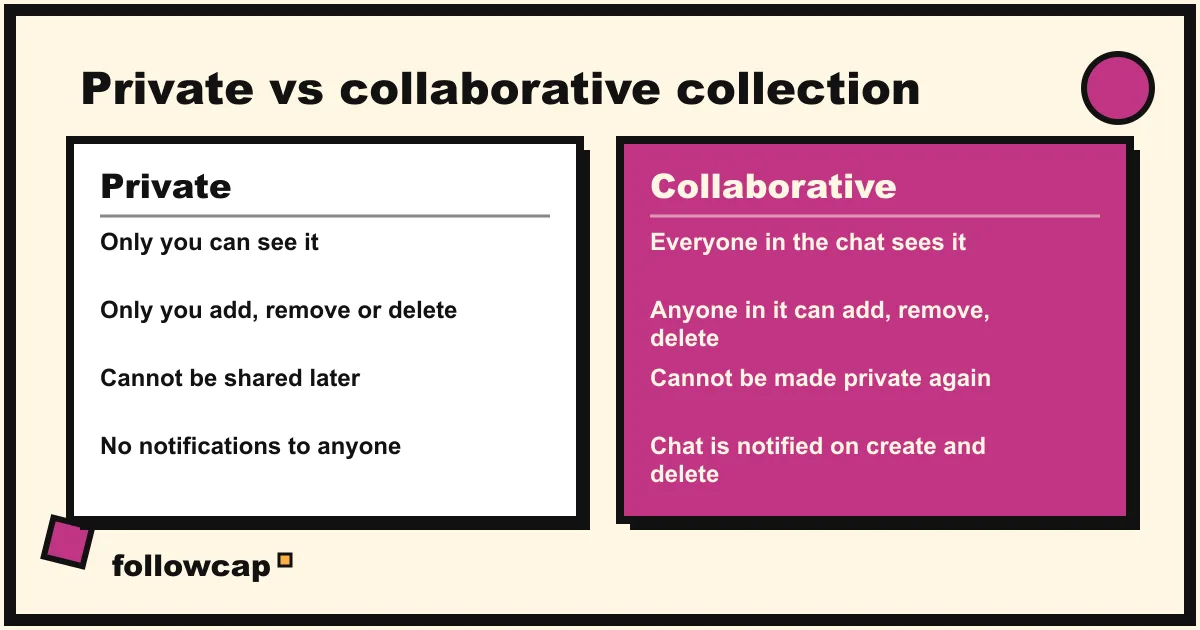
Since 2023 you can also make a collaborative collection that you share with a chat. Instagram’s help page on the feature draws the lines clearly, and they matter before you tap “Add people”:
| Private collection | Collaborative collection | |
|---|---|---|
| Who can see it | Only you | Everyone in the chat it belongs to |
| Who can add or remove posts | Only you | Anyone who can view it |
| Who can delete it | Only you | Anyone who can view it, “regardless of who created it” |
| Can it change type later | No, “private collections you’ve already created can’t be shared” | No, it “can’t be made private after it’s created” |
| Notifications | None | People in the chat get a message when it is created or deleted |
| Posts from private accounts | Visible to you if you follow them | Visible only to members who follow that account |
To start one from your feed, tap and hold Save, tap New collection, then Add people to this collection and pick a chat. To start one from a conversation, open the chat, tap the chat name at the top and look for collections. New members added to a group chat later can see its collections; anyone removed from the chat loses access.
A collaborative collection suits a trip or a shared inspiration board. It is a poor fit for anything you would not want a friend to delete by accident, because they can.
Can people see what you saved on Instagram?
No. The help page is unambiguous: “Only you can see the posts you’ve saved. When you save someone’s post, they’re not able to tell that you’ve saved it.” No notification goes out, nothing appears in their activity, and your saved tab is not visible on your public profile.
The one thing the poster can see is a number. Professional accounts get a Saves count in the Insights for each post, so a creator knows that 312 people saved a Reel, never who. Any app that claims to show “who saved your post” is guessing or phishing, in the same way as the profile viewer apps that promise a list Instagram does not expose.
The exception is the collaborative collection above. If you save someone’s post into a shared collection, the people in that chat obviously see it. The poster still is not told.
Why did my saved posts disappear?
Saved posts are bookmarks, not copies. The post stays on the creator’s account and your save is a pointer to it, so the common reasons for a “missing” save are all on the creator’s side:
- The post was deleted. Instagram’s collaborative collections page spells out the rule: “When a post is deleted by its creator, it will no longer be visible to anyone on Instagram and will also be removed from the collection.” The same happens to private saves; the tile goes blank or vanishes.
- The post was archived. Hidden from everyone but the owner until they unarchive it.
- The account went private. If you do not follow them, the save shows as unavailable. Follow and be accepted, and it comes back.
- The account was deactivated, suspended or deleted. Same effect as deletion while it lasts.
- You are looking in the wrong place. A post filed into a collection is still in All posts, but a post you unsaved is gone from both. A saved Reel or sound sits under its own tab, not under Posts.
There is no “recently unsaved” bin and no published limit on how many posts you can save. If a post matters, do not rely on the save alone.
How to keep what matters outside the app
The weakness of Saved is that it only exists as long as the original post and your login do. Two ways to make a saved idea durable:
Export your saved list. Instagram’s data export includes your saved posts. Profile → ☰ Menu → Meta Account (or Accounts Center) → Your information and permissions → Export your information → Create export → pick your profile → Export to device, then narrow the information to saved posts, choose a date range and a format, and tap Start export. The help page warns it can take up to 30 days for the link to arrive and that you then have 4 days to download it. The file lists the account and the post link with a timestamp, not the image or caption, so it is a map rather than an archive. If you save for inspiration, a short note per save in your notes app does more, which is also the honest answer to where to get Instagram content ideas from the accounts you follow.
Get the posts delivered instead of hunting for them. If what you keep saving is the output of the same ten creators or competitors, the problem is delivery, not organisation. Followcap is our product, so read this as the maker’s description: you type the usernames of public Instagram creator or business accounts, no Instagram login needed, and every Sunday you get one email with a 30-second summary, the three posts not to miss, a two to three line recap of the best posts from each account with their links, and a short “what you can apply this week”. Three accounts are free with no card. Premium (€9 a month, up to 10 accounts) adds weekly numbers per account (posts, likes, comments, best post, follower growth) and a personal archive page, which is the closest thing to a saved collection that survives a deleted post, since the recap and link stay in your archive. The limits: it is weekly, not real time; it covers public creator and business accounts only, so your friends’ posts stay in Saved; it has no reach, saves, views or audience data; and paid plans are paid after the 7-day trial, with a 30-day money-back. For a wider set of options, see how to keep up with Instagram without the app.
What to do if Saved is not working
- No Saved option in the menu. Update the app and reopen it. On the website, Saved is a tab on your own profile page, not in the menu.
- All posts is empty but you know you saved things. Check you are on the right account if you use several, then check the Reels and Audio tabs.
- Cannot tap and hold to pick a collection. A short tap saves to All posts; a long press opens the collection sheet. On the web, saving goes to All posts.
- A collection vanished. If it was collaborative, anyone in the chat can delete it, and the chat is notified when that happens. Your saves are still in All posts.
FAQ
Where is the Saved section on Instagram?
Profile → ☰ Menu → Saved, under “How you use Instagram”, on Android, iPhone and iPad. On a computer, click your profile picture at the top right and click Saved. It is not on your public profile; only you can open it.
Can you see who saved your Instagram post?
No. Instagram shows professional accounts a count of saves in Insights, never names, and there is no legitimate way to get a list. Apps that offer one are either guessing or collecting your password.
Does Instagram notify someone when you save their post?
No. Instagram’s help page says the person “is not able to tell that you’ve saved it”. The only case where others see your save is a collaborative collection shared with a chat.
How do I see my saved Reels and saved audio?
Open Saved, tap All posts, and use the tabs at the top (Posts, Reels, Audio) to filter. A Reel is saved from its ⋯ menu with Save; a sound is saved from the audio page with the bookmark.
Why can’t I find a post I saved?
Most often the creator deleted, archived or made it private. Saves are links to the original, so when the original is hidden, the save goes blank or disappears. Also check All posts, since removing a post from a collection does not unsave it.
Is there a limit to how many posts you can save on Instagram?
Instagram has not published one, and Saved sections with thousands of posts work, just slowly and without search. Collections are the only way to make a large Saved usable.
Related reading
- How to Get Notified When Someone Posts on Instagram (5 Ways)
- How to See Someone’s Activity on Instagram (What Is Public in 2026)
- How to See Someone’s Most Liked Posts on Instagram (2026)
The bottom line
Saved posts on Instagram are one tap away: Profile → ☰ → Saved, then All posts or a collection, and on the web the Saved tab on your own profile. They are private, the poster is never told, and collections are labels on top of All posts rather than separate folders, so removing or deleting never loses a save. What does lose a save is the creator deleting, archiving or privatising the post, because a save is a bookmark, not a copy. File what you keep into collections, export the list once in a while, and for the handful of public accounts whose posts you save every week, let a Sunday email like Followcap, which we make, bring the recaps and links to you.