How to See Someone's Most Liked Posts on Instagram (2026)
How to see someone's most liked posts on Instagram in 2026: there is no sort-by-likes, counts can be hidden, so scan the grid, use Top on hashtags or track weekly.
 Andrea Marino10 min read
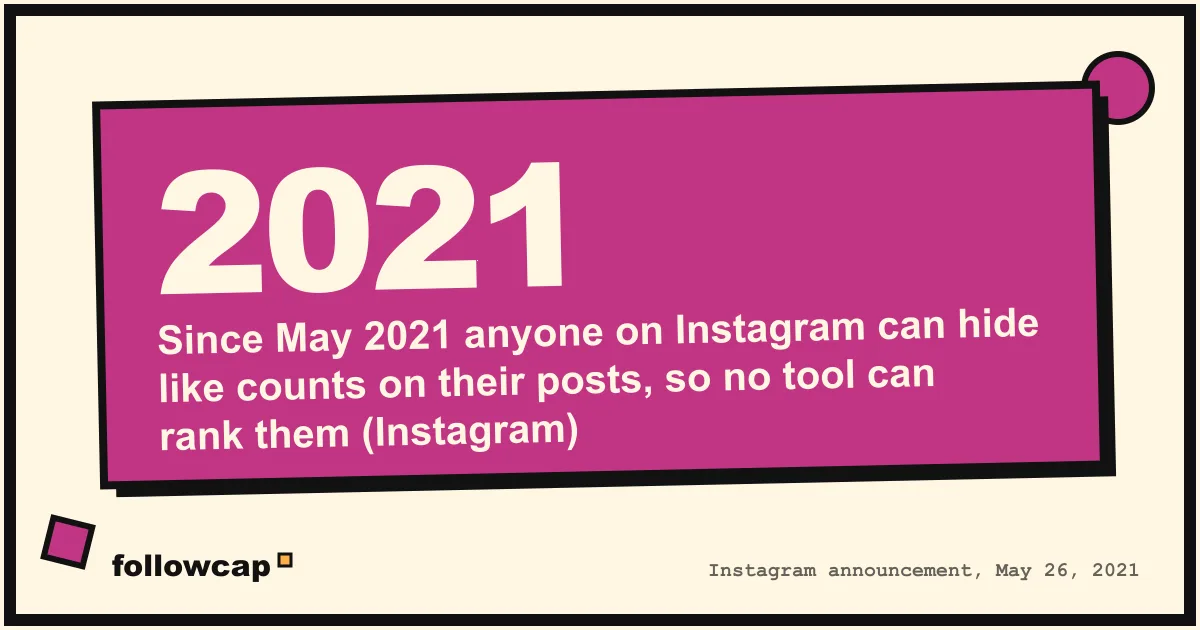
Instagram has no button that sorts another person’s posts by likes, and since 2021 any poster can hide their like counts. To see someone’s most liked posts on Instagram, you open their public profile, read the counts post by post and rank them yourself, use the Top section on hashtag pages, or let a weekly tracker record each account’s best post.
Quick answer: open the public profile on instagram.com or in the app, open each post, write down likes, comments, date and link, and sort the sheet by likes. For reels, tap the view count to see the likes. Where the poster hid the count, use comments and views as the proxy. For your own account, Insights filters your content by interactions. For a list of accounts you check every week, a weekly recap that logs each account’s best post does the ranking for you. Skip the “sorter” extensions: they scrape, they break, and they are against Instagram’s terms.
Why there is no “sort by likes” on Instagram
A profile grid shows posts in the order they were published, with separate tabs for reels and tagged posts. There is no sort menu on anyone’s profile, including your own, and search cannot rank a person’s posts by engagement. The only built-in sorting by engagement is inside your own Insights, which nobody else can see.
The second obstacle is that the number may not be there at all. On May 26, 2021 Instagram announced that everyone on Instagram and Facebook can hide their public like counts, both on posts they see and on their own posts. The help page Hide or unhide like counts on Instagram posts and reels gives the current steps: before sharing, tap More options and toggle Hide like counts on this post; for a post already shared, tap Options in the top right, then Hide like count to others. The owner still sees their own total. You see that people liked it, not how many.
Two more rules from Instagram’s page on who can see when you’ve liked a photo: a photo shows its like count only “after 4 likes,” and on a private account “only your approved followers can see your posts, including any likes and comments.” So the methods below work on public accounts, for posts whose owner left the count visible, and for anything with more than a handful of likes.
Method 1: Scan the grid and rank the counts yourself
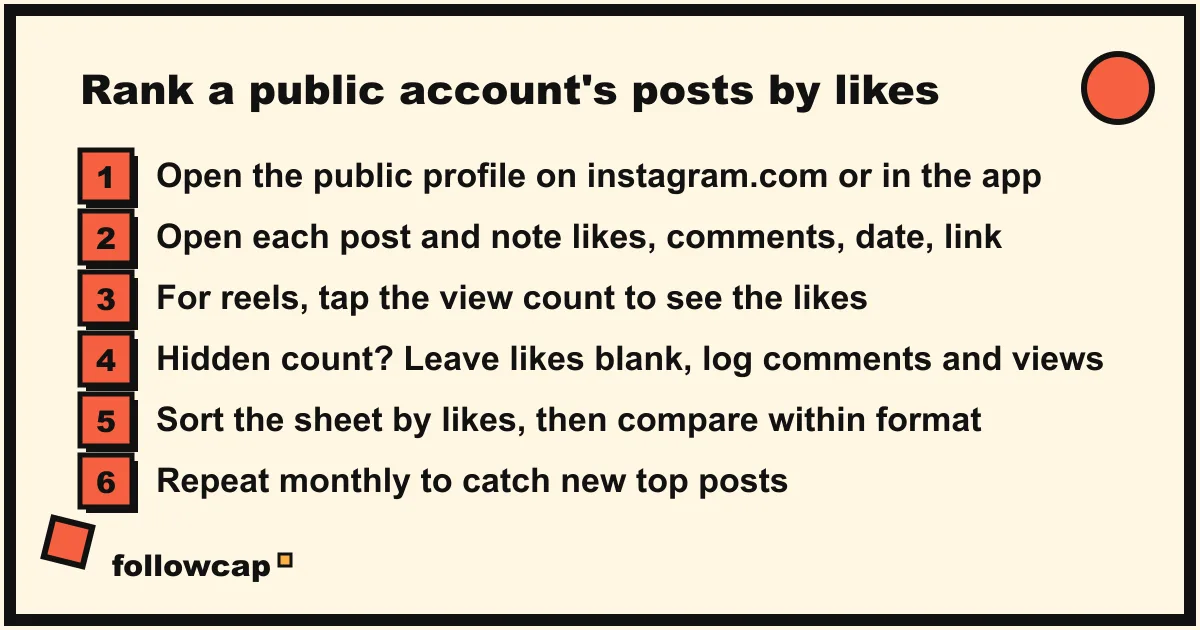
The plain answer to how to see someone’s most liked posts on Instagram is to read the counts and sort them. It is slower than a button, and it is the only method that works for any public account without an app.
- Open the profile on instagram.com in a browser (easier for copying links) or in the app.
- Open each post. The like count sits below it, with the comment count and the date.
- For a reel or video, the count under the tile is views. Instagram’s help page on seeing a post’s likes says to “tap the view count below the video” to see “the number of likes a video has and who’s liked it.”
- Put each post in a sheet: date, link, format, likes, comments. One row per post.
- Where the count is hidden, leave likes blank and record comments and, for reels, views.
- Sort by likes. Then sort by comments, because a post that provoked replies is often the more useful one to study.
Budget about one minute per ten posts. The last 100 posts, which is usually the useful sample, take 10 to 15 minutes; see all posts from someone on Instagram covers how to get through a long grid in a browser without the app getting in the way.
Three ways to read the result honestly. Compare within a format: reels and carousels gather likes differently, so the top reel and the top photo are two separate lists. Give new posts time: a post from yesterday is still collecting likes, so re-check anything under a week old. And normalise by followers: a post with 2,000 likes on a 20,000-follower account is a bigger hit than 5,000 likes on a million, which is what Instagram engagement rate measures.
Method 2: The Top section on hashtag and location pages
Search a hashtag or a place and Instagram shows a ranked section at the top. The help page How posts appear on Instagram hashtag search results says the order depends on “when the post was shared,” “how others engage with the post” and whether the content “meets our Recommendation Guidelines.”
This is not a list of one person’s best posts. It is Instagram’s ranking of everyone’s posts under that tag, filtered by what it thinks you will like. It becomes useful in two cases: a creator or brand with its own hashtag, where the Top section often surfaces their strongest posts; and a niche hashtag you both use, where seeing which of their posts ranked tells you what Instagram, not just their followers, rewarded.
Method 3: For your own account, filter the content library
Your own account is the exception, because Insights can sort. Instagram’s help page About Instagram insights describes the content library you reach from Content you shared: “you can view and filter all your content by media type, reach, interactions and time frame.” Interactions are likes, comments, saves and shares added together, which is close to a most-liked list and usually a better one.
In the app, as of late 2026: profile picture, then Professional dashboard (or Your dashboard), then Insights, then tap a content type under Content you shared, then set the filter to interactions and the time frame you want. Post-level insights are kept for up to two years, so this reaches far further back than the 90-day account view. How to see Instagram Insights explains every number on that screen, and the same method is how you find your own most liked reel.
Method 4: Weekly tracking that records each account’s best post
If you follow a set of creators, competitors or clients and want to know what worked for them, the manual scan has a flaw: it tells you about the past, once, and you will not repeat it every month.
Followcap is our product, so read this as the maker’s description. You type the usernames of public Instagram creator or business accounts, no Instagram login or password needed, and every Sunday you get one email with a 30-second summary, the three posts not to miss across your list, a two to three line recap of the best posts from each account with their links, and “what you can apply this week.” Three accounts are free with no card. Premium (€9 a month, 10 accounts) adds weekly numbers per account, including likes, comments and the best post of the week, plus follower growth and a personal archive page where the weekly best posts pile up into a history. Business Pro (€29 a month, 50 accounts, 3 team users) adds a monitoring dashboard with alerts, CSV export and a “you vs your niche” view. Its limits: it is weekly, not real time; it covers public creator and business accounts only, never private or personal profiles; it sees public posts, likes, comments and follower counts, so a post with a hidden like count is ranked on what is visible, and there are no reach, saves, views, Stories or audience data; and paid plans are paid after the 7-day trial, with a 30-day money-back. Instagram post tracker compares it with notifications, Favorites and a sheet.
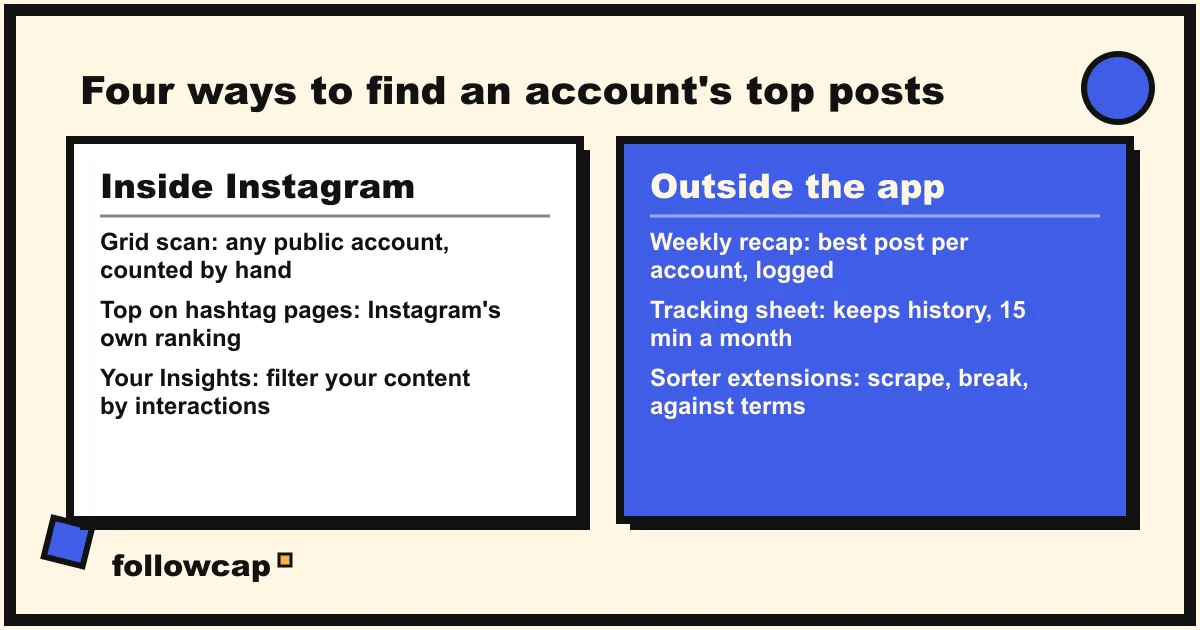
The four methods compared
| Method | Works on | Ranks by | Time | Keeps history |
|---|---|---|---|---|
| Grid scan into a sheet | Any public account, visible counts | Likes, comments, whatever you log | 10 to 15 minutes per 100 posts | Yes, if you keep the sheet |
| Top on hashtag or place pages | Posts under that tag, any account | Instagram’s own ranking | 1 minute | No |
| Your Insights content library | Your own account only | Interactions, reach, media type | 1 minute | Up to two years per post |
| Weekly email recap | Public creator and business accounts you list | Best post per account each week | 2 minutes to set up | Yes, on paid plans |
The “sorter” extensions and apps, and why to skip them
Search this query and the results fill with browser extensions and apps promising to sort any profile by most liked, most commented or most viewed. They fall into two groups and both are a bad trade.
The ones that ask you to log in through them get your password. Instagram’s Terms of Use say you “can’t attempt to create accounts or access or collect information in unauthorized ways,” including “collecting information in an automated way without our express permission, regardless of whether such automated access or collection is undertaken while logged-in.” An account used that way is the one that gets the warnings and feature limits, not the extension’s developer.
The ones that do not ask for a password scrape the public page, the same clause without the password risk. They break when Instagram changes its markup, they often show stale cached numbers as live, and they cannot sort what is hidden: a post whose owner hid the count has no number to scrape, so the tool either skips it or estimates, and will not tell you which. If a tool cannot say in plain words what it reads and what it cannot, do not give it a username, let alone a login.
What no method can show you
- Likes on a post whose owner hid the count. Nothing shows it to anyone but the owner. Use comments, and views for reels, as the proxy.
- The posts someone else has liked. This is a different question, and the answer is no. Instagram’s help pages show you only your own 300 most recent likes, under Your activity, then Interactions, then Likes, and the See shared activity option on a profile shows only the likes, comments and tags between you and an account you follow or that follows you. How to see someone’s activity on Instagram covers what is and is not visible.
- Private accounts. Only approved followers see the posts, so only approved followers can count anything, and no tool gets around that.
- Saves, reach, viewers and watch time. They live in the owner’s Insights. A post with modest likes and thousands of saves is invisible to every method here.
- Why a post did well. The count tells you what, not why. Read the hook, the format and the comments.
FAQ
Can you see what posts someone else has liked on Instagram?
No. Instagram removed the public following-activity feed years ago. You can see your own recent likes (the last 300, in Your activity), and the shared activity between you and someone you follow or who follows you. Everything else about another person’s liking is private.
Can you see someone’s most liked posts if they hid the like counts?
Not the likes. The owner is the only one who sees the total. You can still rank their posts by comments, and their reels by views, which track likes closely enough for most purposes.
Is there an Instagram feature to sort posts by likes?
Not on anyone else’s profile. For your own account, Insights lets you filter the content library by interactions, reach, media type and time frame, which is the closest thing to a most-liked list.
How do you see someone’s most liked Reels?
Open the Reels tab on their profile; each tile shows a view count. Tap the view count below a reel to see its likes. Rank by views for a quick answer, and by likes if you want the stricter list.
Do Instagram “sorter” extensions work?
Sometimes, for a while, on posts with visible counts. They rely on scraping, which Instagram’s terms prohibit, they break when the site changes, and they cannot rank posts with hidden counts. Any that ask for your login put your account at risk.
How do I find my own most liked post?
Open Insights, tap a content type under Content you shared, and filter by interactions and the longest time frame. Post insights are kept for up to two years, so you can go well beyond the 90-day account view.
Related reading
- How to Get Notified When Someone Posts on Instagram (5 Ways)
- How to See Saved Posts on Instagram (and Organise Collections)
- Instagram Broadcast Channels: Join, Leave and Create One (2026)
The bottom line
There is no sort-by-likes button for anyone else’s profile, and since 2021 the number may be hidden anyway. For a public account, open the posts, write the counts in a sheet and sort it, which takes a quarter of an hour per hundred posts; use the Top section on hashtag pages for Instagram’s own ranking, and your Insights content library for your own account. For a list of accounts you want ranked every week without the sheet, a weekly recap such as Followcap, which we make, records each public creator or business account’s best post from its public likes and comments, and never asks for a login.