How to Monitor an Instagram Account: Yours, a Brand's or a Creator's
How to monitor an Instagram account in four honest cases: your own, a brand's, a public creator's, and a teen's through Meta's own supervision tools. No spy apps.
 Andrea Marino11 min read
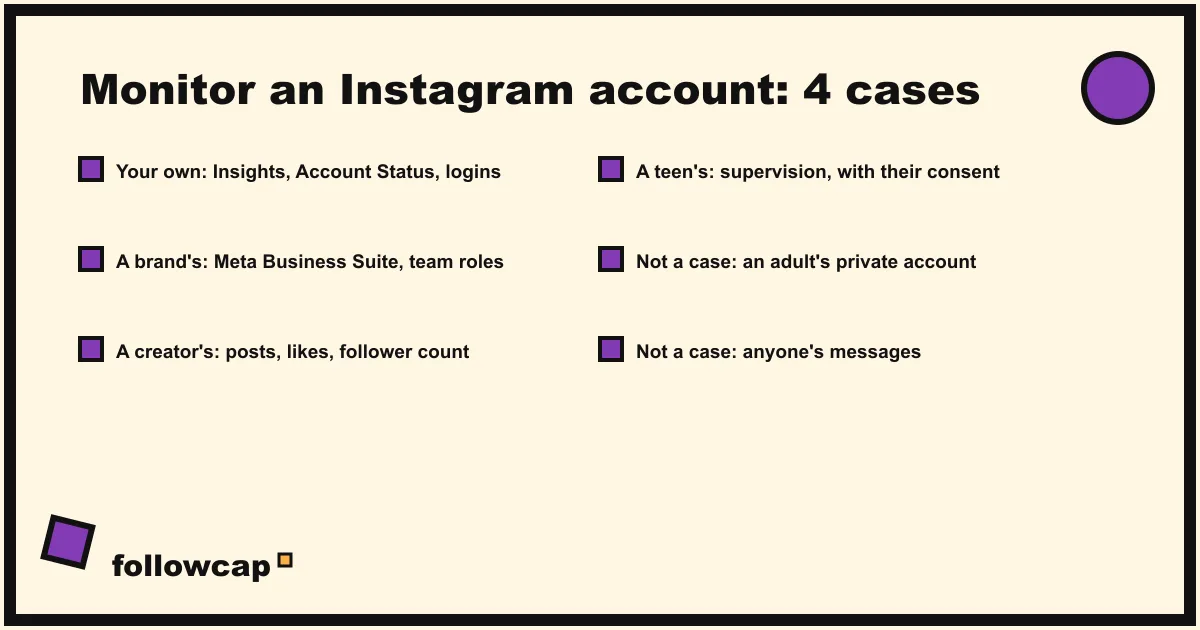
How to monitor an Instagram account depends on whose account it is. Your own: Insights, Account Status and login activity, all inside the app. A brand or client account: Meta Business Suite, with roles for the team. A public creator or competitor: their public posts and follower count, logged weekly. A teen’s: Instagram’s supervision tools, which the teen must agree to.
Quick answer: identify the case first. Own account: open Insights, Account Status and “Where you’re logged in” once a week. Brand account: get added to its Business Suite portfolio and read Insights there. Public account you do not own: log its public posts, likes, comments and follower count with notifications, Favorites, a sheet or a weekly recap. Teen: set up supervision in Family Center, with the teen’s acceptance. Anything that reads another person’s messages or private profile is spying, not monitoring, and no honest method does it.
Whose account is it? Four cases, four different answers
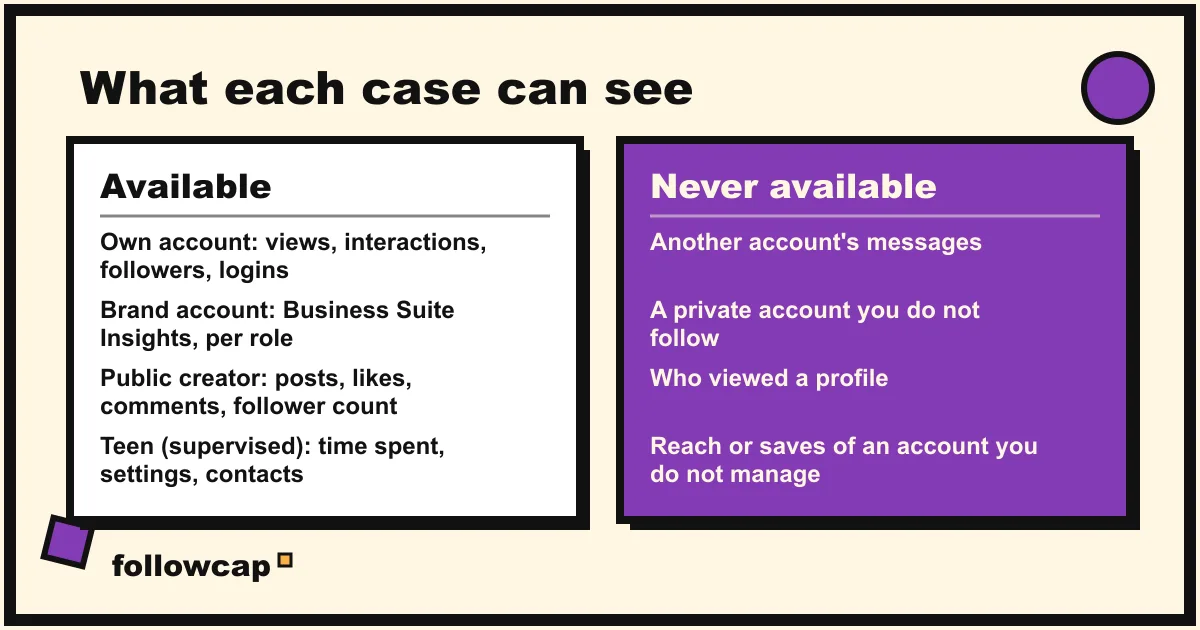
The pages ranking for this query mix four different needs and sell the same “monitoring app” to all of them. The honest map is shorter. Your own account: Instagram shows you everything, free. A business account you manage: Meta Business Suite shows the same data to a team. A public creator, competitor or supplier: you see what they publish and how their follower count moves, nothing more, and that is enough for most purposes. Your teenager: a supervision feature you both turn on together. There is no fifth case: an adult you do not manage, who has not agreed to anything, cannot be monitored by any legitimate route, and the tools that promise it are covered at the end.
Case 1: Monitor your own Instagram account
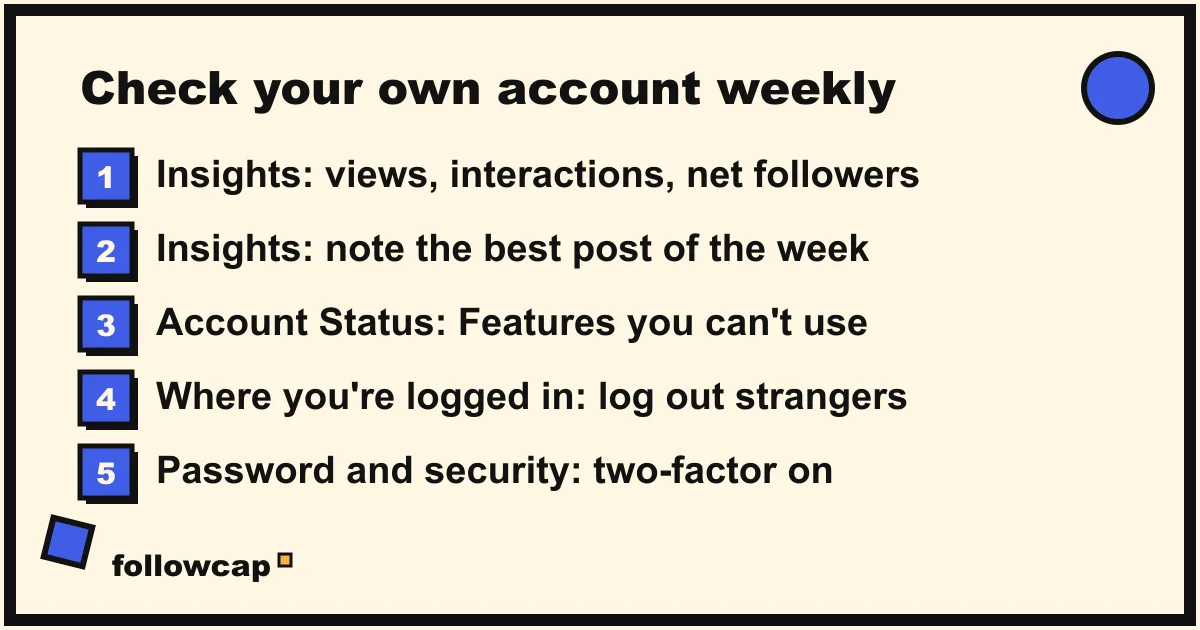
Three screens: what your content did, whether Instagram has restricted you, and who is logged in. Once a week, five minutes.
Insights: what your content did
Instagram’s help page About Instagram insights says, as of late 2026, that a public account can use free insights for trends across followers and content. The in-app overview shows Views, Interactions, New followers and Content you shared, for a preset or custom timeframe within the past 90 days. Per post, Reel, Story or Live, the page lists Views, Viewers, Interactions and Accounts engaged.
- Open your profile and tap Professional dashboard, or Menu, then Insights.
- Set the timeframe at the top, then tap Views, Interactions or Total followers for the detail.
- For one post, open it and tap View insights.
Write down five numbers a week: posts published, views, interactions, net follower change, best post. The 90-day window is the catch: Insights forgets, so a sheet that keeps the weekly line is the only history you will have. How to see Instagram Insights explains each metric.
Account Status: whether Instagram has restricted you
Account Status is where Instagram tells you if a post broke its rules and which features you can no longer use. The path on the help page is Profile, then Menu, then Account Status under More info and support. Inside, Removed content lists what was taken down, Features you can’t use lists restrictions and lets you appeal, and Request a review disputes a removal. If reach has dropped, check this screen before blaming the algorithm; Instagram shadowban covers what each restriction means.
Login activity and security alerts
The help page View your recent Instagram login activity gives the path: Menu, then Password and security, then Where you’re logged in, which lists the devices recently logged into the accounts in your Accounts Center. Tap an account, then Select devices to log out to remove any you do not recognise. On older versions of the app the list is under Security, then Login Activity, with This Was Me and This Wasn’t Me on unfamiliar logins; the page says not everyone sees the new path yet, so try both. Two settings make this screen matter less: two-factor authentication, and never giving your password to a third-party app.
Case 2: Monitor a brand or client account you manage
For a business, the same data lives in Meta Business Suite, where a team reads it without sharing the Instagram password. Meta’s help page About Insights in Meta Business Suite on desktop lists the tabs: Overview (the past 28 days, with Views and Follows), Audience (age, gender, location, follower trend), Content (a table of every post’s results), Benchmarking (your business against others in the same category) and Ads. You need permission to view insights for that Page or profile.
That permission is the point. People are added to the business portfolio under Settings, then People, then Invite people, by someone with full control; new people get basic access by default and must accept the invitation by email. Assign only what the job needs: an analyst needs insights, not ads or the inbox. The weekly routine is the same five numbers from the Content tab, plus the two or three competitor accounts the client cares about, read as in Case 3; the weekly social media report template turns that into a one-page note.
Case 3: Monitor a public creator, competitor or supplier
For an account you do not own, you see what any visitor sees on its public profile: the grid, each post’s date, caption and format, the like count unless the poster hid it, the comments, the follower and following counts, the bio. You do not see reach, saves, views, Story viewers, audience data or messages, and anything that claims to is estimating or lying. How to see analytics of other Instagram accounts draws that line in detail. Monitoring a public account therefore means logging the public numbers often enough to see change. Four methods, in order of effort:
| Method | What it gives you | Timing | Keeps history |
|---|---|---|---|
| Post notifications (the bell on their profile) | A push for every new post | Real time | No |
| Favorites feed (up to 50 accounts) | Their posts in chronological order | When you open the app | No |
| A spreadsheet, one row per post | Date, link, format, likes, comments, follower count | Weekly, by hand | Yes |
| A weekly email recap | A summary of each account’s best posts, with links and numbers | Weekly, automatic | On paid plans |
The first two are Instagram’s own features, compared in Instagram post tracker. The sheet is the free way to get history: after a month you can count posts per week, sort by likes and watch the follower trend. The fourth is what we make. Followcap is our product, so read this as the maker’s description. You type the usernames of public Instagram creator or business accounts, with no Instagram login or password, and every Sunday you get one email with a 30-second summary, the three posts not to miss, a two to three line recap of the best posts from each account with their links, and “what you can apply this week”. Three accounts are free with no card. Premium (€9 a month, 10 accounts) adds weekly numbers per account (posts, likes, comments, best post, follower growth) and a personal archive page; Business Pro (€29 a month, 50 accounts, 3 team users) adds a monitoring dashboard with alerts and CSV export. Its limits: weekly, not real time; public creator and business accounts only, never private or personal profiles; public posts, likes, comments and follower counts only, so no reach, saves, views, Stories, mentions, hashtags or audience data; and paid plans are paid after the 7-day trial, with a 30-day money-back.
Whichever method you choose, the account is not told: profile visits, post notifications and Favorites send no notification. Viewing their Stories does show your name in their viewer list.
Case 4: A parent monitoring a teen’s account
Instagram has one route for parents, and it is built so the teen knows. The help page Set up teen supervision on Instagram says supervision “requires both a teen and their parent to agree”: either one sends an invite, the other accepts, and only then does it start. Teens must be 13 to 17, the parent over 18, only one parent can supervise an account, and invites expire after 7 days.
Once it is on, Meta’s Family Center is the parent’s dashboard; Meta describes supervision there as an optional feature that parent and teen set up together: invite your teen, review their privacy and safety settings, set limits, get updates, view the dashboard. What a parent can see and do, from Instagram’s supervision help pages as of late 2026:
- Time spent: the total time on Instagram over the past 7 days, with a daily average and each day’s figure, across all devices.
- Daily limit and sleep mode: a daily limit with a reminder or a block, and sleep mode hours (the default reminder runs 10 PM to 7 AM). The teen is notified of every change and can request more time.
- Settings: the account’s privacy setting, who can message and follow the teen, and what content they see.
- Contacts, not content: who the teen has recently been in contact with. Instagram’s Teen Accounts announcement of September 2024 puts it plainly: parents can see who their teen has messaged in the past seven days, but cannot read the messages.
- Interests: since May 2026, the general topics the teen’s feed has picked up.
Teen Accounts, which Instagram applies automatically to under-18s, add protections that need no supervision: private by default, messages only from people the teen follows, the strictest sensitive content setting, a 60-minute daily reminder and sleep mode. Teens under 16 need a parent’s permission, through supervision, to loosen any of them.
What supervision does not do matters as much: no message content, no password, no deleting the account. If what you want is a copy of your teen’s conversations, Instagram does not offer it, and the apps that do are the next section.
Why a “monitoring app” on someone else’s phone is a bad trade
Most pages ranking for how to monitor an Instagram account end up recommending software installed on another person’s phone, or a web app that takes your Instagram password. Both are bad trades, for three reasons.
The law. Secretly installing software on an adult’s phone to read their messages is unauthorised access to a device and, in most countries, interception of private communications: a criminal offence in the United States, the United Kingdom, the European Union and most other places, and grounds for a civil claim on top. Vendors say “for parents” because that is the narrow case where consent can be argued, and even there the rules vary by country and by the child’s age. We are not lawyers; ask one first.
Instagram’s terms. Instagram’s help page Why your account has been restricted for data scraping states that the Terms of Use “don’t allow you to attempt to create accounts, access or collect information in unauthorized ways”, that giving your username and password to a third-party app is one of the behaviours that gets an account restricted, and that Instagram has teams dedicated to blocking it. A tracker that logs in as you is exactly that case.
Your own security and the data itself. An app that asks for your Instagram password now has it; Instagram’s advice for anyone who has done this is to change it and remove the app’s access. And the “data” such tools show for other accounts is unverifiable: nobody outside Meta can see who viewed a profile, who someone messaged or what a private account posted, so anything presented as such is invented. If an app’s pitch depends on the other person not knowing, close the tab.
What no method can show you
- Another account’s messages. Not through supervision (contacts only), not through any tool.
- A private account you do not follow. Approved followers only; nothing legitimate gets around the setting.
- Who viewed a profile. Instagram does not expose it, as can you see who views your Instagram profile explains; Story viewers are the one exception, for your own Stories.
- Reach, saves, views or audience data of an account you do not manage. They live in that account’s Insights.
FAQ
Can you monitor an Instagram account without the person knowing?
For a public account, yes: following its public posts, likes, comments and follower count sends no notification. For a private account, an adult’s messages or a teen’s conversations, no. Supervision requires the teen’s agreement, and software installed on someone’s phone without consent is illegal in most places and against Instagram’s terms.
Can I see what my child does on Instagram?
Through supervision, with your teen’s acceptance: time spent, limits and sleep mode, their privacy and contact settings, who they have been in contact with and which topics their feed leans towards. You cannot read their messages or see their password.
How do I know if someone is monitoring my Instagram account?
Open Password and security, then Where you’re logged in, log out any device you do not recognise, change your password and turn on two-factor authentication. Under Apps and websites, remove any third-party app you do not use. If the phone itself has been tampered with, look for apps you did not install and consider a factory reset.
Is there a free way to monitor an Instagram account?
Yes, in every case: Insights, Account Status and login activity for your own account, Meta Business Suite for accounts you manage, post notifications, Favorites and a spreadsheet for public accounts, supervision for parents. Paid tools add history, automation and reports, not access to anything private.
Can I monitor a private Instagram account?
Only as an approved follower, and only what a follower sees: posts and Stories in your feed, with notifications if you turn them on. If your follow request was not accepted, no tool changes that.
Related reading
- Instagram Follower Count History: How to See It (Yours and Any Account)
- Instagram Profile Analyzer: What It Shows for Any Public Account
- The Best Instagram Analytics Tools in 2026 (Yours and Others’)
The bottom line
How to monitor an Instagram account comes down to the right screen for the right case. Your own: Insights, Account Status and Where you’re logged in, once a week. A brand’s: Business Suite Insights, with each person given only the access they need. A public creator’s or competitor’s: their public posts, likes, comments and follower count, logged by hand or summarised once a week by a service such as Followcap, which we make and which sees nothing beyond those public numbers. A teen’s: Instagram’s supervision, set up together and limited to time, settings and contacts. Everything past that line is not available to anyone, and the apps that say otherwise cost you your account, your money, or more.