How to Monitor Competitors on Social Media (a Weekly Routine)
How to monitor competitors on social media in 30 minutes a week: the 8 public signals to track, a simple sheet, Meta's free tools and the public-data line.
 Andrea Marino10 min read
To monitor competitors on social media, pick three to five public accounts, log the same eight public signals every week in one sheet (posting rhythm, formats, likes, comments, follower trend, hooks, offers and ads), and turn one finding into one action. Thirty minutes on a fixed day beats daily scrolling, and public data is all you need.
Quick answer: 1) choose 3 to 5 public competitor accounts; 2) build a sheet with one row per account per week; 3) every Monday, spend 30 minutes logging follower count, posts published, formats, likes, comments, the best post’s hook and any new offer or ad; 4) write one line of insight per account; 5) pick one thing to test this week. Use only what anyone can see on a public profile and in Meta’s Ad Library: no scrapers, no fake accounts, no apps that ask for your password.
What competitor monitoring is, and what it is not
Monitoring competitors means watching a short list of named accounts, week after week, so that you notice changes: a new format, a faster rhythm, a post with triple the usual comments, an offer that vanished after four days. It is account-level and it is repeated. That makes it different from social listening, which searches the whole web for mentions of a brand or topic, and from a one-off competitor analysis, which is a snapshot.
The payoff is calibration, not spying. Socialinsider’s benchmark page puts the average Instagram engagement rate by followers at 0.48 percent in 2025, down from 0.50 percent in 2024, and Rival IQ’s 2025 report found Instagram engagement down 16 percent year over year across industries. A dip that matches the niche is weather; a dip that only hits you is a problem. You cannot tell them apart without a log.
What to track: the eight public signals
Everything below is visible on a public profile or in Meta’s own tools. If a number needs a login to the competitor’s account, it is not on this list, and no honest tool has it either.
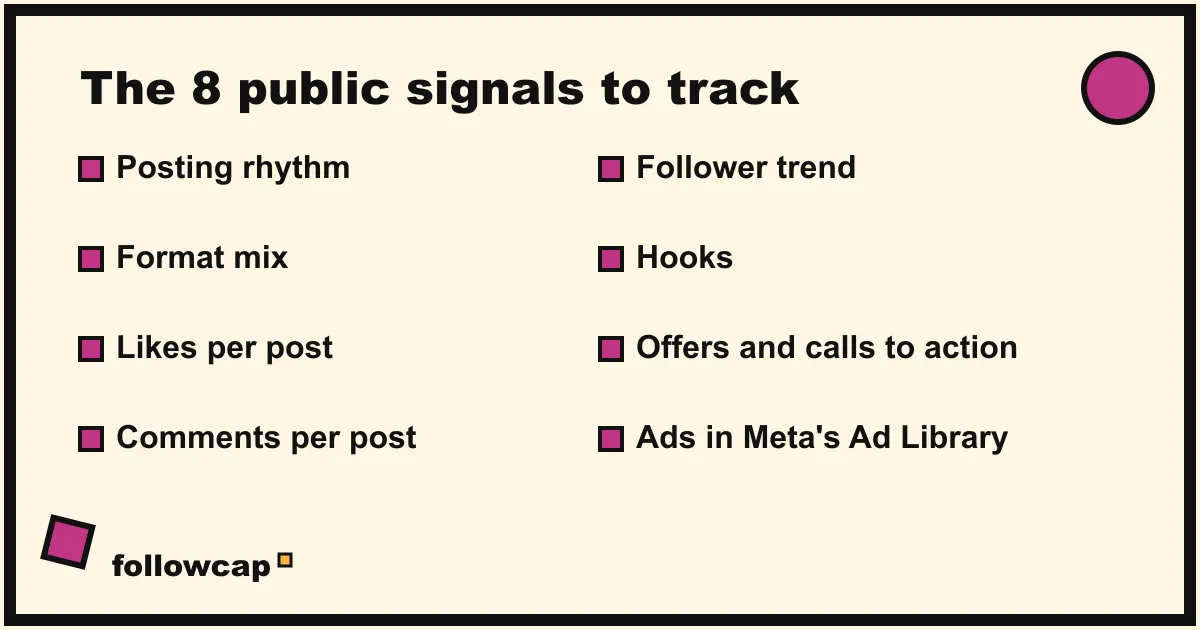
- Posting rhythm. Posts per week, and which days. Count feed posts and Reels; Stories disappear and are not worth logging by hand. Rival IQ’s 2025 report noted that median Instagram posting frequency dipped slightly for the first time in three years, so a competitor that doubles output is doing something deliberate.
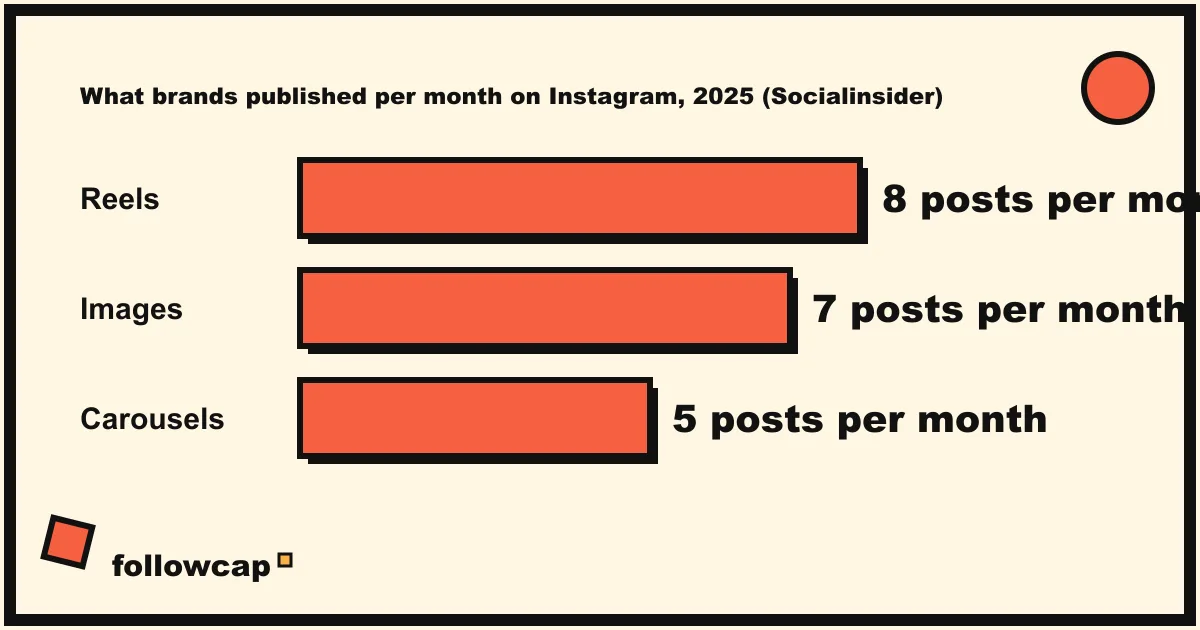
- Format mix. Reels, carousels, single images, collaborations. Socialinsider’s 2025 figures have brands publishing about 8 Reels, 7 images and 5 carousels a month on Instagram. Log what your competitors actually do, not what the averages say.
- Likes per post. Log the week’s total and the best post’s count.
- Comments per post. The better signal, because comments cost effort. A post with average likes and triple the comments usually asked a question, started an argument or announced something.
- Follower trend. The current count, logged on the same day each week. One week means nothing; twelve weeks is a curve.
- Hooks. The first line of the caption and the first frame of the best post. This is the part most sheets skip and the part most worth copying the structure of, never the words.
- Offers and calls to action. A launch, a discount, a new link in bio, a waitlist. Screenshot it; it will be gone next week.
- Ads. Meta’s Ad Library lets anyone search all the ads currently running across Meta technologies, and an ad appears there within 24 hours of its first impression. Search the competitor’s name once a week: what they pay to push is the clearest statement of what they think works.
The 30-minute weekly routine
Most advice on how to monitor competitors on social media ends with “use a tool”; this routine needs a browser and a sheet. Set one slot, the same day every week. Monday works because the weekend posts are in. The routine assumes four competitors; add five minutes per extra one.
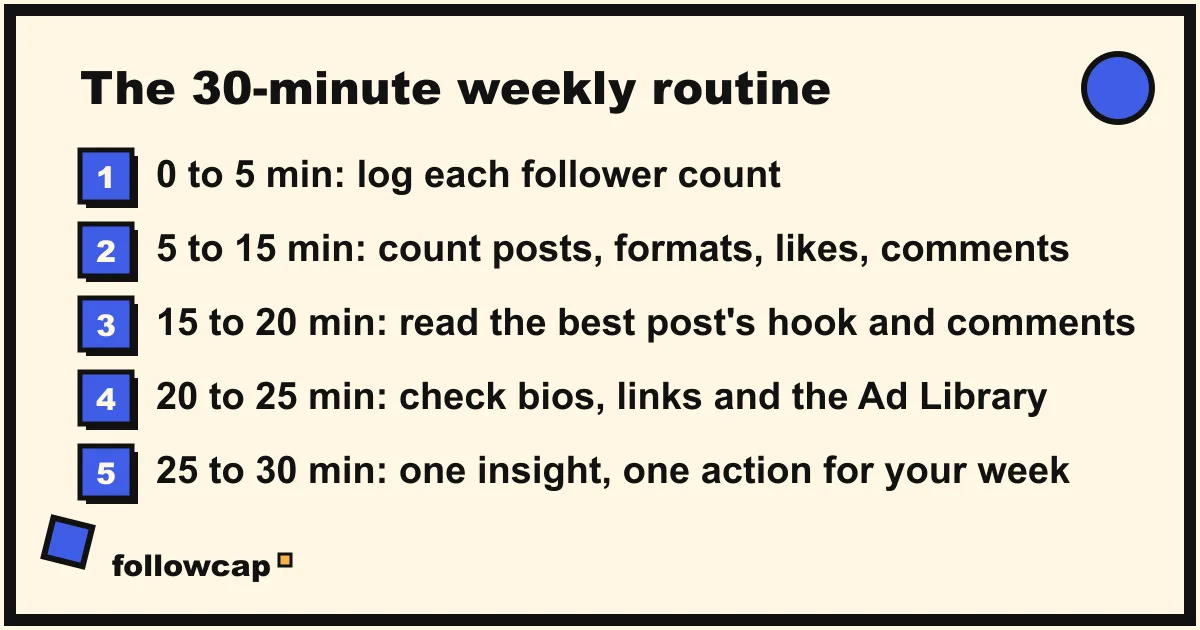
Minutes 0 to 5: follower counts. Open each profile, type the follower number into this week’s row, and let the sheet compute the change. Do it first, because it is the one number that must be captured on the same weekday to mean anything.
Minutes 5 to 15: the week’s posts. Scroll back to last Monday. For each account, count the posts, mark the formats, and write the likes and comments of each post into the sheet. If you only have time for one number per post, take comments.
Minutes 15 to 20: the best post. For each account, open the post with the most comments. Read the first line, the first frame and the first ten comments. Write one sentence: what did it do and why did people answer.
Minutes 20 to 25: offers and ads. Check each bio and link, then search each name in the Ad Library. New ad, new offer, new price: one line each, with a screenshot if it matters.
Minutes 25 to 30: insight and action. One line per competitor (“posting daily Reels since October 20, comments up, likes flat”) and one action for you this week (“try a question hook on Thursday’s carousel”).
The weekly cadence is not arbitrary. Crayon’s 2026 State of Competitive Intelligence report found that roughly 56 percent of teams share competitive intelligence weekly, daily or in real time, and that teams sharing weekly or faster report revenue impact at 79 percent, against 41 percent for teams sharing monthly or less often.
The simple sheet
One tab, one row per account per week. The columns:
| Column | What goes in it | Why |
|---|---|---|
| Week of | Monday’s date | Keeps rows comparable |
| Account | @handle | One row per account |
| Followers | Count on Monday | Trend over 12 weeks |
| Change | This week minus last week | The number people actually look at |
| Posts | Feed posts plus Reels published | Rhythm |
| Formats | R / C / I counts | Mix |
| Likes | Total for the week | Crude signal |
| Comments | Total for the week | Better signal |
| Best post | Link | Go back later |
| Hook | First line or first frame, in your words | The copyable part |
| Offer or ad | New offer, link or ad seen | What they push with money |
| Insight | One sentence | The point of the exercise |
Add a second tab with your own account in the same columns. Social media competitor analysis template has a filled example you can copy, and Instagram competitor analysis explains how to choose which accounts deserve a row.
Free tools that help, and where each stops
Post notifications and Favorites. On a competitor’s profile you can turn on notifications for their posts, and you can add accounts to Favorites so their posts sit at the top of your feed. Both are real-time and free; neither keeps a record, so the sheet still does the remembering. Get notified when someone posts on Instagram walks through the settings.
Meta Ad Library. Public, searchable without an account, and the only place to see what a competitor is paying to promote. It shows the creative, the start date and the platforms, not the spend, outside political and issue ads.
Meta Business Suite benchmarking. As of late 2026, Business Suite offers a Benchmarking section under Insights with a comparison against similar businesses and a list of businesses to watch. Meta does not document the feature on a help page we could find and the menu names have changed more than once, so check your own Business Suite.
Instagram Insights. Only for your own account. Instagram’s help page says insights cover your public account’s content and followers, with a preset or custom timeframe within the past 90 days. Nothing in Insights shows another account, which is why the sheet exists.
A weekly recap in your inbox. If the sheet is the part you keep skipping, this is where Followcap fits, and since it is our product, read this as the maker’s description. You type the usernames of public creator or business accounts, with no Instagram login, and every Sunday you get one email with a 30-second summary, the three posts not to miss, a two to three line recap of the best posts from each account with their links, and “what you can apply this week”. Three accounts are free with no card. Premium (€9 a month, 10 accounts) adds weekly numbers per account (posts, likes, comments, best post, follower growth) and an archive page; Business Pro (€29 a month, 50 accounts, 3 team users) adds a dashboard with alerts, CSV export and a “you vs your niche” view. The limits: it is weekly, not real time; it covers public creator and business accounts only; it sees public posts, likes, comments and follower counts and nothing else, so no reach, saves, views, hashtags or audience data; and the paid plans are paid after the 7-day trial, with a 30-day money-back. For listening across the whole web, or for Facebook, TikTok and LinkedIn, the platforms in social media monitoring tools are the right category.
What to do with the findings
A sheet nobody acts on is a hobby. Three uses that pay back the 30 minutes:
Copy the format, never the content. If a competitor’s carousels get twice the comments of their Reels, test a carousel on your own topic. The structure of a hook travels; the words do not, and copying them gets noticed.
Calibrate before you panic. Put your own numbers next to theirs. If everyone’s likes are down 15 percent in the same fortnight, the platform moved, and Instagram engagement rate benchmarks gives the wider context. If only yours are down, look at your last four hooks.
Build a hook library. The one-sentence “hook” column, after twelve weeks, is 48 openings that provably worked in your niche. It is worth more than any swipe file sold online.
The line: public data only
Everything above uses what any logged-in user can see on a public profile, plus Meta’s Ad Library. Stay on that side of the line.
Instagram’s Terms of Use say that you cannot access or collect information in an automated way without Instagram’s express permission, whether or not you are logged in, and that you cannot sell, license or purchase any account or data obtained from the service. Scrapers and “spy” extensions put your own account at risk for numbers you can read with your eyes in ten minutes.
Private accounts are off limits. A competitor who went private has chosen not to be watched; following from a fake account is both against the terms and the kind of thing that surfaces at the worst moment.
Apps that ask for your Instagram password to “track competitors” cannot see anything you cannot, because the data is public. What they can do is use your account to follow, like and scrape, which is the behaviour Instagram limits.
What no monitoring can show you
A competitor’s reach, saves, Story views, watch time, audience countries and ages, ad spend, DMs and sales are all private to their login. Any tool that claims to show a competitor’s reach is estimating from likes and comments. Plan around the public signals and treat the private ones as the unknowns they are.
FAQ
How often should you monitor competitors on social media?
Weekly, on a fixed day. Daily checking produces reactions, not patterns, and monthly reviews miss the launch that lasted five days. Crayon’s 2026 report found teams sharing competitive intelligence weekly or faster reported revenue impact at nearly twice the rate of monthly teams.
Is it legal to monitor competitors on social media?
Reading public profiles and the Ad Library is normal and allowed. Collecting data in an automated way without Meta’s permission breaks Instagram’s Terms of Use, and so does buying data or using a fake account to see a private profile. Keep to public, manual or officially permitted methods.
Can competitors see that I am watching them?
They can see that you follow them and whatever you like or comment. They cannot see profile visits, Ad Library searches or that you turned on notifications. Story views are visible to the poster, so view Stories only if you are happy to be seen.
Which metric matters most when monitoring competitors?
Comments per post, logged weekly. Likes are cheap and inflated by Explore; follower counts lag by months. Comments show which post made people stop and type, and the best-post hook next to it tells you why.
Related reading
- Instagram Monitoring: What It Is and How to Do It in 20 Minutes a Week
- Social Media Monitoring for Small Business: A 30-Minute Weekly Routine
- The Best Instagram Analytics Tools in 2026 (Yours and Others’)
The bottom line
Most guides on how to monitor competitors on social media end in a tool pitch; the job itself is a short list, a sheet and a fixed half hour. Three to five public accounts, eight signals logged every Monday (followers, posts, formats, likes, comments, best hook, offers, ads), one sentence of insight and one action per week, all from the public side of Instagram’s terms. If keeping the log by hand is the step you keep dropping, a weekly recap of public accounts such as Followcap, which we make, can hand you the numbers and the posts every Sunday, so the 30 minutes go to reading the hooks and deciding what to try.