Social Media Monitoring for Small Business: A 30-Minute Weekly Routine
Social media monitoring for small business on no budget: what to watch, a free stack (Business Suite, Google reviews, Alerts, Ad Library) and a 30-minute weekly routine.
 Andrea Marino10 min read
Social media monitoring for small business means three things, in this order: answering what people say to you (comments, messages, reviews), watching the three to five businesses you lose customers to, and noticing what is changing in your niche. All three fit in 30 minutes a week with free tools, if you stop scrolling and follow a list.
Quick answer: open Meta Business Suite Inbox and your Google reviews first and reply to everything (10 minutes). Check Google Alerts and tagged posts for mentions (5 minutes). Open the profiles of 3 to 5 competitors, note their best post and any offer (10 minutes). Check the Meta Ad Library for their new ads (3 minutes). Write three lines and pick one thing to test (2 minutes).
What a small business actually needs to monitor
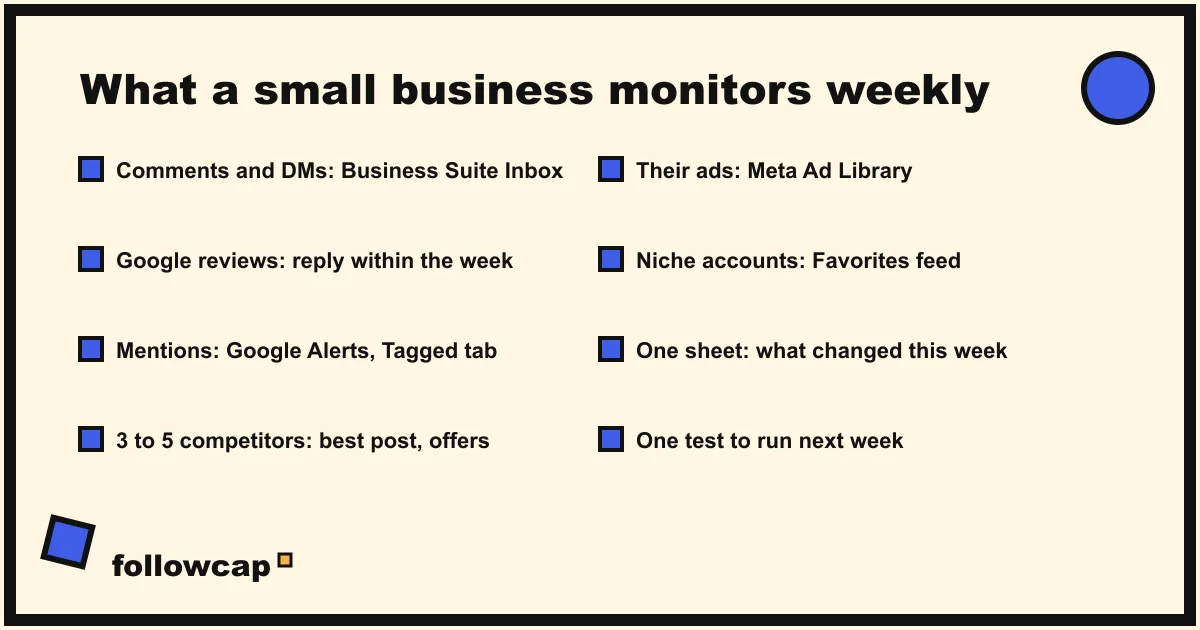
Most guides on this topic are written for brands with a social team. A café, a studio or a two-person agency has a handful of mentions a week, each of which matters, and no time. The list is short.
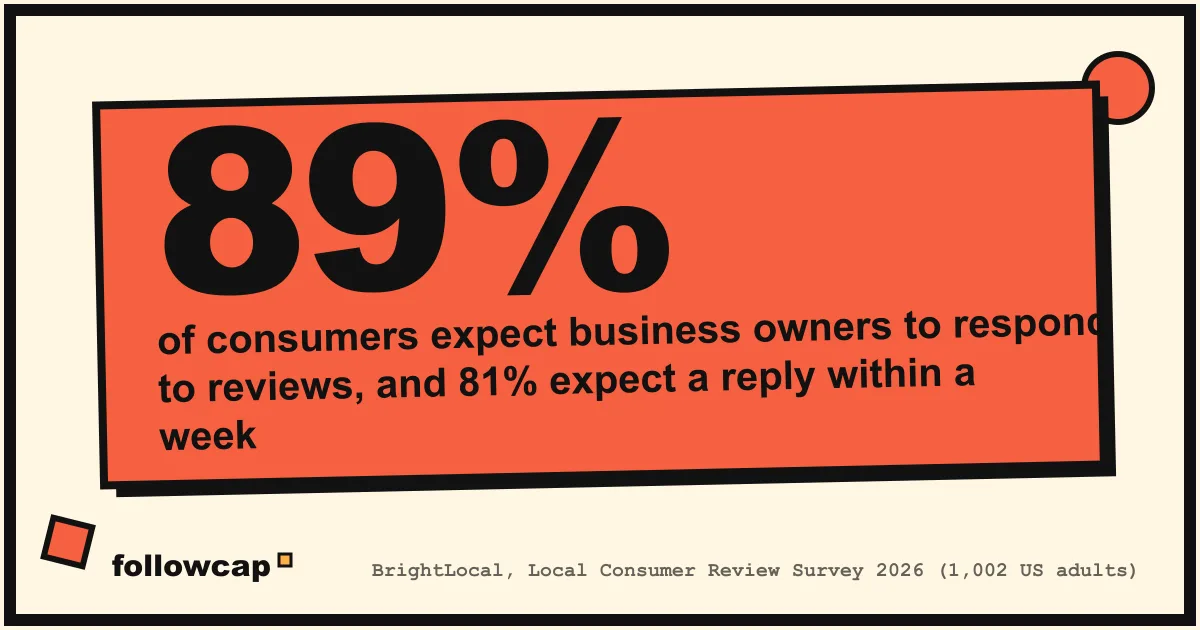
Your own channels. Comments on your posts, direct messages, reviews on Google and on the platforms you sell through, and posts where customers tag you. This is the only part of monitoring that loses you money when it slips. BrightLocal’s Local Consumer Review Survey 2026, a panel of 1,002 US adults, found that 89 percent of consumers expect business owners to respond to reviews and 81 percent expect to hear back within a week.
Three to five competitors. Not the whole market: the businesses a customer would pick instead of you, the two or three in the same town, the shops that come up for your product, the people pitching the same clients. Watch their public posts, offers, new formats and ads. What you cannot see, their reach, saves, Story viewers or sales, is covered in how to monitor competitors on social media.
A few niche signals. Two or three larger accounts in your field whose ideas arrive in your town six months later, plus any local page where your customers talk. The source of content ideas and early warnings, and the first thing to cut on a short week.
Sentiment dashboards, share of voice and influencer discovery matter at a scale a small business has not reached.
The free monitoring stack
Six free tools cover the list above, each doing one job well.
| Tool | What it watches | Cost | Time a week |
|---|---|---|---|
| Meta Business Suite Inbox | Messages and comments on Facebook, Instagram, WhatsApp | Free | 5 to 10 min |
| Google Business Profile | Reviews on Google Search and Maps | Free | 3 min |
| Google Alerts | Mentions of your business name on the web | Free | 2 min |
| Instagram Favorites | Up to 50 accounts in a chronological feed | Free | 5 to 10 min |
| Meta Ad Library | Competitors’ active ads on Facebook and Instagram | Free | 3 min |
| A spreadsheet | What you noticed, week by week | Free | 2 min |
Meta Business Suite Inbox. Meta’s help page About Inbox in Meta Business Suite says the Inbox lets you manage your business’s communications across Messenger, Instagram and WhatsApp in one place, read and respond to comments on your Facebook and Instagram posts, filter by platform, mark conversations to follow up later, and set automations such as away messages and keyword replies. It only shows comments from connected business assets, so link the Instagram professional account to the Page first.
Google Business Profile. Google’s help page Manage customer reviews gives the path: go to your Business Profile, select Read reviews, select the reply icon next to a review, write, and select Reply. You must verify the business before you can reply, and Google checks replies against its content policy, usually within 10 minutes.
Google Alerts. Google’s Create an alert page: type the topic, click Show options to set how often you are notified, the sources, language and region, then Create Alert. Set one alert for your business name in quotes, one for your own name if you are the brand, and one per competitor. Alerts catch web pages and news, rarely social posts.
Instagram Favorites. Instagram’s announcement Control your Instagram Feed with Favorites and Following describes a list of up to 50 accounts whose posts appear in a separate chronological feed, reached by tapping Instagram in the top left of the home page, and says people are not notified when they are added or removed. With your competitors and niche accounts in it, the competitor scan becomes one scroll; Instagram Favorites covers the setup.
Meta Ad Library. Meta’s help page About the Meta Ad Library says it “contains all active ads that are shown across Meta technologies”, that anyone can view and search it by term, name or Page, and that it also includes active branded content with a paid partnership label. Search a competitor’s Page name and you see every ad they are running now, with its creative and start date; spend is not shown for ordinary commercial ads. How to see competitors’ ads on Instagram walks through the filters.
A spreadsheet. One tab, one row per week: date, mentions handled, competitor moves, best competitor post (link), idea to test. Without a record, monitoring is scrolling with a purpose. Our list of free social media monitoring tools adds a few more for specific cases.
The 30-minute weekly routine, step by step
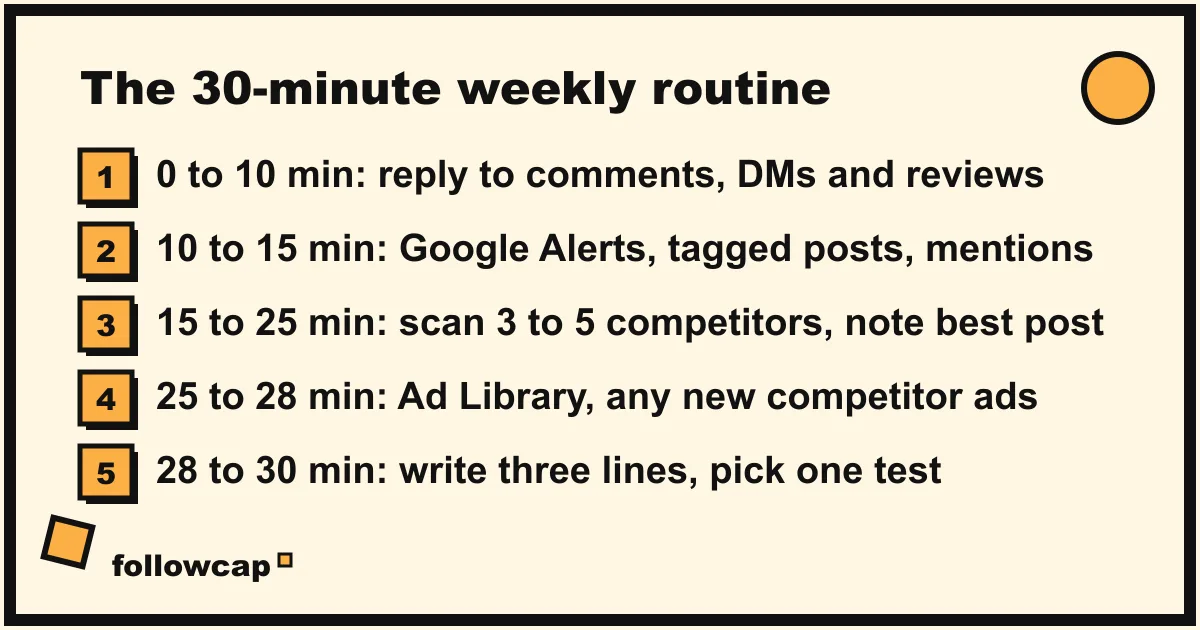
Pick a fixed slot and keep the order. The first ten minutes cannot slip; the rest can be cut on a bad week.
- Minutes 0 to 10: answer everyone. Open Business Suite Inbox, filter to unread, reply to comments and messages, mark anything that needs a decision for follow-up. Then open Google reviews and reply to every new one, good or bad, in two or three sentences. Daily is better for messages; weekly is the floor.
- Minutes 10 to 15: find the mentions you were not sent. Read the week’s Google Alerts emails. On Instagram, check the Tagged tab of your profile and search your business name once. Thank, correct or note each one.
- Minutes 15 to 25: scan the competitors. Open the Favorites feed, or each competitor’s profile. For each, write one line: how many posts, which did best (likes and comments), any offer, price change, new format or product. Read the comments under their best post: what their customers ask for.
- Minutes 25 to 28: check their ads. Search each competitor in the Ad Library. New ad this week? Note the offer and the angle.
- Minutes 28 to 30: write three lines and pick one test. What people said to you, what competitors did, what you will try this week: a format, an offer, a reply template, a posting time.
Our estimate is that studying one account properly by hand takes about 15 minutes a week, so five competitors done fully cost over an hour; the ten-minute scan above is the version you can keep, and the first place a tool pays for itself.
What to do with what you find
Three verbs turn the 30 minutes into results.
Reply. Every comment, message and review gets an answer within the week: a short, specific, unemotional reply to a bad review is read by every future customer who opens your profile. Three templates (thanks; sorry, here is the fix; here is the answer) make replies a minute each.
Note. Competitor moves go in the sheet with a link and a date. After eight weeks you see patterns no single week shows: who posts offers at month end, which format their audience likes, which product they keep pushing.
Test. The one experiment a week goes on a short list with a start date and the number you will judge it by. A competitor’s format that doubles their comments is a hypothesis until you try it on your own audience. Copy the idea and the format; never repost their photos or videos, which need the owner’s permission.
What no monitoring can show a small business
Set expectations before the first week.
- Competitors’ real numbers. Reach, saves, Story views, website clicks and sales live in their Insights. You see likes, comments, follower counts and posting rhythm, enough to spot what works, not how much it earned.
- Everything said about you. Google Alerts miss most social posts; Instagram search misses posts that do not tag you.
- Why a competitor did something. A new offer may be a test, a clearance or a mistake. Watch whether it repeats before reacting.
- Private accounts and private messages. Monitoring is public posts and the messages sent to you. Any tool that promises more is asking for your password, breaking Instagram’s terms, or inventing data.
When to pay for a tool, and which kind
The routine fails in three recognisable ways, and each points to a different kind of tool.
The inbox slot overflows. When replying takes more than 15 minutes a day, or two people share the job, a suite with a shared inbox and assignment is the fix. Business Suite does this free for Meta’s platforms; paid suites add TikTok, LinkedIn, X and reporting.
Mentions you do not see start to matter. If you serve many customers, get press, or have a reputation problem, a listening tool that scans the web and social platforms for your name earns its price. Below a few hundred mentions a month it is overkill.
The competitor scan stops happening. The most common failure, because no customer is waiting at the other end, and the step we built a product for. Followcap is ours, so read this as the maker’s description. You type the usernames of the public Instagram business or creator accounts you want to watch, with no Instagram login or password needed, and every Sunday you get one email: a 30-second summary of the week, the three posts not to miss, then the best three posts of each account with a short recap, their day and their links, and “what you can apply this week”. Three accounts are free with no card and no time limit. Premium (€9 a month, 10 accounts) adds the weekly numbers per account and an archive page that keeps every post, searchable by account. The limits: weekly, not real time; public creator and business accounts only; posts, likes, comments and follower counts, never reach, Stories, mentions, hashtags or ads. It replaces step 3 of the routine and nothing else, and reading the email takes about five minutes by our estimate.
Whichever you buy, keep the free stack underneath it; no paid tool replaces Business Suite Inbox, Google reviews and the Ad Library at this scale.
FAQ
What is social media monitoring for a small business?
Watching and answering what is said to and about your business on social platforms and review sites, and keeping an eye on a few direct competitors: a weekly routine of replying, noting and testing, not a dashboard.
How much time should a small business spend on social media monitoring?
About 30 minutes a week on a fixed day, plus a daily glance at messages. The first ten minutes, replies to comments, messages and reviews, cannot be skipped.
Is there free social media monitoring for small businesses?
Yes: Meta Business Suite Inbox for comments and messages across Facebook, Instagram and WhatsApp, Google Business Profile for reviews, Google Alerts for web mentions, Instagram Favorites for competitor and niche posts, and the Meta Ad Library for competitors’ ads. A spreadsheet keeps the history.
How do I monitor competitors as a small business?
Pick three to five businesses customers would choose instead of you, put their Instagram accounts in your Favorites feed, spend ten minutes a week noting their best post, offers and new formats, search them in the Ad Library, and log it in a sheet. A weekly recap email automates that step for public accounts.
Do I need a paid social media monitoring tool?
Not at first. Pay when one step stops fitting its slot: a shared inbox suite when replies overflow, a listening tool when untracked mentions matter, a competitor recap when the weekly scan stops happening.
Related reading
- How to Keep Track of Competitors on Social Media Without a Big Budget
- Instagram Monitoring: What It Is and How to Do It in 20 Minutes a Week
- Social Listening vs Social Monitoring: The Difference, With Examples
The bottom line
Social media monitoring for small business is a 30-minute weekly routine, not a software category: reply to every comment, message and review first, find the mentions you were not sent, scan three to five competitors and their ads, write three lines, test one thing. Meta Business Suite Inbox, Google Business Profile, Google Alerts, Instagram Favorites and the Meta Ad Library do it for free; a sheet keeps the history. Buy a tool only for the step that keeps failing: a shared inbox when replies overflow, a listening tool when mentions scale, or a weekly competitor recap such as Followcap when the scan is the part you skip.