Instagram Monitoring: What It Is and How to Do It in 20 Minutes a Week
Instagram monitoring explained: the three jobs the phrase covers, a 20-minute weekly routine with a checklist, what to write down and what no monitoring can see.
 Andrea Marino10 min read
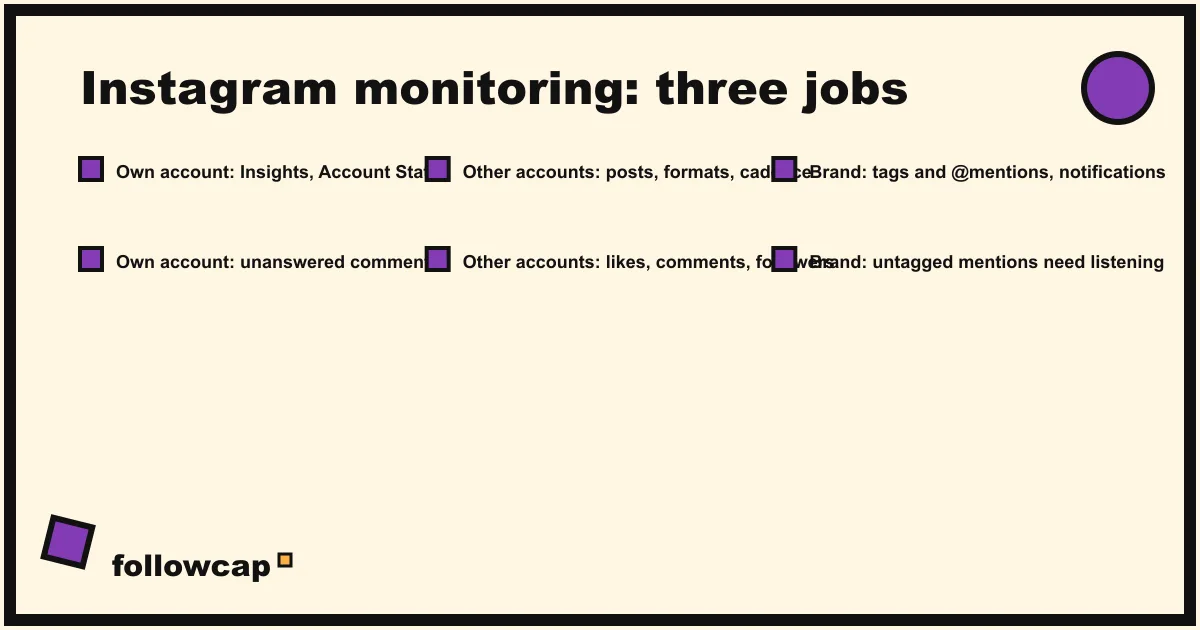
Instagram monitoring is the habit of checking, on a fixed schedule, what happens on Instagram around your work: your own account’s numbers and comments, the public posts of the competitors and reference accounts you care about, and the places where your brand is mentioned. Done weekly, with a checklist and one sheet, the whole job takes about 20 minutes.
Quick answer: decide which of the three jobs you need (own account, other accounts, brand mentions), open the right screen for each (Insights and Account Status, the public profiles, notifications or the Business Suite inbox), write down the same short list of numbers every week, and read the trend monthly. Move to a tool past five accounts, or when you need history you did not build.
One phrase, three different jobs
Most pages ranking for this phrase sell one product: a listening suite, a competitor tracker or a parental app. The parent case is covered in how to monitor an Instagram account. For people who watch Instagram for work, the phrase covers three jobs, each with its own data source.
| Job | What you watch | Where the data lives | Who needs it |
|---|---|---|---|
| Your own account | Views, interactions, follower change, comments, restrictions | Insights, notifications, Account Status | Anyone with a professional account |
| Competitors and reference accounts | Public posts, cadence, formats, likes, comments, follower count | Their public profiles | Social media managers, agencies, creators |
| Your brand | Tags, mentions, hashtags, comments about you elsewhere | Notifications, Business Suite inbox, listening tools | Brands with enough volume to miss things |
Analytics explains what already happened to your own content; monitoring is the scheduled look, at your account and at others, that catches change early; listening searches the whole platform for words rather than accounts, as social listening vs social monitoring explains. Most small teams need the first two jobs and never the third.
Job 1: Monitoring your own account
Insights: the numbers
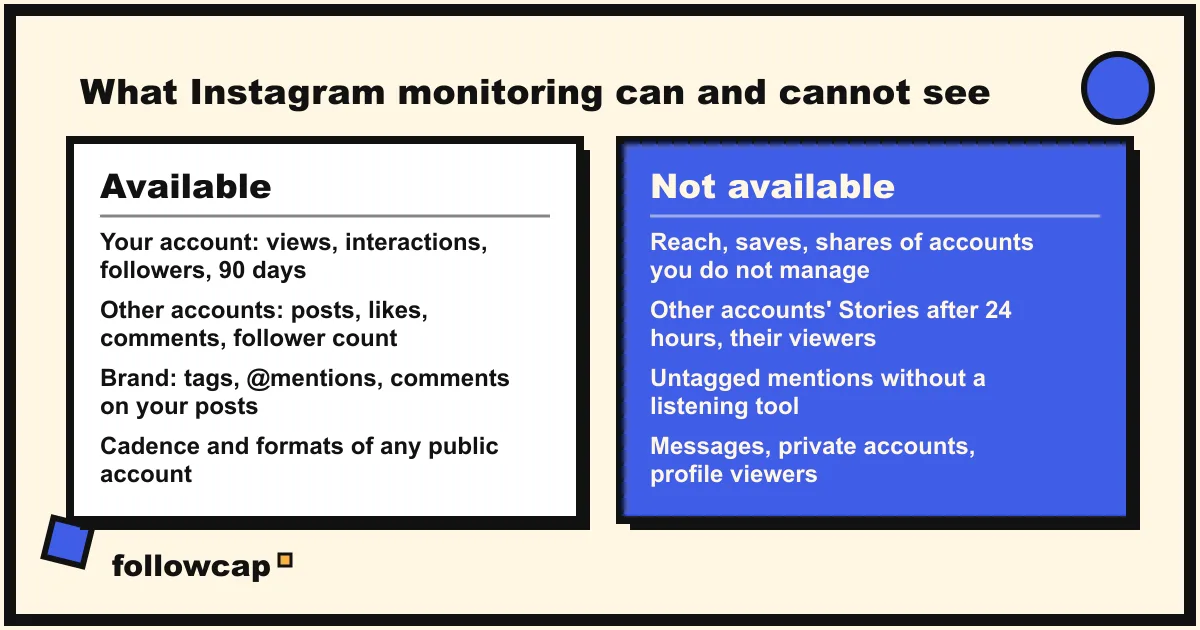
Instagram’s help page About Instagram insights says that a public account can use free insights for overall trends across followers and content. The in-app overview shows Views, Interactions, New followers and Content you shared, for a timeframe within the past 90 days, and each post, Reel, Story or Live has a View insights button with Views, Viewers, Interactions and Accounts engaged.
Write down five numbers a week: posts published, views, interactions, net follower change and the best post with its link. The 90-day window is why: your sheet becomes the only record of how this quarter compares with the last. How to see Instagram Insights walks through each metric.
Comments and tags
For a creator, the notifications tab is enough: comments, tags and mentions arrive there. For a business, Meta’s help page About Inbox in Meta Business Suite describes one inbox that shows comments on Facebook and Instagram posts, with filters for Unread, Follow up, Done and Spam, and lets you reply, delete or mark a comment for later. It only shows comments on assets connected to Business Suite. The weekly number to note: comments you have not answered.
Account Status: restrictions
Account Status is where Instagram tells you if something you posted broke its rules and which features you can no longer use. The help page Check your Account Status on Instagram gives the path on a computer, More, then Settings, then Account Status below More info and support, and lists three sections: Removed content, Features you can’t use and Request a review. Thirty seconds a week; if views fall, open this screen before blaming the algorithm.
Job 2: Monitoring competitors and reference accounts
For an account you do not own, you see what any visitor sees: the grid, each post’s date, caption and format, the comments, the follower and following counts, the bio and link, and the like count unless the poster hid it. Instagram’s help page Hide or unhide like counts on Instagram posts and reels confirms that a poster can hide like and view counts on a post before or after sharing it, and still sees the total themselves, so a missing count is a choice, not a glitch.
What you write down per account, every week:
- Posts this week, split into Reels, carousels and single images.
- Best post by likes and comments, with its link and one line on why it worked.
- Follower count, so the trend builds up over the weeks.
- Anything new: a bio change, a new link, a pinned post, a collaboration, a new format.
Cadence needs context. In Rival IQ’s 2026 Social Media Industry Benchmark Report, based on 150 companies per industry across 18 industries, the all-industry median for brands on Instagram was 3.69 posts per week and the median engagement rate per post, interactions divided by followers, was 0.30%. A competitor posting ten times a week, or holding 1% engagement, is worth studying.
Post notifications (the bell on their profile) and the Favorites feed (up to 50 accounts, posts in order) keep these accounts in view for free; neither tells the account, and neither keeps history, which is why the sheet matters.
Job 3: Brand monitoring: mentions, tags and hashtags
When another account tags you or writes your @handle, Instagram notifies you. What it cannot show you is the untagged mention: your brand name typed without the @, a misspelling, a product name, a hashtag you did not create. Finding those means searching the platform for words rather than watching accounts, which is what listening tools do.
Before paying for one, do the free version for a month: once a week, type your brand name and its most common misspelling into the search bar, open the Tags and Places tabs, check the hashtag you use most. A handful of missed mentions, or a category where a complaint spreads in a day, and a listening tool earns its price. Two mentions a month, and you have your answer.
Two limits apply to every brand tool: a Story mention disappears after 24 hours, and nothing sees inside a private account or a direct message.
The 20-minute weekly routine
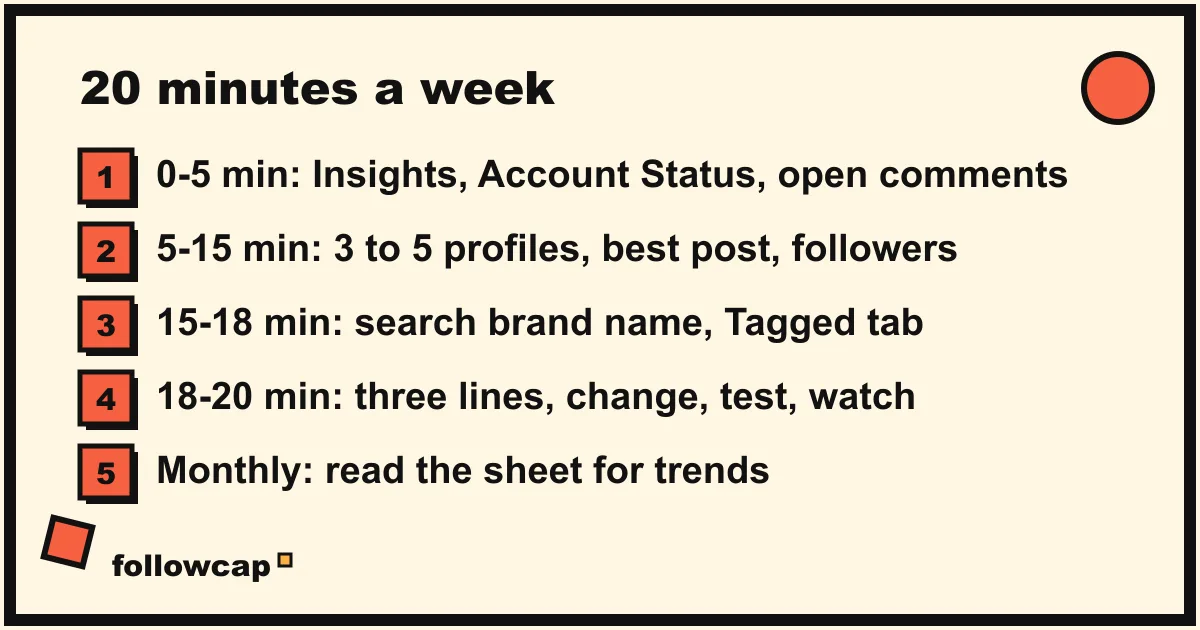
Pick a fixed slot (Monday morning, when the week’s posts are complete) and run the same checklist every time.
- Minutes 0 to 5, your account. Insights, last 7 days, five numbers into the sheet: posts, views, interactions, net followers, best post. Open Account Status. Count unanswered comments.
- Minutes 5 to 15, three to five accounts. For each, open the profile, count the posts since last week, note the best one with its likes and comments, write the follower count, scan the bio for changes. Two minutes each.
- Minutes 15 to 18, your brand. Tagged tab, notifications, a search for the brand name and one misspelling; note anything that needs a reply.
- Minutes 18 to 20, the note. Three lines: what changed, one thing to test, one thing to keep watching.
- Once a month, 10 extra minutes. Read the sheet top to bottom for trends: whose follower count is bending, which format keeps winning, whether your numbers follow theirs.
The sheet needs eight columns: date, account, posts this week, best post link, likes, comments, follower count, note. One row per account per week. After six weeks trend lines appear; after three months you can tell whether the account that doubled its Reels also grew faster.
Twenty minutes logs the numbers and catches change; it does not study the content. Watching a competitor’s four Reels of the week properly, noting hook, format, length and call to action, takes about 15 minutes per account, in our estimate. Three accounts is 45 extra minutes; ten is about 2 hours 30 a week, and a habit becomes a job.
What no method can see
Every method, by hand or paid, hits the same wall for accounts you do not manage:
- Reach, saves and shares. They live in that account’s Insights; only the owner sees them.
- Stories. You can watch a public account’s Stories while they are live, and your name then appears in its viewer list; nothing records them for you.
- Audience data. Age, location and active hours of another account’s followers are not public.
- Messages and private accounts. Not available to anyone who respects Instagram’s terms.
- Who viewed a profile. Instagram does not expose it, for any account.
For your own account, the wall is time: Insights shows at most 90 days.
When to move from by hand to a tool
The sheet works until you watch more than five accounts, a client wants a report, a teammate needs the same data, or you want history for a month you did not log. Each points to a different tool: Insights and the Business Suite Content tab for your own account, a listening tool for mentions, and for other accounts a service that logs public posts and numbers on a schedule. The best Instagram monitoring tools compares eight of them.
The weekly recap is the kind we make. Followcap is our product, so read this as the maker’s description. You type the usernames of public Instagram creator or business accounts, no Instagram login or password needed, and every Sunday you get one email: a 30-second summary of the week, the three posts not to miss, then each account’s best three posts (most liked and commented first) with a two to three line recap, the day and the link, and “what you can apply this week”; if an account posted more than three times, the email says how many more there were. Three accounts are free, no card, no time limit. Premium (€9 a month, 10 accounts) adds the weekly numbers per account (posts, likes, comments, best post, follower growth) and an archive page that keeps every post of every week; Business Pro (€29 a month, 50 accounts, 3 team users) adds a dashboard with alerts and CSV export. Its limits are the ones above: weekly, not real time; public creator and business accounts only; posts, likes, comments and follower counts, so no reach, saves, views, Stories, mentions, hashtags or audience data; and paid plans are paid after the 7-day trial, with a 30-day money-back.
Whatever you choose, skip any app that asks for your Instagram password to “monitor” other accounts. Instagram’s help page Why your account has been restricted for data scraping lists giving your username and password to a third-party app among the behaviours that get an account restricted, and what such apps show for other accounts cannot be checked.
FAQ
What is Instagram monitoring?
Instagram monitoring is the scheduled check of Instagram activity that matters to your work: your own account’s performance and comments, the public posts and numbers of competitors and reference accounts, and mentions of your brand. It differs from analytics, which explains your own past numbers, and from listening, which searches the platform for words.
Is it legal to monitor Instagram accounts?
Watching public business and creator accounts, their posts, likes, comments and follower counts, is ordinary use of a public platform. What is not: giving your password to a third-party app, automating access against Instagram’s terms, or installing software on another person’s phone, which in most countries is a crime.
What is the difference between monitoring and analytics on Instagram?
Analytics is the set of numbers Instagram computes about your own content: views, interactions, followers, audience. Monitoring is what you do on a schedule: reading those numbers weekly, logging other accounts’ public results, checking mentions. You need only a public profile to monitor someone else’s account.
How often should you monitor Instagram?
Weekly for the numbers, because posts and follower changes are visible by then and daily checks add noise. Monthly for trends, once six or more weekly rows make a pattern readable. Daily only for mentions, and only if a complaint could spread before Monday.
Can you monitor another account’s Instagram Stories?
Only live, by watching them, and the account then sees your name in its viewer list. Stories vanish after 24 hours and no legitimate tool archives another account’s Stories or reports its viewers.
Related reading
- How to Keep Track of Competitors on Social Media Without a Big Budget
- How to Monitor Competitors on Social Media (a Weekly Routine)
- How to See Competitors’ Ads on Instagram (Meta Ad Library, Step by Step)
The bottom line
Instagram monitoring is three jobs, not one product. Your own account takes five minutes in Insights and Account Status. Competitors and reference accounts take two minutes each on their public profiles, logged in an eight-column sheet or summarised once a week by a service such as Followcap, which we make and which sees only the public posts and numbers. Brand mentions take a search bar until the volume justifies a listening tool. Twenty minutes a week, the same checklist every time, and after three months you will know things about your niche that no single app could have told you.