Instagram Engagement Tracker: Likes and Comments on Any Public Account
Instagram engagement tracker guide: what you can track on your own account versus any public one, a tracker sheet, the engagement rate formula, tools and apps to avoid.
 Andrea Marino10 min read
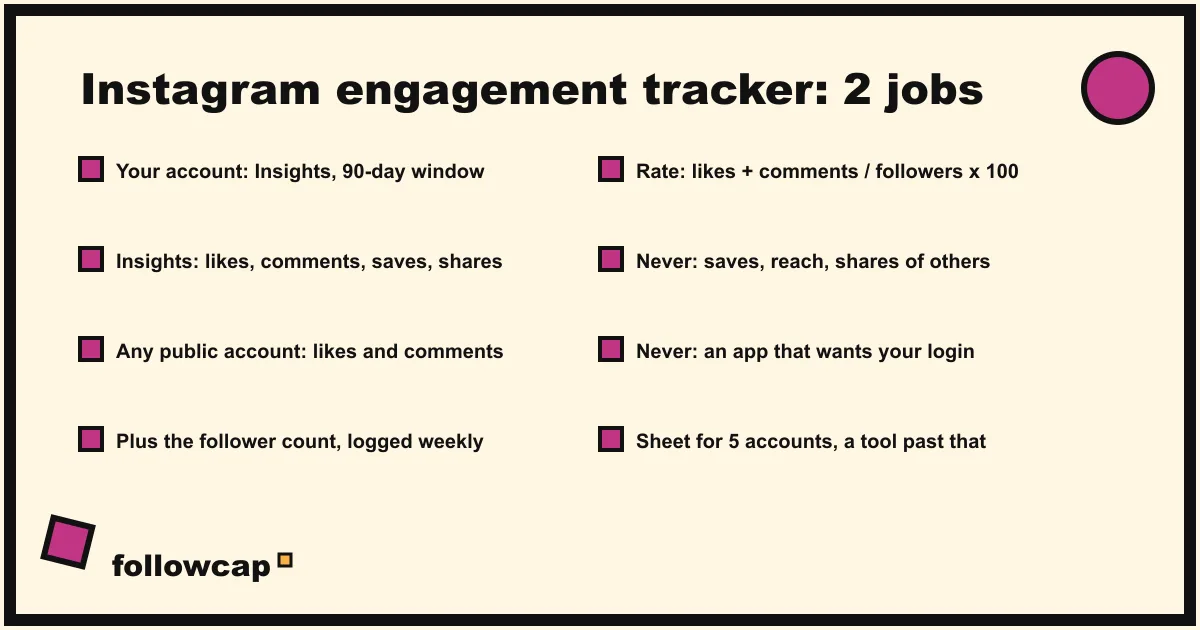
An Instagram engagement tracker does one of two jobs. For your own account, it reads Insights: likes, comments, shares, saves, views. For any public creator or business account, it logs what the profile shows to everyone: likes per post unless the owner hides them, comments, and the follower count, then turns them into an engagement rate over time.
Quick answer: for your own account, open Insights and read Interactions; for any public account, log likes, comments and followers per post in a sheet (or let a tool do it), then compute engagement rate as (likes + comments) ÷ followers × 100, averaged per week. Tools that track other accounts from public data include Socialinsider, Metricool, Not Just Analytics and Minter.io, compared below. Never give an “engagement tracker” app your Instagram login: it cannot see anything the public profile does not show, and it puts your account at risk.
Two kinds of engagement tracking, and what each can see
The phrase covers two different situations, and most pages blur them.
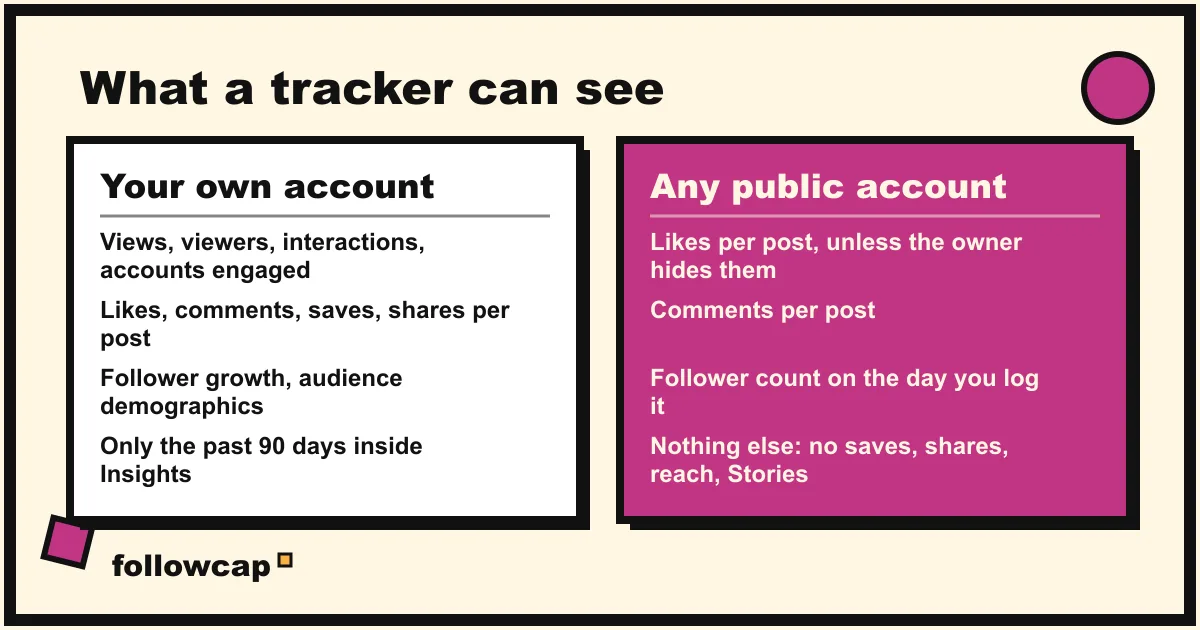
Your own account. Instagram’s help page About Instagram insights says a public account gets free insights with an overview of Views, Interactions, New followers and Content you shared, for a timeframe within the past 90 days. It defines Interactions as “the number of actions people take when they engage with your content, such as likes, comments, saves and shares”, and lists Views, Viewers, Interactions and Accounts engaged per post, Reel, Story or Live. The catch is the 90-day window, which is why a sheet or a tool that stores history matters even for your own numbers; how to see Instagram Insights walks through each screen.
Any public account you do not own. You see what any visitor sees: the posts, their dates and formats, the comments, the follower count, and the like count on each post unless the owner has hidden it. Instagram’s help page on hiding or unhiding like counts explains that a poster can turn off like and view counts on a post before or after sharing it, and still sees the total themselves. So for other accounts, “engagement” means likes plus comments, the two public signals. Saves, shares, reach, Story views and audience data live in that account’s Insights and nowhere else; how to see analytics of other Instagram accounts draws that line in detail.
Build an engagement tracker sheet by hand
A spreadsheet is a complete Instagram engagement tracker for up to five accounts, and the only free one that keeps history. One tab per account, one row per post.
| Column | What to enter | Note |
|---|---|---|
| Date | The post’s date | From the post |
| Link | The post URL | Three dots, Copy link |
| Format | Reel, carousel, image | By eye |
| Hook | First line of the caption or on-screen text | Ten words, max |
| Likes | The count shown | Blank if hidden |
| Comments | The count shown | Be consistent about replies |
| Followers that week | The count on your logging day | Same day each week |
| Engagement rate | (Likes + Comments) ÷ Followers × 100 | A formula cell |
The routine: pick a day, open each account, add the week’s posts, type the follower count once. Our estimate is that one account takes about 15 minutes a week, including the three or four Reels you need to watch to understand the hooks. After four weeks, sort by engagement rate and the account’s pattern appears: which format, which topic, which kind of first line. How to see someone’s most liked posts on Instagram covers the quick version for one account.
Three habits keep the data honest. Log posts at least three days old, so the like count has settled. Log hidden like counts as blank, not zero, and compute that account’s rate on comments alone. And never mix a post’s rate on followers with a Reel’s rate on views.
How to compute engagement rate per post and per week
Per post: (likes + comments) ÷ followers at the time × 100. A post with 240 likes and 18 comments on an account with 12,000 followers scores (240 + 18) ÷ 12,000 × 100 = 2.15%.
Per week: average the per-post rates of that week’s posts, or add the week’s likes and comments, divide by followers once, then by the number of posts. Pick one and keep using it, because the two give different numbers for the same week.
Per account over time: a line of weekly rates. A rate that falls for six weeks while followers rise tells you the account is buying reach it cannot hold. The Instagram engagement rate guide has the three formula variants and their traps.
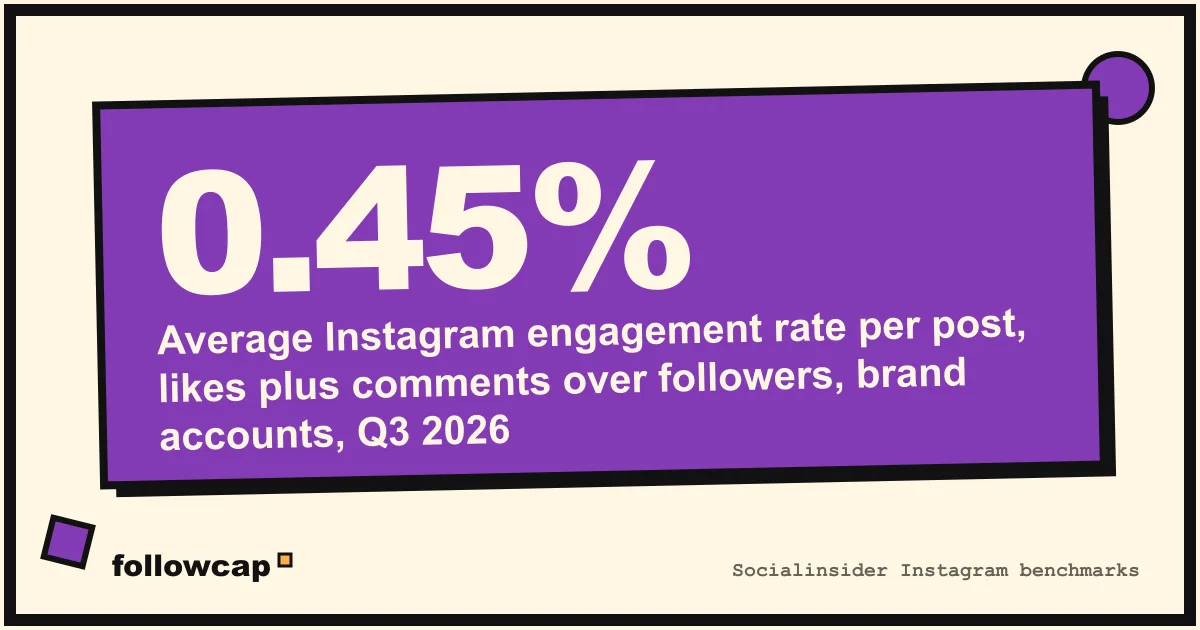
What counts as good depends on the formula and the sample, so compare only with benchmarks that use yours. Socialinsider’s benchmark page, built on the follower formula above, reports that Instagram’s average engagement rate by followers was 0.45% in Q3 2026, from about 67.5 million posts by brand accounts with 1K to 1M followers; its 2025 average was 0.48%, with carousels at 0.55%, Reels at 0.52% and images at 0.37%. Small creator accounts run far higher, which is why Instagram engagement rate benchmarks sorts the figures by account size first.
Instagram engagement tracker tools that see other accounts
Past five accounts, a tool. The ones below read public profiles, so none needs the other account’s login. Prices are the lowest on each official pricing page as of November 2026.
| Tool | What it does | Sees other accounts? | From price | Best for |
|---|---|---|---|---|
| Socialinsider | Cross-network analytics; add any public Instagram profile and compare it with yours | Yes | $82/month (Adapt, 20 profiles, 14-day trial) | Agencies benchmarking several brands |
| Metricool | Scheduling plus analytics; Competitors section with followers, posts and interactions from public data | Yes, 5 free, up to 100 paid | Free (1 brand); Starter from €16/month billed yearly | One brand wanting a free start |
| Not Just Analytics | Instagram profile analysis and client reporting; compare profiles on Standard and above | Yes, 3 to 5 by plan | €15.83/month billed yearly (Light, 7-day trial, no free plan) | Freelancers reporting on client profiles |
| Minter.io | Per-profile Instagram analytics; competitor growth, engagement and top posts on Platinum | Yes, 3 per profile on Platinum | €9/month per profile (Silver, no competitors); competitors from €39/month | Brands already on own-account analytics |
| Rival IQ | Cross-network competitive benchmarking with long history | Yes, 10 companies on Drive | $239/month (Drive, 14-day trial) | Enterprise and agency benchmarking |
| Followcap (ours) | One Sunday email with each account’s best posts, likes and comments; weekly numbers and an archive on paid plans | Yes, public creator and business accounts | Free (3 accounts); Premium €9/month (10 accounts) | A weekly read of a shortlist, no dashboard |
The last row is our product, so read it as the maker’s description. You type the usernames of public Instagram creator or business accounts, with no Instagram login or password, and every Sunday one email arrives: a 30-second summary of the week, the three posts not to miss, picked by likes, comments and what they say, then each account’s best three posts (most liked and commented first) with a short recap, the day and the link, and a note on what you can apply this week; if an account posted more than three times, the email says how many more there were. Premium (€9 a month, 10 accounts) opens with the week in numbers (top post by likes, fastest growing, most active, with trend lines), adds per-account weekly figures (posts, likes, comments, best post, follower growth) and an archive page that keeps every post of every week, searchable by account. Business Pro (€29 a month, 50 accounts, 3 team users) adds a monitoring dashboard with alerts, CSV export and a monthly PDF report. The limits: weekly, not real time; public creator and business accounts only; likes, comments and follower counts, so no reach, saves, shares, views, Stories, mentions or audience data; paid plans are paid after the 7-day trial, with a 30-day money-back. Three accounts are free with no card; start with three accounts and decide after a month.
Before paying for any tool, check that competitor data comes from public profiles and how far back the history goes; most plans cap it.
Why engagement tracker apps that ask for your login are a bad trade
Search this query in an app store and you find a second category: apps that promise to show who engages with your profile most, who viewed it, who unfollowed you, or “hidden” engagement on other accounts, in exchange for your Instagram username and password or an access token. They are a bad trade for three reasons.
They cannot see what they promise. Instagram does not expose who viewed a profile, and nobody outside Meta can see another account’s saves, shares or reach. Whatever they show for other accounts is estimated or invented.
They put your account at risk. Instagram’s help page Why you should not use apps that offer likes and followers says that if you give such an app your login information, “whether with an access token or by giving them your username and password, they can gain complete access to your account”: your messages, your contacts, the ability to post. It adds that Instagram may remove engagement these apps generate, limit the account, or disable it.
They break Instagram’s terms. The page on why accounts get restricted for data scraping names handing your username and password to a third-party app as a behaviour that gets an account flagged, alongside automated collection. A “tracker” that logs in as you and pulls other profiles is both.
If you have already used one: change your password, which logs out every device, remove the app under Apps and websites, and turn on two-factor authentication.
What no tracker can see for other accounts
- Saves and shares. Owner’s Insights only. A competitor’s carousel may be saved thousands of times and show 300 likes; you will only ever see the 300.
- Reach, impressions and Story views. Same place. Reels display a public view count as of late 2026, but the owner can hide it, and views are not comparable with the follower-based rate.
- Hidden like counts. When an account hides them, likes drop out of your tracker; comments and follower change still work.
- Who engaged. Commenters are public; likers can be browsed but not exported, and no tool may collect them.
FAQ
Is there an app to track Instagram engagement?
For your own account, Instagram Insights does it free, with a 90-day window. For other public accounts, Socialinsider, Metricool, Not Just Analytics, Minter.io and Rival IQ read the public numbers in a dashboard, and a weekly email recap does it without one. Avoid any app that wants your Instagram password.
Can I track engagement on someone else’s Instagram?
Yes, on a public creator or business account, using likes, comments and follower count, which anyone can see. You cannot see their saves, shares, reach, Story views or audience data, and a private account shows nothing to anyone it has not approved.
How do I calculate engagement rate on Instagram?
(Likes + comments) ÷ followers × 100 for one post; average a week’s posts for a weekly rate. For your own account you can also use interactions ÷ reach from Insights, but that version cannot be computed for anyone else.
What is a good engagement rate on Instagram in 2026?
Socialinsider’s brand benchmark on the follower formula sits at 0.45% for Q3 2026, with carousels highest at around half a percent. Small creator accounts run several times higher. Compare with accounts of similar size and the same formula, not with a headline number.
Can you track Instagram engagement for free?
Yes: Insights for your own account, a spreadsheet for up to five public accounts, Metricool’s free plan for five competitor profiles, and a free weekly recap for three accounts. Paid plans add history, more accounts and reports, not access to anything private.
Related reading
- The Best Instagram Analytics Tools in 2026 (Yours and Others’)
- 8 Best Instagram Monitoring Tools in 2026 (Creators and Brands)
- Instagram Profile Analyzer: What It Shows for Any Public Account
The bottom line
An Instagram engagement tracker is Insights for your own account and, for any public creator or business account, a log of likes, comments and followers turned into a weekly engagement rate. A spreadsheet does it for five accounts; past that, Socialinsider, Metricool, Not Just Analytics, Minter.io and Rival IQ read the same public numbers into a dashboard, and Followcap, which we make, sends them as one Sunday email with each account’s best posts. None sees saves, shares or reach for an account you do not own, and none should ask for your password: the apps that do cannot show you more, and may cost you the account.