How to Find Trending Content in Your Niche on Instagram
How to find trending content in your niche on Instagram without relying on Explore: a fixed list of accounts, the 2 to 3x outlier rule, and a 20-minute weekly routine.
 Andrea Marino9 min read
Scrolling the Reels tab to find what is trending in your niche feels productive and mostly is not. The feed is tuned to you, not to your niche, and by the time something reaches your Explore page it has usually peaked. This guide is the method we use instead: a fixed list of accounts read on a schedule, a simple rule for spotting outliers, and the places inside Instagram where trends show up early. Twenty minutes a week.
Quick answer: build a fixed list of 10 to 20 public accounts in your niche and read it once a week, same day. Flag any post at two to three times that account’s usual likes or comments. When the same format, question or audio shows up on three accounts within two weeks, it is a trend. Confirm on the hashtag and audio pages, file it in a saved collection, and write one line about why it worked.
Why are the Reels tab and Explore unreliable for trend spotting?
Instagram has said in its own published explainers on ranking, including Adam Mosseri’s posts, that Explore and Reels are personalised recommendation surfaces: ranked per person from that person’s past activity, with much of the content coming from accounts the person does not follow. That is good for passing time and bad for research.
- It shows you what you already like. Watch three cooking reels today and you get cooking reels tomorrow.
- It is late. Recommendations reward content that is already performing, so a format often reaches you weeks after it started.
- It is not repeatable. Two people in the same niche get two different Explore pages, so you cannot compare weeks.
The fix is not a better feed. It is a fixed sample you control, read on a fixed schedule.
What does “trending” actually mean in a niche?
A trend is a format, topic, hook or audio working for several accounts at the same time, not one post that did well. Three parts of that definition matter:
- Relative to the account. A reel with 50,000 views is nothing for a million-follower account and a breakout for one with 8,000.
- Repeated across accounts. One outlier is a good post. The same thing on three accounts within two weeks is a pattern.
- Recent. If it last worked in March, it is not trending in November. Posting dates are public, so check them.
With this definition, finding trends becomes a measurement problem, and public numbers are enough to measure it.
Where does trending content actually show up?
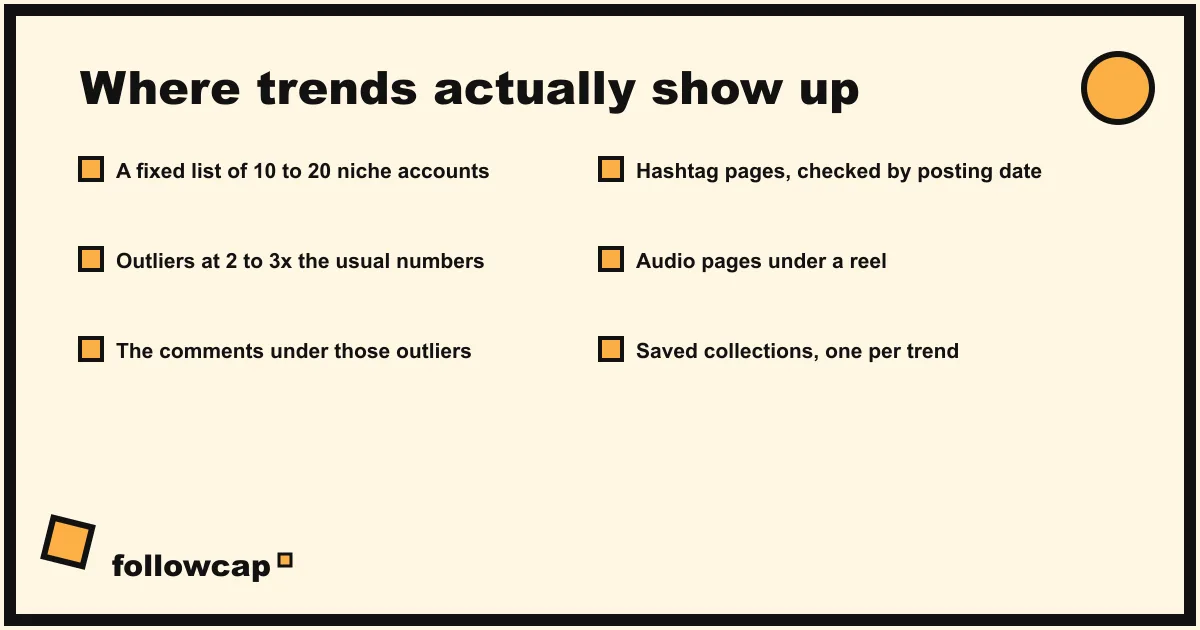
Five places, in order of how much we trust them.
A fixed list of 10 to 20 accounts
This is the core. Pick public creator or business accounts in your niche, write their usernames in a note, and read them every week in the same order. The list does not change for a month at a time. It is the weekly structure of Instagram competitor analysis: a 30-minute weekly routine, narrowed to one question: what broke out this week?
Outliers on those accounts
For each account you know roughly what a normal post gets. Anything at two to three times that in likes, comments or reel views is an outlier, and outliers are where trends start.
The comments under the outliers
Comments tell you why a post broke out and what people wanted that it did not give them. “Part two please” and a wave of the same question are trend signals.
Hashtag pages
Search a niche hashtag and open its page. It shows a Top view and a Reels view. Instagram tested removing the Recent tab in 2022, and you may or may not still see one, so do not rely on it for sorting by date. Instead, open posts from the Top view and check their dates. Anything from the last two weeks, by an account you do not already track, is a candidate for your list.
Audio pages
Tap the audio name on any reel to reach the audio page: every reel that used that sound, with the reel count at the top. If two outliers on your list share an audio, this page shows how widely it is used and by whom.
Saved collections
Instagram lets you save any public post into named collections. Make one per trend, with the date in the name, for example “Nov · pricing carousels”. Three posts from three accounts confirm the trend.
How do you build the list of 10 to 20 accounts?
Start from accounts you already know, then widen deliberately:
- Five direct peers, your own size, posting the same kind of content.
- Five one step ahead, two to five times your size. They are usually the first to pick up what works.
- Three to five adjacent, from a neighbouring niche that shares your audience. Trends cross over from next door.
- At most two large accounts, for format ideas only. Their numbers are driven by distribution, not craft.
To find candidates, use the tagged accounts and commenters on your list’s outliers, the accounts behind the top posts on niche hashtags, and the accounts that keep appearing on audio pages. Write down why each account is on the list in three words; if you cannot, drop it. Keep the list to 20 at most.
How do you spot an outlier in 30 seconds?
Know each account’s baseline in advance. Once a month, for each account, take the last ten posts, skip anything from the last 48 hours, and write down the average likes and comments. That is the baseline, the same average used in how to check any account’s engagement rate. From then on, any post at two to three times the baseline is an outlier at a glance.
Two notes. Accounts that hide like counts leave you with comments and reel views, which still work. And a huge outlier you cannot explain may have been promoted as an ad, which you cannot tell from outside, so wait for it to repeat.
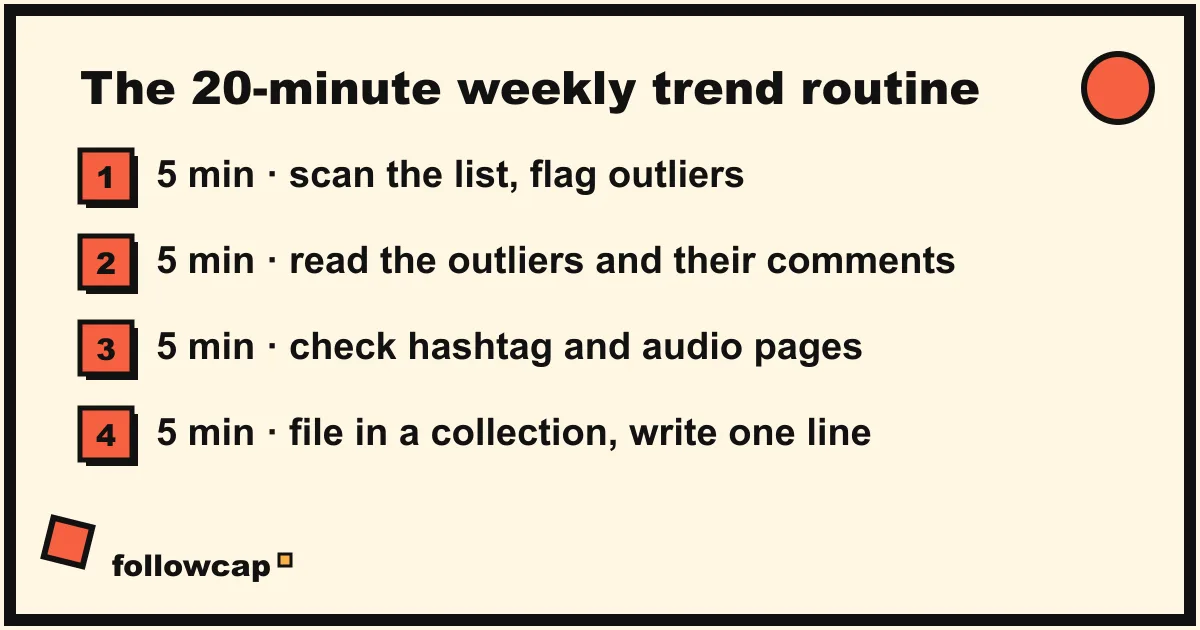
The 20-minute weekly trend routine
Same day every week, in our case Monday, in one calendar block. Twenty minutes covers 15 accounts if you do not read everything.
Minutes 0 to 5: scan the list for outliers. Go through the accounts in order and flag anything at two to three times the baseline. Paste the links into a note. Do not read yet.
Minutes 5 to 10: read the outliers and their comments. Note the hook in the first line or first two seconds, the format, and what the top comments asked for.
Minutes 10 to 15: check hashtag and audio pages. For each outlier, open its audio page if it is a reel, and the page of its main hashtag. Are other accounts doing the same thing this fortnight? Note any new account you keep seeing as a candidate.
Minutes 15 to 20: file and write one line. Save each outlier into the matching collection. Write a single line per trend: what it is, how many accounts, since when, and one idea for your own version. Close the app.
The routine ends at twenty minutes whether or not you feel finished. Trends are found by looking every week, not by looking longer once.
How do you tell a trend from a one-off?
Keep a ledger per trend with three columns: first seen, accounts seen on, last seen. The rules we use:
- One account, one post: interesting, not a trend. File it and wait.
- Two accounts within two weeks: watch it. Check the hashtag and audio pages for a third.
- Three accounts within two weeks: a trend. Decide this week whether to make your version.
- Nothing new for a month: over.
Being the second or third account in your niche to use a format, with your own angle, usually beats being the tenth. How to turn a trend into a post without copying anyone is covered in how to get content ideas from the accounts you follow: take the question or the format, never the content.
Do you need a tool to find trending content?
For the first month, no. Scanning by hand teaches you what normal looks like on each account. The problems come later: the scan runs over, you miss a week, or a client wants the same list watched. Here we have to be transparent: Followcap is our product, so read this as the maker’s description. You type the usernames of public Instagram creator or business accounts, with no Instagram login or password, and every Sunday you get one email: a 30-second summary of the week, the 3 posts not to miss, and a 2 to 3 line recap with a link for the best posts of each account. That covers the scan for up to 3 accounts on the free plan, 10 on Premium (€9 a month, which adds weekly likes, comments, best post and follower growth per account) and 50 on Business Pro (€29 a month, 3 team users, which adds alerts on spikes in likes and comments, a “you vs your niche” view and weekly content ideas). The limits matter here: it is weekly, not a live dashboard, so you see last week’s outliers on Sunday; it covers public creator and business accounts only; it cannot show reach, saves, views, watch time or audience data, because nobody outside an account can; and it is paid after the 7-day free trial, with a 30-day money-back after the first charge. If the scan is the part you want to hand off, you can start with your list. The reading, the collections and the notes stay manual, because that is the judgement.
Other legitimate options are compared in the best Instagram monitoring tools. Avoid any site or app that asks for your Instagram password to “track” other accounts; it is against Instagram’s terms and a risk to your own account.
FAQ
Is there a way to see what is trending on Instagram right now?
Not for a niche. Instagram ranks Explore per person and publishes no niche-level trend list. The reliable substitute is a fixed sample of 10 to 20 accounts in your niche, read weekly, with outliers flagged against each account’s baseline.
How many accounts do I need to spot trends?
Ten to twenty. Under ten, a trend can appear on only one account and look like a one-off. Over twenty, the weekly scan takes longer than the thinking.
Should I jump on every trend I find?
No. Pick the ones where you have something to add, usually one or two a month: three accounts within two weeks, still active, and a version you could make this week from your own experience.
Can I use hashtags alone to find trending content?
They help but are not enough. Hashtag pages are dominated by a Top view that favours already popular posts, and the Recent tab is not available to everyone. Use them to confirm what your list suggests and to find new accounts.
How early can I catch a trend with this method?
Usually in the week an outlier appears on your list, confirmed within two weeks once a second and third account do it. That is typically earlier than Explore shows it to you.
Related reading
- Best Time to Post on Instagram in 2026 (and How to Find Yours)
- How Often Should You Post on Instagram? What the Accounts in Your Niche Actually Do
- How the Instagram Algorithm Works in 2026 (Feed, Stories, Reels, Explore)
The bottom line
Trending content in your niche is not found by scrolling. It is found by reading a fixed list of 10 to 20 public accounts once a week, flagging any post at two to three times that account’s usual likes or comments, confirming on hashtag and audio pages, and filing it in a dated collection until three accounts have done it. Twenty minutes, same day, every week. When the scan is the bottleneck, a weekly recap such as Followcap, which we make, can bring you the best posts from those accounts on Sunday, with the trade-off that it is weekly and covers public accounts only. What to make of a trend is your judgement, and the part worth keeping.