Social Media Reporting Tools: 9 Options for Clients and Teams (2026)
Social media reporting tools compared on report formats (PDF, white label, scheduled), own vs other accounts and starting price, from Business Suite to Sprout.
 Andrea Marino13 min read
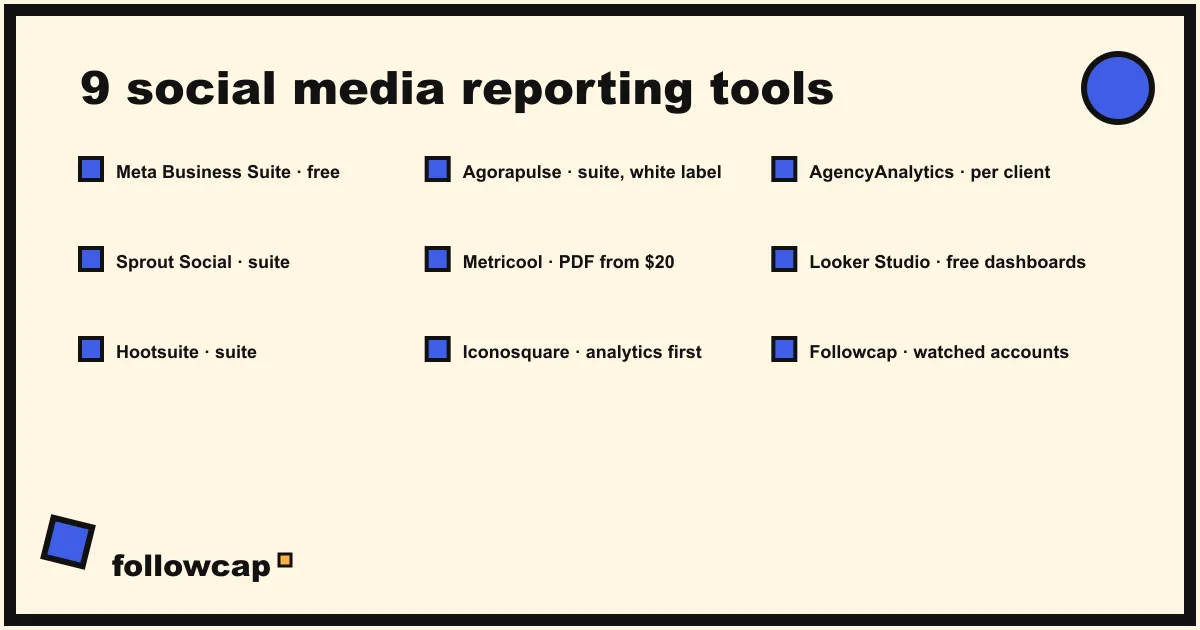
Social media reporting tools turn the numbers in Instagram Insights and its equivalents into something a client or a manager will read: a PDF, a scheduled email, a branded dashboard. Nine are worth a look in 2026, two of them free, and the right one depends on three questions: which format the reader wants, whether the accounts are yours, and how many clients you report on.
Quick answer: one account you own and no client: Meta Business Suite, free. A few clients who want a branded PDF every month: Metricool (from $20 a month) or Agorapulse (from $79 per user). A full publishing and reporting suite for a team: Hootsuite or Sprout Social (from $99 and $79 per user). Ten or more clients with their own portals: AgencyAnalytics ($20 per client). Custom dashboards and a zero budget: Looker Studio. A weekly summary of accounts you do not own: a weekly email recap.
What a reporting tool does, and what it cannot
A reporting tool connects to the accounts you manage, pulls the metrics the platform exposes to its owner (views, reach, interactions, follower change, link clicks), and lays them out in a template you can schedule, brand and send. That is the whole job, and the reason the market splits in two. Suites such as Sprout Social, Hootsuite and Agorapulse bundle reporting with publishing and an inbox, so the report is one tab of a bigger product. Reporting-first tools such as AgencyAnalytics and Looker Studio only build the report, from whatever sources you connect.
Two limits apply to all of them. The deep metrics (reach, saves, audience) exist only for accounts that have authorised the tool; for anyone else’s account, the most a tool can show is what is public, as how to see analytics of other Instagram accounts sets out. And no tool writes the sentence that explains the numbers; the social media report template for clients shows how short that commentary can be.
The 9 tools compared
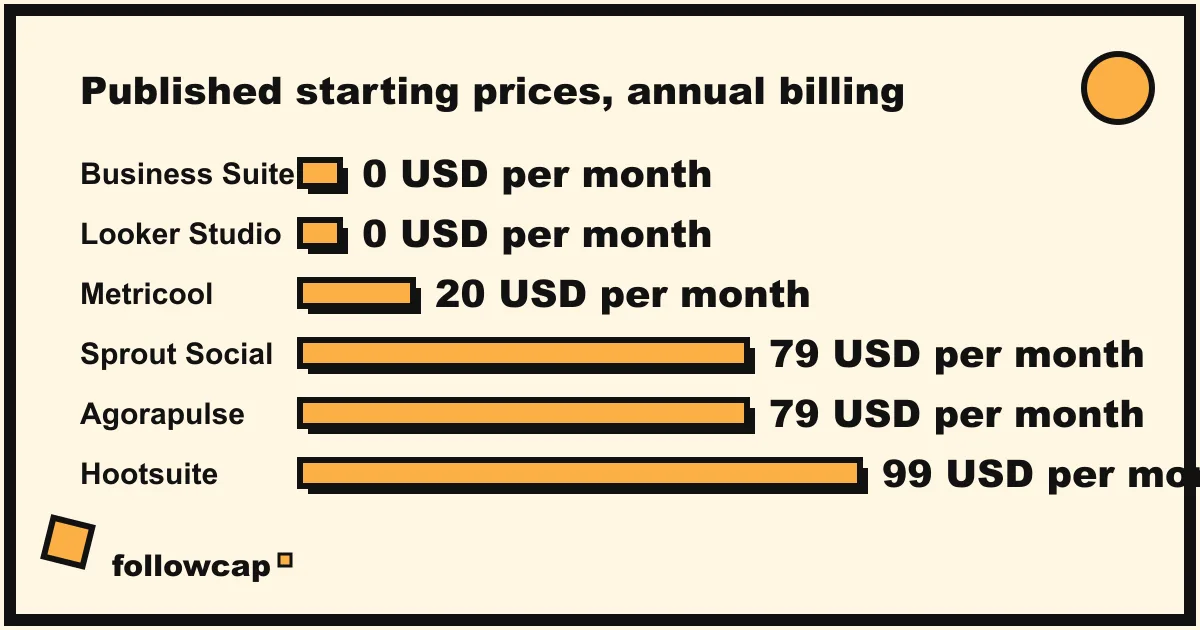
Prices are the lowest published plan on each tool’s pricing page as of November 2026, billed annually, before tax; monthly billing costs more on every paid tool. Formats are what the pricing page or help page states, not what a sales call promises.
| Tool | Report formats | Own or other accounts | From price | Best for |
|---|---|---|---|---|
| Meta Business Suite | On-screen Insights, no PDF, no scheduling, no branding | Own Facebook Pages and Instagram profiles | Free | One business, no client |
| Sprout Social | Report builder, presentation-ready reports with shareable links on the Premium Analytics add-on | Own, plus competitor reports from Professional | $79 per seat/month (Essentials, annual) | Larger teams that want reporting inside the publishing workflow |
| Hootsuite | Custom reports, scheduled and exported from Professional, your logo on Advanced | Own, plus 5 competitors on Standard and 20 on Professional | $99 per user/month (Standard, annual) | Teams that benchmark against competitors |
| Agorapulse | PDF and CSV with your logo and colours on every plan, scheduled emails and PPTX on Advanced | Own, competitor benchmarking on Advanced or as an add-on | $79 per user/month (Standard, annual) | Agencies that want white label at the entry price |
| Metricool | PDF and PPT reports, monthly automated sending, custom templates | Own, plus competitor profiles (5 on Free, up to 100 on Starter) | Free; $20/month (Starter, annual) | Freelancers and small agencies on a budget |
| Iconosquare | Automated reports from Launch, PDF and XLS exports, white label on Custom | Own, plus competitors on Scale | Free (2 profiles); €9/month (Starter, yearly) | Small teams that live in analytics |
| AgencyAnalytics | Automated client reports, scheduling, white-labelled client portal with custom domain | Own, across 90+ integrations | $20 per client/month (annual) | Agencies with 10 or more clients |
| Looker Studio | Custom dashboards, scheduled email with PDF attached (once a day, one schedule per report without Pro) | Own, through Google or partner connectors | Free (connectors may cost) | Anyone who wants a custom dashboard and has time to build it |
| Followcap (ours) | Weekly email recap; Business Pro adds a monthly PDF report and CSV export | Public creator and business accounts you choose, not your own Insights | Free (3 accounts); €9/month | A weekly summary of the accounts you watch |
1. Meta Business Suite
Free, and the source every other tool draws on for Facebook and Instagram. Meta’s help page for Insights in Business Suite on desktop lists the tabs: Overview (the past 28 days, with Views and Follows), Results, Audience, Messaging, Benchmarking against similar businesses, Content (a table of every post’s results) and Ads. It is a reporting tool in the sense that a client with portfolio access can log in and read it. It is not one in any other sense: no PDF, no scheduled delivery, no branding, no commentary, and a reader who has to find the numbers themselves usually does not. For one business with no client to send to, it is enough, with a weekly social media report template filled by hand.
2. Sprout Social
Sprout’s pricing page lists Essentials at $79 per seat per month on annual billing ($99 monthly), Standard at $199, Professional at $299 and Advanced at $399, with no card for the trial. Essentials includes profile and post-level reporting; Professional adds “extensive competitor, tag and paid insights”; the Premium Analytics add-on adds presentation-ready reports distributed by shareable link. The per-seat price is the thing to model: three people on Professional is $897 a month before the add-on. It fits a team that publishes, replies and reports in one place.
3. Hootsuite
Hootsuite’s plans page puts Standard at $99 per user per month, Professional at $199 and Advanced at up to $399, annual billing, with a 14-day trial. Standard has analytics and benchmarking against five competitors. Professional is where reporting starts in earnest: build custom performance reports, schedule and export them, and benchmark against up to 20 competitors. Advanced adds your own logo or imagery to reports and lets you send them to external email addresses, which is the client use case; the page names no export format. If competitor benchmarking is the report’s centrepiece, social media competitor analysis tools compares that feature on its own.
4. Agorapulse
Agorapulse’s pricing page lists Standard at $79 per user per month and Professional at $119 on annual billing ($99 and $149 monthly), Advanced at $149 ($199 monthly), and a 30-day trial with no card plus a free plan the page does not detail. Its reporting is unusually generous at the bottom: every plan exports reports as PDF or CSV with your logo and brand colours. Scheduled report emails, PowerPoint export, cross-network group reports and the ROI report are Advanced only, and competitor benchmarking is in Advanced or sold as an add-on. For an agency that needs a branded PDF per client at the entry price, this is the cheapest of the suites.
5. Metricool
Metricool’s pricing page shows a Free plan (one brand, 20 scheduled posts a month, five competitor profiles, 30 days of analytics), Starter from $20 a month on annual billing ($25 monthly; €16 and €20 in euros) and Advanced from $53 ($67 monthly). Starter includes PDF and PPT reports, up to 100 competitors, and the reporting section lists monthly automated sending and customisable templates; Advanced adds a Looker Studio connector. White label is an extra on the Custom plan only, so the reports carry Metricool’s name unless you pay for that. For a freelancer with three to five clients, it is the lowest price on this list for a scheduled PDF that includes competitors.
6. Iconosquare
Iconosquare’s plans page lists a Free plan with up to two profiles, Starter from €9 a month billed yearly (up to five profiles, one user), Launch from €33, Scale from €69 (up to 20 profiles, three users, competitors, hashtags and trends) and Custom from €116, with a 14-day trial on the paid plans. Launch is the first plan with automated reports; the feature table mentions dashboard and campaign exports in PDF or XLS, scheduling for any report, and white-label reporting (your logo, no watermark) on Custom. Profiles are sold in blocks of five. It suits a small team that wants analytics first and publishing second.
7. AgencyAnalytics
AgencyAnalytics is reporting and nothing else, priced per client: the Core plan is $20 per client per month on annual billing (20 percent off the monthly price), with a 14-day trial and no card, and volume pricing for agencies with 25 or more clients. The page lists automated client reporting, report scheduling, unlimited reports and dashboards, a white-labelled client portal with your logo, colours and custom domain, and more than 90 marketing integrations, so Instagram sits next to Google Analytics, ads and SEO in the same report. It wins when the number of clients is the problem: ten clients is $200 a month with a portal each, which no suite matches.
8. Looker Studio
Google’s documentation describes Looker Studio as a no-cost tool for dashboards and reports, and its scheduled delivery page states that scheduled email delivery sends the report attached as a PDF, with a preview of the first page and a link. Without Looker Studio Pro the limits are one schedule per report and at most once a day. The catch is data: Google’s own connectors cover Google products, and Instagram and Facebook data arrive through partner connectors from third parties, most of which charge a monthly fee. Budget the build time too; a dashboard that reads like a report is a day’s work the first time. For a team with a data person and several non-social sources, it is the most flexible option here.
9. Our weekly recap, for the accounts you do not own
Every tool above reports on accounts that have authorised it. The ninth tool is our own product, so read this as the maker’s description; it covers the other half of a report, the accounts you watch. You type the usernames of public Instagram creator or business accounts, with no Instagram login or password, and every Sunday you get one email with a 30-second summary, the three posts not to miss, a two to three line recap of the best posts from each account with their links, and “what you can apply this week”. Three accounts are free with no card. Premium (€9 a month, 10 accounts) adds weekly numbers per account (posts, likes, comments, best post, follower growth) and a personal archive page. Business Pro (€29 a month, 50 accounts, 3 team users) adds a monitoring dashboard with alerts, CSV export, a “you vs your niche” view and a monthly PDF report, which is the piece that belongs in this list. Its limits: weekly, not real time; public creator and business accounts only; public posts, likes, comments and follower counts only, so no reach, saves, views, Stories, mentions or audience data, and nothing from your own Insights; and paid plans are paid after the 7-day trial, with a 30-day money-back. It is the “accounts we watch” section of a report, not the report.
Own accounts or other accounts: the question to ask first
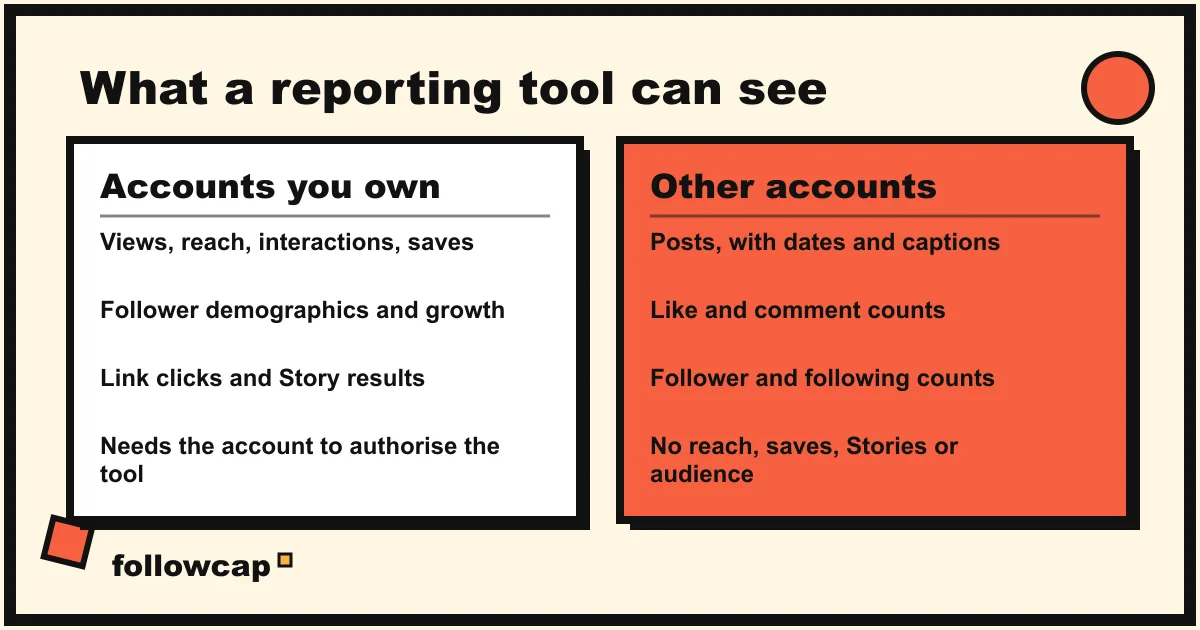
Most comparisons of social media reporting tools skip this, and it decides more than price. For your own accounts, a connected tool sees everything the platform gives its owner: views, reach, interactions, saves, follower demographics, link clicks, Story results. For any account that has not authorised it, every tool, including the expensive ones, is limited to what a visitor sees: posts, like and comment counts, follower and following counts. That is why “competitor reports” in Sprout, Hootsuite and Metricool show posts, engagement and follower growth, never a competitor’s reach.
So the report has two halves with two sources: the client’s own numbers, which need a connected tool or Business Suite, and the three to five accounts the client measures itself against, which need only public data logged every week. Any tool in the table does the first half; the second can be a sheet, a competitor feature on a Professional-level plan, or a weekly recap. Paying for a $300 seat because it “does competitors” when the client has two is the most common overspend on this list.
What to put in the report
The tool decides the format; the content is the same whichever you choose. A report that gets read has a headline sentence, a small table of five or six numbers against last period, the top three posts with a line on why each worked, a short section on the accounts you watch, and one decision for next period. Social media metrics to track argues which five numbers belong in the table and which to leave out.
Two rules hold across tools. Weekly reports go to the people doing the work and fit on one page; monthly reports go to the people paying and get the longer template. And schedule the delivery: a report that depends on someone remembering to export it arrives late by the third month.
How to choose
- Count the readers. One internal reader: Business Suite and a template. One to five clients: Metricool, Agorapulse or Iconosquare. Ten or more: AgencyAnalytics.
- Ask what format they open. A PDF by email needs scheduling (Metricool, Agorapulse Advanced, Hootsuite Professional, AgencyAnalytics, Looker Studio). A live dashboard needs a portal (AgencyAnalytics) or a shared link (Sprout’s add-on, Looker Studio).
- Check who the report is from. White label is on every Agorapulse plan, on AgencyAnalytics, on Iconosquare Custom and Metricool Custom; Hootsuite adds a logo on Advanced.
- Decide where competitors come from. Native competitor features start at Hootsuite Standard, Sprout Professional, Agorapulse Advanced, Metricool Free and Iconosquare Scale; a sheet or a weekly recap covers the same public numbers for less.
- Run the trial with a real report. Every paid tool here has a 14 to 30 day trial. Build next month’s report in it, send it to one client, and ask what they read.
FAQ
What is the best free social media reporting tool?
Meta Business Suite for the numbers of your own Facebook and Instagram accounts, and Looker Studio for building a dashboard from them, with the caveat that most Instagram connectors for Looker Studio are paid. Metricool and Iconosquare have free plans with limits (one brand, two profiles). None of the free options sends a branded PDF on a schedule.
Which tools send scheduled reports by email?
From the pricing pages: Metricool (monthly automated sending from Starter), Agorapulse (Advanced), Hootsuite (Professional and up), Iconosquare (scheduling in its feature table), AgencyAnalytics (all plans) and Looker Studio (once a day without Pro).
Which tools offer white-label reports?
Agorapulse on every plan (logo and brand colours), AgencyAnalytics (logo, colours and custom domain on the client portal), Iconosquare on Custom, Metricool on Custom as an extra, Hootsuite on Advanced (logo or imagery). Sprout Social’s pricing page does not mention white label.
Can a reporting tool report on an account I do not manage?
Only its public side: posts, likes, comments, follower and following counts. Competitor features in the suites and a weekly recap both work from that data. Reach, saves, audience and Story metrics exist only for accounts that have authorised the tool.
How often should I send a social media report?
Weekly to the team that runs the account, one page; monthly to the client or manager, with the longer template and the commentary. Most agencies report monthly, and the weekly note is what keeps the monthly one short.
Related reading
- The Best Instagram Analytics Tools in 2026 (Yours and Others’)
- 8 Best Instagram Monitoring Tools in 2026 (Creators and Brands)
- Instagram Engagement Tracker: Likes and Comments on Any Public Account
The bottom line
The nine social media reporting tools here split by reader count and format. Business Suite is free and enough for one business with no client. Metricool, Agorapulse and Iconosquare send branded PDFs for a handful of clients from $20 to $79 a month. Hootsuite and Sprout Social put reporting inside a full suite for teams that benchmark competitors. AgencyAnalytics charges per client and gives each a portal. Looker Studio is free, flexible and slow to build. All of them report on accounts that authorised them; for the public accounts a client measures itself against, a weekly email recap such as Followcap, which we make, logs posts, likes, comments and follower counts, puts them in a monthly PDF on Business Pro, and sees nothing beyond those public numbers.