Instagram RSS Feed: Does It Exist? What Works in 2026
There is no official Instagram RSS feed and there never was. Learn why, why third-party bridges keep breaking, and four ways to get the posts you want in 2026.
 Andrea Marino9 min read
If you are looking for an Instagram RSS feed, you probably want what RSS gives you everywhere else: every post from the accounts you pick, in order, in a reader you control, without opening the app. This guide gives you the honest answer first, explains why the usual workarounds keep failing, and then shows you what actually works in 2026.
Quick answer: there is no official Instagram RSS feed, and Instagram has never offered one. Third-party bridges exist, but they break often, usually need a logged-in session, and sit in a grey zone of Instagram’s terms. For complete, chronological posts outside the app, the dependable routes are creator newsletters, YouTube or podcast feeds, a weekly recap email, or a Favorites feed check-in.
Why doesn’t Instagram offer an RSS feed?
RSS is a pull technology. You subscribe, your reader fetches new items, and nobody in between decides what you see or when. That is close to the opposite of how Instagram works, for three structural reasons.
- The ranked feed is the product. Instagram has said publicly that your home feed is personalized using signals like your activity and your relationship with each account. An RSS feed would hand that ordering back to you and your reader.
- Attention has to happen inside the app. Ads, suggested posts, Reels and Stories only work when you are in the app. A feed you read somewhere else removes most of those moments.
- Less public access, not more. Since 2023 Instagram has increasingly required a login to browse. A public profile may show a few posts in a web browser, then a login wall appears. Behavior varies by region and over time, but the direction is consistent.
None of this is an oversight that a future update will fix. As of 2026, treat “no Instagram RSS feed” as a stable fact and plan around it.
What do third-party Instagram RSS bridges do, and why do they break?
Search for “instagram to rss” and you will find hosted services and self-hosted scripts that promise to turn any public profile into a feed. We are not going to name or recommend any of them, and we will not explain how to set one up.
A bridge works like this, in one sentence: a server loads the public profile page the way a browser would, reads the posts out of the page, and rewrites them as RSS items. Every step in that sentence is a point of failure.
- Login walls. When the profile page shows a login prompt instead of posts, the bridge gets nothing. Your feed goes quiet without an error, and you assume the creator stopped posting.
- Logged-in sessions. To get past the wall, many bridges ask for your Instagram session or run accounts of their own. Giving a third party your session is a security risk. Running accounts to fetch data for other people is the kind of automated access Instagram’s terms prohibit, and accounts used this way get restricted or banned.
- Rate limits. Instagram throttles unusual traffic. A bridge that works for ten subscribers can stop working when it serves a thousand.
- Breaking changes. Instagram changes its pages often. Each change can silently break the parser, and you find out weeks later when a creator seems to have gone “quiet”.
- Privacy. A working bridge knows which profiles you follow and how often you check, and you rarely know who runs it.
In our experience the pattern is the same every time: it works for a few weeks, then items stop arriving, then a login prompt appears. If you still want to try one, never use your main Instagram login, and expect to replace it.
What do you actually want from an Instagram RSS feed?
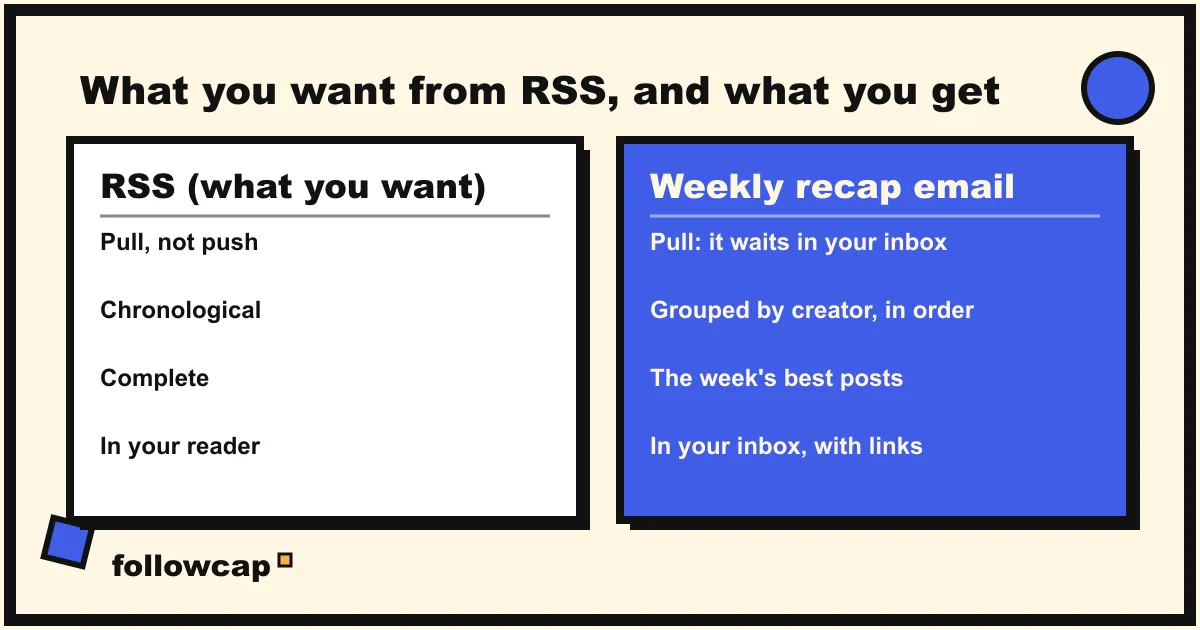
Nobody wants RSS for its own sake. When you ask for an Instagram RSS feed, you are asking for four properties. Each one is available today, just not from a single source.
| What RSS gives you | Why it matters | How to get it from Instagram today |
|---|---|---|
| Pull, not push | You decide when to look, nothing buzzes | A weekly recap email, or a Favorites check-in at a fixed time |
| Chronological | No algorithm hides or reorders posts | The Following or Favorites feed, or a recap that shows the date of each post |
| Complete | Every post, not a sample | Post notifications for a few accounts, or a recap with a full archive for many |
| In your own reader | Outside the app, searchable, kept | Your inbox, or the creator’s newsletter |
Two of these deserve a note. Chronological views do exist inside Instagram, the Following feed and the Favorites feed, but they are not the default and the app returns to the ranked feed when you reopen it. If you have wondered why the home feed skips posts from people you follow, the ranking itself is the reason, and we cover it in why Instagram isn’t showing posts from people you follow. And “in your own reader” is easier than it sounds: your inbox is already the closest thing most people have to a reader they open every day, searchable, with history, on every device, with no Instagram login.
What are the alternatives to an Instagram RSS feed?
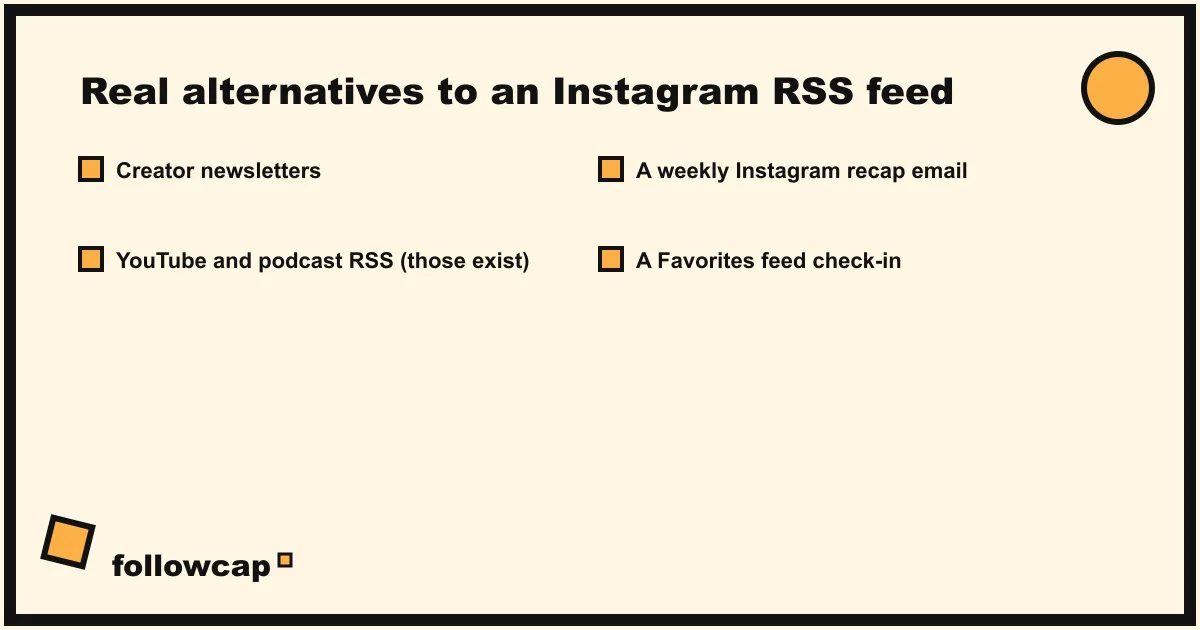
Four options hold up over time. You will probably combine two of them.
1. The creator’s own newsletter
Many creators run a newsletter or a broadcast channel precisely because they know the ranked feed hides their posts. It is the most complete source for that creator, and it is already in your inbox. The limits: not every creator has one, it rarely covers every Instagram post, and ten newsletters arriving on ten different days is its own kind of noise.
2. YouTube and podcast feeds, which do exist
If the creator also publishes on YouTube or runs a podcast, you can have real RSS today. Every YouTube channel has a feed and every podcast is an RSS feed by definition; many feed readers find the feed when you paste the channel link. You will miss the Instagram-only posts, but for creators whose main work lives in long-form video or audio, this gets you most of the value with none of the fragility.
3. A weekly recap email
This is what we built Followcap for, so read this part knowing it is our product. You type the usernames of the public creators you want to follow, and every Sunday you get one email on what they posted that week: a 30-second summary, the three posts not to miss, a two or three line recap of the best posts from each account with their links, and a short “what you can apply this week” section. No Instagram login or password is needed, and the first recap arrives within 24 hours. The limits: it is weekly, not real-time, so it is not a notification system; it only covers public creator and business accounts; and it is paid after a 7-day free trial (Basic is €9 a month for up to five creators). If that trade fits, you can start a trial in about two minutes. For every way to move posts into your inbox, see Instagram to email.
4. A Favorites feed check-in
Inside Instagram, mark up to 50 accounts as Favorites, then tap the Instagram logo at the top left of the home feed and choose Favorites. You get a chronological feed of just those accounts, free and complete for those 50. The catch is that the app resets to the ranked feed every time you reopen it, so you need to make those two taps every time, inside an app built to pull you elsewhere. It works best as a scheduled habit, say ten minutes on Sunday morning, rather than as a default.
Is there an official Instagram API instead of RSS?
For developers, yes, with limits. Meta offers the Instagram Graph API for business and creator accounts, and apps that use it need Meta’s review and the account owner’s permission. It is built for managing and analyzing accounts you own or are authorized to manage, not for reading other people’s profiles into a personal feed. It is not RSS, it is not open, and it is not meant for personal use. If you are a developer, start with Meta’s platform terms before planning anything on top of it.
How do you choose the right replacement?
Match the option to the number of accounts and to how fast you need to know.
- One to three accounts you never want to miss: turn on post notifications for each, or put them in Favorites. We cover the exact taps in how to get notified when someone posts on Instagram.
- Five to twenty accounts you want to keep up with, not react to: a weekly recap email, plus the creators’ newsletters where they exist.
- Creators who also publish long-form: subscribe to their YouTube or podcast feed in your reader and let Instagram be the trailer.
- You want to leave the app behind entirely: combine a recap with newsletters and read them in one weekly slot. Our guide to staying up to date without social media walks through that setup.
Whatever you choose, give it a fixed time. The point of wanting an RSS feed was never the format; it was to read on your own schedule instead of the app’s. A twenty-minute Sunday slot does more for that than any feed technology, and it is the one habit from our time management techniques that people actually keep.
FAQ
Does Instagram have an RSS feed in 2026?
No. Instagram has never offered an official RSS feed for profiles, hashtags or locations, and nothing announced as of 2026 suggests that will change. Anything described as an “Instagram RSS feed” is a third-party bridge, with the fragility that comes with that.
Can I create an RSS feed for a public Instagram account?
Not officially. Third-party bridges try to do it by reading the public profile page, but they hit login walls and rate limits, and many ask for your logged-in session, which is risky and against Instagram’s terms. We do not recommend them. A weekly recap email or the creator’s newsletter gives you the same completeness without the breakage.
Why did my Instagram RSS feed stop working?
Almost always one of three things: Instagram showed a login wall where the bridge expected posts, Instagram changed its page structure and the parser broke, or the bridge was rate-limited or blocked. None of these are fixable on your side.
What is the closest thing to an Instagram RSS feed?
For a few accounts, the Favorites feed inside the app is the closest in spirit: chronological and complete, though it resets each time. For more accounts, a weekly recap email gives you pull, chronological order, completeness and an archive in your inbox, with the trade-off that it arrives once a week rather than live.
Related reading
- How to Follow Instagram Accounts Without an Account (2026)
- How to Monitor an Instagram Account: Yours, a Brand’s or a Creator’s
- How to See Saved Posts on Instagram (and Organise Collections)
The bottom line
There is no Instagram RSS feed, official or coming, and third-party bridges are not a dependable substitute. What you actually want from RSS, posts in order, complete, read when you choose, outside the app, is available today from a mix of creator newsletters, real YouTube and podcast feeds, a Favorites check-in for a handful of accounts, and a weekly recap email for the rest. Followcap is our version of that last option: one Sunday email covering the public creators you choose, weekly rather than real-time, with a free week to see if it fits. Pick one slot a week, read everything then, and the format stops mattering.